


 FSX Military Aircraft
UKMIL Boeing C-17 Globemaster III
Welcome to the UKMIL C-17 package for FSX. This is a Gmax creation, with full…
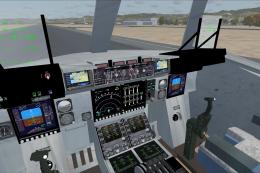
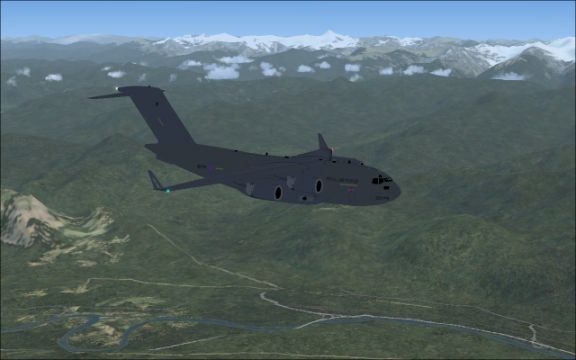
Boeing C-17 Globemaster III brings modern strategic airlift to Microsoft Flight Simulator X, capturing the heavy-lift transport’s short-field utility with animated forward crew door plus rear cargo doors and ramp for loading scenes. A fully functional 2D cockpit supports immersive military operations and cargo runs across rugged airstrips.
Free for all simmers · 13.56 MB · Scanned clean
Download speed: Free tier is capped at 0.5 Mbps (this file takes approximately 4 mins at the cap). PRO members download at full line speed.
FSX\SimObjects\Airplanes\. The folder must contain an aircraft.cfg file. Effects go into FSX\Effects\; gauges go into FSX\Gauges\.readme.txt or README file. It tells you exactly where files go, what dependencies are needed, and any quirks specific to this add-on.The archive raf_c17a.zip has 124 files and directories contained within it.
This list displays the first 500 files in the package. If the package has more, you will need to download it to view them.
| Filename/Directory | File Date | File Size |
|---|---|---|
| RAF C17 | 12.28.08 | 0 B |
| RAF C-17 Globemaster III | 12.28.08 | 0 B |
| Aircraft.cfg | 12.26.08 | 12.65 kB |
| base textures | 12.28.08 | 0 B |
| cargo_bay_l.bmp | 12.26.08 | 1.33 MB |
| cargo_bay_t.bmp | 12.26.08 | 1.00 MB |
| cargo_ramp_l.bmp | 12.26.08 | 341.43 kB |
| cargo_ramp_t.bmp | 12.26.08 | 257.05 kB |
| fuslg_l.bmp | 12.26.08 | 1.33 MB |
| fuslg_t.bmp | 12.26.08 | 1.00 MB |
| gearpods_l.bmp | 12.26.08 | 1.00 MB |
| gearpods_t.bmp | 12.26.08 | 1.00 MB |
| lwing_l.bmp | 12.26.08 | 1.33 MB |
| lwing_t.bmp | 12.26.08 | 1.00 MB |
| misc_l.bmp | 12.26.08 | 17.05 kB |
| misc_t.bmp | 12.26.08 | 17.05 kB |
| rwing_l.bmp | 12.26.08 | 1.33 MB |
| rwing_t.bmp | 12.26.08 | 1.00 MB |
| tail_l.bmp | 12.26.08 | 1.33 MB |
| tail_t.bmp | 12.26.08 | 1.00 MB |
| wheel_l.bmp | 12.26.08 | 17.05 kB |
| wheel_t.bmp | 12.26.08 | 17.05 kB |
| wingroot_l.bmp | 12.26.08 | 257.05 kB |
| wingroot_t.bmp | 12.26.08 | 257.05 kB |
| c17.air | 12.26.08 | 8.52 kB |
| FILE_ID.DIZ | 12.26.08 | 286 B |
| model | 12.28.08 | 0 B |
| c17.mdl | 12.26.08 | 1.37 MB |
| model.cfg | 12.26.08 | 20 B |
| panel | 12.28.08 | 0 B |
| c17.cab | 12.26.08 | 181.65 kB |
| hud.bmp | 12.26.08 | 769.05 kB |
| main.bmp | 12.26.08 | 769.05 kB |
| panel.cfg | 12.26.08 | 4.16 kB |
| README.txt | 12.28.08 | 912 B |
| sound | 12.28.08 | 0 B |
| 747_APU_INT.WAV | 12.27.08 | 185.65 kB |
| 747_SYSTEM.wav | 12.27.08 | 362.05 kB |
| 747APU.wav | 12.27.08 | 180.09 kB |
| 747FLAPS.WAV | 12.27.08 | 68.69 kB |
| 747GEAR_DN.WAV | 12.27.08 | 126.18 kB |
| 747GEAR_UP.WAV | 12.27.08 | 126.18 kB |
| 747ROLL.WAV | 12.27.08 | 86.09 kB |
| 747TOUCH_C.wav | 12.27.08 | 47.09 kB |
| 747TOUCH_L.wav | 12.27.08 | 47.09 kB |
| 747TOUCH_R.wav | 12.27.08 | 47.09 kB |
| 747WIND.wav | 12.27.08 | 105.15 kB |
| A_REVRS.wav | 12.27.08 | 1.14 MB |
| A_WHN_0.wav | 12.27.08 | 194.09 kB |
| A_WHN_1.wav | 12.27.08 | 230.09 kB |
| A_WHN_2.wav | 12.27.08 | 142.09 kB |
| A_WHN_3.wav | 12.27.08 | 172.09 kB |
| A_WHN_4.wav | 12.27.08 | 561.57 kB |
| A_WHN_5.wav | 12.27.08 | 1.18 MB |
| B_REVRS.wav | 12.27.08 | 1.14 MB |
| B_WHN_0.wav | 12.27.08 | 194.09 kB |
| B_WHN_1.wav | 12.27.08 | 230.09 kB |
| B_WHN_2.wav | 12.27.08 | 142.09 kB |
| B_WHN_3.wav | 12.27.08 | 172.09 kB |
| B_WHN_4.wav | 12.27.08 | 561.57 kB |
| B_WHN_5.wav | 12.27.08 | 1.18 MB |
| sound.cfg | 12.27.08 | 11.79 kB |
| T_COMB_SHUT.WAV | 12.27.08 | 407.91 kB |
| T_COMB_START.wav | 12.27.08 | 473.55 kB |
| T_START.wav | 12.27.08 | 636.09 kB |
| X_A_REVRS.wav | 12.27.08 | 403.21 kB |
| X_B_REVRS.wav | 12.27.08 | 403.21 kB |
| X_B_WHN_0.wav | 12.27.08 | 257.09 kB |
| X_B_WHN_1.wav | 12.27.08 | 139.79 kB |
| X_B_WHN_2.wav | 12.27.08 | 145.09 kB |
| X_B_WHN_3.wav | 12.27.08 | 882.12 kB |
| X_T_COMB_SHUT.WAV | 12.27.08 | 1.18 MB |
| X_T_COMB_START.wav | 12.27.08 | 194.23 kB |
| X_T_START.wav | 12.27.08 | 615.09 kB |
| X_T_WHN_0.wav | 12.27.08 | 670.09 kB |
| X_T_WHN_1A.wav | 12.27.08 | 618.09 kB |
| X_T_WHN_1B.wav | 12.27.08 | 139.79 kB |
| X_T_WHN_2.wav | 12.27.08 | 185.09 kB |
| X_T_WHN_3.wav | 12.27.08 | 488.09 kB |
| texture.raf | 12.28.08 | 0 B |
| cargo_bay_l.bmp | 12.26.08 | 1.33 MB |
| cargo_bay_t.bmp | 12.26.08 | 1.00 MB |
| cargo_ramp_l.bmp | 12.26.08 | 341.43 kB |
| cargo_ramp_t.bmp | 12.26.08 | 257.05 kB |
| fuslg_l.bmp | 12.26.08 | 1.33 MB |
| fuslg_t.bmp | 12.27.08 | 1.00 MB |
| gearpods_l.bmp | 12.26.08 | 1.00 MB |
| gearpods_t.bmp | 12.26.08 | 1.00 MB |
| lwing_l.bmp | 12.26.08 | 1.33 MB |
| lwing_t.bmp | 12.27.08 | 1.00 MB |
| misc_l.bmp | 12.26.08 | 17.05 kB |
| misc_t.bmp | 12.26.08 | 17.05 kB |
| rwing_l.bmp | 12.26.08 | 1.33 MB |
| rwing_t.bmp | 12.27.08 | 1.00 MB |
| tail_l.bmp | 12.26.08 | 1.33 MB |
| tail_t.bmp | 12.26.08 | 1.00 MB |
| thumbnail.jpg | 12.27.08 | 127.01 kB |
| wheel_l.bmp | 12.26.08 | 17.05 kB |
| wheel_t.bmp | 12.26.08 | 17.05 kB |
| wingroot_l.bmp | 12.26.08 | 257.05 kB |
| wingroot_t.bmp | 12.26.08 | 257.05 kB |
| texture | 12.28.08 | 0 B |
| cargo_bay_l.bmp | 12.26.08 | 1.33 MB |
| cargo_bay_t.bmp | 12.26.08 | 1.00 MB |
| cargo_ramp_l.bmp | 12.26.08 | 341.43 kB |
| cargo_ramp_t.bmp | 12.26.08 | 257.05 kB |
| fuslg_l.bmp | 12.26.08 | 1.33 MB |
| fuslg_t.bmp | 12.26.08 | 1022.05 kB |
| gearpods_l.bmp | 12.26.08 | 1.00 MB |
| gearpods_t.bmp | 12.26.08 | 1.33 MB |
| lwing_l.bmp | 12.26.08 | 1.33 MB |
| lwing_t.bmp | 12.26.08 | 1.33 MB |
| misc_l.bmp | 12.26.08 | 17.05 kB |
| misc_t.bmp | 12.26.08 | 17.05 kB |
| rwing_l.bmp | 12.26.08 | 1.33 MB |
| rwing_t.bmp | 12.26.08 | 1.33 MB |
| tail_l.bmp | 12.26.08 | 1.33 MB |
| tail_t.bmp | 12.26.08 | 1.00 MB |
| wheel_l.bmp | 12.26.08 | 17.05 kB |
| wheel_t.bmp | 12.26.08 | 17.05 kB |
| wingroot_l.bmp | 12.26.08 | 257.05 kB |
| wingroot_t.bmp | 12.26.08 | 257.05 kB |
| flyawaysimulation.txt | 10.29.13 | 959 B |
| Go to Fly Away Simulation.url | 01.22.16 | 52 B |
More FSX & P3D add-ons hand-picked based on this download.
FSX Military Aircraft
Welcome to the UKMIL C-17 package for FSX. This is a Gmax creation, with full…
 FSX Military Aircraft
Boeing C-17 Globemaster III. This is an update for FSX of the C17 by Mike Sto…
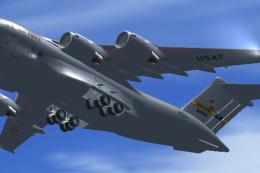 FSX Military Aircraft
FSX USAF Boeing C-17 Globemaster III, 88-0266 Charleston. A complete overhaul…
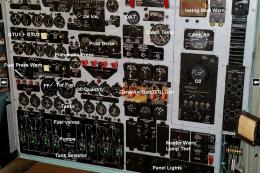 FSX Military Aircraft
A reworked version for FSX of Tim Conrad's legendary C133 B. Adds new photo r…
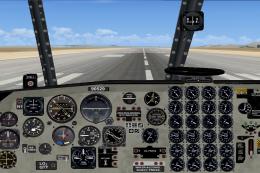 FSX Military Aircraft
This is a new FSX update for the Douglas C133 Cargomaster. The package includ…
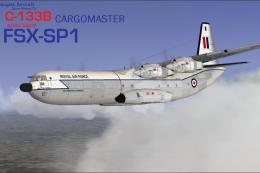 FSX Military Aircraft
SP1 C-133B Cargomaster Conversion Kit. Tim Conrad's C-133 Cargomaster convers…
 FSX Military Aircraft
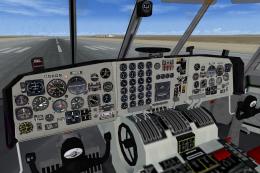
Missing Gauge for the C-133 Cargomaster (FSX_C133_CARGOMASTER_UPDATED.ZIP). T…
 FSX Military Aircraft
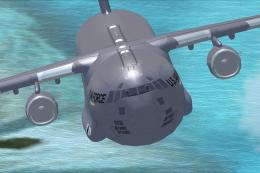
FSX USAF Boeing C-17 Sound Of Freedom. A repaint of Mike Stone's C-17. This a…
Read what other simmers think, or add your own.

I not sure whats up but everytime i com in to land the plane pulls left. I try to rudder over to get in line but to no effect. Plane Dog legs but still drifts left. Im new to the flight sim but never have the issue on other planes. If I Autopilot in right up till touch down I land with no issue. Not sure whats up.


Great sim, ramps work, crew entrance, but no gauges in V/C. If you want a good looking sim, that flys good, looks impressive, and stops and takes off as advertised by the real thing, and can live without throwing a few switches, Get it! My Air Force is growing, and this was a good addition.

