FSX CF-188 Hornet
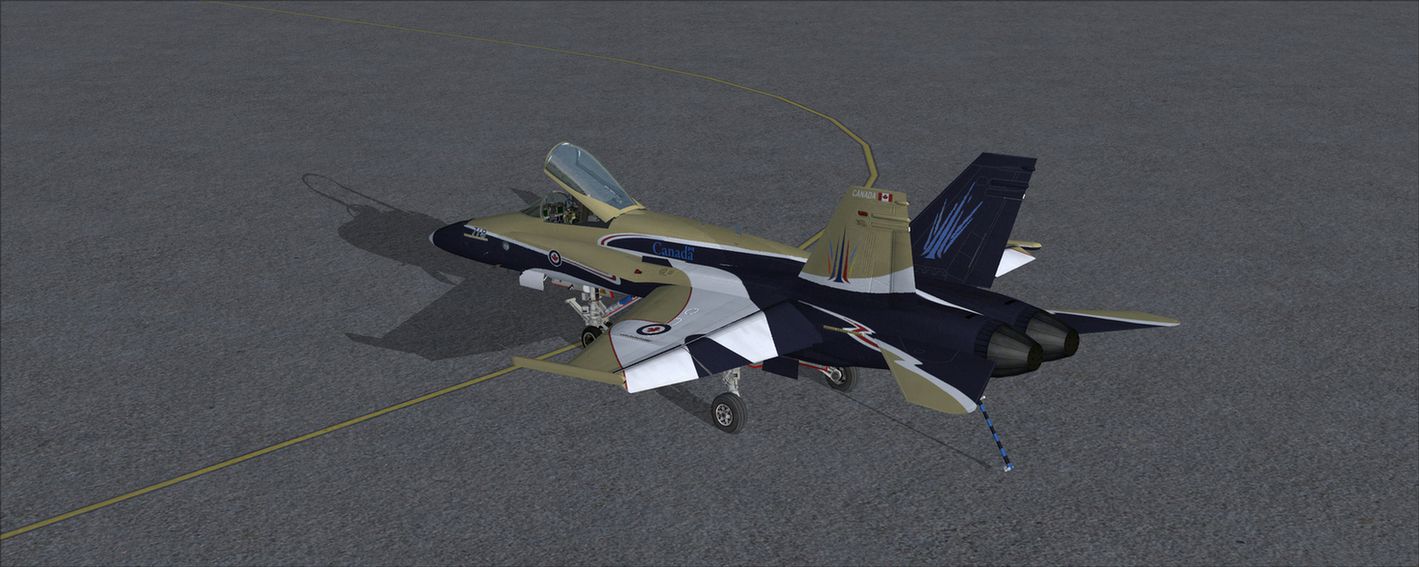
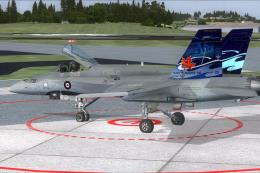
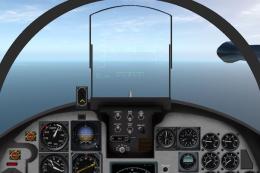
 CF-118 100 years of Canadian aviation 1909-2009 created by Matt Smith. INSTALLATION------------1. Extract/unzip the CF188_100yrs file into a temporary folder. 2. Move the folder TEXTURE.X to the FA-18 folder (usually:"C:Program FilesMicrosoft GamesFlight Simulator XSimObjectsAirplanesFA-183. Cop...
- Download hits
- 639
- Compatibility
- Microsoft Flight Simulator X (FSX) including Steam Edition & Prepar3D (P3D)
- Filename
- cf188.zip
- File size
- 2.91 MB
- Virus Scan
- Scanned 26 days ago (clean)
- Access to file
- Free (Freeware)
- Content Rating
- Everyone


INSTALLATION
------------
1. Extract/unzip the CF188_100yrs file into a temporary folder.
2. Move the folder TEXTURE.X to the FA-18 folder (usually:"C:Program FilesMicrosoft GamesFlight Simulator XSimObjectsAirplanesFA-18
3. Copy the text between the asterisks below into the AIRCRAFT.CFG file in your FA-18 folder, at the end of the previous [fltsim.X] entries, replacing the 'X' in [fltsim.X] with the next sequential number.
************
[fltsim.x]
title=FA-18 Hornet 14
sim=FA-18
model=
panel=
sound=
texture=14
kb_checklists=boeing_FA18_check
kb_reference=boeing_FA18_ref
atc_id=188719
atc_flight_number=001
ui_manufacturer="Boeing"
ui_type="CF-118"
ui_variation="100 years of Canadian flight"
ui_typerole="Twin Engine Jet"
ui_createdby="Microsoft Corporation"
description="100th anniversary of Canadian flight sceem. The Hornet combines the ruggedness required of carrier-borne aircraft with speed and superior agility, especially at high angles of attack. Its powerful engines, canted vertical stabilizers, horizontal stabilators, large leading- and trailing-edge flaps, and sophisticated flight control system all contribute to a level of performance that makes the Hornet a versatile front-line fighter in several air forces around the world."
************
Images & Screenshots

The archive cf188.zip has 14 files and directories contained within it.
File Contents
This list displays the first 500 files in the package. If the package has more, you will need to download it to view them.
| Filename/Directory | File Date | File Size |
|---|---|---|
| F-18_Main01_T.dds | 03.21.09 | 1.33 MB |
| F-18_Main02_T.dds | 03.21.09 | 1.33 MB |
| F-18_Main03_T.dds | 03.21.09 | 1.33 MB |
| F-18_Main04_T.dds | 03.21.09 | 1.33 MB |
| F-18_Wingl_T.dds | 03.21.09 | 1.33 MB |
| F-18_WingR_T.dds | 03.21.09 | 1.33 MB |
| texture.cfg | 08.22.07 | 162 B |
| thumbnail.jpg | 03.21.09 | 15.74 kB |
| Readme First.txt | 03.21.09 | 1.75 kB |
| FILE_ID.DIZ | 03.21.09 | 102 B |
| thumb.gif | 03.21.09 | 10.74 kB |
| CF118.jpg | 03.21.09 | 833.33 kB |
| flyawaysimulation.txt | 10.29.13 | 959 B |
| Go to Fly Away Simulation.url | 01.22.16 | 52 B |

Installation Instructions
Most of the freeware add-on aircraft and scenery packages in our file library come with easy installation instructions which you can read above in the file description. For further installation help, please see our Flight School for our full range of tutorials or view the README file contained within the download. If in doubt, you may also ask a question or view existing answers in our dedicated Q&A forum.





0 comments
Leave a Response