


 FSX Civil Aircraft
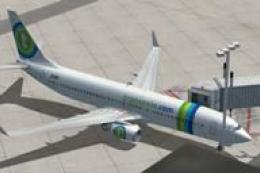
Transavia Boeing 737-800
FSX Transavia Boeing 737-800. Textures only for the default B737-800. Painted…
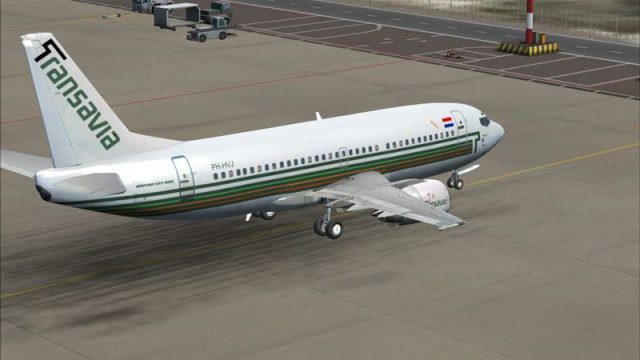
Transavia Boeing 737-300 PH-HVJ textures bring crisp retro “old colors” and an extra variant with colored separator lines, refining the green tones, whitening the fuselage, correcting stripe alignment, and matching registration and type markings. Built for the Wilco/feelThere 737 PIC in FSX, it requires the original PH-HVJ livery package.
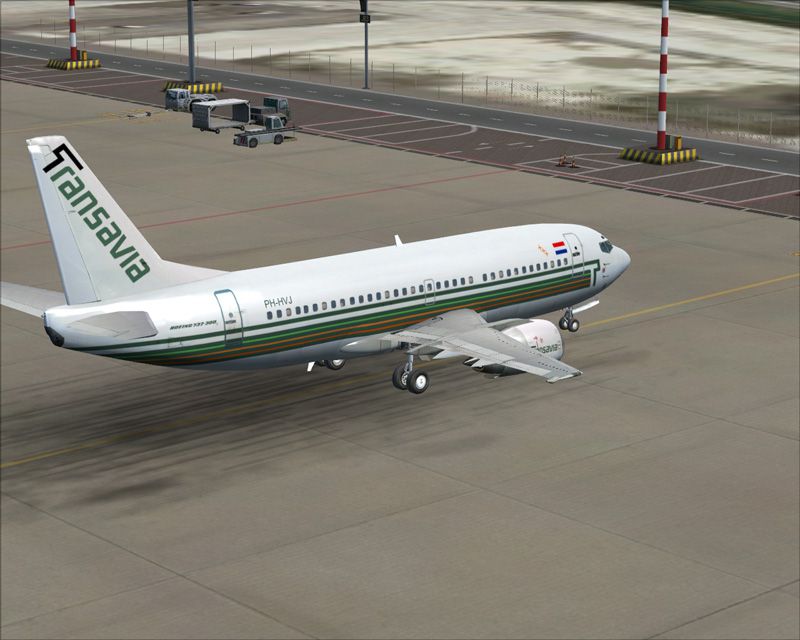


Transavia Boeing 737-300, registration PH-HVJ, v2. Textures only for Wilco/feelThere Boeing 737 PIC. Upgrade of the first version named B733PIC_PHHVJ.ZIP. Added one extra livery and improvements made to existing livery 'old colors'. You'll need 1st version for this to work. By Harro Lippmann.
Transavia Boeing 737-300.
Transavia Boeing 737-300 PH-HVJ V2
Repaint only of Wilco/Just Flight/Feel there Boeing 737-300 PIC for FSX
This is an update for the livery b733pic_phhvj.zip
You will need to have this livery installed for this to work.
What does this add:
1. The green color on the fuselage and tail are more accurate to the real thing.
2. Aircraft registration and Boeing type ID now also in green
3. Fuselage is more 'white'; green/blue haze removed.
4. Better alignement of stripes on fuselage.
5. extra livery added with colored lines between green ones.
--------
Install instructions:
1.Make sure version 1 is installed (b733pic_phhvj.zip)
2.unzip this file to a temporary folder
3.place 'SimObjects' folder into main FSX folder. When asked to overwrite, say yes.
4.Open aircraft.cfg (main FSX folder\SimObjects\Airplanes\feelThere pic 737-300\aircraft.cfg) file with notepad and add following lines:
[fltsim.xx]

title=feelThere Boeing 737-300 Transavia o/c 2

sim=B737-3A00A

model=

panel=

sound=

texture=tra_oc2

kb_checklists=

kb_reference=

atc_id=PH-HVJ

atc_id_color=

atc_parking_types=

ui_manufacturer=Boeing - Just Flight/feelThere/Wilco

ui_type=737-300

ui_variation=Transavia o/c 2

description=737-300 Pilot in Command\nDeveloped by www.feelThere.com \nPublished by Wilco Publishing www.wilcopub.com \n\nSupport at www.feelthere.com - www.wilcopub.com \nPlease set general realism slider to maximum.

ui_typerole=Commercial Airliner

ui_createdby=Just Flight/feelThere/Wilco

atc_heavy=1

atc_airline=TRANSAVIA

atc_flight_number=1912

visual_damage=
5. Replace xx by the next number according to your liveries installed.
i.e. if your last livery was [fltsim.15] this will be [fltsim.16]
IMPORTANT: this is for the extra livery, do not delete lines added on installing version 1!!
That's it. Now fire up your flight sim and enjoy flying your 737 in these retro Transavia Colors
Harro Lippmann
Free for all simmers · 7.75 MB · Scanned clean
Download speed: Free tier is capped at 0.5 Mbps (this file takes approximately 2 mins at the cap). PRO members download at full line speed.
FSX\SimObjects\Airplanes\. The folder must contain an aircraft.cfg file. Effects go into FSX\Effects\; gauges go into FSX\Gauges\.readme.txt or README file. It tells you exactly where files go, what dependencies are needed, and any quirks specific to this add-on.The archive b733pic_phhvj_v2.zip has 40 files and directories contained within it.
This list displays the first 500 files in the package. If the package has more, you will need to download it to view them.
| Filename/Directory | File Date | File Size |
|---|---|---|
| FILE_ID.DIZ | 08.13.10 | 296 B |
| Airplanes | 08.13.10 | 0 B |
| feelThere pic 737-300 | 08.13.10 | 0 B |
| texture.tra_oc | 08.13.10 | 0 B |
| ext_left_t.bmp | 08.13.10 | 1.33 MB |
| ext_right_t.bmp | 08.13.10 | 1.33 MB |
| texture.tra_oc2 | 08.13.10 | 0 B |
| co1_L.bmp | 11.24.05 | 1.00 MB |
| co1_T.bmp | 12.02.05 | 256.07 kB |
| co2_L.bmp | 10.05.05 | 4.00 MB |
| co2_T.bmp | 12.04.05 | 1.00 MB |
| co3_L.bmp | 11.11.05 | 1.00 MB |
| co3_T.bmp | 12.03.05 | 256.07 kB |
| co4_L.bmp | 11.24.05 | 256.07 kB |
| co4_T.bmp | 11.24.05 | 256.07 kB |
| cps_L.bmp | 10.05.05 | 256.07 kB |
| cps_T.bmp | 08.01.05 | 256.07 kB |
| crew_T.bmp | 11.09.05 | 64.07 kB |
| engine_L.bmp | 11.20.05 | 1.00 MB |
| engine_T.bmp | 08.11.10 | 341.43 kB |
| ext_left_T.bmp | 08.13.10 | 1.33 MB |
| ext_right_T.bmp | 08.13.10 | 1.33 MB |
| ext2_L.bmp | 11.20.05 | 4.00 MB |
| int1_L.bmp | 10.05.05 | 1.00 MB |
| int1_T.bmp | 08.01.05 | 1.00 MB |
| int2_L.bmp | 12.05.05 | 1.00 MB |
| int2_T.bmp | 11.11.05 | 1.00 MB |
| panel01_L.bmp | 11.24.05 | 16.07 kB |
| rwing_T.bmp | 07.29.05 | 4.00 MB |
| seat_L.bmp | 10.05.05 | 256.07 kB |
| seat_T.bmp | 08.01.05 | 256.07 kB |
| thumbnail.jpg | 08.14.10 | 38.27 kB |
| Thumbs.db | 06.12.07 | 50.00 kB |
| wing_L.bmp | 11.24.05 | 1.00 MB |
| wing_T.bmp | 07.29.05 | 4.00 MB |
| thumbnail.jpg | 08.14.10 | 35.52 kB |
| Readme.txt | 08.14.10 | 1.94 kB |
| ph_hvj_ocv2_2.jpg | 08.13.10 | 154.19 kB |
| flyawaysimulation.txt | 10.29.13 | 959 B |
| Go to Fly Away Simulation.url | 01.22.16 | 52 B |
More FSX & P3D add-ons hand-picked based on this download.
FSX Civil Aircraft
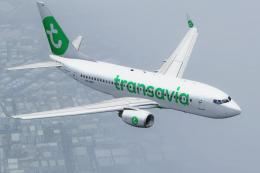
FSX Transavia Boeing 737-800. Textures only for the default B737-800. Painted…
 FSX Civil Aircraft
This is the new 2015 livery of Transavia. At the end of 2015 Transavia will s…
 FSX Civil Aircraft
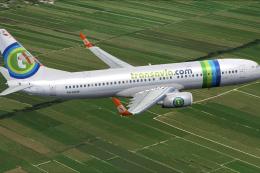
Experience a detailed rendition of the Transavia Boeing 737-800 under registr…
 FSX Civil Aircraft
This complete freeware release introduces a fully integrated Transavia Airlin…
 FSX Civil Aircraft
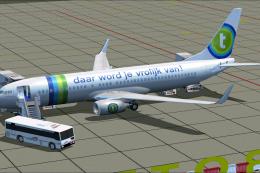
Transavia Boeing 737-800, registration PH-HSC. This is the Boeing V737-800 of…
 FSX Civil Aircraft
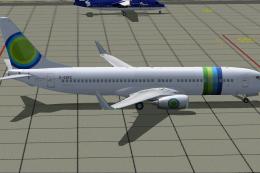
This freeware release features a meticulously detailed Boeing 737-800, origin…
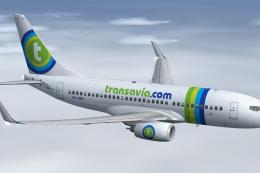 FSX Civil Aircraft
This fully integrated freeware add-on incorporates the Project Open Sky Boein…
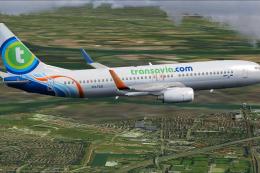 FSX Civil Aircraft
This release showcases a modified Boeing 737-800 in Transavia colors, origina…
Be the first to leave a comment on this download.
Be the first to share your thoughts on this download.