

 FSX Civil Aircraft
KLM Boeing 737-8K2 (WL)
This complete freeware package introduces a faithfully recreated Boeing 737-8…
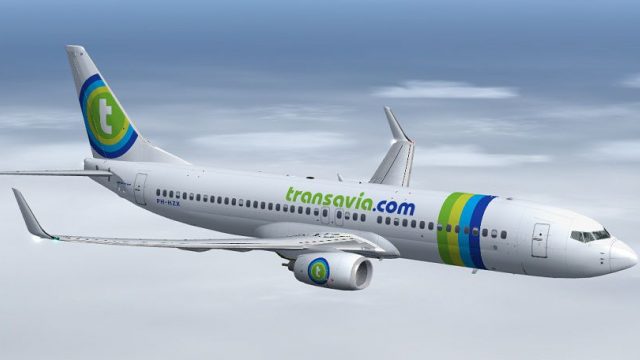
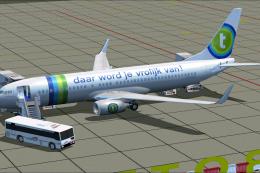
Transavia.com’s Boeing 737-8K2(WL) (PH-HZX) brings a faithful Dutch low-cost jet to Microsoft Flight Simulator X with blended winglets, CFM56-7B performance, and a clean, accurate repaint on the Project Open Sky 737-800WE model. It includes the default Boeing 737-800 virtual cockpit for a seamless, ready-to-fly package.
 Rate
Rate
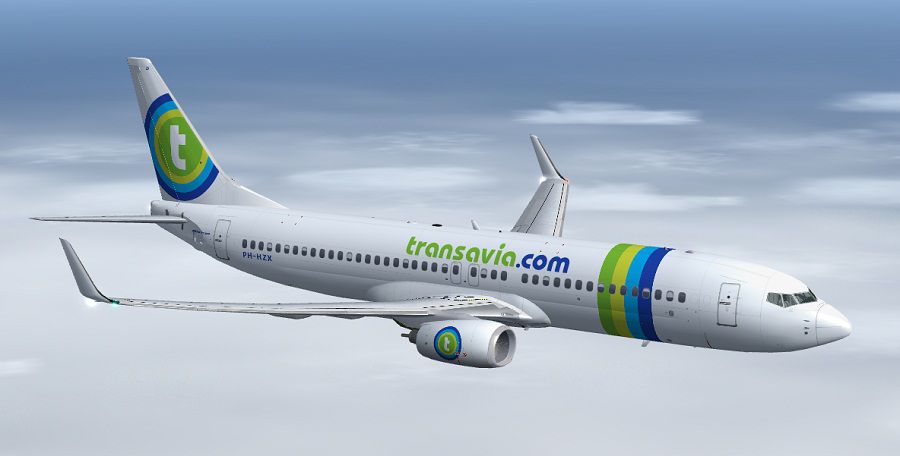
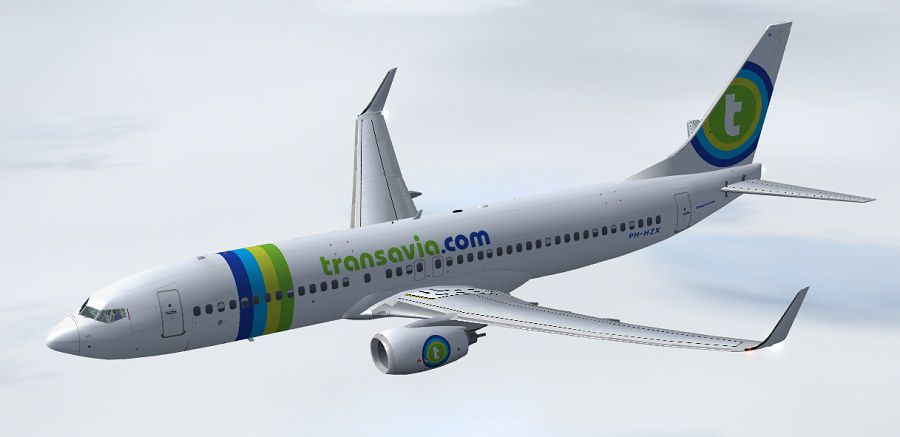
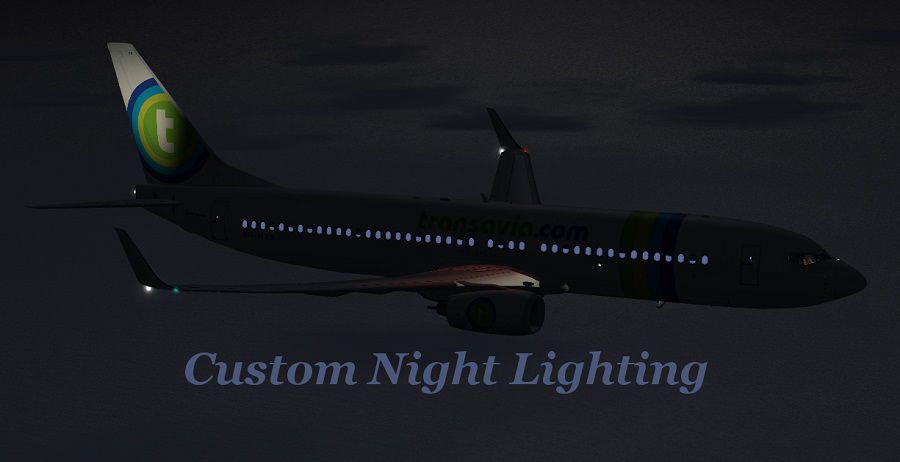
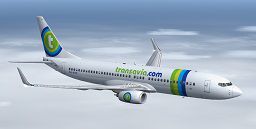
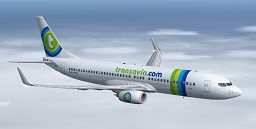
This complete freeware release introduces a fully integrated Transavia Airlines Boeing 737-8K2(WL) package for Microsoft Flight Simulator X, featuring registration PH-HZX (c/n 28248/1126). The model draws on the Project Open Sky B737-800WE base, with a repaint crafted by Paul Craig. Users can operate this aircraft for short and medium-haul services, reflecting Transavia’s real-world role as a low-cost carrier founded in the Netherlands. The included default Boeing 737-800 virtual cockpit (VC) aligns neatly with the model, giving flight simulation enthusiasts a seamless setup without requiring any additional downloads.
Transavia Airlines is admired for its distinctive green-and-blue branding, which adorns this Boeing 737-8K2(WL). The design accommodates blended winglets (often referred to simply as WL), which reduce drag and improve fuel efficiency. This livery pays careful attention to the airline’s visual elements—such as tail markings and fuselage lines—providing a faithful representation of Transavia’s modern fleet. Despite being known primarily for budget-friendly connections across Europe, Transavia has established a robust operational strategy, serving numerous destinations from its Amsterdam hub.
-fsx-1.jpg)
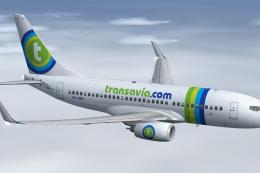
Transavia Airlines Boeing 737-8K2(WL) cruising above the clouds.
Follow these concise steps to ensure the package integrates correctly:
Project Open Sky developed the original Boeing 737-800 model, ensuring precise geometry and flight modeling. Paul Craig meticulously repainted this aircraft in Transavia Airlines’ vibrant scheme. Their combined efforts have created a freeware add-on that replicates real-world aesthetics and handling, making it a valuable component for any virtual pilot interested in European operations.
Free for all simmers · 14.43 MB · Scanned clean Oct 2026
Download speed: Free tier is capped at 0.5 Mbps (this file takes approximately 4 mins at the cap). PRO members download at full line speed.
FSX\SimObjects\Airplanes\. The folder must contain an aircraft.cfg file. Effects go into FSX\Effects\; gauges go into FSX\Gauges\.readme.txt or README file. It tells you exactly where files go, what dependencies are needed, and any quirks specific to this add-on.The archive tra_posky_737-8k2_wl_.zip has 84 files and directories contained within it.
This list displays the first 500 files in the package. If the package has more, you will need to download it to view them.
| Filename/Directory | File Date | File Size |
|---|---|---|
| effects | 01.20.13 | 0 B |
| Opensky_737NG_sparks.fx | 06.18.06 | 7.05 kB |
| Opensky_beacon.fx | 06.18.06 | 3.04 kB |
| Opensky_Boeing_vclight.fx | 06.18.06 | 1.31 kB |
| Opensky_conden.fx | 06.18.06 | 3.15 kB |
| Opensky_nacelle_refl.fx | 06.18.06 | 1.29 kB |
| Opensky_nav_yellow.fx | 06.18.06 | 3.07 kB |
| Opensky_vortex.fx | 06.18.06 | 1.23 kB |
| Opensky_wing_light.fx | 06.18.06 | 1.31 kB |
| FILE_ID.DIZ | 01.28.13 | 257 B |
| Installation Readme.txt | 01.28.13 | 1.42 kB |
| manual | 01.20.13 | 0 B |
| 737700PERFORMANCE.PDF | 06.18.06 | 219.02 kB |
| 737LIMITATIONS.PDF | 06.18.06 | 124.80 kB |
| 737PROCEDURES.PDF | 06.18.06 | 2.13 MB |
| B737NG_OPERATIONS_MANUAL_v5.pdf | 06.18.06 | 1.28 MB |
| Posky Readme.txt | 01.28.13 | 2.47 kB |
| Project Opensky B737-800 | 01.28.13 | 0 B |
| Aircraft.cfg | 01.28.13 | 24.53 kB |
| boeing737-800_check.htm | 12.31.05 | 77.28 kB |
| boeing737-800_ref.htm | 12.31.05 | 27.17 kB |
| Model.WE | 01.28.13 | 0 B |
| model.cfg | 11.19.12 | 74 B |
| OSX738WE.MDL | 11.01.08 | 1.35 MB |
| OSBoeing737-800w.air | 01.01.06 | 8.90 kB |
| panel | 01.28.13 | 0 B |
| 737_compass.BMP | 05.12.06 | 95.51 kB |
| 737_Panel_Decals_2.bmp | 05.12.06 | 257.05 kB |
| 737-800_panel_background.bmp | 05.12.06 | 769.05 kB |
| 737-800_panel_background_night.bmp | 05.12.06 | 769.05 kB |
| B737_800.cab | 05.11.07 | 2.01 MB |
| panel.cfg | 01.28.13 | 6.28 kB |
| Posky737 | 01.28.13 | 0 B |
| PkyLeftgearheight.xml | 12.19.09 | 773 B |
| PkyRightgearheight.xml | 12.19.09 | 779 B |
| upper_640.bmp | 05.12.06 | 18.99 kB |
| Sound | 01.28.13 | 0 B |
| sound.cfg | 03.18.09 | 32 B |
| texture.Transavia | 01.28.13 | 0 B |
| Os737ng_ANTCOL_RED.BMP | 09.05.06 | 1.43 kB |
| Os737ng_Cockpitgray.bmp | 06.22.08 | 5.40 kB |
| Os737ng_darkgray.bmp | 06.23.08 | 5.40 kB |
| Os737ng_engine_L.bmp | 02.16.06 | 64.07 kB |
| Os737ng_engine_t.bmp | 01.27.13 | 4.00 MB |
| Os737ng_WINGROOT_GRAY.BMP | 06.24.08 | 5.40 kB |
| Os737ng_WINGTIP_GREEN_GLASS.bmp | 09.05.06 | 1.43 kB |
| Os737ng_WINGTIP_RED_GLASS.bmp | 09.05.06 | 1.43 kB |
| Os737ngstair_l.bmp | 06.26.08 | 341.40 kB |
| Os737ngstair_t.bmp | 01.20.13 | 1.00 MB |
| Os738body_l_l.bmp | 01.28.13 | 4.00 MB |
| Os738body_l_t.bmp | 01.28.13 | 4.00 MB |
| Os738body_r_l.bmp | 01.28.13 | 4.00 MB |
| Os738body_r_t.bmp | 01.28.13 | 4.00 MB |
| OS738Option.bmp | 01.27.13 | 64.07 kB |
| os738parts_L.bmp | 03.30.08 | 4.00 MB |
| Os738parts_t.bmp | 03.27.09 | 4.00 MB |
| Os738w_wing_l_l.bmp | 12.15.05 | 1.00 MB |
| Os738w_wing_l_t.bmp | 01.27.13 | 4.00 MB |
| Os738w_wing_r_l.bmp | 12.15.05 | 1.00 MB |
| Os738w_wing_r_t.bmp | 01.27.13 | 4.00 MB |
| ostug_L.bmp | 12.15.05 | 1.00 MB |
| ostug_T.bmp | 09.10.11 | 1.00 MB |
| texture.cfg | 01.28.13 | 140 B |
| thumbnail.jpg | 01.28.13 | 10.07 kB |
| texture.VC | 01.28.13 | 0 B |
| 737_Refection.dds | 09.04.06 | 170.79 kB |
| B737_800_1_C.dds | 09.04.06 | 682.79 kB |
| B737_800_1_night_C.dds | 09.04.06 | 682.79 kB |
| B737_800_2_C.dds | 09.04.06 | 682.79 kB |
| B737_800_2_night_C.dds | 09.04.06 | 682.79 kB |
| B737_800_3_C.dds | 09.04.06 | 682.79 kB |
| B737_800_3_night_C.dds | 09.04.06 | 682.79 kB |
| B737_800_4_C.dds | 09.04.06 | 682.79 kB |
| B737_800_4_night_C.dds | 09.04.06 | 682.79 kB |
| B737_800_5_C.dds | 09.04.06 | 170.79 kB |
| B737_800_5_night_C.dds | 09.04.06 | 170.79 kB |
| B737_800_C.bmp | 05.12.06 | 682.74 kB |
| texture.cfg | 01.28.13 | 140 B |
| thumbnail.png | 01.28.13 | 50.43 kB |
| TRA B737-8K2WL Screenshot (1).jpg | 01.28.13 | 72.20 kB |
| TRA B737-8K2WL Screenshot (2).jpg | 01.28.13 | 64.04 kB |
| TRA B737-8K2WL Screenshot (3).jpg | 01.28.13 | 71.48 kB |
| flyawaysimulation.txt | 10.29.13 | 959 B |
| Go to Fly Away Simulation.url | 01.22.16 | 52 B |
Only PRO members can place votes.
More FSX & P3D add-ons hand-picked based on this download.
FSX Civil Aircraft
This complete freeware package introduces a faithfully recreated Boeing 737-8…
 FSX Civil Aircraft
Complete package for FSX only of the Project Open Sky B737-800WL model in Fly…
 FSX Civil Aircraft
Complete package for FSX only of the Project Open Sky B737-800 WL model in KL…
 FSX Civil Aircraft
This fully integrated freeware add-on incorporates the Project Open Sky Boein…
 FSX Civil Aircraft
FSX Transavia Boeing 737-800. Textures only for the default B737-800. Painted…
 FSX Civil Aircraft
This is the new 2015 livery of Transavia. At the end of 2015 Transavia will s…
 FSX Civil Aircraft
Experience a detailed rendition of the Transavia Boeing 737-800 under registr…
 FSX Civil Aircraft
Transavia Boeing 737-800, registration PH-HSC. This is the Boeing V737-800 of…
Be the first to leave a comment on this download.
Be the first to share your thoughts on this download.