

 X-Plane Military Aircraft
NB36 Nuclear Powered 10.03
NB36/uav. Real with some modernization. Nuclear Powered Bomber. Screenshot of…
Lockheed AC-130 Spooky/Spectre brings the iconic gunship to X-Plane 10 with left-side 25mm, 40mm, and 105mm weapons detailing, flare effects, and reworked textures for an authentic Air Force look. Built on the default Javier Rollon C-130, it delivers a convincing long-loiter close air support experience in the virtual cockpit.
 Rate
Rate




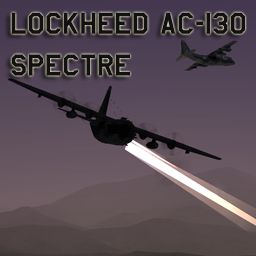





"The AC-130H Spectre and the AC-130U Spooky primary missions are close air support, air interdiction and armed reconnaissance. Close air support missions include troops in contact, convoy escort and point air defense. These heavily armed aircraft incorporate side-firing weapons integrated with sophisticated sensor, navigation and fire control systems to provide surgical firepower or area saturation during extended loiter periods, at night and in adverse weather."
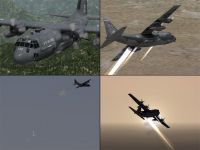
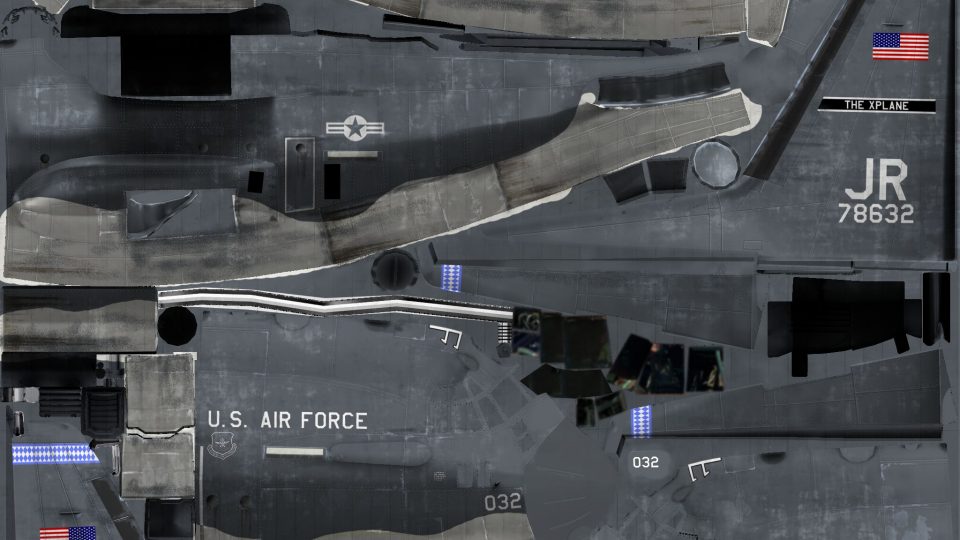
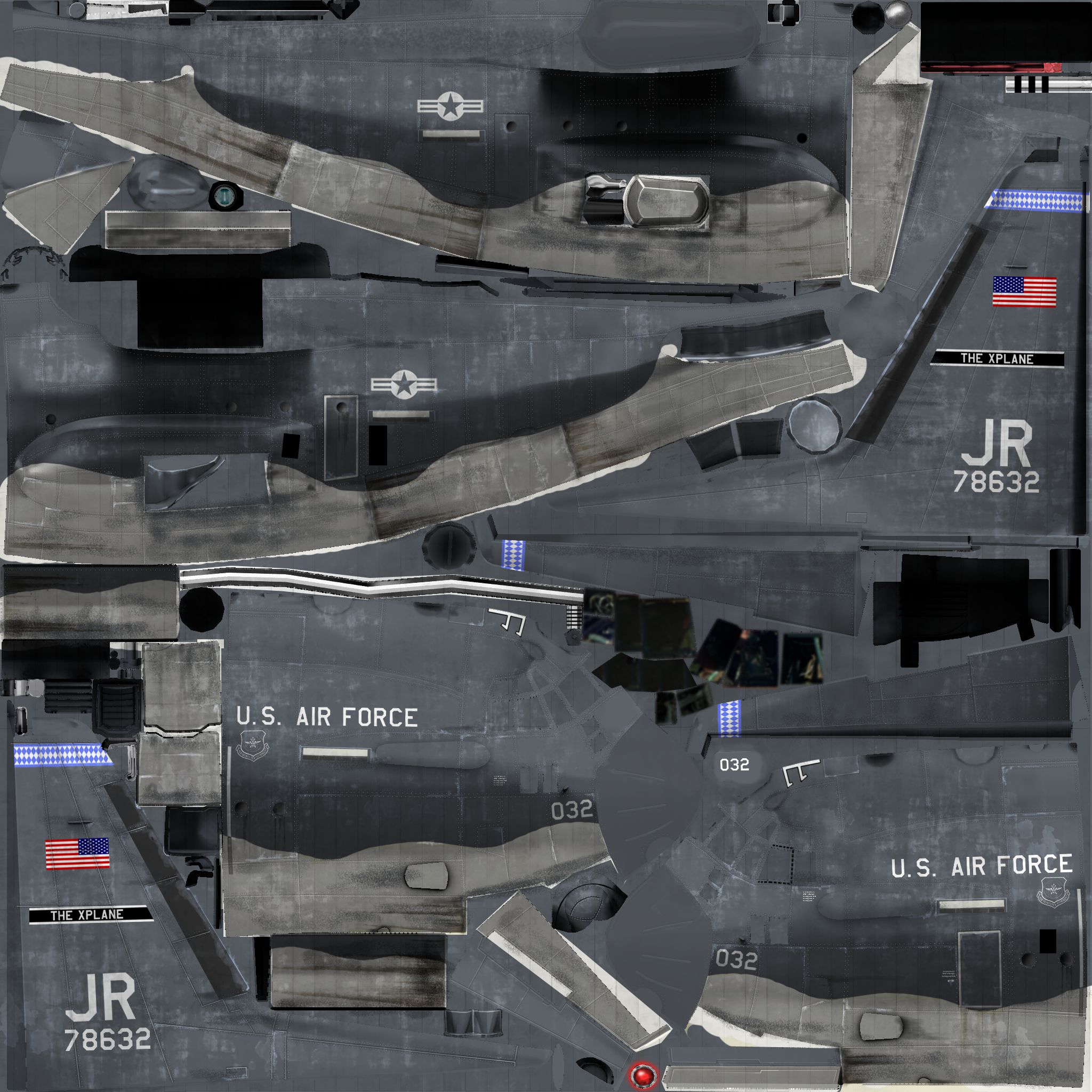
Four tiled images of Lockheed AC-130 Spooky/Spectre.
-U.S. Air Force
In my mind (an in the minds of many others), the AC-130 is ranked alongside the A-10 as the coolest attack aircraft in service. This is for good reason. The AC-130 Spectre, a variant of the famed C-130 Hercules transport, is an airborne tank: it has a range of over 4,000 km, a top speed of almost 500 kph, and is packed with a 25mm Gatling cannon, a 40mm Bofors cannon, and a 105mm howitzer. Unsurprisingly, this aircraft with its massive amount of firepower has seen its share in pop culture, appearing in films such as Transformers and The A-Team.
Now, this aircraft has, in great detail, been brought to X-Plane! Based on the default C-130 by Javier Rollon, this model includes three guns mounted on the left fuselage, flares, and MANY changes to the texture to accurately reflect this aircraft. Thanks to:
-Javier Rollon and Laminar Research for giving me permission to use the default C-130 this aircraft is based on.
-Appster for allowing me to convert parts of his AC-130 to use as the gun barrels.
-Razorback_pilot for the 25mm gun object. I know, the one used on this aircraft has six barrels, while the real one has five. They look identical unless looked at closely, so I don't really care.
Enjoy!
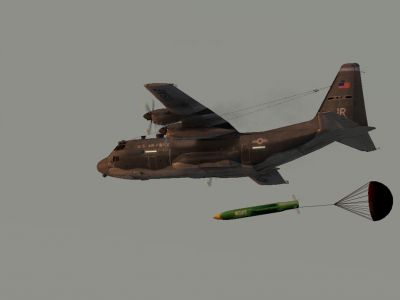
Screenshot of Lockheed AC-130 Spooky/Spectre in flight.
Free for all simmers · 39.35 MB · Scanned clean Sep 2026
Download speed: Free tier is capped at 0.5 Mbps (this file takes approximately 11 mins at the cap). PRO members download at full line speed.
Aircraft/ (planes), Custom Scenery/ (airports, mesh), or Resources/plugins/ (plugins).readme.txt or README file. It tells you exactly where files go, what dependencies are needed, and any quirks specific to this add-on.The archive Lockheed AC-130.zip has 199 files and directories contained within it.
This list displays the first 500 files in the package. If the package has more, you will need to download it to view them.
| Filename/Directory | File Date | File Size |
|---|---|---|
| Lockheed AC-130 | 04.17.12 | 0 B |
| __MACOSX | 04.19.12 | 0 B |
| Lockheed AC-130 | 04.19.12 | 0 B |
| AC-130.acf | 04.17.12 | 4.19 MB |
| AC-130_icon.png | 03.10.12 | 62.92 kB |
| AC-130_paint.png | 03.10.12 | 8.21 kB |
| AC-130_prop.png | 02.16.06 | 3.32 kB |
| airfoils | 03.10.12 | 0 B |
| NACA 64a318re9.afl | 02.26.12 | 24.48 kB |
| NACA 64a412re9.afl | 02.26.12 | 24.48 kB |
| cockpit | 03.13.12 | 0 B |
| -panels- | 03.05.12 | 0 B |
| cockpit | 04.19.12 | 0 B |
| -panels- | 04.19.12 | 0 B |
| panel.png | 02.26.12 | 3.46 MB |
| panel_LIT.png | 02.26.12 | 2.94 MB |
| autopilot | 03.05.12 | 0 B |
| autopilot select | 03.05.12 | 0 B |
| ott_seldisp_ALT-4.png | 02.26.12 | 3.63 kB |
| ott_seldisp_ALT.png | 02.26.12 | 5.43 kB |
| buttons | 03.05.12 | 0 B |
| starter | 03.05.12 | 0 B |
| but_starter_HM-1.png | 02.26.12 | 3.71 kB |
| but_starter_HM.png | 02.26.12 | 3.58 kB |
| EFIS | 03.05.12 | 0 B |
| EFIS maps | 03.05.12 | 0 B |
| map_s_HM-1.png | 02.26.12 | 13.95 kB |
| map_s_HM-2.png | 02.26.12 | 21.31 kB |
| map_s_HM-3.png | 02.26.12 | 23.90 kB |
| map_s_HM-4.png | 02.26.12 | 4.73 kB |
| map_s_HM.png | 02.26.12 | 3.33 kB |
| map_s_HM.txt | 02.26.12 | 118 B |
| engine | 03.05.12 | 0 B |
| engine round | 03.05.12 | 0 B |
| engine_FF-2.png | 02.26.12 | 3.77 kB |
| engine_FF-4.png | 02.26.12 | 4.42 kB |
| engine_FF.png | 02.26.12 | 39.22 kB |
| engine_FF.txt | 02.26.12 | 266 B |
| engine_ITT-2.png | 02.26.12 | 3.77 kB |
| engine_ITT-4.png | 02.26.12 | 4.42 kB |
| engine_ITT.png | 02.26.12 | 38.95 kB |
| engine_ITT.txt | 02.26.12 | 266 B |
| engine_OILP-2.png | 02.26.12 | 3.77 kB |
| engine_OILP-4.png | 02.26.12 | 4.42 kB |
| engine_OILP.png | 03.04.12 | 41.89 kB |
| engine_OILP.txt | 02.26.12 | 265 B |
| engine_OILT-2.png | 02.26.12 | 3.77 kB |
| engine_OILT-4.png | 02.26.12 | 4.42 kB |
| engine_OILT.png | 02.26.12 | 39.24 kB |
| engine_OILT.txt | 02.26.12 | 266 B |
| engine_RPM_prop-2.png | 02.26.12 | 3.77 kB |
| engine_RPM_prop-4.png | 02.26.12 | 4.42 kB |
| engine_RPM_prop.png | 02.26.12 | 39.44 kB |
| engine_RPM_prop.txt | 02.26.12 | 266 B |
| engine_TRQ-2.png | 02.26.12 | 3.77 kB |
| engine_TRQ-4.png | 02.26.12 | 4.42 kB |
| engine_TRQ.png | 02.26.12 | 39.64 kB |
| engine_TRQ.txt | 02.26.12 | 266 B |
| flaps | 03.05.12 | 0 B |
| indicate_flap_round-1.png | 02.26.12 | 3.06 kB |
| indicate_flap_round.png | 02.26.12 | 28.26 kB |
| indicate_flap_round.txt | 02.26.12 | 57 B |
| fuel | 03.05.12 | 0 B |
| fuel_round-2.png | 02.26.12 | 3.77 kB |
| fuel_round-4.png | 02.26.12 | 4.42 kB |
| fuel_round.png | 02.26.12 | 39.33 kB |
| generic | 03.05.12 | 0 B |
| GenSwitch-1.png | 02.26.12 | 27.68 kB |
| GenSwitch.png | 02.26.12 | 2.95 kB |
| handles | 03.05.12 | 0 B |
| han_mixture_linear-1.png | 02.26.12 | 7.31 kB |
| han_mixture_linear.png | 02.26.12 | 10.25 kB |
| han_mixture_linear.txt | 02.26.12 | 65 B |
| han_prop_linear-1.png | 02.26.12 | 8.09 kB |
| han_prop_linear.png | 02.26.12 | 10.25 kB |
| han_prop_linear.txt | 02.26.12 | 65 B |
| han_thro_linear-1.png | 02.26.12 | 8.29 kB |
| han_thro_linear.png | 02.26.12 | 13.48 kB |
| han_thro_linear.txt | 02.26.12 | 65 B |
| nav displays | 03.05.12 | 0 B |
| RMIs | 03.05.12 | 0 B |
| RMI_NADF12_HM-1.png | 02.26.12 | 6.75 kB |
| RMI_NADF12_HM-2.png | 02.26.12 | 5.69 kB |
| RMI_NADF12_HM-3.png | 02.26.12 | 11.23 kB |
| RMI_NADF12_HM-4.png | 02.26.12 | 8.13 kB |
| RMI_NADF12_HM.png | 02.26.12 | 33.63 kB |
| standard six | 03.05.12 | 0 B |
| airspeed | 03.05.12 | 0 B |
| ASI_preset_HM_dig-1.png | 02.26.12 | 3.66 kB |
| ASI_preset_HM_dig-2.png | 02.26.12 | 4.23 kB |
| ASI_preset_HM_dig-3.png | 02.26.12 | 3.09 kB |
| ASI_preset_HM_dig.png | 02.26.12 | 38.25 kB |
| altimeters | 03.05.12 | 0 B |
| alt_HM_dig-1.png | 02.26.12 | 9.23 kB |
| alt_HM_dig-2.png | 02.26.12 | 3.59 kB |
| alt_HM_dig-3.png | 02.26.12 | 4.19 kB |
| alt_HM_dig.png | 02.26.12 | 36.48 kB |
| alt_HM_dig.txt | 02.26.12 | 791 B |
| artificial horizons | 03.05.12 | 0 B |
| horizon_glass_HM-1.png | 02.26.12 | 68.63 kB |
| horizon_glass_HM-2.png | 02.26.12 | 7.48 kB |
| horizon_glass_HM-3.png | 02.26.12 | 3.20 kB |
| horizon_glass_HM-4.png | 02.26.12 | 6.09 kB |
| horizon_glass_HM.png | 02.26.12 | 34.23 kB |
| horizon_glass_HM.txt | 02.26.12 | 198 B |
| HSIs | 03.05.12 | 0 B |
| HSI_glass_HM-1.png | 02.26.12 | 14.72 kB |
| HSI_glass_HM-2.png | 02.26.12 | 9.45 kB |
| HSI_glass_HM-3.png | 02.26.12 | 5.21 kB |
| HSI_glass_HM-4.png | 02.26.12 | 3.94 kB |
| HSI_glass_HM.png | 02.26.12 | 34.23 kB |
| HSI_glass_HM.txt | 02.26.12 | 258 B |
| supplement | 03.05.12 | 0 B |
| radar-2.png | 02.26.12 | 3.43 kB |
| radar.png | 02.26.12 | 3.39 kB |
| liveries | 04.17.12 | 0 B |
| MC-130 | 04.17.12 | 0 B |
| objects | 04.17.12 | 0 B |
| 25mm.png | 04.17.12 | 8.21 kB |
| liveries | 04.19.12 | 0 B |
| MC-130 | 04.19.12 | 0 B |
| objects | 04.19.12 | 0 B |
| C130_Fuselage.png | 04.17.12 | 5.30 MB |
| Guns.png | 04.17.12 | 8.21 kB |
| objects | 03.27.12 | 0 B |
| objects | 04.19.12 | 0 B |
| 105mm.obj | 03.10.12 | 14.51 kB |
| 25mm.obj | 03.10.12 | 400.26 kB |
| 25mm.png | 03.05.11 | 110.75 kB |
| 40mm Bofors.obj | 03.10.12 | 21.03 kB |
| C130_Fuselage.OBJ | 02.26.12 | 776.65 kB |
| C130_Fuselage.png | 03.10.12 | 7.00 MB |
| C130_Fuselage_LIT.png | 02.26.12 | 146.55 kB |
| C130_Fuselage_NML.png | 02.26.12 | 5.54 MB |
| C130_LandingGears.OBJ | 02.26.12 | 712.56 kB |
| C130_Propeller.OBJ | 02.26.12 | 53.31 kB |
| C130_propeller.png | 02.26.12 | 131.32 kB |
| C130_Wing_NML.png | 02.26.12 | 5.02 MB |
| C130_Wings.obj | 03.27.12 | 1.85 MB |
| C130_Wings.png | 02.26.12 | 5.42 MB |
| C130_Wings_LIT.png | 03.09.12 | 64.86 kB |
| Guns.png | 03.10.12 | 12.33 kB |
| Ruedas.png | 02.26.12 | 1.47 MB |
| Readme.txt | 03.27.12 | 916 B |
| sounds | 03.09.12 | 0 B |
| systems | 03.09.12 | 0 B |
| sounds | 04.19.12 | 0 B |
| systems | 04.19.12 | 0 B |
| chaff_flare.wav | 01.03.12 | 24.84 kB |
| weapons | 04.17.12 | 0 B |
| weapons | 04.19.12 | 0 B |
| 105 mm.png | 03.10.12 | 3.16 kB |
| 105 mm.wpn | 03.13.12 | 12.74 kB |
| 25 mm.PNG | 03.09.12 | 3.16 kB |
| 25 mm.wpn | 03.13.12 | 12.74 kB |
| 40 mm.PNG | 03.09.12 | 3.16 kB |
| 40 mm.wpn | 10.04.10 | 12.75 kB |
| GBU43.png | 03.20.10 | 86.69 kB |
| GBU43.wpn | 04.18.12 | 12.74 kB |
| flyawaysimulation.txt | 10.29.13 | 959 B |
| Go to Fly Away Simulation.url | 01.22.16 | 52 B |
Only PRO members can place votes.
More X-Plane add-ons hand-picked based on this download.
X-Plane Military Aircraft
NB36/uav. Real with some modernization. Nuclear Powered Bomber. Screenshot of…
 X-Plane Military Aircraft
Now with weapons (guns). Screenshot of McDonnell XP-26 Moonbat XP10 in flight.
 X-Plane Military Aircraft
The Lockheed F-117A Nighthawk was a single seat stealth aircraft developed as…
 X-Plane Military Aircraft
The Lockheed Have Blue was a twin-engine, single-seat proof of concept aircra…
 X-Plane Military Aircraft
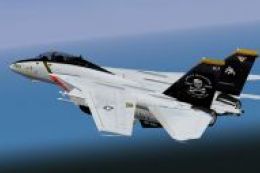
Substantially object-based Tomcat to conform with XP10 system (not an easy th…
 X-Plane Military Aircraft
This finishes out the family of Tomcats to conform with XP10 - please read th…
 X-Plane Military Aircraft
This aircraft has been replaced by the new (far superior) version. This new P…
 X-Plane Military Aircraft
The Canadair Sabre 6 was developed from the North American F-86E. With the Or…
Read what other simmers think, or add your own.

Its looking awesome on the sim. One of the best aircrafts for it, hope someone can make a 3D cockpit to it.