




 MSFS Utilities & Tools
Controls/Keyboard Commands
These are the final keyboard commands for Microsoft's latest flight simulator…
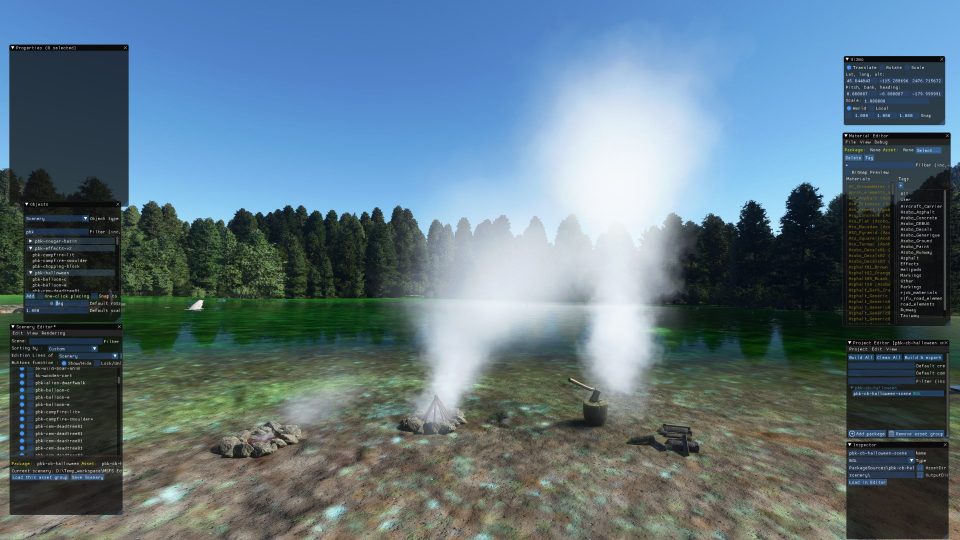
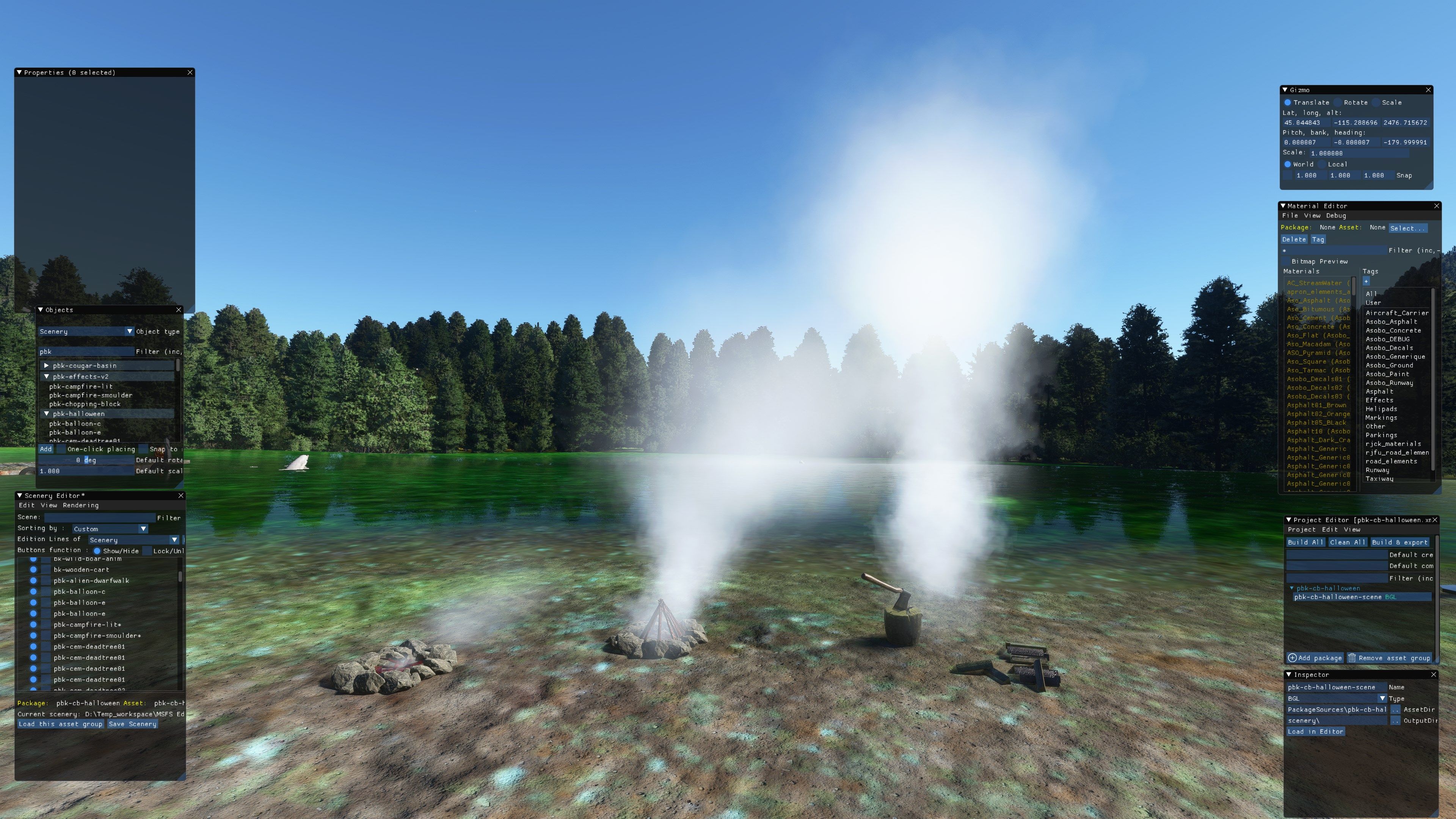
PBK Effects Scenery Library gives freeware scenery creators a compact set of place-anywhere environmental effects and objects for Microsoft Flight Simulator, including five scalable smoke variants plus campfires, a chopping block with axe, and a cooling tower. The effects work as selectable simobjects in the SDK, adding believable activity to custom scenes.
 Rate
Rate
 By Photosbykev

This stand-alone scenery library for Microsoft Flight Simulator 2020 delivers a versatile set of smoke effects and objects to enhance freeware airport and landscape creations. It includes five different smoke intensities (small, medium, large, XL, and XXL) for customizing chimney plumes or campfires, plus two dedicated campfire effects, a chopping block with an axe, and a cooling tower. Everything is set up as simobjects, so developers can precisely place and blend these features for truly immersive scenery design.
Having tested and used this pack extensively, I’ve found it elevates any environment with lifelike details while remaining surprisingly simple to integrate. The combination of realistic smoke streams with simple but effective objects adds a fresh layer of authenticity that helps enclose simmers in a more believable world—making this library a trustworthy choice for both new and veteran freeware creators seeking added atmosphere.
A stand-alone scenery library containing effects to be used in scenery creation by freeware developers of the Microsoft Flight Simulator (MSFS) 2020 platform. This scenery library and the effects included are completely free to download and use and may be used in your freeware scenery creations for this platform.
 The PBK Effects Library is released for scenery developers to add a bit more life to their scenery packs.
Initially, the pack is small and contains five Smoke effects (small, medium, and large, XL and XXL), two campfires and a chopping block and axe, and a cooling tower.
I have deliberately not connected the smoke effects to visible simobjects so the developer can position the smoke effects anywhere they like. The medium/large smoke effect is ideal for chimneys and the small effect is suitable for campfires/BBQs.
The smoke effects are named:
They are all available as simobjects.
The scenery objects are:
Developers:
Just drop the library into the MSFS community folder and the objects will be selectable in the SDK under the scenery or simobjects dropdowns.
Users:
Just drop the library into the MSFS community folder and remove old copies of the pbk-effects or pbk_effects libraries.
Free for all simmers · 60.79 MB · Scanned clean Oct 2026
Download speed: Free tier is capped at 2 Mbps (this file takes approximately 4 mins at the cap). PRO members download at full line speed.
%LOCALAPPDATA%\Packages\Microsoft.FlightSimulator_8wekyb3d8bbwe\LocalCache\Packages\Community\. Steam version: %APPDATA%\Microsoft Flight Simulator\Packages\Community\. Tip: enable Developer Mode in MSFS to see your exact Community folder path.readme.txt or README file. It tells you exactly where files go, what dependencies are needed, and any quirks specific to this add-on.I'm retired and now spend my time digging holes and burying bodies in MSFS scenery mods.
Are you Photosbykev? Sign in to Fly Away Creators for download stats, comment replies and updates. Make add-ons? Publish them here.
Only PRO members can place votes.
More MSFS add-ons hand-picked based on this download.
MSFS Utilities & Tools
These are the final keyboard commands for Microsoft's latest flight simulator…
 MSFS Utilities & Tools
Enhancing the realism and versatility of weather conditions in Microsoft Flig…
 X-Plane Scenery Libraries
R2_Library for X-Plane. Version 2 (27.2.2016) Installation UNPACK archive to…
 FS2004 Utilities/Misc
Expand the creative potential of Microsoft Flight Simulator 2004 with this fr…
 FSX Scenery
This package provides a dedicated set of core libraries intended to enhance a…
 X-Plane Scenery Libraries
This is the extended-LOD version of FFLibrary. For a given setting of “world …
 X-Plane Scenery Libraries
The latest version of the famous "The Handy Objects Library" scenery library …
 X-Plane Scenery Libraries
3D_people_library. v3.9 Created for X-Plane 10 by David Marshall (dkm) To ins…
Read what other simmers think, or add your own.

Thanks for your work on this library. I appreciate the time and effort you put into the creation and maintenance of these models.