

 FS2004 Civil Jet Aircraft
American Trans Air 757-300 Fleet
This freeware package brings you a meticulously designed American Trans Air B…
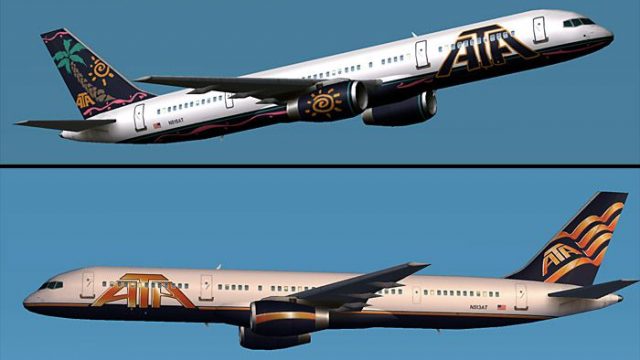
American Trans Air’s Boeing 757-200 fleet comes to life with two authentic ATA paint schemes, built on the AI Aardvark model for smooth, high-traffic AI operations in Microsoft Flight Simulator 2004. Five LOD stages, crisp exterior details like flap canoes and antennae, and efficient animations keep busy ramps lively without sacrificing performance.
 Rate
Rate
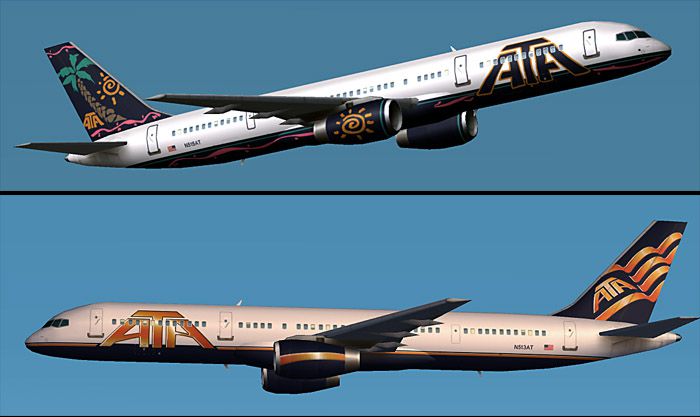
Discover this freeware Boeing 757-200 add-on created for Microsoft Flight Simulator 2004 that accurately recreates American Trans Air’s current and previous paint schemes. Developed by Craig Crawley (model) and Daniel DiBacco (texture work), this package provides an AI-focused implementation that ensures minimal impact on system performance while showcasing the charm of this mid-range, narrow-body airliner. American Trans Air, also referred to as ATA, frequently utilized the 757 series for its balanced combination of passenger capacity and cargo flexibility.
This add-on features two unique American Trans Air liveries—one from a more recent era and one harking back to an earlier color scheme. Both are applied to the AI Aardvark Boeing 757-200 model, bringing out intricate elements such as flap canoes, antennae, and specular highlights. The aircraft represents ATA’s notable presence in leisure travel, where the 757’s range and passenger capacity offered reliable service.
Screenshots of American Trans Air 757-200 in flight.
The model incorporates 5 levels of detail (LOD), reducing complexity at greater distances. This feature is critical for high-traffic flight simulator environments because it preserves frame rates when numerous AI aircraft populate the scenery. By transitioning from a detailed high-polygon model close-up to simpler representations at extended ranges, the aircraft remains smooth in performance even at busy airports.
This 757-200 has been designed primarily for AI operations, so it employs performance-friendly geometry and animations suited for busy ramps. Elements such as landing gear movement, flaps, spoilers, and other animations are visible but kept lean enough to ensure smooth rendering. Compared to some Gmax models lacking LOD optimization, this aircraft stands apart by handling multiple instances simultaneously without taxing system resources.
The AI flight dynamics (FDE) incorporate a balanced configuration to help aircraft settle on the runway quickly and vacate with minimal delay. If you prefer increased landing float, you can fine-tune the cruise lift, parasite drag, and induced drag settings in the aircraft.cfg file. This flexibility ensures that each virtual pilot can tailor the approach and touchdown behavior as needed.
Free for all simmers · 516.61 KB · Scanned clean Oct 2026
Download speed: Free tier is capped at 0.5 Mbps. PRO members download at full line speed.
FS9\Aircraft\, FS9\Addon Scenery\, FS9\Gauges\, or FS9\Effects\.readme.txt or README file. It tells you exactly where files go, what dependencies are needed, and any quirks specific to this add-on.The archive ai752ata.zip has 17 files and directories contained within it.
This list displays the first 500 files in the package. If the package has more, you will need to download it to view them.
| Filename/Directory | File Date | File Size |
|---|---|---|
| aia_757_200_rr_l.bmp | 03.20.04 | 256.07 kB |
| aia_757_200_rr_t.bmp | 03.20.04 | 1.00 MB |
| texture.ATA Old | 03.21.04 | 0 B |
| ai752ata.gif | 03.20.04 | 6.50 kB |
| ai752ata.jpg | 03.20.04 | 80.10 kB |
| AIA_752_ATA_README.txt | 03.20.04 | 3.88 kB |
| aia_757_200_rr.air | 03.20.04 | 8.90 kB |
| Aircraft.cfg | 03.20.04 | 14.40 kB |
| FILE_ID.diz | 03.20.04 | 432 B |
| aia_757_200_rr.mdl | 03.20.04 | 269.64 kB |
| model.cfg | 03.20.04 | 33 B |
| model | 03.21.04 | 0 B |
| aia_757_200_rr_l.bmp | 03.20.04 | 256.07 kB |
| aia_757_200_rr_t.bmp | 03.20.04 | 1.00 MB |
| texture.ATA | 03.21.04 | 0 B |
| flyawaysimulation.txt | 10.29.13 | 959 B |
| Go to Fly Away Simulation.url | 01.22.16 | 52 B |
Only PRO members can place votes.
More FS2004 add-ons hand-picked based on this download.
FS2004 Civil Jet Aircraft
This freeware package brings you a meticulously designed American Trans Air B…
 FS2004 Civil Jet Aircraft
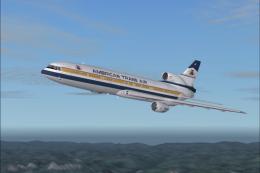
American Trans Air Lockheed L-1011 TriStar (old colors). ATA textures only; r…
 FS2004 Civil Jet Aircraft
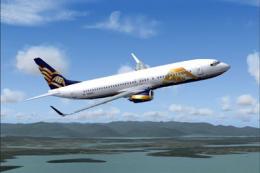
American Trans Air Boeing 737-83N, registration N309TZ. ATA uses the 737-800 …
 FS2004 Civil Jet Aircraft
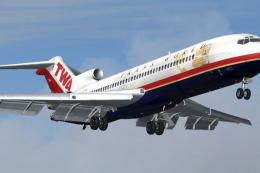
Vistaliners SilverJet B727 TWA textures. Textures only for Vistaliners latest…
 FS2004 Civil Jet Aircraft
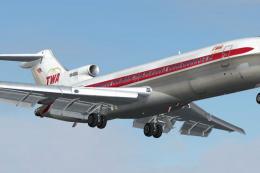
Transport yourself back to a mid-century era of aviation with this meticulous…
 FS2004 Civil Jet Aircraft
Boeing 707-321C, model PAI. Repainted by Christian Meunier. Screenshot of Tra…
 FS2004 Civil Jet Aircraft
Project EL AL Boeing 767 Photoreal fleet package. Includes all EL AL's curren…
 FS2004 Civil Jet Aircraft
This is a large and comprehensive file that is compatible with Microsoft Flig…
Be the first to leave a comment on this download.
Be the first to share your thoughts on this download.