

 FS2004 Civil Jet Aircraft
Lockheed L-1011 Tristar
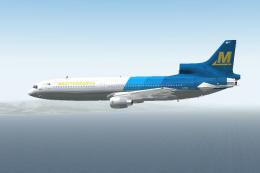
Lockheed L-1011 Tristar in Mediterranea Virtual Airlines. Gmax model with ful…
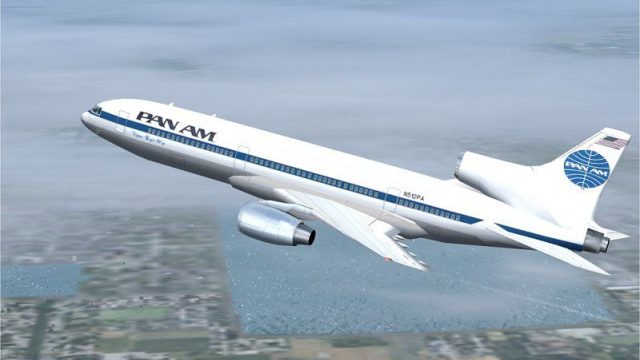
Pan Am’s classic globe-and-titles scheme comes alive on the Lockheed L-1011 TriStar with crisp panel lines, refined tail markings, and convincing night lighting for after-dark operations. Built for Microsoft Flight Simulator 2004, the repaint delivers an authentic wide-body look and requires the ADSL1011.ZIP base package.
 Rate
Rate

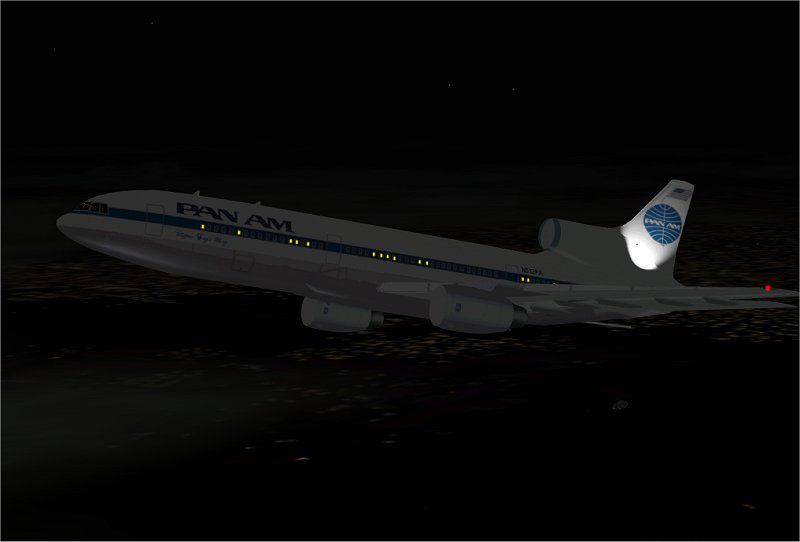
This add-on provides a meticulously crafted set of Pan American textures for the Lockheed L-1011 TriStar, bringing a detailed recreation of this historic wide-body aircraft to your simulator experience. It has been tailored for Microsoft Flight Simulator 2004 enthusiasts who value authentic liveries, and it incorporates nighttime lighting details to enhance immersion. The creators involved—particularly repaint artist Rey Lopez—are keen to highlight Pan Am’s iconic visual identity.
These additional textures showcase subtle fuselage panel lines, intricate cabin window outlines, and refined tail markings. Many dynamic effects, such as reflective surfaces and carefully placed light maps, help replicate the real Pan American Lockheed L-1011 TriStar’s exterior. The included night textures ensure that flight operations after dark maintain a convincing look, with accurate illumination around windows and along the aircraft’s distinctive tri-engine layout.
Screenshot of Pan Am Lockheed L-1011 Tristar in flight.
Rey Lopez carefully captured the essence of Pan American’s classic design to pay homage to the airline’s historical significance in transoceanic travel. The Lockheed L-1011 TriStar itself is noted for its advanced autopilot system (explained as a computer-assisted navigation device), engine efficiency, and wide-bodied aerodynamics during the era, making it a landmark aircraft in the aviation world. This paint scheme complements those features perfectly, giving virtual pilots a nostalgia-packed representation of Pan Am’s fleet.
To install these textures, first ensure you possess the base package referenced as ADSL1011.ZIP. Once you have that, simply unzip the provided files and transfer them into the main ADSL1011 folder. No further adjustments to configuration files are needed, so the process remains straightforward and seamless. After completion, the simulator will properly display the Pan Am livery, including all night-lighting characteristics.
This freeware package originates from the original TriStar model creator’s work, enhanced by Rey Lopez’s unique repaint. While repaints are permissible, other modifications require explicit consent from the original authors. Although rigorous testing was conducted on a stable system, neither the painter nor the model designers assume liability for any system complications arising from installation or usage of these files. With the Pan Am Lockheed L-1011 TriStar textures in place, you can enjoy historically accurate flights across virtual skies whenever you embark on medium to long-haul journeys.
Free for all simmers · 969.57 KB · Scanned clean Oct 2026
Download speed: Free tier is capped at 0.5 Mbps. PRO members download at full line speed.
This add-on may require the following files to function properly. If this is a repaint, the dependency below is likely the base aircraft package.
FS9\Aircraft\, FS9\Addon Scenery\, FS9\Gauges\, or FS9\Effects\.readme.txt or README file. It tells you exactly where files go, what dependencies are needed, and any quirks specific to this add-on.The archive texpa.zip has 20 files and directories contained within it.
This list displays the first 500 files in the package. If the package has more, you will need to download it to view them.
| Filename/Directory | File Date | File Size |
|---|---|---|
| File_id.diz | 04.21.04 | 153 B |
| Must_read.txt | 04.21.04 | 1012 B |
| panam.jpg | 04.21.04 | 27.53 kB |
| texpa.jpg | 04.21.04 | 60.04 kB |
| Texture.PA | 04.21.04 | 0 B |
| CHROME.bmp | 04.16.04 | 32.07 kB |
| COCKPIT_MISC.bmp | 04.16.04 | 1.00 MB |
| FUSE.bmp | 04.16.04 | 1.00 MB |
| FUSE_LM.bmp | 04.19.04 | 1.00 MB |
| HOR_STAB.bmp | 04.16.04 | 1.00 MB |
| MISC.bmp | 04.16.04 | 1.00 MB |
| PANEL.bmp | 01.04.04 | 1.00 MB |
| pilot.bmp | 04.16.04 | 65.05 kB |
| pspbrwse.jbf | 04.16.04 | 45.63 kB |
| Thumbs.db | 01.04.04 | 29.00 kB |
| TIRE.bmp | 04.16.04 | 257.05 kB |
| WINGS.bmp | 04.16.04 | 1.00 MB |
| TEXPA | 04.21.04 | 0 B |
| flyawaysimulation.txt | 10.29.13 | 959 B |
| Go to Fly Away Simulation.url | 01.22.16 | 52 B |
Only PRO members can place votes.
More FS2004 add-ons hand-picked based on this download.
FS2004 Civil Jet Aircraft
Lockheed L-1011 Tristar in Mediterranea Virtual Airlines. Gmax model with ful…
 FS2004 Civil Jet Aircraft
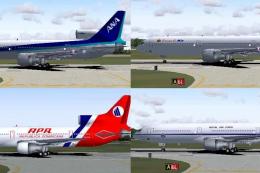
Four repaints of Charles Dayhuff's Lockheed L1011 TriStar: 'ANA' All Nippon A…
 FS2004 Civil Jet Aircraft
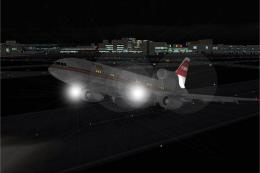
This freeware package adds a distinctive Trans World Airlines (TWA) repaint f…
 FS2004 Civil Jet Aircraft
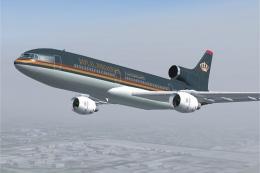
This freeware pack adds specialized Jordanian textures for the Lockheed L-101…
 FS2004 Civil Jet Aircraft
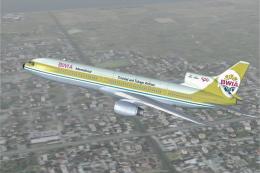
This freeware package brings the BWIA (British West Indian Airways) livery to…
 FS2004 Civil Jet Aircraft
This freeware repaint set brings the classic Pacific Southwest Airlines (PSA)…
 FS2004 Civil Jet Aircraft
This freeware repaint captures the classic Caledonian scheme on the Lockheed …
 FS2004 Civil Jet Aircraft
Textures only; requires SL10115.ZIP. Rich International livery for the Lockhe…
Be the first to leave a comment on this download.
Be the first to share your thoughts on this download.