

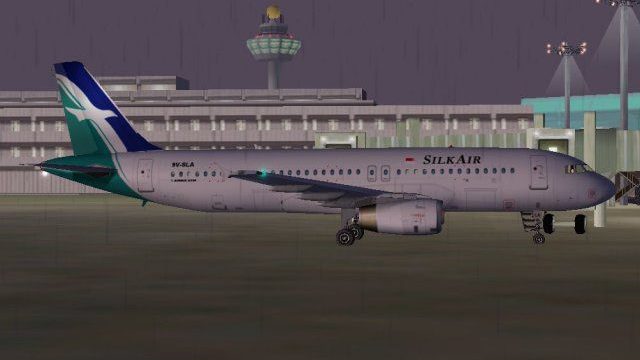
 FS2004 Civil Jet Aircraft
Singapore Valuair Airbus A320
This comprehensive package offers a custom Valuair paint scheme for the Phoen…
Singapore SilkAir’s Airbus A320 livery brings the carrier’s colorful tail and precise fuselage markings to regional Asian operations, ideal for recreating Changi-based short and medium-haul schedules. Designed for Microsoft Flight Simulator 2004, it requires the payware PSS Airbus A320 Professional model and delivers authentic logos, lettering, and balanced colors.
 Rate
Rate
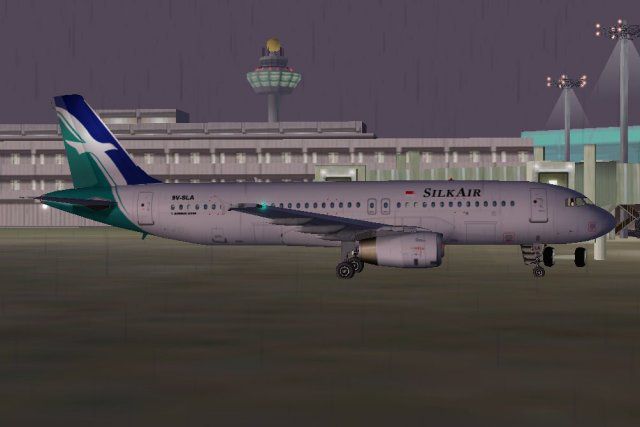
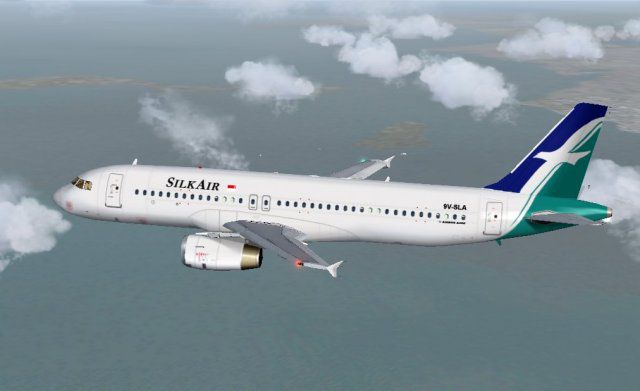
This repaint provides Singapore SilkAir’s distinctive livery for the PSS Airbus A320, reflecting the regional carrier’s emphasis on short and medium-haul routes across Asia. By installing these textures, enthusiasts can recreate SilkAir’s notable design elements in Microsoft Flight Simulator 2004 (FS9). Repaint by Roland Ting.
As a subsidiary of Singapore Airlines, SilkAir specializes in linking Singapore with various destinations in Southeast Asia. The airline’s Airbus A320 series often features a colorful tail that showcases its recognizable corporate branding. This repaint accurately reproduces the aircraft’s color palette, ensuring accurate fuselage markings, logo placements, and lettering. Pilots interested in regional operations may enjoy simulating flights out of Singapore Changi Airport, replicating real-world route structures and timetables.
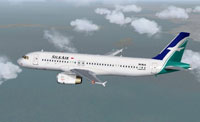
Singapore SilkAir Airlines A320 livery displayed in mid-flight.
This aircraft repaint is dedicated to the PSS Airbus A320 Professional payware model from Phoenix Simulation Software. Use of these textures requires prior ownership of the payware product (available through various outlets, including our payware store, SimShack). Installation is validated for FS2004, commonly referred to as FS9. Compatibility outside of FS2004/FS9 has not been tested, so proceed at your own discretion.
FS9\aircraft\PSSA320 directory.FS9\aircraft\PSSA320 folder) with a text editor such as Notepad.[fltsim] entry.[fltsim.X]
title=PSS A320 IAE SilkAir
ui_variation=PSS A320 IAE SilkAir
sim=A320v
ui_type=A320v
sound=IAE
model=IAE
texture=silkair
atc_airline=Singapore
panel=
kb_checklists=a320_check
kb_reference=a320_ref
atc_id=9V-SLA
atc_flight_number=9VSLA
atc_heavy=0
ui_manufacturer=Airbus
visual_damage=1
description=Designed to compete with the Boeing 737 and McDonnell Douglas MD-80, The A319/320/321 were Airbus' first entry in the narrow-body market. Although the aircraft borrows some features from the larger A300 and A310, it is essentially a new design equipped with many state-of-the-art engineering innovations. For example, The A319/320/321 were the first commercial jetliners with a full fly-by-wire control system. Other advanced features include widespread use of composite materials to reduce weight, sophisticated avionics including a gust-alleviation system allowing a smoother ride, advanced cockpit warning systems, and high-technology engines to reduce noise and fuel consumption.
X in [fltsim.X] to the next sequential number. For instance, if the last entry is [fltsim.3], change X to 4.Full functionality of this repaint depends on the original PSS A320 Professional model. In practice, SilkAir’s narrow-body fleet is often found operating links to regional business hubs and leisure destinations, so consider setting up flight schedules that mirror actual SilkAir routes. By doing so, you’ll replicate the real-world airline network with this custom SilkAir repaint.
Free for all simmers · 1.29 MB · Scanned clean Oct 2026
Download speed: Free tier is capped at 0.5 Mbps. PRO members download at full line speed.
FS9\Aircraft\, FS9\Addon Scenery\, FS9\Gauges\, or FS9\Effects\.readme.txt or README file. It tells you exactly where files go, what dependencies are needed, and any quirks specific to this add-on.The archive silka320.zip has 9 files and directories contained within it.
This list displays the first 500 files in the package. If the package has more, you will need to download it to view them.
| Filename/Directory | File Date | File Size |
|---|---|---|
| Wing_t.bmp | 05.06.04 | 4.00 MB |
| a320_v_l.bmp | 03.07.02 | 4.00 MB |
| a320_v_t.bmp | 05.08.04 | 4.00 MB |
| pss320-SilkAir1.jpg | 05.08.04 | 28.06 kB |
| pss320-silkair2.jpg | 05.08.04 | 29.54 kB |
| readme-1st.txt | 05.08.04 | 1.94 kB |
| Wing_l.bmp | 03.07.02 | 4.00 MB |
| flyawaysimulation.txt | 10.29.13 | 959 B |
| Go to Fly Away Simulation.url | 01.22.16 | 52 B |
Only PRO members can place votes.
More FS2004 add-ons hand-picked based on this download.
FS2004 Civil Jet Aircraft
This comprehensive package offers a custom Valuair paint scheme for the Phoen…
 FS2004 Civil Jet Aircraft
The fleet of Singapore Airlines that operates flights to more than 60 world d…
 FS2004 Civil Jet Aircraft
This free package introduces the Singapore Airlines Airbus A340-313E Celestar…
 FS2004 Civil Jet Aircraft
This freeware release features a precisely rendered Singapore Airlines Boeing…
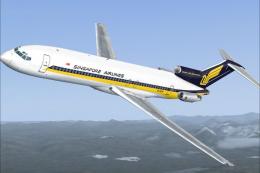 FS2004 Civil Jet Aircraft
This package offers a carefully crafted rendition of the famous Boeing 727-20…
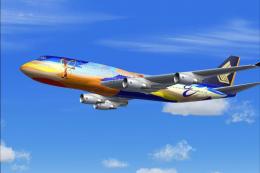 FS2004 Civil Jet Aircraft
"Tropical Megatop" livery, registration 9V-SPL. Textures only for the AI Aard…
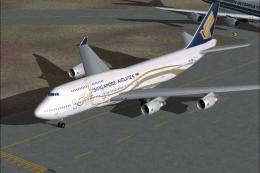 FS2004 Civil Jet Aircraft
Singapore Airlines Boeing 747-400 in 50th anniversary livery. Model by AI Aar…
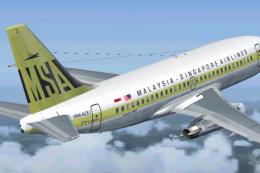 FS2004 Civil Jet Aircraft
This is a repaint of Erick Cantu's new Boeing 737-200 in the colors of Malays…
Be the first to leave a comment on this download.
Be the first to share your thoughts on this download.