

 FS2004 Civil Jet Aircraft
Airbus A-320-232, Royal Brunei Airlines
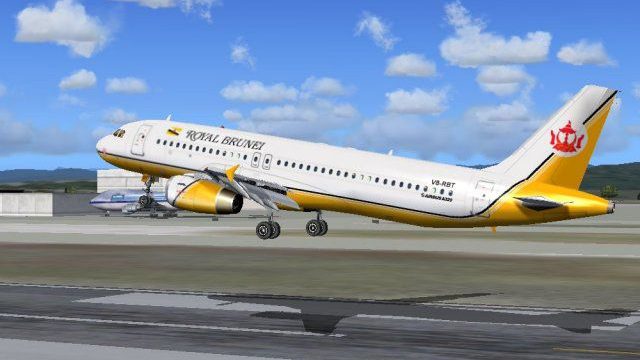
This package offers a detailed livery that portrays Royal Brunei Airlines’ st…
Royal Brunei Airlines’ Airbus A320 livery brings the carrier’s clean white-and-gold branding to the PSS A320 Professional, with crisp tail insignia, accurate fuselage titles, and subtle exterior shading that helps panel lines stand out in screenshots and at the gate. Designed for Microsoft Flight Simulator 2004, it requires the Phoenix Simulation Software base model.
 Rate
Rate
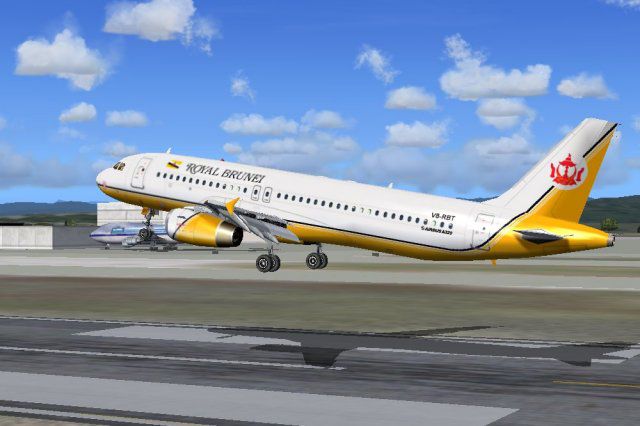
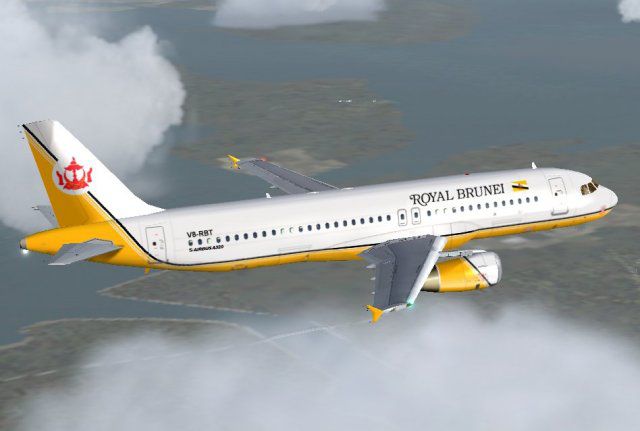
Experience the distinctive livery of Royal Brunei Airlines on the Airbus A320 in your simulator with this carefully crafted repaint by authors/developers Roland Ting and the Phoenix Simulation Software team. The national flag carrier of Brunei Darussalam operates modern, efficient aircraft on short- to medium-range segments, and this repaint reflects the airline’s unique color scheme and sleek finishing touches. It is fully compatible with Microsoft Flight Simulator 2004 and enhances the realism of your virtual flights.
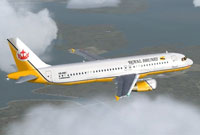
In-flight preview of Royal Brunei Airlines Airbus A320, showing off the vibrant graphics.
The Airbus A320 family represents a major milestone in aviation design, particularly due to its fly-by-wire control technology, which uses electronic signals rather than conventional mechanical linkages. The A320 was introduced to compete against models like the Boeing 737 and quickly became popular for its comfortable cabin, lightweight composite materials, and advanced cockpit layout. Royal Brunei Airlines has operated various Airbus designs to serve routes across Asia and beyond, leveraging this platform’s efficiency and reliability.
[fltsim.X]
title=PSS A320 IAE Royal Brunei
ui_variation=PSS A320 IAE Royal Brunei
sim=A320v
ui_type=A320v
sound=IAE
model=IAE
texture=RBA
atc_airline=Brunei
panel=
kb_checklists=a320_check
kb_reference=a320_ref
atc_id=V8-RBT
atc_flight_number=V8RBT
atc_heavy=0
ui_manufacturer=Airbus
visual_damage=1
description=Designed to compete with the Boeing 737 and McDonnell Douglas MD-80, the A319/320/321 series introduced advanced fly-by-wire controls, composite materials, and efficient turbofan engines.
This package only includes the external liveries. You need to own the payware Phoenix Simulation Software A320 Professional model separately from authorized sources such as SimShack. If you prefer a distinctive visual identity and authentic flight decks, installing this repaint will bring the subtleties of Royal Brunei Airlines’ branding to your FS2004 environment.
Free for all simmers · 1.32 MB · Scanned clean Oct 2026
Download speed: Free tier is capped at 0.5 Mbps. PRO members download at full line speed.
FS9\Aircraft\, FS9\Addon Scenery\, FS9\Gauges\, or FS9\Effects\.readme.txt or README file. It tells you exactly where files go, what dependencies are needed, and any quirks specific to this add-on.The archive rba320.zip has 9 files and directories contained within it.
This list displays the first 500 files in the package. If the package has more, you will need to download it to view them.
| Filename/Directory | File Date | File Size |
|---|---|---|
| Wing_t.bmp | 05.08.04 | 4.00 MB |
| a320_v_l.bmp | 03.07.02 | 4.00 MB |
| a320_v_t.bmp | 05.08.04 | 4.00 MB |
| pss320-RBA1.jpg | 05.08.04 | 31.17 kB |
| pss320-RBA2.jpg | 05.08.04 | 44.85 kB |
| readme-1st.txt | 05.08.04 | 1.93 kB |
| Wing_l.bmp | 03.07.02 | 4.00 MB |
| flyawaysimulation.txt | 10.29.13 | 959 B |
| Go to Fly Away Simulation.url | 01.22.16 | 52 B |
Only PRO members can place votes.
More FS2004 add-ons hand-picked based on this download.
FS2004 Civil Jet Aircraft
This package offers a detailed livery that portrays Royal Brunei Airlines’ st…
 FS2004 Civil Jet Aircraft
Immerse yourself in the livery of Royal Brunei Airlines with this custom repa…
 FS2004 Civil Jet Aircraft
A repaint of Erick Cantu's B737-200 in the old colors of Royal Brunei Airline…
 FS2004 Civil Jet Aircraft
Fly one of the most pervasive jets in history with this file for Microsoft Fl…
 FS2004 Civil Jet Aircraft
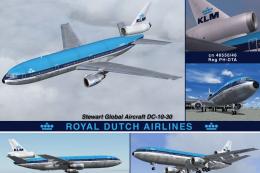
Experience an updated KLM Royal Dutch Airlines DC-10-30 freeware package craf…
 FS2004 Civil Jet Aircraft
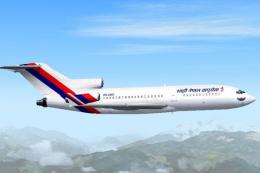
Currently a fictional repaint. Model by AI Aardwark with required moving part…
 FS2004 Civil Jet Aircraft
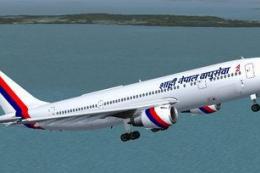
The SGA Airbus A300B4-200 repainted in the Royal Nepal Airlines livery (Naray…
 FS2004 Civil Jet Aircraft
KLM Royal Dutch Airlines (new colors) textures for the Tsutomu Urakawa Boeing…
Be the first to leave a comment on this download.
Be the first to share your thoughts on this download.