

 FS2004 Civil Jet Aircraft
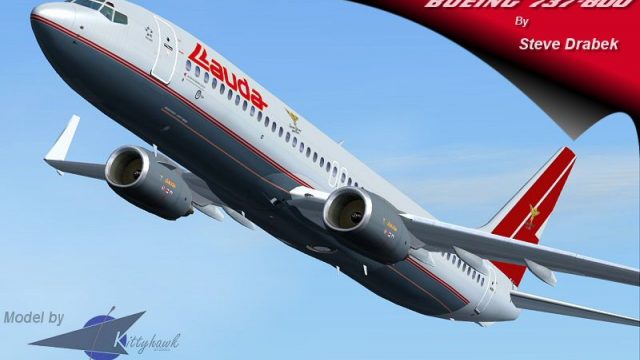
Lauda Boeing 737-600 OE-LNM
This freeware package provides a meticulously recreated Lauda Boeing 737-600 …
Lauda Boeing 737-800 OE-LNP brings a polished winglet-equipped classic to Microsoft Flight Simulator 2004 with a fully animated Gmax exterior, dynamic shine, and crisp Lauda textures. Tested flight dynamics deliver believable handling across the envelope, while smart texture choices keep visuals sharp without sacrificing smooth performance.
 Rate
Rate
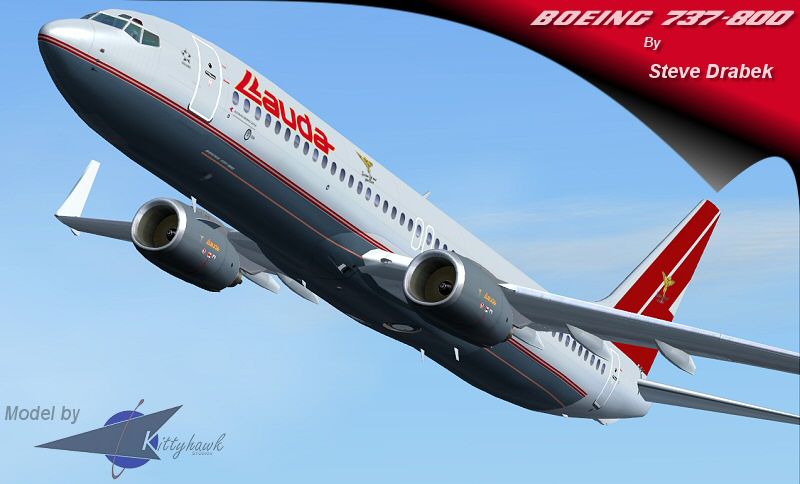
This freeware package introduces a meticulously crafted Lauda Boeing 737-800 with winglets for Microsoft Flight Simulator 2004. It features a fully animated exterior, advanced textures, and optimized flight handling. Lauda, originally an Austrian-based airline, is well known for its distinctive branding and history, further adding to the authenticity of this repaint. Below, you will find important details about the included model, the repaints, and how to install everything seamlessly.
The Kittyhawk model, created by Erick Cantu, showcases a scratch-built design crafted entirely in Gmax. This approach allows for precise geometry, resulting in dynamic shine across the fuselage and wing surfaces. The package also provides comprehensive animations on all movable parts, ensuring that flaps, gear, and control surfaces behave accurately. To balance high-fidelity rendering with performance, the fuselage employs 32-bit textures for enhanced clarity, while DXT3 textures are utilized in other areas to maintain frame rate efficiency.
The flight parameters, assembled by Shawn Anderson, have been thoroughly tested by a pilot certified on the 737 platform. This ensures the aircraft responds appropriately across the entire flight envelope, underpinning takeoffs, landings, and in-flight maneuvers with realistic behavior. For enthusiasts seeking further refinements, consider exploring the optional KL737FDE.ZIP, which offers an additional flight dynamics update.

Screenshot of Lauda Boeing 737-800 cruising with its signature livery.
Steve Drabek prepared the unique Lauda textures, highlighting the aircraft’s real-world livery with accurate logos and color placement. The winglets receive special attention, matching the airline’s style. These specifics deliver an immersive representation, allowing virtual pilots to identify with the branding Lauda cultivated throughout its operational history.
To bring this Boeing 737-800 variant into your simulator:
Once installed, you can experience the finely tuned handling combined with visually striking textures, all packaged into this complete Lauda-themed 737-800 add-on. The project also credits Erick Cantu for the base model, Shawn Anderson for the flight dynamics, and Steve Drabek for the repaint. Enjoy taking this iconic twin-engine narrow-body airliner for virtual flights across various routes within the simulator environment.
Free for all simmers · 1.98 MB · Scanned clean Oct 2026
Download speed: Free tier is capped at 0.5 Mbps. PRO members download at full line speed.
FS9\Aircraft\, FS9\Addon Scenery\, FS9\Gauges\, or FS9\Effects\.readme.txt or README file. It tells you exactly where files go, what dependencies are needed, and any quirks specific to this add-on.The archive kh738law.zip has 37 files and directories contained within it.
This list displays the first 500 files in the package. If the package has more, you will need to download it to view them.
| Filename/Directory | File Date | File Size |
|---|---|---|
| FileID.diz | 06.04.04 | 544 B |
| Kittyhawk 737-800 Lau-winglet | 06.04.04 | 0 B |
| 737800.air | 03.27.04 | 8.40 kB |
| aircraft.cfg | 06.04.04 | 13.54 kB |
| effects | 05.20.04 | 0 B |
| B738wing.fx | 05.20.03 | 1.15 kB |
| B738_BCNL.fx | 05.20.03 | 1.16 kB |
| B738_BCNU.fx | 05.20.03 | 3.13 kB |
| B738_STROBE.fx | 05.20.03 | 3.46 kB |
| B738_vclight.fx | 05.20.03 | 1.30 kB |
| model | 05.20.04 | 0 B |
| model.winglet | 05.20.04 | 0 B |
| B737_800W.mdl | 03.21.04 | 1.62 MB |
| model.cfg | 03.21.04 | 26 B |
| panel | 05.20.04 | 0 B |
| panel.cfg | 12.20.03 | 30 B |
| Readme.doc | 05.20.04 | 27.00 kB |
| readme.txt | 06.04.04 | 3.88 kB |
| sound | 05.20.04 | 0 B |
| sound.cfg | 05.20.04 | 31 B |
| texture | 06.04.04 | 0 B |
| 737INTERIOR_L.bmp | 03.18.04 | 256.07 kB |
| 737INTERIOR_T.BMP | 12.31.03 | 1.00 MB |
| 737_B_L.BMP | 05.31.04 | 256.07 kB |
| 737_B_T.bmp | 05.31.04 | 4.00 MB |
| 738_FUSE_L.BMP | 05.31.04 | 256.07 kB |
| 738_FUSE_T.bmp | 05.31.04 | 4.00 MB |
| ENGINES_L.BMP | 03.18.04 | 256.07 kB |
| ENGINES_T.BMP | 05.30.04 | 1.00 MB |
| WINGLET_L.bmp | 03.28.04 | 16.07 kB |
| WINGLET_T.BMP | 05.31.04 | 256.07 kB |
| WINGS_L.bmp | 03.18.04 | 256.07 kB |
| WINGS_T.bmp | 06.04.04 | 1.00 MB |
| 738lauw-release.jpg | 06.04.04 | 96.32 kB |
| 738lauw-release.gif | 06.04.04 | 7.75 kB |
| flyawaysimulation.txt | 10.29.13 | 959 B |
| Go to Fly Away Simulation.url | 01.22.16 | 52 B |
Only PRO members can place votes.
More FS2004 add-ons hand-picked based on this download.
FS2004 Civil Jet Aircraft
This freeware package provides a meticulously recreated Lauda Boeing 737-600 …
 FS2004 Civil Jet Aircraft
Includes full moving parts, dynamic shine, custom lighting, scratch-built vis…
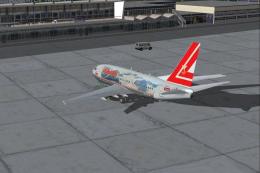 FS2004 Civil Jet Aircraft
Textures only for the PMDG B737-600. Repainted by Ruud Joosten. Screenshot of…
 FS2004 Civil Jet Aircraft
Textures only for the Tsutomu Urakawa B737-800 model (i.e., 737ATN.ZIP). Scre…
 FS2004 Civil Jet Aircraft
ARNZ AIS-AI model by Jon Murchison. Repainted by Jonathan Youngman. Screensho…
 FS2004 Civil Jet Aircraft
This complete freeware package brings a classic Austrian Airlines Airbus A320…
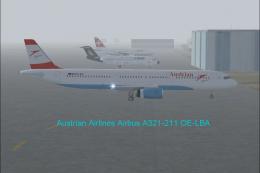 FS2004 Civil Jet Aircraft
Austrian Airlines A321-211, registration OE-LBA. The aircraft is painted in t…
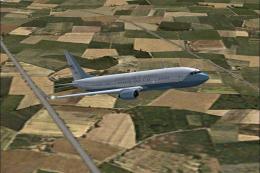 FS2004 Civil Jet Aircraft
Model by Eric Cantu of Flight-FX. US Air force repaint by Bill Kovatchev. Use…
Be the first to leave a comment on this download.
Be the first to share your thoughts on this download.