

 FSX Scenery
RAF Coningsby
RAF Coningsby UK. This scenery depicts RAF Coningsby, Lincolnshire, England a…
RAF Lossiemouth scenery brings Scotland’s Moray Firth fast-jet base to life in FSX with custom hangars, apron clutter, and a representative airfield layout tuned for smooth performance. Dedicated AI traffic adds atmosphere, featuring Sea King helicopter operations with flight plans and Tornado GR4 movements that evoke the station’s operational tempo.
 Rate
Rate
 United Kingdom
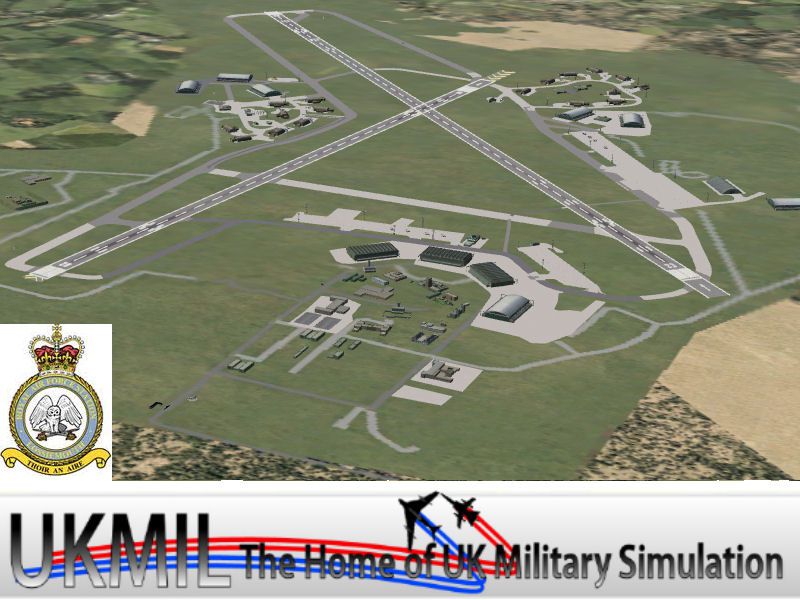
Situated on the dramatic Moray Firth coastline of northern Scotland, RAF Lossiemouth stands as a prominent Royal Air Force station known primarily for fast-jet operations and maritime patrol duties. This freeware enhancement by UKMIL raises the visual fidelity beyond the default setting in Microsoft Flight Simulator X, adding a representative take on the airfield’s layout without strictly mirroring every real-world detail. The main objective is to enrich immersion for virtual aviators, while balancing performance and overall functionality within the simulator.
The creators have imbued the base with multiple custom objects, including hangars and ground support components that capture the operational feel of a UK RAF station. Although these objects may not exactly replicate the real facility, they effectively convey the bustling atmosphere of an active airbase. Regular Tornado sorties have been a hallmark of RAF Lossiemouth for many years, and this add-on hints at that legacy by introducing key static and AI elements.
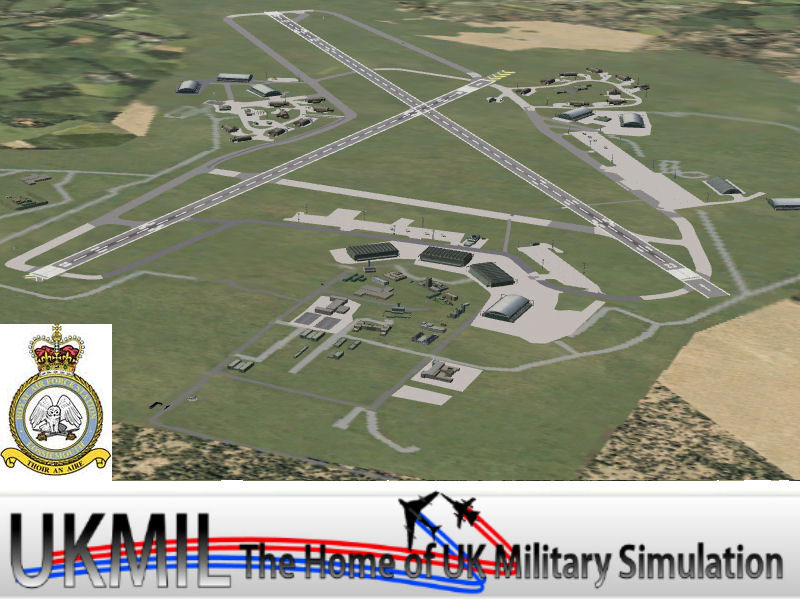
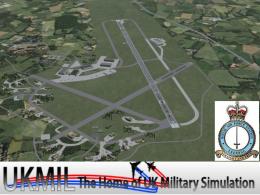
Screenshot displaying the enhanced layout.
A standout addition is the newly developed Sea King AI, complete with flight plans for helicopter operations. This classic search-and-rescue rotorcraft augments the sense of realism, especially given RAF Lossiemouth’s coastal location. The pack also incorporates an AI Tornado GR4 created by Fernando Martinez, ensuring that visitors experience the distinctive jets often associated with this airfield.
Performance optimization takes precedence for a broad range of hardware. Certain items only become visible on higher scenery density levels, so adjusting the simulator’s scenery settings to “Dense” or above is recommended to access the full array of models and textures. This design choice benefits users on less capable systems who might prefer a less resource-intensive environment.
To apply these modifications, run the installer and then add its resultant directory to your simulator’s Scenery Library. By default, the installation folder appears under “Addon Scenery.” With the scenery activated, you can load into RAF Lossiemouth and immediately notice the improvements, including the newly integrated air traffic.
Full-pack integration and AI aircraft coordination come courtesy of Gaffer UKMIL. Hangars and other ground elements incorporate work by Stevo and John of ACG (Airfield Construction Group), whose meticulously crafted models and textures add authenticity. Appreciation also goes to Ted Andrews for providing RAF hangar assets that complement the overall base design.
This package aims to furnish enthusiasts with a visually enhanced RAF Lossiemouth that still operates efficiently within Microsoft Flight Simulator X. It strives to capture the station’s essence, combining essential structures, region-appropriate details, and interactive AI traffic to immerse virtual pilots in the dynamic environment of this major RAF installation.
Free for all simmers · 21.06 MB · Scanned clean Oct 2026
Download speed: Free tier is capped at 0.5 Mbps (this file takes approximately 6 mins at the cap). PRO members download at full line speed.
FSX\Addon Scenery\ containing scenery and texture sub-folders.readme.txt or README file. It tells you exactly where files go, what dependencies are needed, and any quirks specific to this add-on.Use these coordinates to fly directly to this location once the mod is installed.
57.70500000,-3.33900000
Launch FSX or Prepar3D and use Flights → Load to open the downloaded .pln file. Your aircraft will be positioned at this location.
The archive ukmlossfsx.zip has 7 files and directories contained within it.
This list displays the first 500 files in the package. If the package has more, you will need to download it to view them.
| Filename/Directory | File Date | File Size |
|---|---|---|
| README_FIRST.txt | 01.04.12 | 1.35 kB |
| ukmlosfsx.jpg | 01.04.12 | 112.82 kB |
| ukmlossfixthm.jpg | 01.04.12 | 41.34 kB |
| ukmlossfsx.exe | 01.05.12 | 21.18 MB |
| ukmlossfsx | 01.04.12 | 0 B |
| flyawaysimulation.txt | 10.29.13 | 959 B |
| Go to Fly Away Simulation.url | 01.22.16 | 52 B |
Only PRO members can place votes.
More FSX & P3D add-ons hand-picked based on this download.
FSX Scenery
RAF Coningsby UK. This scenery depicts RAF Coningsby, Lincolnshire, England a…
 FSX Scenery
RAF Mildenhall (EGUN), UK. Home to the 100th ARW, RAF Mildenhall is one of th…
 FSX Scenery
RAF Mount Pleasant (EGYP) in the Falkland Islands. It includes aircraft hanga…
 FSX Scenery
RAF Marham in the UK for the period circa 1993. Designed for use with the Vic…
 FSX Scenery
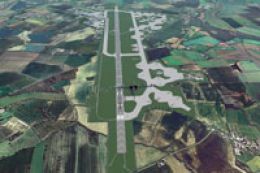
RAF Fairford 2009 (EGVA), UK. Built with SBuilderX, ADE and Whisplacer with r…
 FSX Scenery
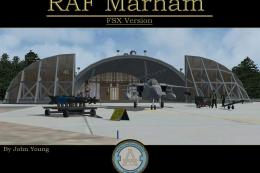
Scenery RAF Marham in the UK. A very detailed, but frame rate efficient scene…
 FSX Scenery
RAF Woodvale UK Scenery for FSX and GenX. EGOW RAF Woodvale for FSX and GenX …
 FSX Scenery
Enhance your virtual flights over North Yorkshire with this freeware scenery …
Read what other simmers think, or add your own.

I have downloaded this and I can't seem to get it to work. I will add that I am somewhat computer illiterate! Any advice would be appreciated :)