

 FSX Civil Aircraft
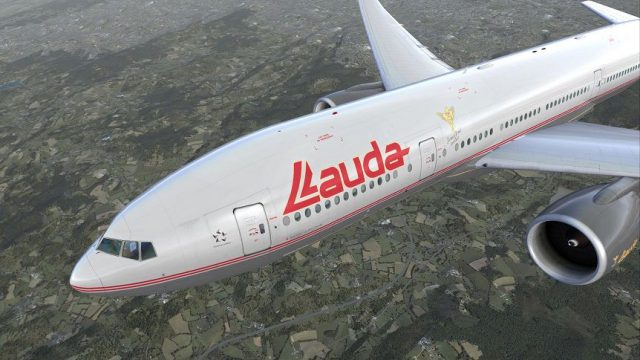
Lauda Boeing 737-800, registration OE-LNG
Experience the Lauda Boeing 737-800 livery for Microsoft Flight Simulator X i…
Lauda Air’s classic Austrian livery comes to the Boeing 777-200LR OE-LPC with crisp, high-resolution textures, accurate markings, and clean alignment across doors, windows, and wing surfaces for convincing long-haul immersion in Microsoft Flight Simulator X. Requires the PMDG 777-200LR payware aircraft to display correctly, including full virtual cockpit integration.
 Rate
Rate
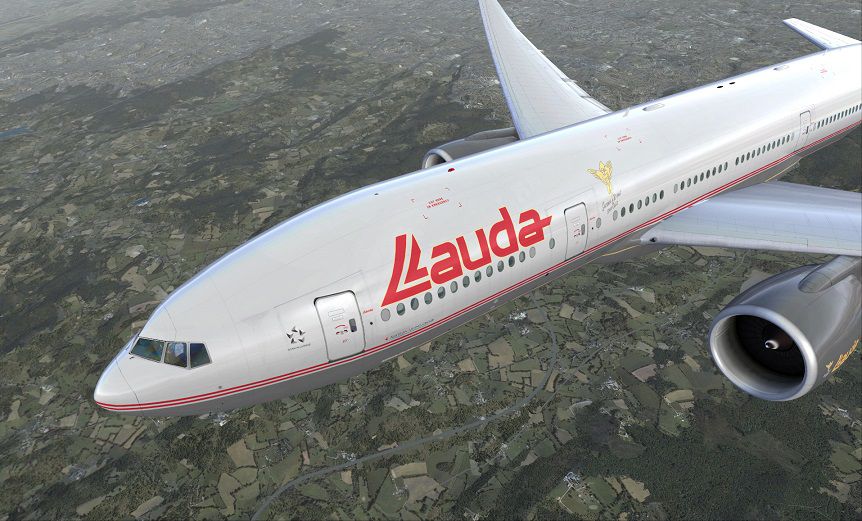

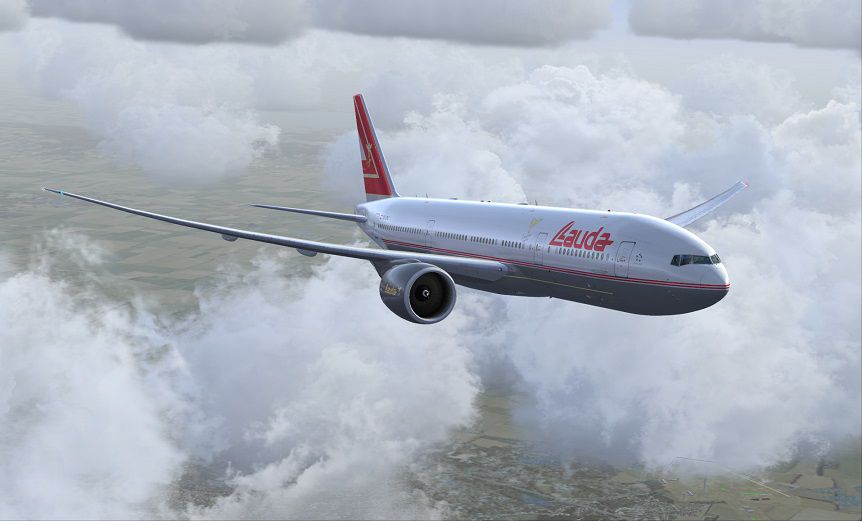

Experience a distinctive Austrian flair in Microsoft Flight Simulator X with this carefully crafted Lauda Air Boeing 777-200LR repaint by Corina Meyer. Designed for the payware PMDG 777-200LR model, it reflects the classic Lauda Air design, showcasing the carrier’s well-known color scheme and authentic markings. This texture set requires the separate purchase of the PMDG 777-200LR package from a source such as our payware store, SimShack.
Lauda Air, originally founded by former Formula 1 driver Niki Lauda, combined Austrian heritage with a global network. This repaint includes prominent airline identifiers that reflect the fleet’s legacy appearance. Every fuselage contour is mapped to match the precise winglets, doors, and window placements on the PMDG 777-200LR model, ensuring a visual match for those who appreciate authenticity when taking long-haul flights around the globe.
The Boeing 777-200LR is a twin-engine wide-body airliner, well-known for its extensive range and efficient performance under varying payload conditions. In real-world operations, it commonly relies on GE90-series engines, recognized for their remarkable thrust and reliability. By integrating this repaint into the detailed PMDG rendition, sim pilots gain a clear view of the aircraft’s aerodynamic design, flight deck detail, and reliable handling, bolstered by a visually accurate Lauda Air scheme.
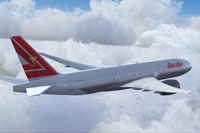
Screenshot showcasing the Lauda Air Boeing 777-200LR in a true-to-life airborne pose.
This repaint retains high-resolution texture mapping, neat alignment on the fuselage rivets, and faithful color transitions along the tail. It is designed to leverage the advanced virtual cockpit and flight systems included in PMDG’s payware model, enhancing immersion for extended or transcontinental flights. Furthermore, the repaint offers consistent interior and exterior labeling so that sim pilots can enjoy a seamless in-sim environment matching Lauda Air’s historical operations.
Developed by Corina Meyer, this add-on offers a balanced blend of realism and Austrian charm. Load up the GE90-equipped 777-200LR in Lauda Air colors, prepare the flight deck, and embark on long-haul routes with a genuine sense of European aviation heritage.
Free for all simmers · 12.19 MB · Scanned clean Oct 2026
Download speed: Free tier is capped at 0.5 Mbps (this file takes approximately 3 mins at the cap). PRO members download at full line speed.
texture.{airline}) inside FSX\SimObjects\Airplanes\{base-aircraft}\.aircraft.cfg in Notepad. Add a new [fltsim.X] section per the readme.readme.txt or README file. It tells you exactly where files go, what dependencies are needed, and any quirks specific to this add-on.The archive pmdg777-200lr_lauda_air_oe-lpc.zip has 9 files and directories contained within it.
This list displays the first 500 files in the package. If the package has more, you will need to download it to view them.
| Filename/Directory | File Date | File Size |
|---|---|---|
| 1.gif | 11.29.13 | 8.32 kB |
| FS-49165.jpg | 11.29.13 | 92.50 kB |
| FS-49166.jpg | 11.29.13 | 149.04 kB |
| FS-49167.jpg | 11.29.13 | 92.45 kB |
| FS-49168.jpg | 11.29.13 | 192.10 kB |
| PMDG777-200LR Lauda Air OE-LPC.ptp | 11.28.13 | 11.67 MB |
| ReadMe_Install.txt | 11.27.13 | 1.02 kB |
| flyawaysimulation.txt | 10.29.13 | 959 B |
| Go to Fly Away Simulation.url | 01.22.16 | 52 B |
Only PRO members can place votes.
More FSX & P3D add-ons hand-picked based on this download.
FSX Civil Aircraft
Experience the Lauda Boeing 737-800 livery for Microsoft Flight Simulator X i…
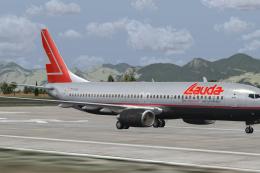 FSX Civil Aircraft
Lauda Boeing 737-800. Textures for the iFly B737-800 in LaudaAir colors. By M…
 FSX Civil Aircraft
Air Canada Boeing 777-200LR. Model by Project Open Sky. Repaint by Yosuke. Ai…
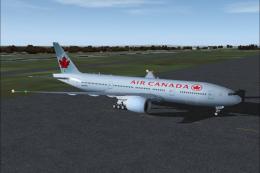 FSX Civil Aircraft
This comprehensive package blends Air Canada Boeing 777-200LR liveries with t…
 FSX Civil Aircraft
Air New Zealand Boeing 777-200LR (new livery). B777-200 model by SkySpirit201…
 FSX Civil Aircraft
This freeware package features a fully functional Boeing 777-200LR in EVA Air…
 FSX Civil Aircraft
This updated freeware package features a complete Boeing 777-200LR in the Air…
 FSX Civil Aircraft
Texture only for the payware PMDG B777-200. This is a fictional repaint. By C…
Be the first to leave a comment on this download.
Be the first to share your thoughts on this download.