

 FS2004 Civil Jet Aircraft
USAir Douglas DC-9-30 1980 Bare Metal V2.1
Experience a classic example of USAir’s early 1980s livery in Microsoft Fligh…
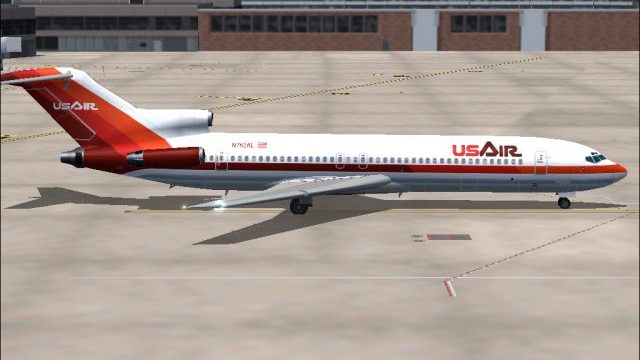
USAir’s early-1980s bare-metal Boeing 727-200 livery returns in a crisp repaint built for Microsoft Flight Simulator 2004, with matching day and night textures that complement the AI Aardvark tri-jet’s lines and reflective finish for convincing period traffic. Requires the freeware AI Aardvark 727-200 base model.
 Rate
Rate
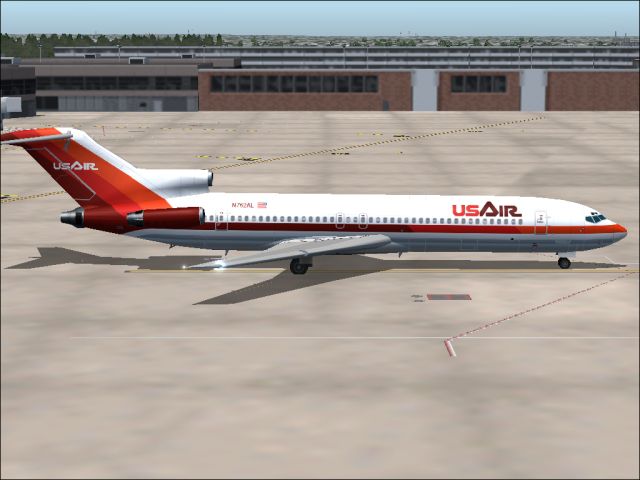
This repaint showcases a classic USAir Boeing 727-200 bare metal fuselage rendition from the early 1980s, carefully tailored for Microsoft Flight Simulator 2004 users. Created by Sheppard Avery, this package features both day and night textures that bring the tri-jet’s distinctive livery to life on the AI Aardvark model. It pays homage to a pivotal period in USAir’s timeline, reflecting an era of airline rebranding and rapid expansion.
The real Boeing 727-200 introduced a powerful three-engine (tri-jet) configuration, designed for robust performance on shorter runways. In this repaint, the fuselage’s polished metal finish highlights the 1980s USAir aesthetic, complete with fuselage reflections that evoke the airline’s transition from Allegheny to its new branding. The crisp detailing supplements the original AI Aardvark model’s shape and geometry, ensuring an authentic presentation in traffic scenarios.
Screenshot of the 727-200 in its reflective 1980s livery on the ramp.
USAir originally began under the name All American Aviation in 1939. By the early 1950s, it shifted to Allegheny Airlines, gradually merging with Lake Central and acquiring Mohawk. Deregulation in the late 1970s spurred significant growth across national routes, spurring another name change to USAir. Eventually, with the integration of PSA and Piedmont, the airline became a major global carrier, now known as US Airways, maintaining hubs in Pittsburgh, Charlotte, and Philadelphia.
This download furnishes early 1980s bare metal fuselage textures for both daytime and nighttime operation. The added reflectivity accentuates the 727’s classic lines and emphasizes the airline’s distinctive metallic tones. Although these textures are optimized for AI traffic, offline flyers aiming for a period-accurate setting will also find them highly immersive.
Please remember that these files only contain repainted textures. The freeware base model from the AI Aardvark series is required for the textures to display correctly. You can find that model in the Fly Away Simulation library, ensuring a comprehensive setup.
Repaint by Sheppard Avery.
Free for all simmers · 912.19 KB · Scanned clean Oct 2026
Download speed: Free tier is capped at 0.5 Mbps. PRO members download at full line speed.
FS9\Aircraft\, FS9\Addon Scenery\, FS9\Gauges\, or FS9\Effects\.readme.txt or README file. It tells you exactly where files go, what dependencies are needed, and any quirks specific to this add-on.The archive us7swtv2.zip has 7 files and directories contained within it.
This list displays the first 500 files in the package. If the package has more, you will need to download it to view them.
| Filename/Directory | File Date | File Size |
|---|---|---|
| AIA_727_200_L.bmp | 08.12.03 | 4.00 MB |
| aia_727_200_t.bmp | 09.25.04 | 5.33 MB |
| READ ME.txt | 09.24.04 | 1.96 kB |
| USAir5.jpg | 09.25.04 | 167.17 kB |
| usair_old.gif | 01.17.04 | 2.29 kB |
| flyawaysimulation.txt | 10.29.13 | 959 B |
| Go to Fly Away Simulation.url | 01.22.16 | 52 B |
Only PRO members can place votes.
More FS2004 add-ons hand-picked based on this download.
FS2004 Civil Jet Aircraft
Experience a classic example of USAir’s early 1980s livery in Microsoft Fligh…
 FS2004 Civil Jet Aircraft
This freeware package features a meticulously recreated Eastern Airlines Boei…
 FS2004 Civil Jet Aircraft
This updated package offers a retro-themed Boeing 727-100 from Eastern Airlin…
 FS2004 Civil Jet Aircraft
This repaint offers a meticulously polished metal finish for the iconic Boein…
 FS2004 Civil Jet Aircraft
This freeware texture pack showcases the last variation bare metal thin cheat…
 FS2004 Civil Jet Aircraft
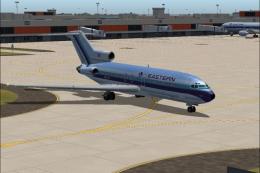
This package offers a detailed Boeing 727-100 repaint that showcases Eastern …
 FS2004 Civil Jet Aircraft
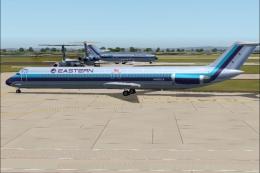
This repaint package provides a refined bare metal fuselage scheme for an AI …
 FS2004 Civil Jet Aircraft
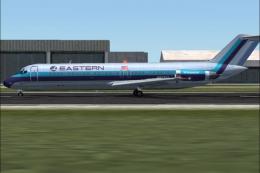
This freeware repaint package offers a meticulously crafted bare metal textur…
Be the first to leave a comment on this download.
Be the first to share your thoughts on this download.