

 FS2004 Civil Jet Aircraft
EAL Douglas DC-9-30 Bare Metal V2.1
This freeware repaint package offers a meticulously crafted bare metal textur…
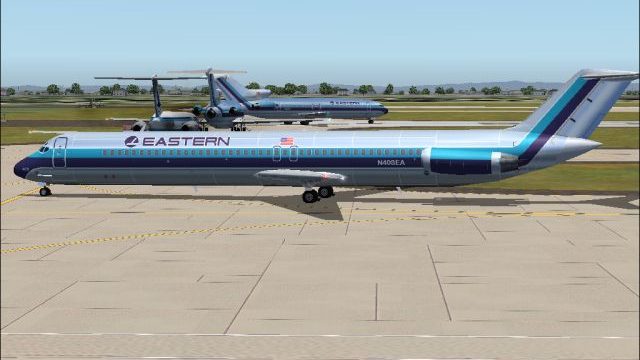
Eastern Air Lines’ classic bare-metal livery returns on the AI Aardvark Douglas DC-9-50 with refreshed v2.0 textures, tuned reflections, and dedicated day and night maps for convincing AI traffic. Built for Microsoft Flight Simulator 2004, it requires the AI Aardvark DC-9-50 base model and the reflective variant for the best sheen.
 Rate
Rate
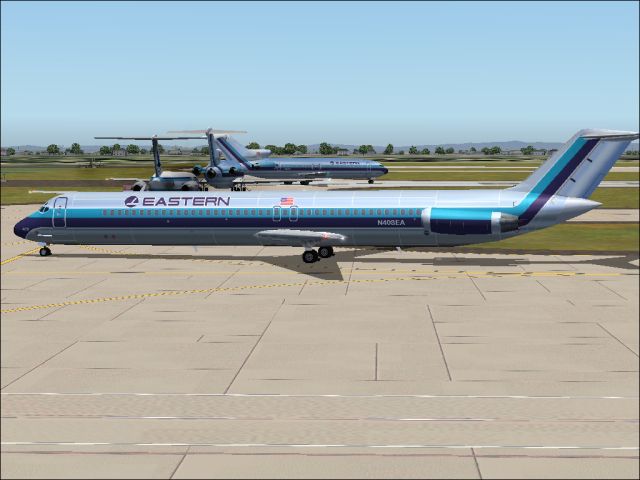
This repaint package provides a refined bare metal fuselage scheme for an AI Aardvark Douglas DC-9-50, specifically tailored for Microsoft Flight Simulator 2004. It preserves a classic Eastern Air Lines (EAL) style, complete with distinct day and night textures. Created by Sheppard Avery, this freeware upgrade requires the corresponding AI Aardvark base model found in the Fly Away Simulation mod library.
Eastern Air Lines, once headquartered in Miami, served as a major carrier throughout the United States and beyond. It operated notable hubs in Atlanta, New York, and Miami, connecting passengers across the eastern seaboard and into the Caribbean, Central, and South American regions. In the early 1980s, Eastern Air Lines stood out for carrying a remarkably high volume of travelers worldwide, illustrating its extensive service network.
The Douglas DC-9-50 (part of the DC-9 family) is recognized for its narrow-body layout and efficient short-to-medium-range capabilities. Known for reliable systems and simplified operation, it appealed to numerous airlines seeking a cost-effective approach to regional routes. This particular repaint replicates the reflective bare-metal finish many DC-9s displayed during active service. Furthermore, the included texture set accommodates both daytime sunlight reflections and ambient glow for nocturnal schedules.
Screenshot of EAL Douglas DC-9-50 on the ground.
This v2.0 release contains an updated set of textures in Eastern’s classic bare-metal layout. The design incorporates optimized reflections, so it is strongly recommended to select the reflective AI Aardvark model for the most accurate results. The materials are configured to ensure a proper sheen under various flight-simulator lighting conditions. Night textures also employ customized illumination effects to enhance realism when operating after sunset.
[fltsim.x]
title=AI Aardvark DC-9-50 EAL Bare Metal
sim=aia_dc9_50
model=reflective
texture=EAL_BareMetal
atc_airline=Eastern
atc_parking_codes=EAL
Adjust the “x” in [fltsim.x] to the next sequential number in your configuration file. Make sure you reference the correct folder name in texture=.
All visual enhancements showcased here are courtesy of Sheppard Avery. The base model belongs to AI Aardvark. Remember that this repaint is freeware and does not include the original aircraft package. Always ensure you have the official base files to complete the setup.
Free for all simmers · 933.48 KB · Scanned clean Oct 2026
Download speed: Free tier is capped at 0.5 Mbps. PRO members download at full line speed.
This file is a repaint — the package below is the base model it paints onto. Install it first, or the textures will have nothing to load onto.
FS9\Aircraft\, FS9\Addon Scenery\, FS9\Gauges\, or FS9\Effects\.readme.txt or README file. It tells you exactly where files go, what dependencies are needed, and any quirks specific to this add-on.The archive ea95bmv2.zip has 7 files and directories contained within it.
This list displays the first 500 files in the package. If the package has more, you will need to download it to view them.
| Filename/Directory | File Date | File Size |
|---|---|---|
| aia_dc_9_50_l.bmp | 09.06.03 | 1.33 MB |
| aia_dc_9_50_t.bmp | 09.25.04 | 5.33 MB |
| eastern.gif | 01.25.04 | 1.87 kB |
| EASTERN.jpg | 09.25.04 | 182.15 kB |
| READ ME.txt | 09.24.04 | 1.64 kB |
| flyawaysimulation.txt | 10.29.13 | 959 B |
| Go to Fly Away Simulation.url | 01.22.16 | 52 B |
Only PRO members can place votes.
More FS2004 add-ons hand-picked based on this download.
FS2004 Civil Jet Aircraft
This freeware repaint package offers a meticulously crafted bare metal textur…
 FS2004 Civil Jet Aircraft
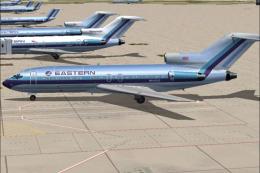
This freeware package features a meticulously recreated Eastern Airlines Boei…
 FS2004 Civil Jet Aircraft
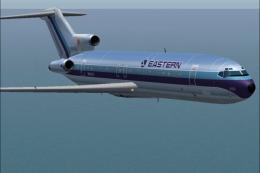
This updated package offers a retro-themed Boeing 727-100 from Eastern Airlin…
 FS2004 Civil Jet Aircraft
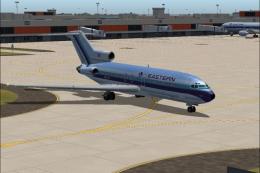
This package offers a detailed Boeing 727-100 repaint that showcases Eastern …
 FS2004 Civil Jet Aircraft
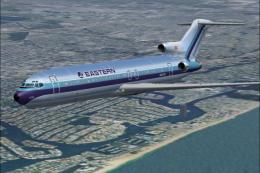
This repaint offers a meticulously polished metal finish for the iconic Boein…
 FS2004 Civil Jet Aircraft
This freeware texture pack showcases the last variation bare metal thin cheat…
 FS2004 Civil Jet Aircraft
Experience a classic example of USAir’s early 1980s livery in Microsoft Fligh…
 FS2004 Civil Jet Aircraft
This repaint package features a distinctive white fuselage scheme for the AI …
Be the first to leave a comment on this download.
Be the first to share your thoughts on this download.