

 FSX General Aviation Aircraft
Dart Kitten II Red/White/Blue
Experience a fresh take on the 1930s-era Dart Kitten II with this special, Du…
Dart Kitten II gains a vintage, high-visibility red, yellow, and black fictional ultralight livery with crisp striping and subtle control-surface accents for standout ramp and in-flight presence in Microsoft Flight Simulator X. Requires Craig Richardson’s freeware Dart Kitten II base aircraft, with repaint textures crafted for an authentic late-1930s character.
 Rate
Rate

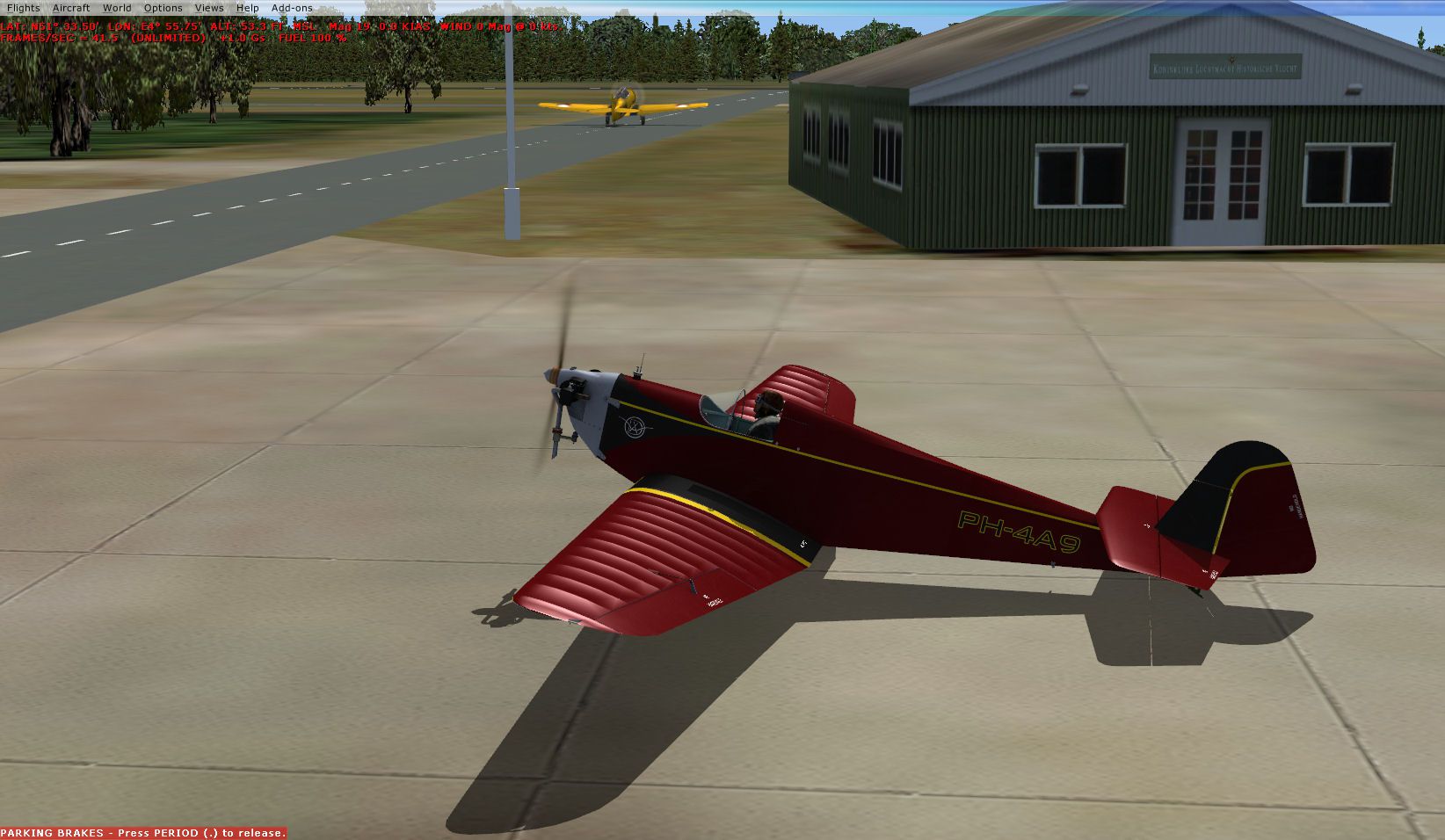
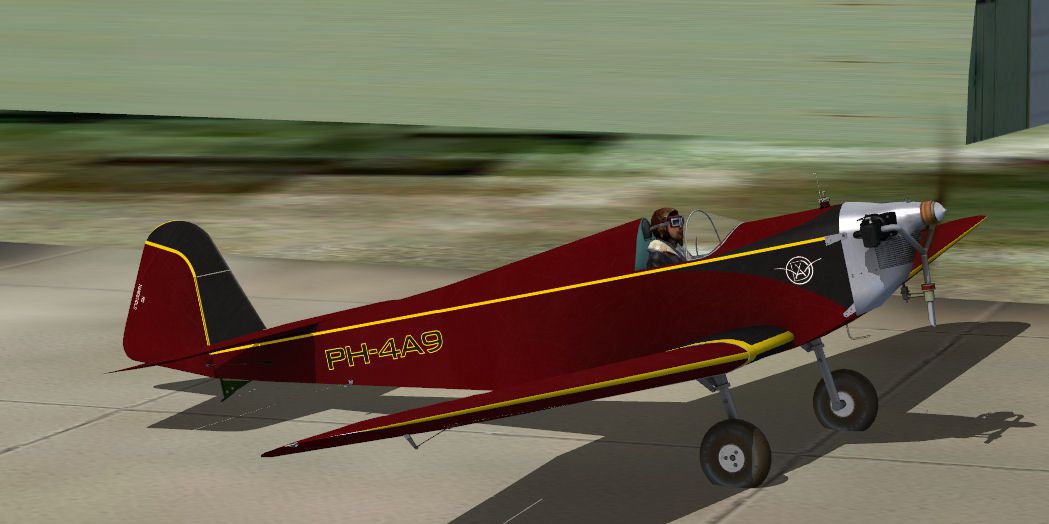
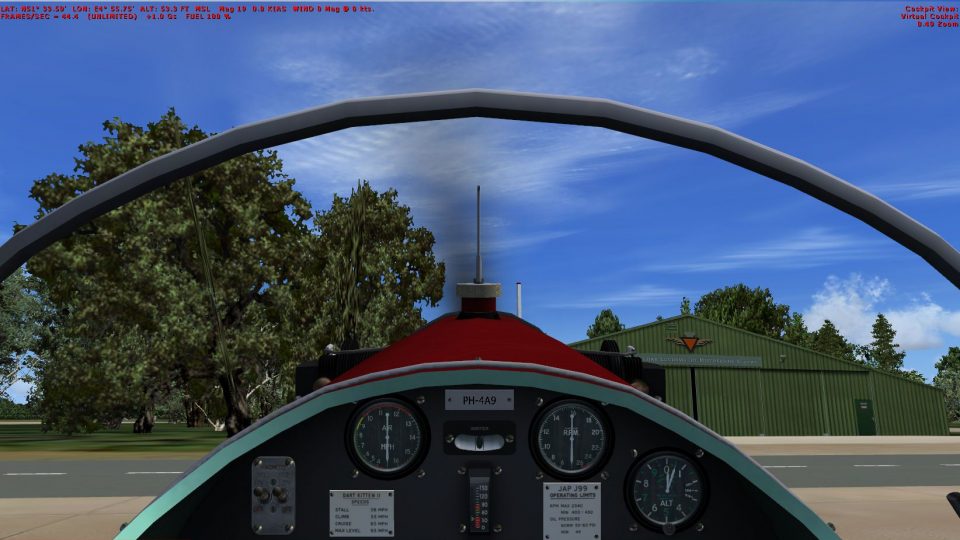
Experience a rich, vintage-inspired repaint of the single-seat Dart Kitten II designed for Microsoft Flight Simulator X. This fictional livery applies a striking dark red, yellow, and black finish, complete with a unique ultralight registration. The original aircraft model is the renowned freeware release by Craig Richardson (DART_KITTEN_II.ZIP), and this specific repaint is expertly produced by John Jansen.
This repaint demonstrates a blend of retro aesthetics and bold highlights. The fuselage features a deep red primary layer, offset by vibrant yellow striping on the wings, and concluded with subtle black accents outlining various control surfaces. In flight, the combination offers excellent visibility and an unmistakably classic flair. The registration is fictional, but it mirrors real-world ultralight patterns, enhancing immersion within the simulator environment.
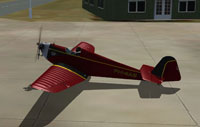
Visual depiction of the Dart Kitten II sporting the red, yellow, and black scheme.
The Dart Kitten II originally took shape in the late 1930s under Dart Aircraft Ltd, located at Dunstable. Glider builders Alfred R. Weyl and Erich P. Zander expanded on the first variant by installing a more robust 36 horsepower Aeronca-J.A.P. J-99 engine and making practical updates to the airframe and landing gear. Although it was an ultralight monoplane, the design’s refined aerodynamics and low-wing configuration provided a surprisingly agile experience in the air. After World War II, Weyl and Zander continued producing gliders under the Hawkridge Aircraft Company until its closure in 1952.
To incorporate this repaint into Microsoft Flight Simulator X, you will need to locate your Dart Kitten II folder inside the simulator’s main “SimObjects > Airplanes” directory. Then:
[fltsim.xx]
title=Dart Kitten II RB
sim=DartKitten
model=
panel=
sound=
texture=RB
checklists=
kb_checklists=Test_check
kb_reference=Test_ref
atc_id=PH-4A9
atc_id_color=0x00000000
ui_manufacturer=Dart
ui_type=Kitten II
ui_variation=RB
description=DART KITTEN II (1937) The Kitten was built by glider builders Alfred R.Weyl and Erich P.Zander under the name of Dart Aircraft Ltd at their premises in Dunstable, flying for the first time in April 1937. This aircraft is a single-seat, low-wing ultra-light monoplane. Dart Kitten II had a more powerful motor (36 h.p. Aeronca-J.A.P. J-99 ) than its older sibling, along with minor revisions to the airframe and undercarriage. After the war Weyl and Zander continued to build gliders as the Hawkridge Aircraft Company until the business was dissolved in 1952.
visual_damage=0
atc_heavy=0
atc_id_font=Verdana,100,1,600,0
This repaint would not be possible without Craig Richardson’s original freeware Dart Kitten II model and his generous guidance. All texture work for this particular red, yellow, and black scheme was created by John Jansen, who is grateful for Craig’s permission to distribute it. As always, remember to download the base model from the Fly Away Simulation mod library to ensure proper functionality within your simulator.
Free for all simmers · 7.47 MB · Scanned clean Oct 2026
Download speed: Free tier is capped at 0.5 Mbps (this file takes approximately 2 mins at the cap). PRO members download at full line speed.
This file is a repaint — the package below is the base model it paints onto. Install it first, or the textures will have nothing to load onto.
texture.{airline}) inside FSX\SimObjects\Airplanes\{base-aircraft}\.aircraft.cfg in Notepad. Add a new [fltsim.X] section per the readme.readme.txt or README file. It tells you exactly where files go, what dependencies are needed, and any quirks specific to this add-on.The archive texture_rb.zip has 23 files and directories contained within it.
This list displays the first 500 files in the package. If the package has more, you will need to download it to view them.
| Filename/Directory | File Date | File Size |
|---|---|---|
| Decal_Dart_Kitten.dds | 01.07.13 | 256.12 kB |
| Fresnel_Ramp.dds | 09.04.06 | 640 B |
| gauges.dds | 01.06.13 | 4.00 MB |
| GlobalEnv_AC_Chrome.dds | 10.29.08 | 1.50 MB |
| Kitten.dds | 08.08.12 | 1.33 MB |
| Kitten1.dds | 08.08.12 | 1.33 MB |
| Kitten2.dds | 08.08.12 | 1.33 MB |
| Kitten3.dds | 01.07.13 | 4.00 MB |
| Kitten4.dds | 01.07.13 | 4.00 MB |
| Kitten5.dds | 01.07.13 | 4.00 MB |
| Kitten6.dds | 01.07.13 | 4.00 MB |
| Kitten7.dds | 08.08.12 | 341.48 kB |
| Kitten8.dds | 01.06.13 | 4.00 MB |
| pilot.dds | 08.12.11 | 682.80 kB |
| Prop.dds | 07.11.12 | 341.48 kB |
| thumbnail.jpg | 01.07.13 | 79.37 kB |
| Thumbs.db | 04.09.11 | 176.50 kB |
| Installation readme RB.txt | 01.12.13 | 1.63 kB |
| RB left.jpg | 01.12.13 | 210.89 kB |
| RB VC.jpg | 01.12.13 | 263.02 kB |
| FILE_ID.DIZ | 01.17.13 | 406 B |
| flyawaysimulation.txt | 10.29.13 | 959 B |
| Go to Fly Away Simulation.url | 01.22.16 | 52 B |
Only PRO members can place votes.
More FSX & P3D add-ons hand-picked based on this download.
FSX General Aviation Aircraft
Experience a fresh take on the 1930s-era Dart Kitten II with this special, Du…
 FSX General Aviation Aircraft
Yellow And Black Cessna 172SP. A repaint of the default Cessna 172 SP in yell…
 FSX General Aviation Aircraft
SIAI-Marchetti SF.260 C-DART. A repaint of RealAir's SIAI-Marchetti SF260 to …
 FSX General Aviation Aircraft
A highly modified version of Robert Christopher's Lancair. Aircraft is painte…
 FSX General Aviation Aircraft
This enhanced package offers a newly repainted red-and-black Mooney Acclaim f…
 FSX General Aviation Aircraft
This modified package highlights a red-and-black Mooney Acclaim turbine aircr…
 FSX General Aviation Aircraft
Delve into a refined livery adaptation showcasing a vivid red, black, and pol…
 FSX General Aviation Aircraft
This red-accented repaint for the Piper PA-28R-200 Arrow II merges bold exter…
Be the first to leave a comment on this download.
Be the first to share your thoughts on this download.