

 FSX General Aviation Aircraft
Dart Kitten II Red/Yellow/Black
Experience a rich, vintage-inspired repaint of the single-seat Dart Kitten II…
Dart Kitten II Red/White/Blue brings a Dutch-inspired, fictional-registered repaint to the classic 1937 single-seat ultralight, highlighting the low-wing monoplane’s compact lines for relaxed circuits and short hops in Microsoft Flight Simulator X. It keeps the original handling intact and requires the freeware Dart Kitten II base model by Craig Richardson.
 Rate
Rate

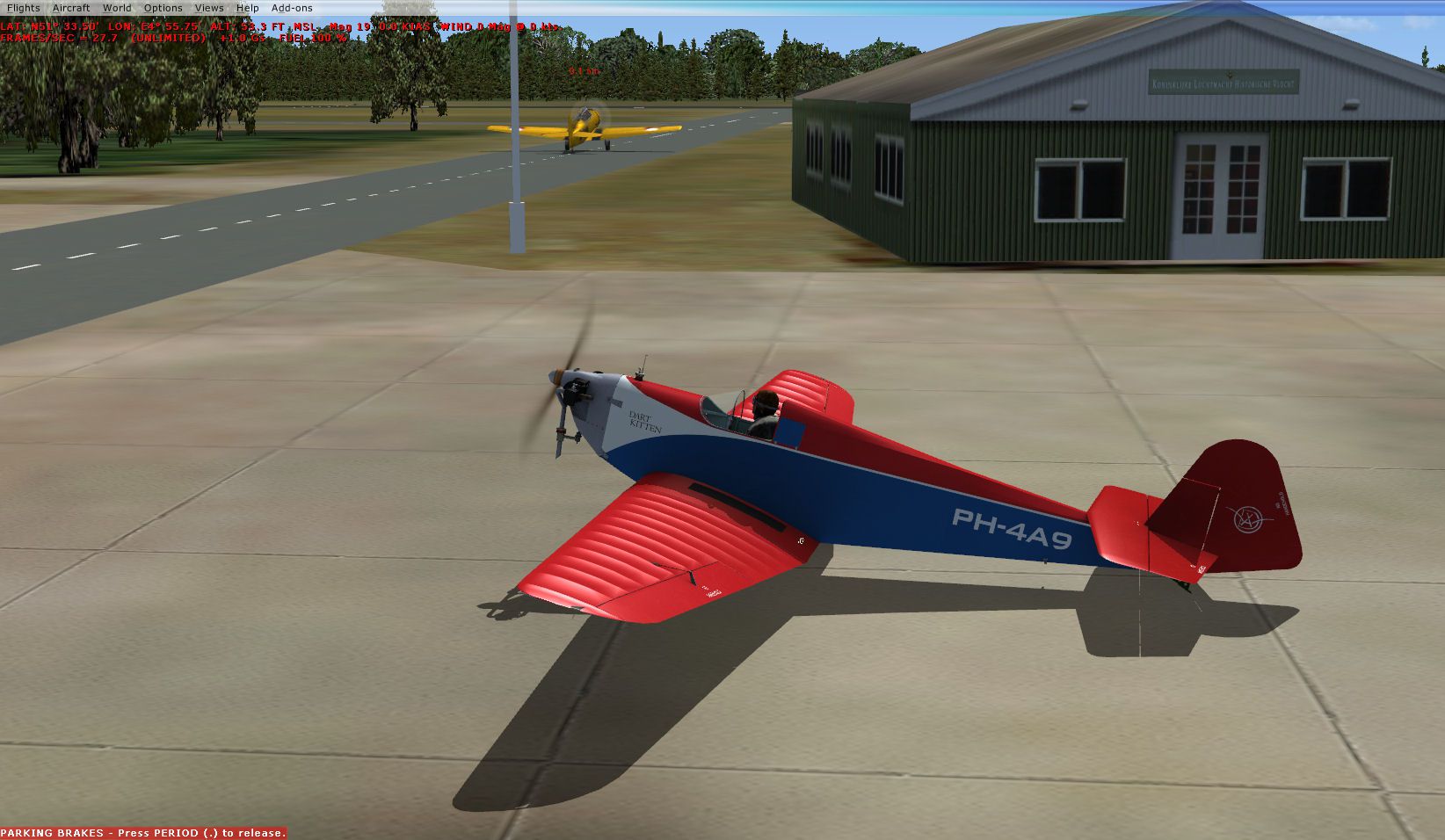
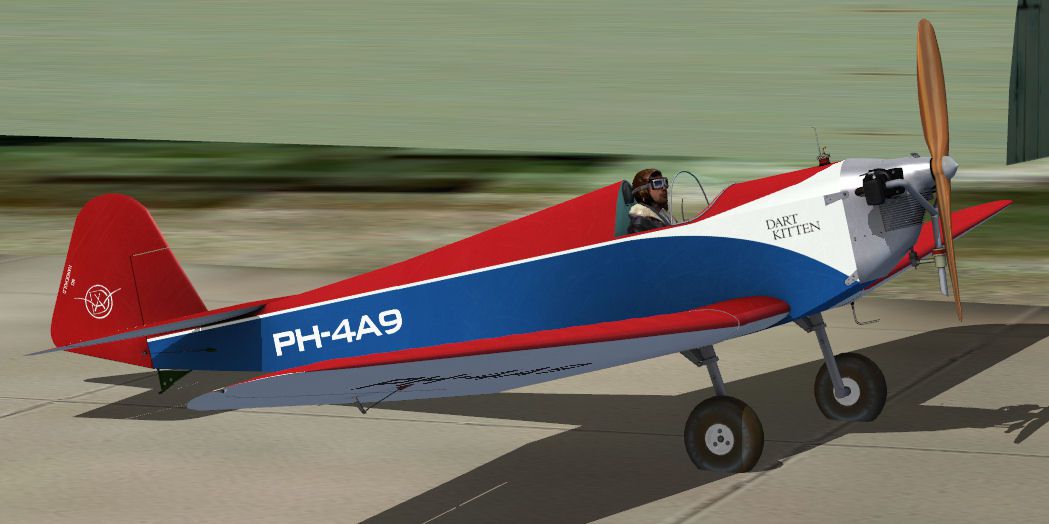
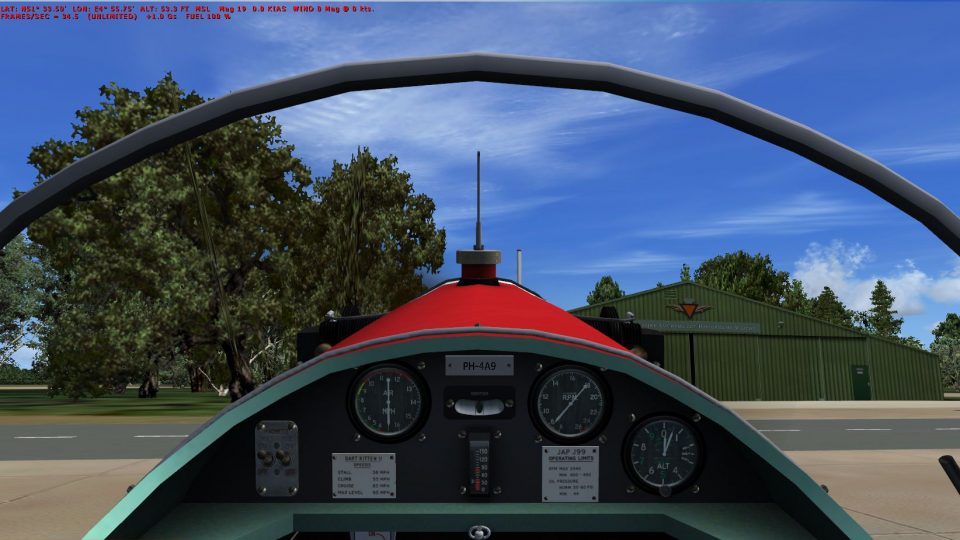
Experience a fresh take on the 1930s-era Dart Kitten II with this special, Dutch-inspired paint scheme featuring red, white, and blue accents. It replicates a fictional ultralight registration while paying homage to the original low-wing monoplane’s graceful lines and compact build. Crafted by Craig Richardson and repainted by John Jansen, this package brings a charming aesthetic to Microsoft Flight Simulator X without modifying flight dynamics. As a freeware release, it delivers a lightweight option for short hops or leisurely circuits.
The Dart Kitten II originally emerged in 1937 and was developed by Alfred R. Weyl and Erich P. Zander, who were experienced glider designers in Dunstable. This later version, designated “Kitten II,” implemented a more capable 36-h.p. Aeronca-J.A.P. J-99 engine, plus refined airframe and undercarriage changes. In this repaint, the exterior reflects the national colors of the Netherlands. John Jansen fictionalized the markings to produce a distinctive private registration, blending heritage and contemporary flair.
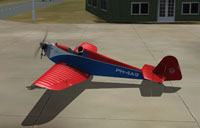
Screenshot of Dart Kitten in red, white, and blue.
Begin by downloading the freeware Dart Kitten II base model (file name: DART_KITTEN_II.ZIP) from the Fly Away Simulation library. Once the main files are installed, add this repaint by following these steps:
texture=RWB folder into the aircraft’s main directory (located in SimObjects > Airplanes > Dart Kitten II).aircraft.cfg file and insert the configuration block below, making sure to replace “xx” with the appropriate next sequential number.
[fltsim.xx]
title=Dart Kitten II RWB
sim=DartKitten
model=
panel=
sound=
texture=RWB
checklists=
kb_checklists=Test_check
kb_reference=Test_ref
atc_id=PH-4A9
atc_id_color=0x00000000
ui_manufacturer=Dart
ui_type=Kitten II
ui_variation=RWB
description=DART KITTEN II (1937) The Kitten was built by glider builders Alfred R.Weyl and Erich P.Zander at Dart Aircraft Ltd in Dunstable, flying for the first time in April 1937. This version features a more powerful Aeronca-J.A.P. J-99 engine, plus slight revisions in the airframe and landing gear. After WWII, Weyl and Zander continued glider production under the Hawkridge Aircraft Company until 1952.
visual_damage=0
atc_heavy=0
atc_id_font=Verdana,100,1,600,0
This repaint would not have been possible without the original freeware model by Craig Richardson. Sincere thanks go to him for graciously allowing this paint scheme’s release. Special appreciation to John Jansen for designing the distinctive Dutch-style repaint. For an authentic flight experience, remember that this package does not contain the base aircraft—users must download that separately from the Fly Away Simulation repository.
Free for all simmers · 8.08 MB · Scanned clean Oct 2026
Download speed: Free tier is capped at 0.5 Mbps (this file takes approximately 2 mins at the cap). PRO members download at full line speed.
This file is a repaint — the package below is the base model it paints onto. Install it first, or the textures will have nothing to load onto.
texture.{airline}) inside FSX\SimObjects\Airplanes\{base-aircraft}\.aircraft.cfg in Notepad. Add a new [fltsim.X] section per the readme.readme.txt or README file. It tells you exactly where files go, what dependencies are needed, and any quirks specific to this add-on.The archive texture_rwb.zip has 23 files and directories contained within it.
This list displays the first 500 files in the package. If the package has more, you will need to download it to view them.
| Filename/Directory | File Date | File Size |
|---|---|---|
| Decal_Dart_Kitten.dds | 01.07.13 | 256.12 kB |
| Fresnel_Ramp.dds | 09.04.06 | 640 B |
| gauges.dds | 01.06.13 | 4.00 MB |
| GlobalEnv_AC_Chrome.dds | 10.29.08 | 1.50 MB |
| Kitten.dds | 08.08.12 | 1.33 MB |
| Kitten1.dds | 08.08.12 | 1.33 MB |
| Kitten2.dds | 08.08.12 | 1.33 MB |
| Kitten3.dds | 01.07.13 | 4.00 MB |
| Kitten4.dds | 01.07.13 | 4.00 MB |
| Kitten5.dds | 01.07.13 | 4.00 MB |
| Kitten6.dds | 01.07.13 | 4.00 MB |
| Kitten7.dds | 08.08.12 | 341.48 kB |
| Kitten8.dds | 01.06.13 | 4.00 MB |
| pilot.dds | 08.12.11 | 682.80 kB |
| Prop.dds | 07.11.12 | 341.48 kB |
| thumbnail.jpg | 01.07.13 | 81.38 kB |
| Thumbs.db | 04.09.11 | 176.50 kB |
| Installation readme RWB.txt | 01.12.13 | 1.62 kB |
| RWB left.jpg | 01.12.13 | 218.06 kB |
| RWB VC.jpg | 01.12.13 | 260.27 kB |
| FILE_ID.DIZ | 01.17.13 | 399 B |
| flyawaysimulation.txt | 10.29.13 | 959 B |
| Go to Fly Away Simulation.url | 01.22.16 | 52 B |
Only PRO members can place votes.
More FSX & P3D add-ons hand-picked based on this download.
FSX General Aviation Aircraft
Experience a rich, vintage-inspired repaint of the single-seat Dart Kitten II…
 FSX General Aviation Aircraft
Two repaints of the default Mooney Bravo in Freedom Scheme 5. By David Robins…
 FSX General Aviation Aircraft
This alluring freeware release, crafted specifically for Microsoft Flight Sim…
 FSX General Aviation Aircraft
A Cessna 185 modified for Flight Simulator X by Mark Rooks. Screenshot of Ces…
 FSX General Aviation Aircraft
This free repaint offers an authentic take on the Christen Eagle II, featurin…
 FSX General Aviation Aircraft
SIAI-Marchetti SF.260 C-DART. A repaint of RealAir's SIAI-Marchetti SF260 to …
 FSX General Aviation Aircraft
A highly modified version of Robert Christopher's Lancair. Aircraft is painte…
 FSX General Aviation Aircraft
Red And White Cessna 172. Default Cessna 172SP Skyhawk repaint textures for t…
Be the first to leave a comment on this download.
Be the first to share your thoughts on this download.