

 FS2004 Propeller Aircraft
DC6B 'The Flying Bulls'
This repaint features correct passenger, cockpit and cargo doors for the Doug…
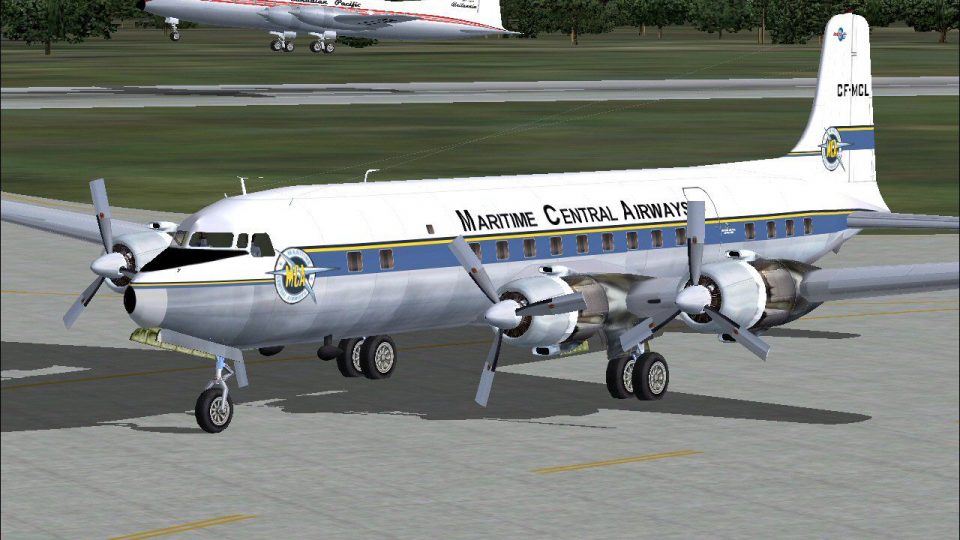
Maritime Central Airways DC-6B repaint captures CF-MCL in 1958, reflecting the brief period between Douglas delivery and its subsequent sale, with accurate markings and period-correct detailing for classic propliner operations. Designed for FS2004, it requires the Greg Pepper and Tom Gibson Douglas DC-6B base model and complements its smooth, quiet airliner character.
 Rate
Rate
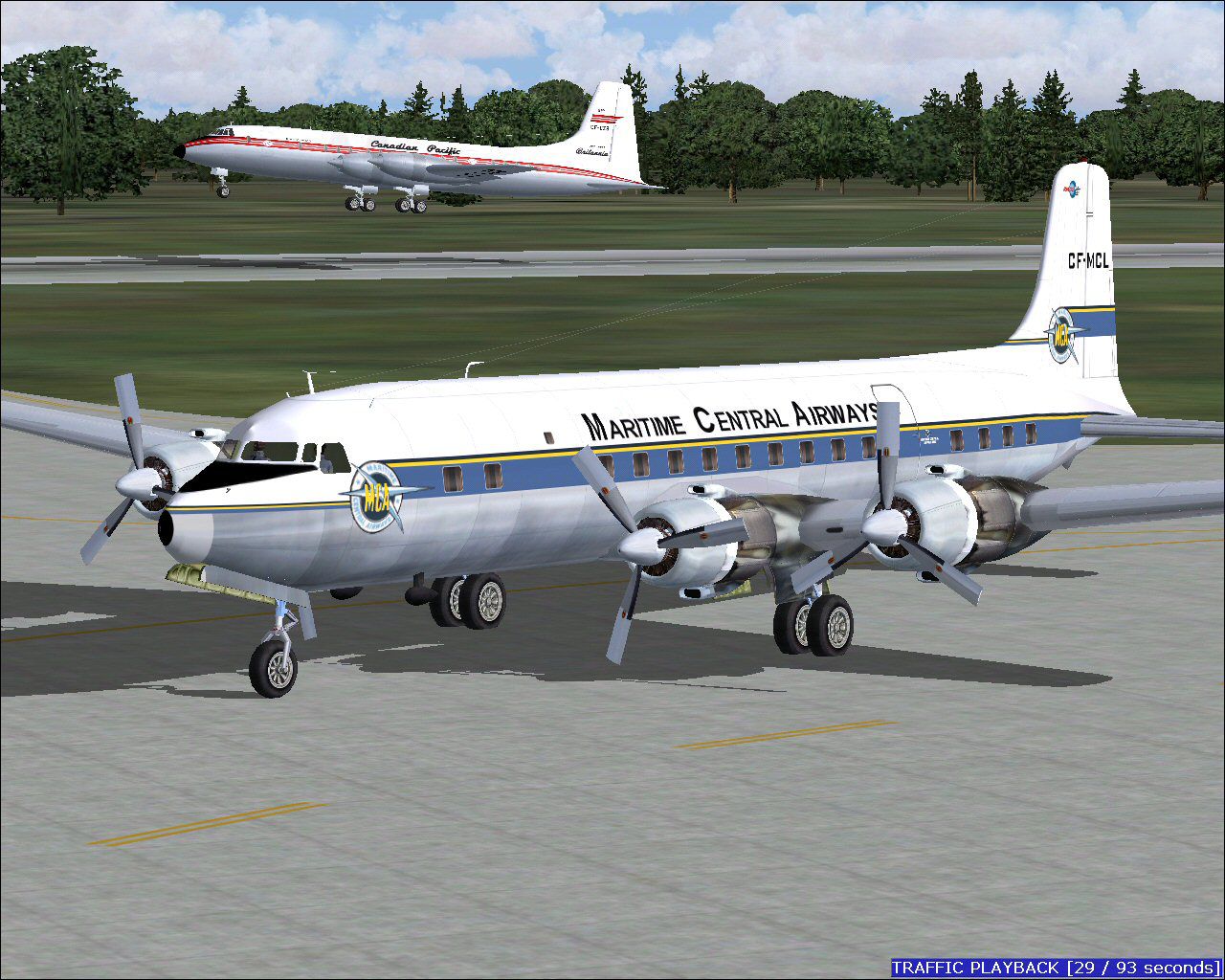
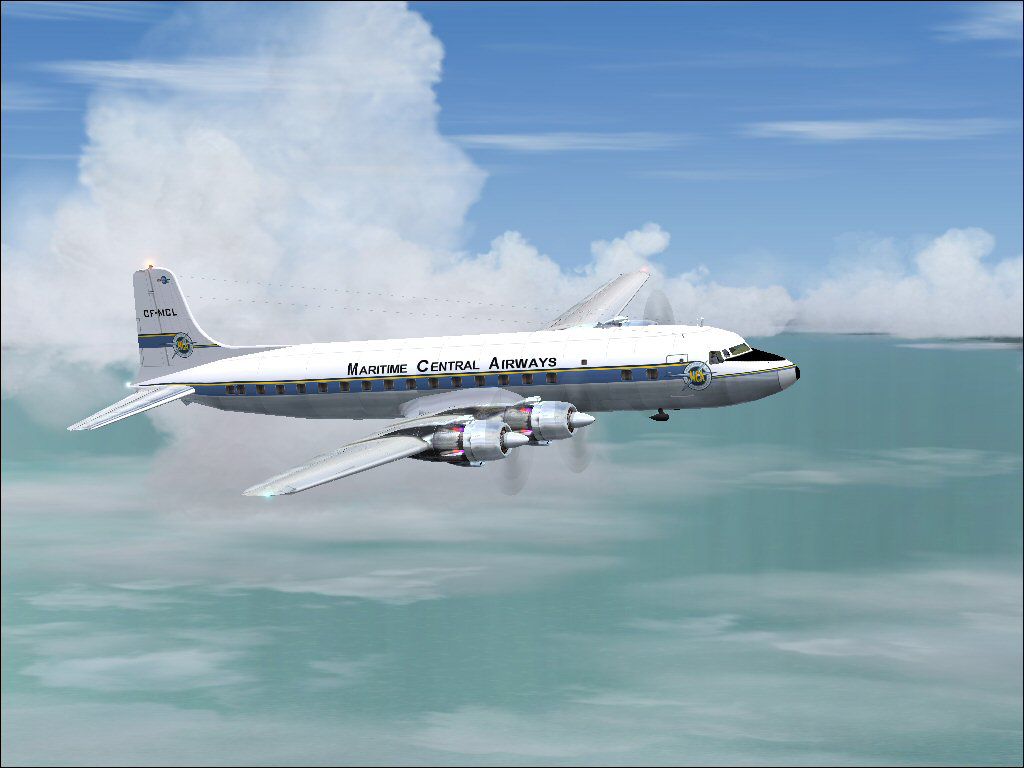
Textures for the Greg Pepper/Tom Gibson Douglas DC-6B. Delivered new from Douglas, this aircraft remained with Maritime Central for ten days before being sold to United Stated Overseas Airlines. These textures depict CF-MCL in 1958. Textures by Gary Harper.
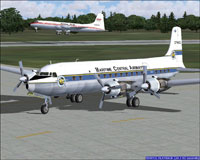
Screenshot of Maritme Central Airways DC6B on the ground.
Copy the text below and paste in your aircraft config. file substituting your next consecutive [flightsim.__] number for "xx".
[fltsim.xx]

title=DC-6B Maritime Central Airways

sim=dc6a

model=spinner

panel=

sound=

texture=mca

kb_reference=dc6b17_ref

atc_id=CF-MCL

ui_manufacturer=Douglas

ui_type=DC-6B

ui_variation=Maritime Central

description=The DC-6B was generally considered to possess the best operating economics of any piston airliner built. Passengers also appreciated their smooth, quiet ride.

atc_airline=Maritime Central

atc_flight_number=001

atc_heavy=0

visual_damage=1

prop_anim_ratio=0.9

atc_parking_types=GATE

atc_parking_codes=MCA
Free for all simmers · 3.55 MB · Scanned clean Aug 2026
Download speed: Free tier is capped at 0.5 Mbps. PRO members download at full line speed.
FS9\Aircraft\, FS9\Addon Scenery\, FS9\Gauges\, or FS9\Effects\.readme.txt or README file. It tells you exactly where files go, what dependencies are needed, and any quirks specific to this add-on.The archive mc6b.zip has 40 files and directories contained within it.
This list displays the first 500 files in the package. If the package has more, you will need to download it to view them.
| Filename/Directory | File Date | File Size |
|---|---|---|
| file_id_diz.diz | 05.28.09 | 256 B |
| mc-8.jpg | 05.26.09 | 79.15 kB |
| MC-9.jpg | 05.28.09 | 252.97 kB |
| Readme.txt | 05.28.09 | 995 B |
| texture.mca | 05.28.09 | 0 B |
| blurred_prop.bmp | 09.25.02 | 64.07 kB |
| DC6b_leftaft_L.bmp | 05.28.09 | 1.00 MB |
| DC6b_leftaft_t.bmp | 05.28.09 | 1.00 MB |
| DC6b_leftfwd_L.bmp | 03.11.05 | 1.00 MB |
| DC6b_leftfwd_t.bmp | 05.28.09 | 1.00 MB |
| DC6b_rtaft_L.bmp | 05.28.09 | 1.00 MB |
| DC6b_rtaft_t.bmp | 05.28.09 | 1.00 MB |
| DC6b_rtfwd_L.bmp | 03.11.05 | 1.00 MB |
| DC6b_rtfwd_t.bmp | 05.28.09 | 1.00 MB |
| DC6cowl_flaps_L.bmp | 05.18.03 | 2.05 kB |
| dc6cowl_flaps_t.bmp | 05.28.09 | 32.07 kB |
| DC6cowl14_L.bmp | 05.18.03 | 2.05 kB |
| DC6cowl14_t.bmp | 05.28.09 | 256.07 kB |
| DC6cowl23_L.bmp | 05.18.03 | 2.05 kB |
| DC6cowl23_t.bmp | 05.28.09 | 256.07 kB |
| Glass.bmp | 09.04.03 | 4.07 kB |
| leather.bmp | 12.15.05 | 1.00 MB |
| Metallic_L.bmp | 12.13.05 | 64.07 kB |
| Metallic_T.bmp | 09.30.06 | 64.07 kB |
| pan1_L.bmp | 02.20.09 | 341.43 kB |
| pan2_L.bmp | 02.20.09 | 341.43 kB |
| Thumbs.db | 05.28.09 | 5.00 kB |
| virtual cockpit 2.bmp | 03.26.09 | 1.33 MB |
| virtual cockpit 2_L.bmp | 02.27.09 | 1.33 MB |
| virtual cockpit 3.bmp | 03.17.09 | 1.33 MB |
| virtual cockpit 3_L.bmp | 02.27.09 | 1.33 MB |
| virtual cockpit 4.bmp | 02.08.09 | 1.33 MB |
| virtual cockpit 4_L.bmp | 02.27.09 | 1.33 MB |
| virtual cockpit 5.bmp | 05.01.09 | 1.33 MB |
| virtual cockpit 5_L.bmp | 02.27.09 | 1.33 MB |
| virtual cockpit.bmp | 02.08.09 | 1.33 MB |
| virtual cockpit_L.bmp | 02.28.09 | 1.33 MB |
| Thumbs.db | 05.28.09 | 8.50 kB |
| flyawaysimulation.txt | 10.29.13 | 959 B |
| Go to Fly Away Simulation.url | 01.22.16 | 52 B |
Only PRO members can place votes.
More FS2004 add-ons hand-picked based on this download.
FS2004 Propeller Aircraft
This repaint features correct passenger, cockpit and cargo doors for the Doug…
 FS2004 Propeller Aircraft
Repaint of the DC-6B model by Greg Pepper and Tom Gibson. It represent a real…
 FS2004 Propeller Aircraft
Repaint of the DC-6B model by Greg Pepper and Tom Gibson. It represent a real…
 FS2004 Propeller Aircraft
This freeware repaint showcases the Central Airlines Convair CV-240 (VBF CA-1…
 FS2004 Propeller Aircraft
Aircraft by FS-Design Berlin and W. Beckert. Panel by By Milton Shupe, Scott …
 FS2004 Propeller Aircraft
These textures depict N73151 about 1962. Textures for Tom Gibson / Greg Peppe…
 FS2004 Propeller Aircraft
Enhance your collection in Microsoft Flight Simulator 2004 with this freeware…
 FS2004 Propeller Aircraft
Based on repaint templates by Mark Beaumont and original textures by Jan Viss…
Be the first to leave a comment on this download.
Be the first to share your thoughts on this download.