

 FSX Misc
Modified Star Catalog
Shows stars down to magnitude 5.50 to reduce load (about 2900 instead of 9000…
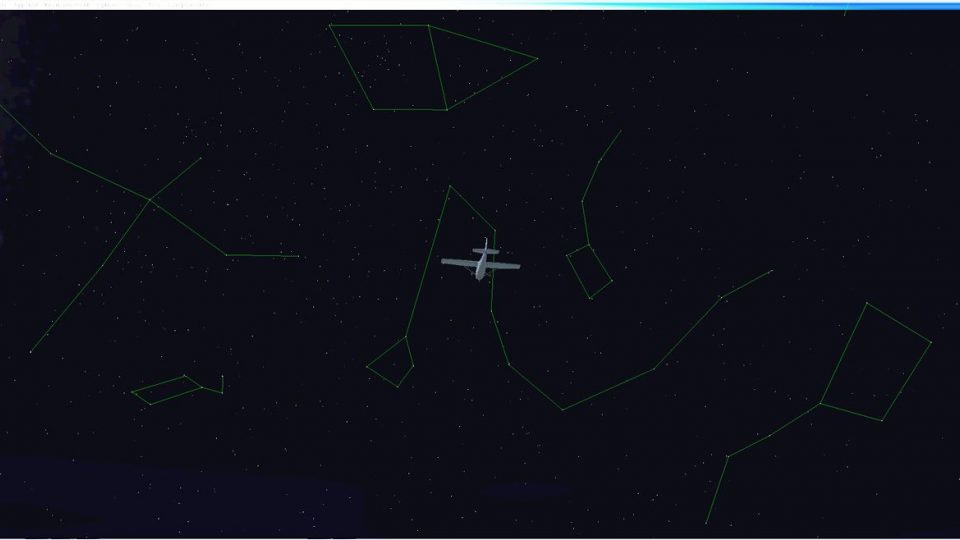
Night flying becomes more immersive with a reworked stars.dat that expands the default sky to 44 recognizable constellations, drawn from both northern and southern hemispheres for balanced coverage. In FSX, subtle line-link shapes help identify classic patterns for practical celestial reference and relaxed stargazing during long after-dark legs.
 Rate
Rate
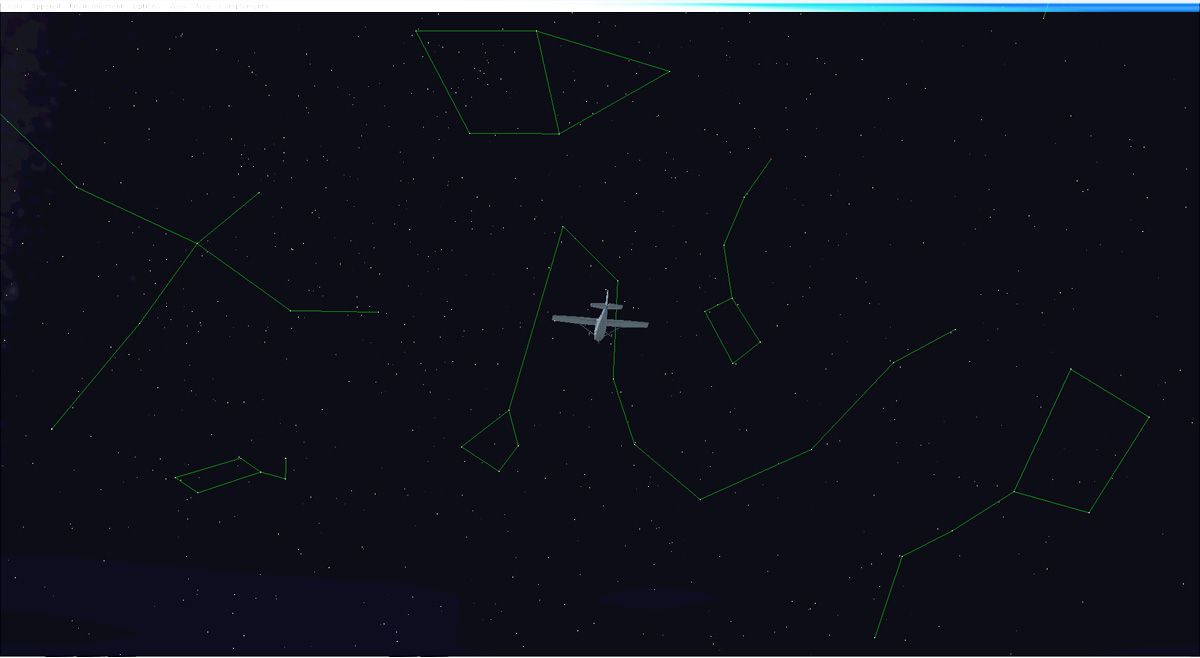
Modified version of FSX original stars.dat file with 44 constellations instead of the two original ones. Fly by night in north or south hemispheres and take the time to discover and learn the main and most beautiful 44 constellations during your night flights. By Jean-Marc Thiebaud.
Screenshot of constellations in FSX.
The "stars.dat" file that you can find in original FSX folder is the place where all stars that you can see in FSX sky when flying by night are saved.
You can also initially display 2 constellations, Big Dipper and Orion's Belt, whose stars are linked with each others by a thin green line.
I modified this "stars.dat" FSX file in a way that you can now see the most representative 44 constellations (out of the 88 official existing ones) from the northern and southern hemispheres.
The constellations choice has been arbitrary made, in the goal to create a balanced sky, without including all of them (only half) and then creating a too "crowdy" sky. I also chose the most graphically "identifiable" ones, as you can perceive and recognize them in the "real" sky. Moreover and as FSX is a game, some of them have been slightly modified in a way to make them even more recognizable compared to their original shape. All constellations shapes are taken out from existing books or Internet graphics anyway.
Free for all simmers · 332.25 KB · Scanned clean Sep 2026
Download speed: Free tier is capped at 0.5 Mbps. PRO members download at full line speed.
SimObjects\Airplanes\, Addon Scenery\, Effects\, or Gauges\.readme.txt or README file. It tells you exactly where files go, what dependencies are needed, and any quirks specific to this add-on.The archive 44constellations_fsx.zip has 7 files and directories contained within it.
This list displays the first 500 files in the package. If the package has more, you will need to download it to view them.
| Filename/Directory | File Date | File Size |
|---|---|---|
| lisez moi.txt | 10.18.11 | 3.14 kB |
| Read_me.txt | 10.18.11 | 2.75 kB |
| stars.dat | 10.13.11 | 912.03 kB |
| starsFSX.jpg | 10.17.11 | 100.53 kB |
| Thumbnail.jpg | 10.18.11 | 16.36 kB |
| flyawaysimulation.txt | 10.29.13 | 959 B |
| Go to Fly Away Simulation.url | 01.22.16 | 52 B |
Only PRO members can place votes.
More FSX & P3D add-ons hand-picked based on this download.
FSX Misc
Shows stars down to magnitude 5.50 to reduce load (about 2900 instead of 9000…
 FSX Misc
An illustrated guide. After landing your favorite FSX aircraft, are you frust…
 FSX Misc
A tutorial in PDF format. By Mike Basford. Thumbnail of Tiger Sky6 in flight.
 FSX Misc
A translation into French. By Gilbert Fouche from original by David Marshall …
FSX Misc
Weapons effects with Minigun sounds for the FSX 160 SOAR Little Bird by Tim C…
 FSX Misc
Converted for FSX. These files act as HDE sky texture replacements for import…
 FSX Misc
These are the final keyboard commands for FSX. Many are new due to the new fe…
 FSX Misc
In order to view the full high definition resolution within FSX, you will nee…
Read what other simmers think, or add your own.

I installed 44 constellations fsx but cant figure out how to remove it from fsx steam?? can anyone help me please.