

 FSX General Aviation Aircraft
Glasair III
Glasair III "Irish". This texture is a fictional texture inspired by actual p…
Glasair III “Lone Star 2” brings a crisp, photo-informed paint scheme to the payware Australian Simulation model, with refined color balance and distinctive underside detailing for more authentic ramp and in-flight visuals in FSX. The repaint package includes textures only and requires the Australian Simulation Glasair III plus the Aussim Aircraft Control Panel.
 Rate
Rate
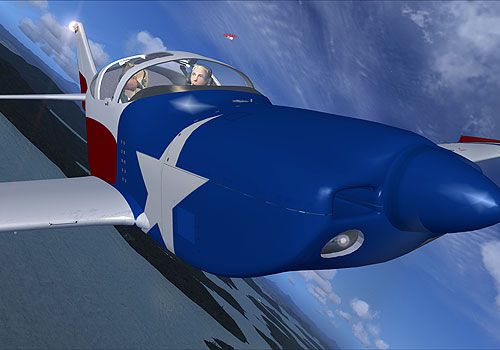
Textures only for the payware Australian Simulation model. Repaint by Chris Brisland.
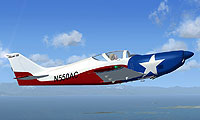
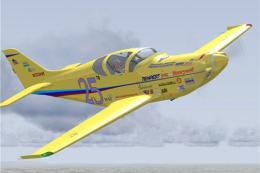
Screenshot of Glasair III 'LoneStar 2' in flight.
This may work in FS9 still, but I haven't tested. You may find that the instrument panel turns out wrong.
Please install this paint using the Aussim Aircraft Control Panel.
This is NOT the same "Lonestar" repaint that you might get from Aussim. I thought that version was not colored nicely enough, nor is the underside really right - OK, OK, mine isn't either, but there are some details recognizable on the airliners photos that show the Aussim variant to be "wronger" than mine.
Anyway, this is why I have renamed this paint Lonestar2 - to avoid confusion. Enjoy!
Free for all simmers · 3.29 MB · Scanned clean Oct 2026
Download speed: Free tier is capped at 0.5 Mbps. PRO members download at full line speed.
texture.{airline}) inside FSX\SimObjects\Airplanes\{base-aircraft}\.aircraft.cfg in Notepad. Add a new [fltsim.X] section per the readme.readme.txt or README file. It tells you exactly where files go, what dependencies are needed, and any quirks specific to this add-on.The archive txlones2.zip has 48 files and directories contained within it.
This list displays the first 500 files in the package. If the package has more, you will need to download it to view them.
| Filename/Directory | File Date | File Size |
|---|---|---|
| ASG_01_L.dds | 10.26.06 | 1.12 kB |
| ASG_01_T.bmp | 08.02.07 | 1.00 MB |
| ASG_01_T.dds | 08.02.07 | 1.00 MB |
| ASG_02_L.dds | 10.26.06 | 1.00 MB |
| ASG_02_T.dds | 08.02.07 | 1.00 MB |
| ASG_03_L.dds | 10.26.06 | 1.12 kB |
| ASG_03_T.dds | 08.02.07 | 1.00 MB |
| ASG_04_L.dds | 10.26.06 | 1.12 kB |
| ASG_04_T.dds | 08.02.07 | 1.00 MB |
| ASG_05_L.dds | 10.26.06 | 1.12 kB |
| ASG_05_T.dds | 08.02.07 | 1.00 MB |
| ASG_06_L.dds | 10.26.06 | 64.12 kB |
| ASG_06_T.dds | 08.02.07 | 1.00 MB |
| asg_buttons.dds | 10.26.06 | 32.12 kB |
| asg_ec.dds | 10.26.06 | 128.12 kB |
| ASG_GLASS.dds | 10.27.06 | 512.12 kB |
| ASG_GLASS_T.dds | 10.27.06 | 1.00 MB |
| asg_interior.dds | 10.26.06 | 512.12 kB |
| asg_items.dds | 10.26.06 | 256.12 kB |
| asg_nav.dds | 10.26.06 | 1.12 kB |
| ASG_PosInd.dds | 10.26.06 | 8.12 kB |
| ASG_Prop.dds | 10.17.06 | 340.12 kB |
| asg_VC2_L.dds | 10.26.06 | 64.12 kB |
| ASG_VC2_T.dds | 10.17.06 | 1.25 MB |
| asg_vcg_L.dds | 10.26.06 | 1.00 MB |
| asg_VC_gauges_L.dds | 10.26.06 | 256.12 kB |
| asg_vc_gauges_T.dds | 10.26.06 | 256.12 kB |
| asg_VC_L.dds | 10.26.06 | 1.12 kB |
| asg_vc_needles.dds | 10.26.06 | 8.12 kB |
| asg_VC_T.dds | 08.02.07 | 512.12 kB |
| AS_GLASAIR_FEMALE.dds | 10.27.06 | 128.12 kB |
| AS_GLASAIR_FEMALE_PAX.dds | 10.27.06 | 128.12 kB |
| AS_GLASAIR_HAIR_F.dds | 10.27.06 | 8.12 kB |
| AS_GLASAIR_HAIR_F_PAX.dds | 10.27.06 | 8.12 kB |
| AS_GLASAIR_HAIR_M.dds | 10.27.06 | 8.12 kB |
| AS_GLASAIR_HAIR_M_PAX.dds | 10.27.06 | 8.12 kB |
| AS_GLASAIR_HAT.dds | 08.02.07 | 64.12 kB |
| AS_GLASAIR_MALE.dds | 10.27.06 | 128.12 kB |
| AS_GLASAIR_MALE_PAX.dds | 10.27.06 | 128.12 kB |
| AS_GLASAIR_PAX.dds | 10.26.06 | 512.12 kB |
| AS_GLASAIR_PILOTS.dds | 10.26.06 | 512.12 kB |
| LoneStar1.txt | 09.01.07 | 221 B |
| screenshot.jpg | 05.20.07 | 33.10 kB |
| thumbnail.jpg | 05.20.07 | 6.60 kB |
| Texture.Lonestar2 | 09.01.07 | 0 B |
| readmeLONESTAR.txt | 09.01.07 | 1.11 kB |
| flyawaysimulation.txt | 10.29.13 | 959 B |
| Go to Fly Away Simulation.url | 01.22.16 | 52 B |
Only PRO members can place votes.
More FSX & P3D add-ons hand-picked based on this download.
FSX General Aviation Aircraft
Glasair III "Irish". This texture is a fictional texture inspired by actual p…
 FSX General Aviation Aircraft
Glasair III "Irish". This texture is of a fictional paint job with Irish colo…
 FSX General Aviation Aircraft
Textures only for the payware Australian Simulations Glasair 3 model. Repaint…
 FSX General Aviation Aircraft
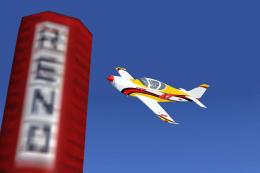
This texture is of Gary Mead's Glasair III "Luckymojo" number 47. The plane o…
 FSX General Aviation Aircraft
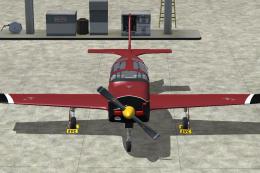
A fictional paint scheme for the payware Australian Simulation Glasair III pa…
 FSX General Aviation Aircraft
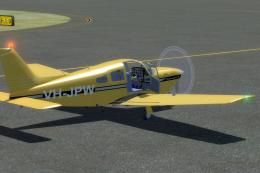
Explore the skies with the meticulously crafted Piper Arrow III Pack, a premi…
 FSX General Aviation Aircraft
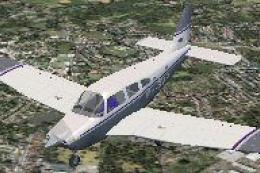
FSX/SP2 Piper Archer III PA28-181. Version for FSX with SP2. LOD's, xml gauge…
 FSX General Aviation Aircraft
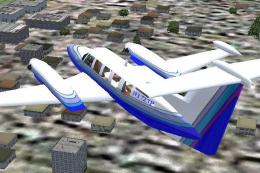
On June 30, 1980 Piper began production deliveries of a new version of the Ch…
Be the first to leave a comment on this download.
Be the first to share your thoughts on this download.