


 United States of America
  FSX Scenery
MCAS New River
MCAS New River (KNCA), Jacksonville, North Carolina (NC). An improved version…
The New River Gorge Bridge scenery recreates West Virginia’s iconic 3,000-foot span near Fayetteville, positioned close to New River Gorge Airfield (WV32) for dramatic low-level canyon flying. Built for FSX with accurate proportions and clean, texture-free coloring, it adds a striking landmark and recognizable VFR reference point.
The New River Gorge Bridge - FSX
Some time ago, I ran across a post in a forum from someone looking for the NRG Bridge for FSX. So, I got out my modeling tools and got to workfrom drawings found via a GOOGLE Search.
The New River Gorge Bridge spans the New River Gorge (of course) near Fayetteville,WV in the Appalachian Mountains. It is very near the New River Gorge airfield (WV32). The bridge spans the gorge for just over 3000 Ft with a bed of 68 Ft in width. The bedis also some 850 feet above the river. The bridge opened in 1977 and until 2004 it was the highest vehicular bridge in the world. In 2005, the structure was immortalized when the US Mint issued the West Virginia state quarter with the bridge depicted on one side.
The bridge consists of a single .bgl file in a zip file.
If you already have Addon Scenery for West Virginia, you need only to place the .bgl file in the Scenery folder of that scenery package.
You can install the bridge in its own scenery folder by making a suitably named folder in the FSX Addon Scenery folder. Inside of that folder,make two additional folders called Scenery and Texture. Place the .bgl file inside of the Scenery folder.
Either method above will require you to either load the scenery as a new scenery area, or update the existing WV scenery if you place the file there.
This file was built by me as freeware for anyone that wishes to use it. You may distribute as you wish, but it is to remain as freeware for the enjoyment og the Flight Simulation Community.
I see no reason why this should not work in FS2004 (FS9) as there are no special textures. as a matter of fact there are no textures at all. all coloring was done within the FSDS modelling software.
Harold Crowell
Saint John, NB
Free for all simmers · 36.84 KB · Scanned clean Oct 2026
Download speed: Free tier is capped at 0.5 Mbps. PRO members download at full line speed.
FSX\Addon Scenery\ containing scenery and texture sub-folders.readme.txt or README file. It tells you exactly where files go, what dependencies are needed, and any quirks specific to this add-on.Use these coordinates to fly directly to this location once the mod is installed.
38.07100000,-81.07500000
Launch FSX or Prepar3D and use Flights → Load to open the downloaded .pln file. Your aircraft will be positioned at this location.
The archive nrbridge.zip has 4 files and directories contained within it.
This list displays the first 500 files in the package. If the package has more, you will need to download it to view them.
| Filename/Directory | File Date | File Size |
|---|---|---|
| NRBridge.bgl | 02.11.13 | 220.23 kB |
| readme first.txt | 02.11.13 | 2.22 kB |
| flyawaysimulation.txt | 10.29.13 | 959 B |
| Go to Fly Away Simulation.url | 01.22.16 | 52 B |
Only PRO members can place votes.
More FSX & P3D add-ons hand-picked based on this download.
FSX Scenery
MCAS New River (KNCA), Jacksonville, North Carolina (NC). An improved version…
 FSX Scenery
Highlevel Barton bridge. The high level bridge over the Manchester ship canal…
 FSX Scenery
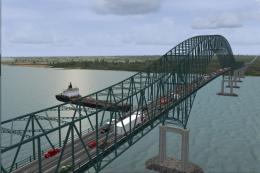
Laviolette Bridge, Trois-Rivieres, Quebec, Canada. By Gilles Boily. Laviolett…
 FSX Scenery
Golden Gate Bridge Airport (KGGB), California (CA). Adds a fictional airport …
 FSX Scenery
Thanlwin Bridge Mawlamyine VYMM (Moulmein-Martaban) v2.0. The Thanlwin Bridge…
 FSX Scenery
Old Bridge Airport (3B6), Old Bridge, New Jersey (NJ). An improved version of…
FSX Scenery
Orwell Bridge. over the river Orwell, Ipswich, Suffolk, UK. For default scene…
FSX Scenery
Old Bridge Airport (3N6), New Jersey (NJ). Located 5 miles south of Old Bridg…
Be the first to leave a comment on this download.
Be the first to share your thoughts on this download.