

 FSX Military Aircraft
Lockheed Martin F-16 Complete Package
Complete aircraft with panel including working radar shows vAI traffic, panel…
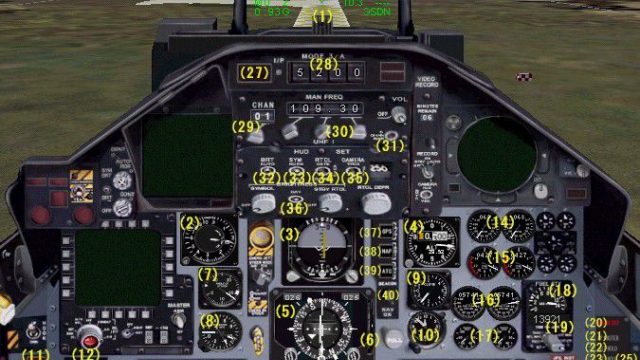
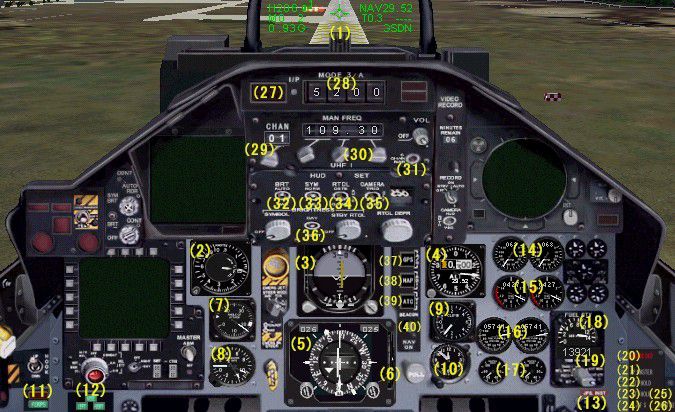
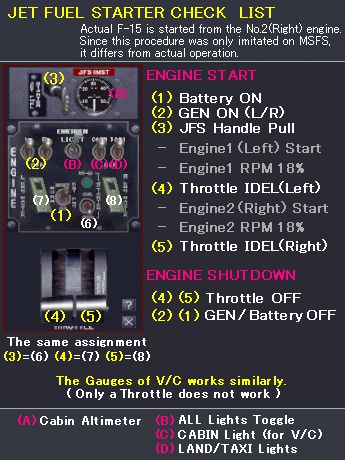
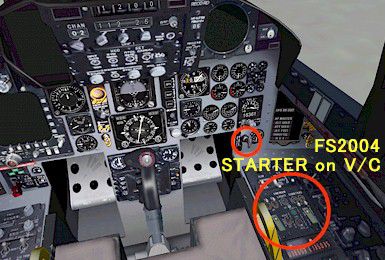
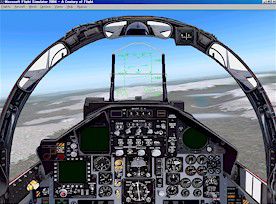
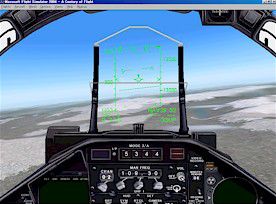
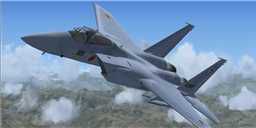
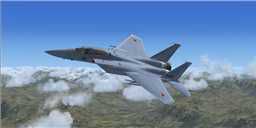
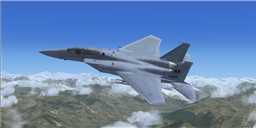
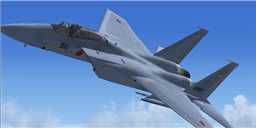
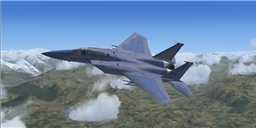
McDonnell Douglas F-15J Eagle brings a sharp Gmax model, authentic JASDF and USAF liveries, and tailored effects to FSX, backed by a fully working 2D panel and detailed virtual cockpit. Updated gauges and panel refinements keep systems and displays compatible while preserving the F-15’s twin-engine, all-weather air-superiority character.
 Rate
Rate
Free for all simmers · 22.84 MB · Scanned clean Sep 2026
Download speed: Free tier is capped at 0.5 Mbps (this file takes approximately 6 mins at the cap). PRO members download at full line speed.
SimObjects\Airplanes\, Addon Scenery\, Effects\, or Gauges\.readme.txt or README file. It tells you exactly where files go, what dependencies are needed, and any quirks specific to this add-on.The archive f15j_x.zip has 185 files and directories contained within it.
This list displays the first 500 files in the package. If the package has more, you will need to download it to view them.
| Filename/Directory | File Date | File Size |
|---|---|---|
| fx_coral_f15ab-blue.fx | 06.05.05 | 15.72 kB |
| fx_coral_f15ab-or.fx | 06.05.05 | 16.80 kB |
| fx_coral_f15col.fx | 06.05.05 | 2.19 kB |
| fx_coral_f15exhaust.fx | 06.05.05 | 1.17 kB |
| fx_coral_f15flare.fx | 06.05.05 | 7.42 kB |
| fx_coral_f15hud.fx | 06.05.05 | 1.31 kB |
| fx_coral_f15m61-2.fx | 06.05.05 | 3.79 kB |
| fx_coral_f15m61.fx | 06.05.05 | 2.29 kB |
| fx_coral_f15vclight.fx | 06.05.05 | 1.30 kB |
| fx_coral_f15vclight2.fx | 06.05.05 | 1.31 kB |
| aircraft.cfg | 06.23.09 | 19.84 kB |
| F-15J_coral.air | 01.27.05 | 8.58 kB |
| 20mm.gif | 01.18.05 | 22.72 kB |
| 2d_full.jpg | 05.11.05 | 27.96 kB |
| 2d_mini.jpg | 05.11.05 | 22.32 kB |
| ab.jpg | 01.18.05 | 18.41 kB |
| checklist.gif | 10.22.04 | 37.64 kB |
| control.jpg | 05.11.05 | 115.33 kB |
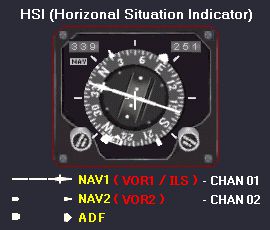
| hsi_help.gif | 10.18.04 | 17.20 kB |
| hud-gun.gif | 10.16.04 | 22.54 kB |
| hud-ils.gif | 10.16.04 | 18.40 kB |
| hud-nav.gif | 10.16.04 | 23.23 kB |
| hud_green.gif | 05.11.05 | 8.08 kB |
| hud_red.gif | 05.11.05 | 11.83 kB |
| title.jpg | 12.22.03 | 25.91 kB |
| vc-light1.gif | 01.26.05 | 30.67 kB |
| vc-light2.gif | 01.26.05 | 31.64 kB |
| vc-starter.jpg | 01.07.05 | 48.97 kB |
| panel_control_E.html | 08.09.05 | 30.02 kB |
| panel_control_J.html | 08.09.05 | 28.73 kB |
| f15c0_v20.mdl | 05.31.05 | 1.30 MB |
| model.cfg | 05.07.05 | 28 B |
| f15c1_v20.mdl | 05.31.05 | 1.31 MB |
| model.cfg | 05.07.05 | 28 B |
| f15c2_v20.mdl | 05.31.05 | 1.33 MB |
| model.cfg | 05.07.05 | 28 B |
| f15c3_v20.mdl | 05.31.05 | 1.34 MB |
| model.cfg | 05.07.05 | 28 B |
| f15j0_v20.mdl | 05.31.05 | 1.29 MB |
| model.cfg | 05.07.05 | 28 B |
| f15j1_v20.mdl | 05.31.05 | 1.31 MB |
| model.cfg | 05.07.05 | 28 B |
| f15j2_v20.mdl | 05.31.05 | 1.33 MB |
| model.cfg | 05.07.05 | 28 B |
| f15j3_v20.mdl | 05.31.05 | 1.34 MB |
| model.cfg | 05.07.05 | 28 B |
| Airbus_A321.cab | 05.11.07 | 2.72 MB |
| checklist.bmp | 01.27.05 | 157.38 kB |
| compass_bg.bmp | 12.20.03 | 5.05 kB |
| f-15coral_v2.cab | 06.05.05 | 239.43 kB |
| f-15j_minipanel.bmp | 05.10.05 | 769.05 kB |
| f-15j_panel.bmp | 05.10.05 | 769.05 kB |
| F22_Gauges.CAB | 03.30.05 | 1.08 MB |
| hsi.bmp | 01.27.05 | 16.05 kB |
| hsi_help.bmp | 01.27.05 | 62.15 kB |
| jfs.bmp | 01.27.05 | 26.21 kB |
| main_bg.bmp | 05.08.05 | 257.05 kB |
| panel.cfg | 06.23.09 | 11.80 kB |
| panel_left_bg.bmp | 05.08.05 | 65.05 kB |
| panel_right_bg.bmp | 12.20.03 | 65.05 kB |
| panel_side_R.bmp | 05.10.05 | 17.05 kB |
| rollusgauges.CAB | 03.14.05 | 1.66 MB |
| Airbus_A321.cab | 05.11.07 | 2.72 MB |
| checklist.bmp | 01.27.05 | 157.38 kB |
| compass_bg.bmp | 12.20.03 | 5.05 kB |
| f-15coral_v2.cab | 06.05.05 | 239.43 kB |
| f-15j_minipanel.bmp | 05.10.05 | 769.05 kB |
| f-15j_panel.bmp | 05.10.05 | 769.05 kB |
| F22_Gauges.CAB | 03.30.05 | 1.08 MB |
| hsi.bmp | 01.27.05 | 16.05 kB |
| hsi_help.bmp | 01.27.05 | 62.15 kB |
| jfs.bmp | 01.27.05 | 26.21 kB |
| main_bg.bmp | 05.08.05 | 257.05 kB |
| panel.cfg | 06.23.09 | 11.80 kB |
| panel_left_bg.bmp | 05.08.05 | 65.05 kB |
| panel_right_bg.bmp | 12.20.03 | 65.05 kB |
| panel_side_R.bmp | 05.10.05 | 17.05 kB |
| rollusgauges.CAB | 03.14.05 | 1.66 MB |
| sound.cfg | 12.20.03 | 30 B |
| base.bmp | 05.10.05 | 1.00 MB |
| base2.bmp | 05.10.05 | 257.05 kB |
| cocpit.bmp | 05.09.05 | 65.05 kB |
| compass_L.bmp | 12.20.03 | 4.52 kB |
| ilum.bmp | 12.20.03 | 10.74 kB |
| ilum_L.bmp | 12.20.03 | 16.07 kB |
| main_L.bmp | 01.27.05 | 257.05 kB |
| mirror_T.bmp | 12.20.03 | 64.07 kB |
| panel_left_L.bmp | 10.20.04 | 65.05 kB |
| panel_right_L.bmp | 12.20.03 | 65.05 kB |
| panel_side_L.bmp | 12.20.03 | 256.69 kB |
| panel_side_R_L.bmp | 01.27.05 | 17.05 kB |
| panel_side_T.bmp | 05.10.05 | 257.05 kB |
| ref_T.bmp | 05.18.05 | 16.07 kB |
| SEAT_T.bmp | 04.28.05 | 257.05 kB |
| thumbnail.jpg | 06.23.09 | 4.01 kB |
| unit0.bmp | 05.06.05 | 65.05 kB |
| base.bmp | 05.10.05 | 1.00 MB |
| base2.bmp | 05.10.05 | 257.05 kB |
| cocpit.bmp | 05.09.05 | 65.05 kB |
| compass_L.bmp | 12.20.03 | 4.52 kB |
| ilum.bmp | 12.20.03 | 10.74 kB |
| ilum_L.bmp | 12.20.03 | 16.07 kB |
| main_L.bmp | 01.27.05 | 257.05 kB |
| mirror_T.bmp | 12.20.03 | 64.07 kB |
| panel_left_L.bmp | 10.20.04 | 65.05 kB |
| panel_right_L.bmp | 12.20.03 | 65.05 kB |
| panel_side_L.bmp | 12.20.03 | 256.69 kB |
| panel_side_R_L.bmp | 01.27.05 | 17.05 kB |
| panel_side_T.bmp | 05.10.05 | 257.05 kB |
| ref_T.bmp | 05.18.05 | 16.07 kB |
| SEAT_T.bmp | 04.28.05 | 257.05 kB |
| thumbnail.jpg | 06.23.09 | 4.29 kB |
| unit0.bmp | 05.06.05 | 65.05 kB |
| base.bmp | 05.10.05 | 1.00 MB |
| base2.bmp | 05.10.05 | 257.05 kB |
| cocpit.bmp | 05.09.05 | 65.05 kB |
| compass_L.bmp | 12.20.03 | 4.52 kB |
| ilum.bmp | 12.20.03 | 10.74 kB |
| ilum_L.bmp | 12.20.03 | 16.07 kB |
| main_L.bmp | 01.27.05 | 257.05 kB |
| mirror_T.bmp | 12.20.03 | 64.07 kB |
| panel_left_L.bmp | 10.20.04 | 65.05 kB |
| panel_right_L.bmp | 12.20.03 | 65.05 kB |
| panel_side_L.bmp | 12.20.03 | 256.69 kB |
| panel_side_R_L.bmp | 01.27.05 | 17.05 kB |
| panel_side_T.bmp | 05.10.05 | 257.05 kB |
| ref_T.bmp | 05.18.05 | 16.07 kB |
| SEAT_T.bmp | 04.28.05 | 257.05 kB |
| thumbnail.jpg | 06.23.09 | 3.74 kB |
| unit0.bmp | 05.06.05 | 65.05 kB |
| base.bmp | 05.10.05 | 1.00 MB |
| base2.bmp | 05.10.05 | 257.05 kB |
| cocpit.bmp | 05.09.05 | 65.05 kB |
| compass_L.bmp | 12.20.03 | 4.52 kB |
| ilum.bmp | 12.20.03 | 10.74 kB |
| ilum_L.bmp | 12.20.03 | 16.07 kB |
| main_L.bmp | 01.27.05 | 257.05 kB |
| mirror_T.bmp | 12.20.03 | 64.07 kB |
| panel_left_L.bmp | 10.20.04 | 65.05 kB |
| panel_right_L.bmp | 12.20.03 | 65.05 kB |
| panel_side_L.bmp | 12.20.03 | 256.69 kB |
| panel_side_R_L.bmp | 01.27.05 | 17.05 kB |
| panel_side_T.bmp | 05.10.05 | 257.05 kB |
| ref_T.bmp | 05.18.05 | 16.07 kB |
| SEAT_T.bmp | 04.28.05 | 257.05 kB |
| thumbnail.jpg | 06.23.09 | 4.14 kB |
| unit0.bmp | 05.10.05 | 65.05 kB |
| base.bmp | 05.10.05 | 1.00 MB |
| base2.bmp | 05.10.05 | 257.05 kB |
| cocpit.bmp | 05.09.05 | 65.05 kB |
| compass_L.bmp | 12.20.03 | 4.52 kB |
| ilum.bmp | 12.20.03 | 10.74 kB |
| ilum_L.bmp | 12.20.03 | 16.07 kB |
| main_L.bmp | 01.27.05 | 257.05 kB |
| mirror_T.bmp | 12.20.03 | 64.07 kB |
| panel_left_L.bmp | 10.20.04 | 65.05 kB |
| panel_right_L.bmp | 12.20.03 | 65.05 kB |
| panel_side_L.bmp | 12.20.03 | 256.69 kB |
| panel_side_R_L.bmp | 01.27.05 | 17.05 kB |
| panel_side_T.bmp | 05.10.05 | 257.05 kB |
| ref_T.bmp | 05.18.05 | 16.07 kB |
| SEAT_T.bmp | 04.28.05 | 257.05 kB |
| thumbnail.jpg | 06.23.09 | 4.15 kB |
| unit0.bmp | 05.10.05 | 65.05 kB |
| base.bmp | 05.10.05 | 1.00 MB |
| base2.bmp | 05.10.05 | 257.05 kB |
| cocpit.bmp | 05.09.05 | 65.05 kB |
| compass_L.bmp | 12.20.03 | 4.52 kB |
| ilum.bmp | 12.20.03 | 10.74 kB |
| ilum_L.bmp | 12.20.03 | 16.07 kB |
| main_L.bmp | 01.27.05 | 257.05 kB |
| mirror_T.bmp | 12.20.03 | 64.07 kB |
| panel_left_L.bmp | 10.20.04 | 65.05 kB |
| panel_right_L.bmp | 12.20.03 | 65.05 kB |
| panel_side_L.bmp | 12.20.03 | 256.69 kB |
| panel_side_R_L.bmp | 01.27.05 | 17.05 kB |
| panel_side_T.bmp | 05.10.05 | 257.05 kB |
| ref_T.bmp | 05.18.05 | 16.07 kB |
| SEAT_T.bmp | 04.28.05 | 257.05 kB |
| thumbnail.jpg | 06.23.09 | 3.92 kB |
| unit0.bmp | 05.06.05 | 65.05 kB |
| Readme.txt | 06.23.09 | 887 B |
| Thumbs.db | 08.09.05 | 13.00 kB |
| flyawaysimulation.txt | 10.29.13 | 959 B |
| Go to Fly Away Simulation.url | 01.22.16 | 52 B |
Only PRO members can place votes.
More FSX & P3D add-ons hand-picked based on this download.
FSX Military Aircraft
Complete aircraft with panel including working radar shows vAI traffic, panel…
 FSX Military Aircraft
Upgraded for FSX. Go to the Space ! This aircraft was shaped to fly at MACH 3…
 FSX Military Aircraft
Immerse yourself in a high-fidelity simulation of Lockheed Martin’s exception…
 FSX Military Aircraft
This is a Sukhoi Su-27 Flanker package for FSX. Have you ever wanted to fly t…
 FSX Military Aircraft
RAF Hawker Siddeley Nimrod Package. The recently retired Nimrod served the RA…
 FSX Military Aircraft
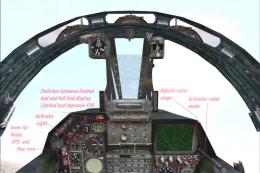
Gmax Mirage F1 Package. This is a Gmax rework of my Mirage F1V2.0. It is a co…
 FSX Military Aircraft
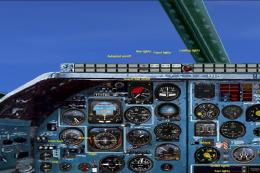
An update of the Kazanori Itu TU-22 m3 Backfire. Using real photos the panel …
 FSX Military Aircraft
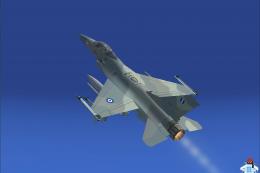
The Hellenic Air Force (or Greek Air Force) has ordered a total of 180 F-16 a…
Read what other simmers think, or add your own.

Excellent Add On. Glad I found it. Kudos to the developer(s). Much Better than the FlightDeck6 Add-On that I received as a gift. The only problem... the link to the settings page is broken - does not work on my console.
Thank you so much to the developers of this add on And the staff who maintain and build this site!

When I install this mod, only the cockpit glass and engine outside covers appear visible. Any way to fix this?


it says it can go up to mach 2.5(clean). Mine goes over speed at 800. What does clean mean?


Incredible!!! This is how all add-on aircraft should be. Excellent, complete virtual 3-D cockpit, afterburner & engine effects. So far, this makes all my other add-ons fizzle in comparison.