

 FSX Civil Aircraft
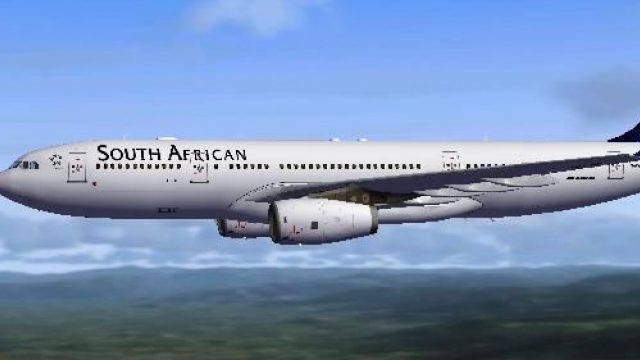
South African Airways Airbus A330-200 ZS-SXZ
South African Airways Airbus A330-200. Textures only, requires Thomas Ruth's …
South African Airways Airbus A330-200 repaint captures wet-leased airframe G-WWBD in authentic Springbok markings for Microsoft Flight Simulator X, reflecting a distinctive stopgap era in the airline’s widebody fleet. Crisp exterior textures pair with the Thomas Ruth freeware A330-200 base model and require that package to fly this variant with matching registration and airline callsign.
 Rate
Rate
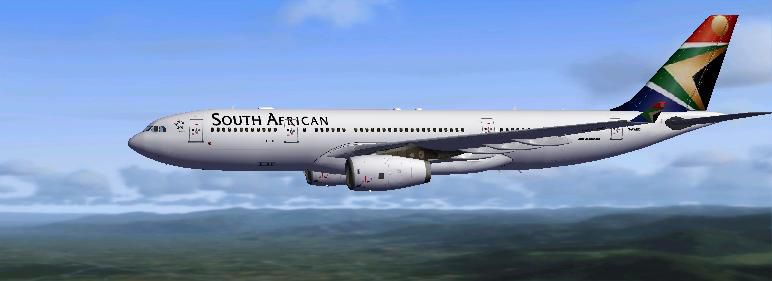
Experience the blended performance of an Airbus A330-200 with this specialized South African Airways repaint, depicting registration G-WWBD, which was originally wet leased from BMI while awaiting incoming A340 aircraft. This release offers new textures for Microsoft Flight Simulator X enthusiasts who want to operate under the colors of a prominent African carrier with a unique operational history. Developers Thomas Ruth (base model) and Mark McCorquodale (repaint) have collaborated to recreate this airframe for the community. You will need to source and install the freeware A330-200 base package by Thomas Ruth from Fly Away Simulation’s mod library before applying the repaint described below.
The A330-200 is a medium-to-long-haul widebody twin-engine airliner recognized for its efficient design and reliable operating costs. Its range allows airlines such as South African Airways to serve multiple intercontinental routes. The real-world G-WWBD, incorporated into SAA’s fleet for a brief interval, stands out thanks to its British Midland International origins and transitional role until wider-bodied jets arrived. This repaint retains exterior markings, reflecting that pivotal chapter in the carrier’s fleet expansion.
…SimObjects\Airplanes\TOM_A330-200.[fltsim.xx] with the next sequence number:[fltsim.xx] title=KLM A330-200 sim=TomA332 model=RR panel=330 sound= texture=SAA kb_checklists= kb_reference= atc_id=G-WWBD atc_airline=Springbok atc_flight_number= atc_parking_types=GATE, RAMP, CARGO atc_parking_code= atc_heavy=1 ui_manufacturer=Airbus ui_typerole=Commercial Airliner ui_createdby=Tom ui_type=A330-200 ui_variation=South African Airways
This ensures that your newly added repaint of South African Airways will appear within the selection menu of your simulator. Make sure all entries are consistent in formatting to avoid any loading issues.
This repaint package only contains textures. You will need the Thomas Ruth Airbus A330-200 base model, which is available as freeware. Visit the Fly Away Simulation mod library to acquire it if it is not already installed. By following both the download and installation tips, you can seamlessly operate this iconic jet under South African Airways’ livery within your chosen virtual skies.
Created by: Mark McCorquodale
Free for all simmers · 1.83 MB · Scanned clean Oct 2026
Download speed: Free tier is capped at 0.5 Mbps. PRO members download at full line speed.
This file is a repaint — the package below is the base model it paints onto. Install it first, or the textures will have nothing to load onto.
texture.{airline}) inside FSX\SimObjects\Airplanes\{base-aircraft}\.aircraft.cfg in Notepad. Add a new [fltsim.X] section per the readme.readme.txt or README file. It tells you exactly where files go, what dependencies are needed, and any quirks specific to this add-on.The archive a330saa.zip has 28 files and directories contained within it.
This list displays the first 500 files in the package. If the package has more, you will need to download it to view them.
| Filename/Directory | File Date | File Size |
|---|---|---|
| A330 SAA | 06.17.09 | 0 B |
| 330 SAA.jpg | 06.16.09 | 23.94 kB |
| readme.txt | 06.17.09 | 1.04 kB |
| texture.SAA | 06.17.09 | 0 B |
| A321_1_L.dds | 03.12.09 | 1.00 MB |
| A321_2_L.dds | 03.12.09 | 256.12 kB |
| A330_VC01.dds | 03.12.09 | 1.00 MB |
| A330_VC01L.dds | 03.12.09 | 1.00 MB |
| Airbus_A321_1_L.dds | 03.12.09 | 1.00 MB |
| Airbus_A321_2_L.dds | 03.12.09 | 1.00 MB |
| Airbus_A321_3_L.dds | 03.12.09 | 4.12 kB |
| Airbus_A321_4_L.dds | 03.12.09 | 1.00 MB |
| glass.dds | 03.12.09 | 64.12 kB |
| glass_spec.dds | 03.12.09 | 4.12 kB |
| main.dds | 06.16.09 | 4.00 MB |
| main_bump.dds | 03.12.09 | 4.00 MB |
| main_light.dds | 03.12.09 | 1.00 MB |
| main_spec.dds | 03.12.09 | 64.12 kB |
| texture.cfg | 03.12.09 | 165 B |
| thumbnail.jpg | 06.16.09 | 23.94 kB |
| Thumbs.db | 03.12.09 | 7.00 kB |
| VCblend.dds | 03.12.09 | 1.12 kB |
| wing_bump.dds | 03.12.09 | 1.00 MB |
| wing_l.dds | 06.16.09 | 1.00 MB |
| wing_r.dds | 06.16.09 | 1.00 MB |
| wing_spec.dds | 03.12.09 | 64.12 kB |
| flyawaysimulation.txt | 10.29.13 | 959 B |
| Go to Fly Away Simulation.url | 01.22.16 | 52 B |
Only PRO members can place votes.
More FSX & P3D add-ons hand-picked based on this download.
FSX Civil Aircraft
South African Airways Airbus A330-200. Textures only, requires Thomas Ruth's …
 FSX Civil Aircraft
South African Airways Airbus A380. South African Airways does not have any A3…
 FSX Civil Aircraft
This comprehensive repaint package showcases a South African Airways Airbus A…
 FSX Civil Aircraft
This freeware package provides a distinct livery for the Boeing 737-800 in Mi…
 FSX Civil Aircraft
South African Airways A340 Repaint Pack v3. Textures only package for use wit…
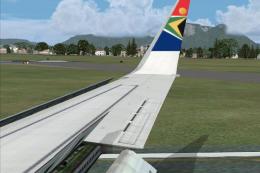 FSX Civil Aircraft
South African Airways Boeing 737-800, registration ZS-SJB. Repaint textures f…
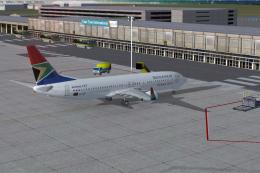 FSX Civil Aircraft
South African Airways Boeing 737-800 "Komati". Textures only for the default …
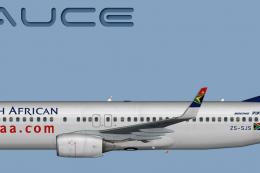 FSX Civil Aircraft
Immerse yourself in this custom repaint for Microsoft Flight Simulator X feat…
Be the first to leave a comment on this download.
Be the first to share your thoughts on this download.