

 FSX Civil Aircraft
British Airways Boeing 777-236ER
This freeware modification provides a complete British Airways Boeing 777-236…
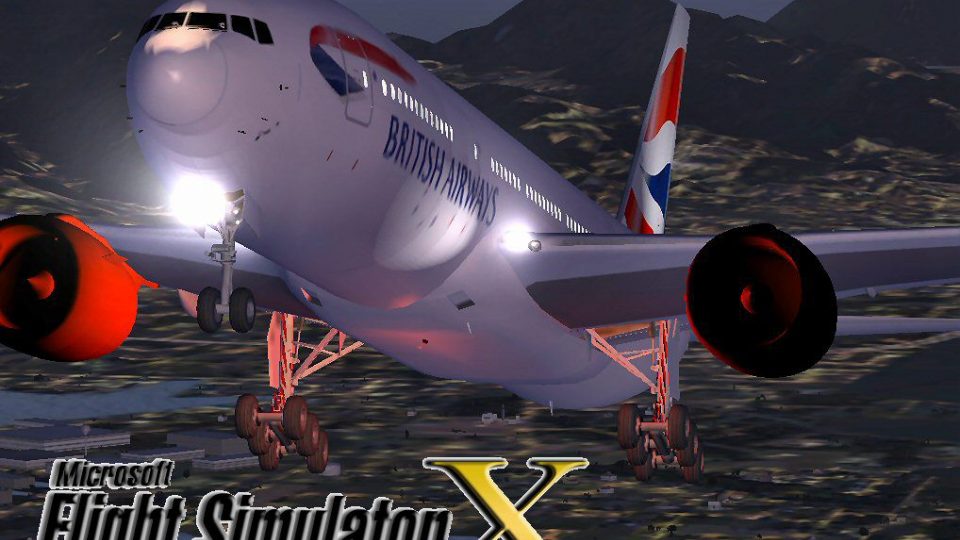
British Airways’ Boeing 777-200 G-GEEZ arrives in Microsoft Flight Simulator X with refined flight dynamics, authentic performance tuning, and crisp MELJET-based visuals, including animated opening engine cowlings and smooth jetway alignment. Night operations can look even better and requires A2A 3D Lights Redux compatibility for enhanced lighting effects.
 Rate
Rate
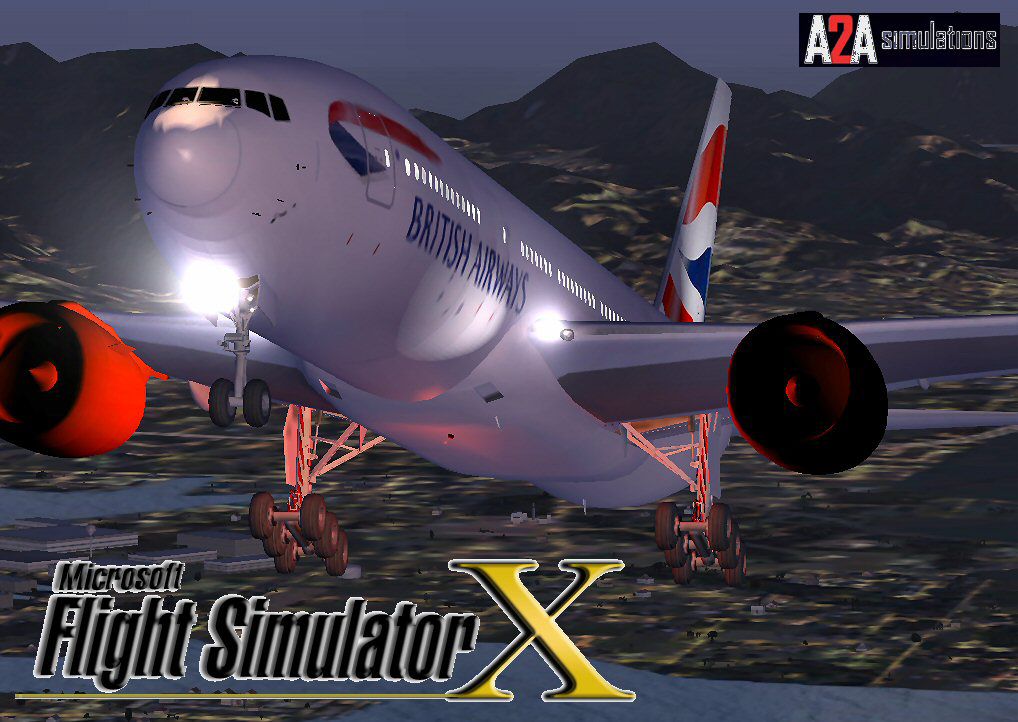
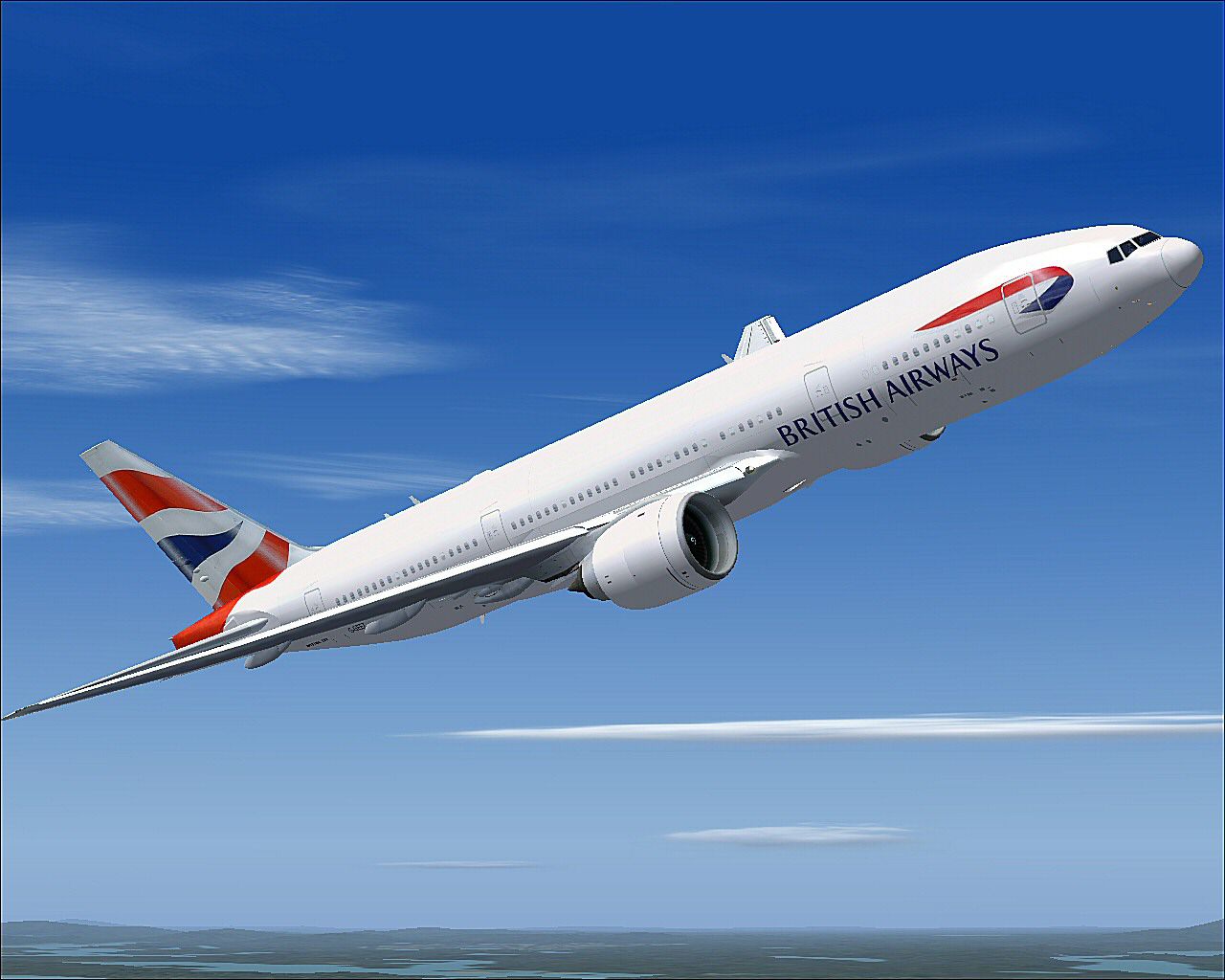
This freeware release replicates British Airways’ Boeing 777-200 (registration G-GEEZ) in FSX with authentic technical modifications. The creators, Melvin Rafi (original model under the MELJET label) and David Grindele (conversion and updates), designed this package to reflect the real-world performance and looks of this long-haul twin-engine aircraft.
British Airways, the United Kingdom’s flagship carrier, has long relied on the Boeing 777 series for intercontinental routes due to its efficient high-bypass turbofan engines and robust design. This model captures those qualities by incorporating well-tuned flight dynamics [flight characteristics adjusted via configuration files] and visual details such as engine cowling animations. The base model was originally built for earlier simulator platforms, but it has been carefully upgraded for FSX compatibility.
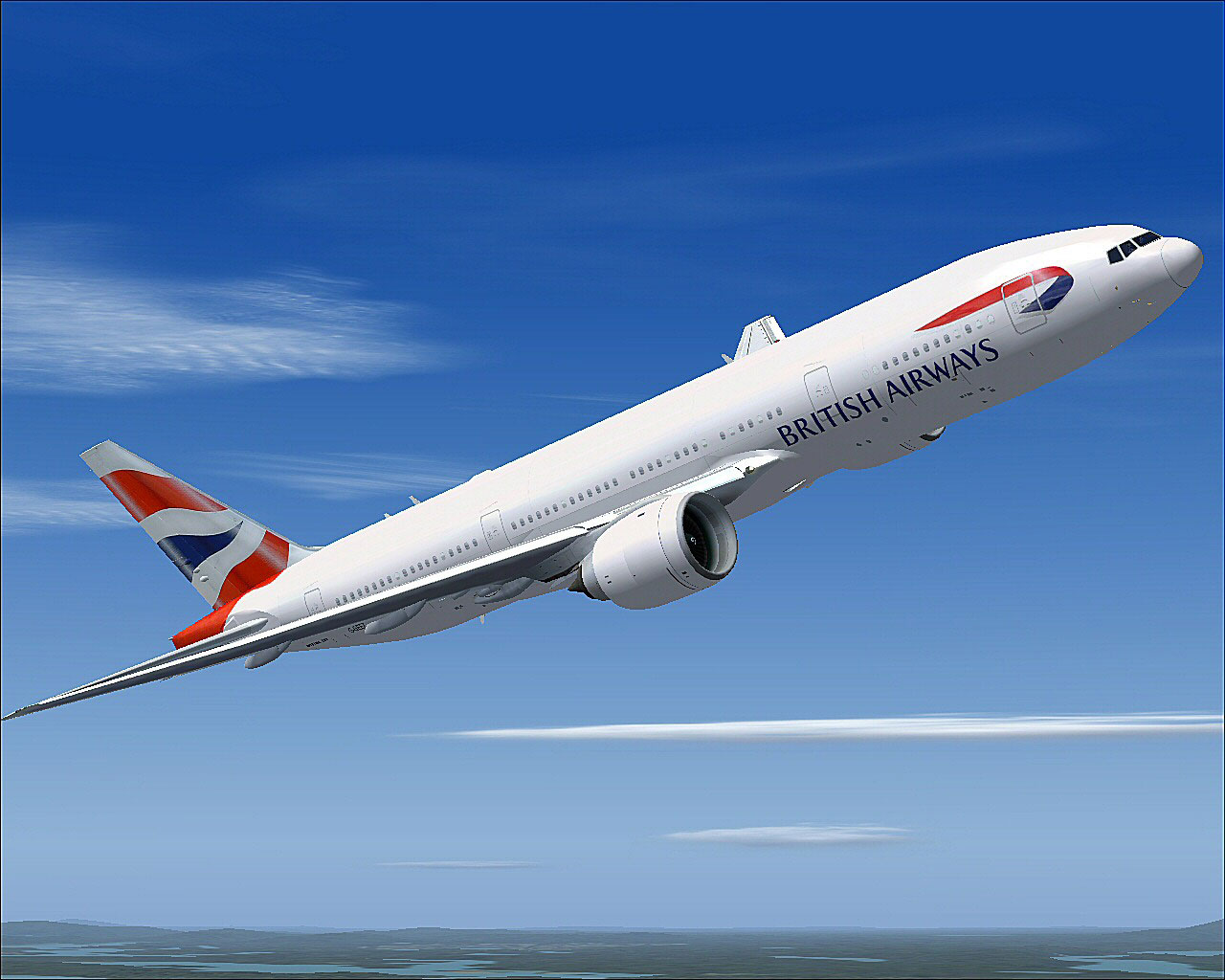
British Airways Boeing 777-200 in flight.

British Airways Boeing 777-200.
This package preserves the intricate modeling from MELJET’s original work. Since it was adapted from earlier simulators, multiple improvements were made to prevent any compromise in performance within the FSX environment. It has been tested on multiple systems, including Windows Vista 32-bit and Windows XP, under FSX specifically. The aircraft is delivered as a complete freeware download, though you must have the A2A 3D Lights & Redux program installed separately to activate the 3D lighting system.
Optimized primarily for Microsoft Flight Simulator X (FSX). Migration to other platforms has not been tested, so users may encounter unexpected results if attempting such usage.
This release is entirely freeware, maintaining the high standards that Melvin Rafi and David Grindele intended. The long-haul capabilities of this twinjet, combined with its signature British Airways livery, offer an immersive experience for virtual pilots who appreciate both authenticity and new lighting enhancements.
Free for all simmers · 64.91 MB · Scanned clean Oct 2026
Download speed: Free tier is capped at 0.5 Mbps (this file takes approximately 18 mins at the cap). PRO members download at full line speed.
FSX\SimObjects\Airplanes\. The folder must contain an aircraft.cfg file. Effects go into FSX\Effects\; gauges go into FSX\Gauges\.readme.txt or README file. It tells you exactly where files go, what dependencies are needed, and any quirks specific to this add-on.The archive ba72fsx.zip has 181 files and directories contained within it.
This list displays the first 500 files in the package. If the package has more, you will need to download it to view them.
| Filename/Directory | File Date | File Size |
|---|---|---|
| BA-GGEEZ 777.jpg | 12.20.09 | 131.32 kB |
| Boeing 772 BA_GE_White_GGEEZ | 12.20.09 | 0 B |
| aircraft.cfg | 12.20.09 | 18.47 kB |
| Boeing777-200-MR-MKIII.air | 07.08.03 | 8.66 kB |
| model | 12.18.09 | 0 B |
| Boeing777-200-MR-MKIII.mdl | 07.13.03 | 3.57 MB |
| Model.cfg | 11.09.02 | 41 B |
| panel | 12.18.09 | 0 B |
| 777KM.cab | 09.17.04 | 1.25 MB |
| forward_1024.bmp | 07.06.01 | 769.05 kB |
| forward_640.bmp | 07.06.01 | 301.05 kB |
| FORWARD_LEFT.bmp | 08.05.00 | 335.36 kB |
| forward_right.bmp | 08.11.00 | 769.05 kB |
| LEFT.bmp | 08.11.00 | 140.55 kB |
| MAIN.bmp | 09.17.04 | 5.49 MB |
| OVERHEAD.bmp | 09.16.04 | 2.70 MB |
| panel.cfg | 11.17.09 | 8.12 kB |
| PEDESTAL.bmp | 09.16.04 | 1.09 MB |
| REAR.bmp | 07.25.00 | 733.47 kB |
| REAR_LEFT.bmp | 07.27.00 | 582.27 kB |
| REAR_RIGHT.bmp | 07.24.00 | 680.04 kB |
| right2.bmp | 08.10.00 | 606.57 kB |
| Thumbs.db | 12.20.09 | 27.00 kB |
| sound | 12.18.09 | 0 B |
| A_COMB_1.wav | 12.12.04 | 728.63 kB |
| A_COMB_2.wav | 12.12.04 | 728.63 kB |
| A_COMB_3.wav | 12.12.04 | 728.63 kB |
| A_COMB_4.wav | 05.07.05 | 691.51 kB |
| A_EFSC.wav | 09.27.05 | 325.45 kB |
| A_JT8D_0.wav | 06.04.04 | 209.46 kB |
| A_JT8D_1.wav | 05.01.05 | 1.69 MB |
| A_JT8D_2.wav | 01.19.06 | 605.39 kB |
| A_JT8D_3.wav | 02.11.06 | 418.02 kB |
| b_COMB_1.wav | 12.12.04 | 728.63 kB |
| B_COMB_2.wav | 12.12.04 | 728.63 kB |
| B_COMB_3.wav | 12.12.04 | 728.63 kB |
| B_COMB_4.wav | 05.07.05 | 691.51 kB |
| B_EFSC.wav | 09.27.05 | 325.45 kB |
| b_JT8D_0.wav | 06.04.04 | 209.46 kB |
| b_JT8D_1.wav | 05.01.05 | 1.69 MB |
| b_JT8D_2.wav | 01.19.06 | 605.39 kB |
| B_JT8D_3.wav | 02.11.06 | 418.02 kB |
| c172_apdisconnect.wav | 06.29.01 | 169.80 kB |
| c172_falsestart.wav | 06.29.01 | 241.62 kB |
| c172_flaps.wav | 08.28.01 | 225.90 kB |
| c172_gyro.wav | 08.14.01 | 4.48 MB |
| c172_noncombustion1.wav | 08.28.01 | 279.12 kB |
| c172_noncombustion2.wav | 08.28.01 | 292.12 kB |
| c172_prop1a.wav | 06.29.01 | 59.29 kB |
| c172_prop1b.wav | 06.29.01 | 63.79 kB |
| c172_prop2a.wav | 06.29.01 | 65.29 kB |
| c172_prop2b.wav | 06.29.01 | 86.79 kB |
| c172_rpm1.wav | 08.16.01 | 494.55 kB |
| c172_rpm2.wav | 08.16.01 | 453.61 kB |
| c172_rpm3.wav | 08.16.01 | 512.55 kB |
| c172_rpm4.wav | 08.16.01 | 497.09 kB |
| c172_shutdown.wav | 08.16.01 | 233.92 kB |
| c172_stallhorn.wav | 06.29.01 | 237.68 kB |
| c172_starter.wav | 07.24.01 | 174.12 kB |
| c172_startup.wav | 08.28.01 | 381.53 kB |
| c172_switch1.wav | 06.29.01 | 6.42 kB |
| c172_switch2.wav | 06.29.01 | 2.71 kB |
| c172_switch3.wav | 06.29.01 | 2.89 kB |
| cagear.wav | 04.18.01 | 31.23 kB |
| door_small_close.wav | 04.09.03 | 55.99 kB |
| door_small_open.wav | 04.09.03 | 59.98 kB |
| FLAPS.wav | 08.22.03 | 210.75 kB |
| GEARDOWN.wav | 02.17.06 | 1.96 MB |
| gearup.wav | 02.17.06 | 1.98 MB |
| NEWWIND.WAV | 03.29.04 | 858.65 kB |
| reverser,BBN2T.wav | 01.19.06 | 1.79 MB |
| reverser.wav | 12.27.05 | 1.81 MB |
| sound.cfg | 02.17.06 | 14.99 kB |
| touchc.wav | 01.06.99 | 286.01 kB |
| touchl.wav | 09.10.98 | 14.22 kB |
| touchr.wav | 07.01.97 | 10.85 kB |
| T_COMB_SHUT.WAV | 04.01.04 | 2.32 MB |
| T_COMB_START.wav | 06.30.01 | 107.55 kB |
| T_JT8D_START.wav | 12.12.04 | 3.63 MB |
| wind.wav | 03.29.04 | 858.65 kB |
| XBAN2T.wav | 12.21.05 | 1.81 MB |
| XBBN2T.wav | 12.21.05 | 1.81 MB |
| xc172_falsestart.wav | 06.29.01 | 156.62 kB |
| xc172_noncombustion1.wav | 06.29.01 | 132.49 kB |
| xc172_noncombustion2.wav | 06.29.01 | 158.64 kB |
| xc172_prop1a.wav | 06.29.01 | 78.29 kB |
| xc172_prop1b.wav | 06.29.01 | 66.79 kB |
| xc172_prop2a.wav | 06.29.01 | 70.29 kB |
| xc172_prop2b.wav | 06.29.01 | 86.79 kB |
| xc172_rpm1.wav | 06.29.01 | 245.77 kB |
| xc172_rpm2.wav | 06.29.01 | 226.57 kB |
| xc172_rpm3.wav | 06.29.01 | 238.34 kB |
| xc172_rpm4.wav | 06.29.01 | 255.64 kB |
| xc172_shutdown.wav | 06.29.01 | 163.04 kB |
| xc172_starter.wav | 06.29.01 | 62.20 kB |
| xc172_startup.wav | 06.29.01 | 159.46 kB |
| X_A_COMB_1.wav | 05.07.05 | 693.93 kB |
| X_A_COMB_2.wav | 05.07.05 | 693.93 kB |
| X_A_COMB_3.wav | 05.07.05 | 693.93 kB |
| X_A_COMB_4.wav | 02.04.06 | 325.45 kB |
| X_a_EFSC.wav | 01.16.06 | 648.45 kB |
| X_A_JT8D_0.wav | 02.04.06 | 325.45 kB |
| X_a_JT8D_1.wav | 02.04.06 | 325.45 kB |
| X_A_JT8D_2.wav | 02.04.06 | 669.99 kB |
| X_a_JT8D_3.wav | 02.04.06 | 669.99 kB |
| X_A_REVRS.wav | 09.16.99 | 108.81 kB |
| X_b_COMB_1.wav | 05.07.05 | 693.93 kB |
| X_b_COMB_2.wav | 05.07.05 | 693.93 kB |
| X_b_COMB_3.wav | 05.07.05 | 693.93 kB |
| X_B_COMB_4.wav | 02.04.06 | 325.45 kB |
| X_B_EFSC.wav | 12.21.05 | 1.81 MB |
| X_b_JT8D_0.wav | 02.04.06 | 325.45 kB |
| X_b_JT8D_1.wav | 02.04.06 | 325.45 kB |
| X_b_JT8D_2.wav | 02.04.06 | 669.99 kB |
| X_b_JT8D_3.wav | 02.04.06 | 669.99 kB |
| X_B_REVRS.wav | 09.16.99 | 119.31 kB |
| X_T_COMB_START.wav | 03.17.05 | 693.93 kB |
| X_T_JT8D_SHUT.WAV | 09.19.04 | 3.98 MB |
| X_T_JT8D_START.wav | 03.31.04 | 3.58 MB |
| soundai | 12.18.09 | 0 B |
| soundai.cfg | 05.12.06 | 34 B |
| texture.British Airways G-GEEZ | 12.20.09 | 0 B |
| 777Cargohold_L.bmp | 12.30.02 | 256.07 kB |
| 777Cargohold_T.bmp | 12.30.02 | 256.07 kB |
| 777cockpitwindows.bmp | 05.29.03 | 1.00 MB |
| 777FuselagePort1_L.bmp | 12.30.02 | 1.00 MB |
| 777FuselagePort1_T.bmp | 05.10.05 | 1.33 MB |
| 777FuselageStar1_L.bmp | 08.20.03 | 1.00 MB |
| 777FuselageStar1_T.bmp | 05.10.05 | 1.33 MB |
| 777gear2_L.bmp | 12.30.02 | 16.07 kB |
| 777gear2_T.bmp | 05.10.05 | 1.33 MB |
| 777interior10_L.bmp | 07.11.03 | 256.07 kB |
| 777interior10_T.bmp | 07.11.03 | 256.07 kB |
| 777interior11_L.bmp | 07.11.03 | 256.07 kB |
| 777interior11_T.bmp | 07.11.03 | 256.07 kB |
| 777interior1_L.bmp | 12.30.02 | 256.07 kB |
| 777interior1_T.bmp | 12.30.02 | 256.07 kB |
| 777interior2_L.bmp | 01.02.03 | 256.07 kB |
| 777interior2_T.bmp | 01.01.03 | 256.07 kB |
| 777interior3.bmp | 01.01.03 | 65.05 kB |
| 777interior3_L.bmp | 07.11.03 | 1.00 MB |
| 777interior3_T.bmp | 07.11.03 | 1.00 MB |
| 777interior4_L.bmp | 07.11.03 | 1.00 MB |
| 777interior4_T.bmp | 07.13.03 | 1.00 MB |
| 777interior5_L.bmp | 07.11.03 | 1.00 MB |
| 777interior5_T.bmp | 07.13.03 | 1.00 MB |
| 777interior6_L.bmp | 07.11.03 | 1.00 MB |
| 777interior6_T.bmp | 07.13.03 | 1.00 MB |
| 777interior7_L.bmp | 07.11.03 | 1.00 MB |
| 777interior7_T.bmp | 07.12.03 | 1.00 MB |
| 777interior8_L.bmp | 07.11.03 | 256.07 kB |
| 777interior8_T.bmp | 07.11.03 | 256.07 kB |
| 777interior9_L.bmp | 07.11.03 | 256.07 kB |
| 777interior9_T.bmp | 07.11.03 | 256.07 kB |
| 777LandingGear01.bmp | 05.29.03 | 1.00 MB |
| 777Tail_L.bmp | 12.30.02 | 1.00 MB |
| 777Tail_T.bmp | 07.11.03 | 1.00 MB |
| 777Wing1_L.bmp | 12.30.02 | 16.07 kB |
| 777Wing1_T.bmp | 07.18.03 | 1.00 MB |
| 777Wing2_L.bmp | 12.30.02 | 16.07 kB |
| 777Wing2_T.bmp | 05.10.05 | 1.33 MB |
| Powerplant-GE90-Exterior_L.bmp | 12.30.02 | 16.07 kB |
| Powerplant-GE90-Exterior_T.bmp | 05.10.05 | 1.33 MB |
| Powerplant-GE90-Fan.bmp | 08.19.03 | 256.05 kB |
| Powerplant-GE90-FanShaft.bmp | 05.31.03 | 256.05 kB |
| Powerplant-GE90-FanShaftMotion.bmp | 05.31.03 | 256.05 kB |
| Powerplant-GE90-Interior_L.bmp | 12.30.02 | 16.07 kB |
| Powerplant-GE90-Interior_T.bmp | 07.22.03 | 1.00 MB |
| Thumbnail.jpg | 12.20.09 | 10.02 kB |
| Thumbs.db | 12.20.09 | 24.50 kB |
| Thumbs.db | 12.18.09 | 14.00 kB |
| file_id.diz | 12.20.09 | 1.90 kB |
| GEEZ1.jpg | 05.14.05 | 189.35 kB |
| Install.txt | 12.20.09 | 1.89 kB |
| Thumbs.db | 12.20.09 | 8.50 kB |
| WallPaper | 12.20.09 | 0 B |
| BA-GEEZ 777.bmp | 12.20.09 | 2.10 MB |
| Thumbs.db | 12.20.09 | 9.00 kB |
| BA72FSX | 12.20.09 | 0 B |
| flyawaysimulation.txt | 10.29.13 | 959 B |
| Go to Fly Away Simulation.url | 01.22.16 | 52 B |
Only PRO members can place votes.
More FSX & P3D add-ons hand-picked based on this download.
FSX Civil Aircraft
This freeware modification provides a complete British Airways Boeing 777-236…
 FSX Civil Aircraft
Experience a meticulously configured British Airways Boeing 777-200ER, design…
 FSX Civil Aircraft
This complete freeware package features a British Airways Boeing 777-200ER in…
 FSX Civil Aircraft
This comprehensive package delivers a meticulously designed British Airways B…
 FSX Civil Aircraft
This thoroughly detailed freeware package showcases a British Airways Airbus …
 FSX Civil Aircraft
FSX British Airways Boeing 747-400. BA 'World Tails' liveries for the default…
 FSX Civil Aircraft
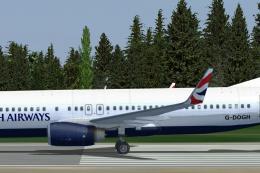
British Airways Boeing 737-800. This is a fictional repaint for the default B…
 FSX Civil Aircraft
FSX British Airways Boeing 747-400 in Union Flag livery, registration G-BOAB.…
Read what other simmers think, or add your own.

I downloaded Boeing 772 BA_GE_White_GGEEZ but have found that running on Win 7 64bit I have no wheels or engine cowls just a black space where they should be, it works fine but does not look realistic to view. I do not know how to modify the textures so am stuck, can you help?

I downloaded Boeing 772 BA_GE_White_GGEEZ but have found that running on Win 7 64bit I have no wheels or engine cowls just a black space where they should be, it works fine but does not look realistic to view. I do not know how to modify the textures so am stuck, can you help?