

 FSX Civil Aircraft
Royal Air Maroc Boeing 737-800
This freeware repaint adds a distinctive Royal Air Maroc theme to the default…
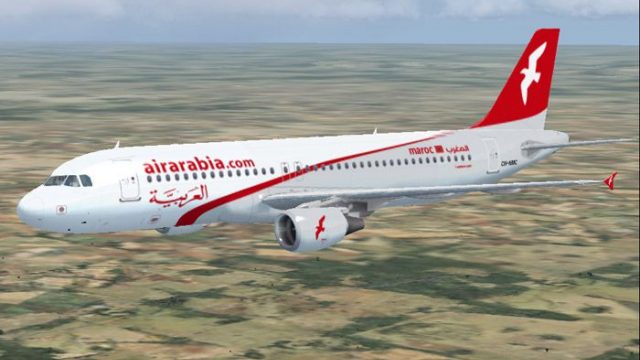
Air Arabia Maroc’s Airbus A320-214 arrives with a carefully matched livery on the standalone Project Airbus model, delivering sharp 32-bit textures, reflective surfaces, wing views, and an animated virtual cockpit. FSX users get XML-driven realism including pressurization logic, ground spoiler behavior, jetwash effects, control-surface droop, and operable passenger and cargo doors.
 Rate
Rate
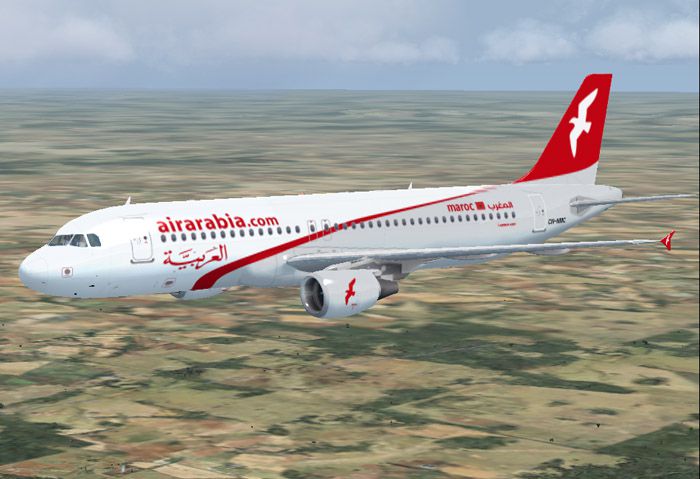
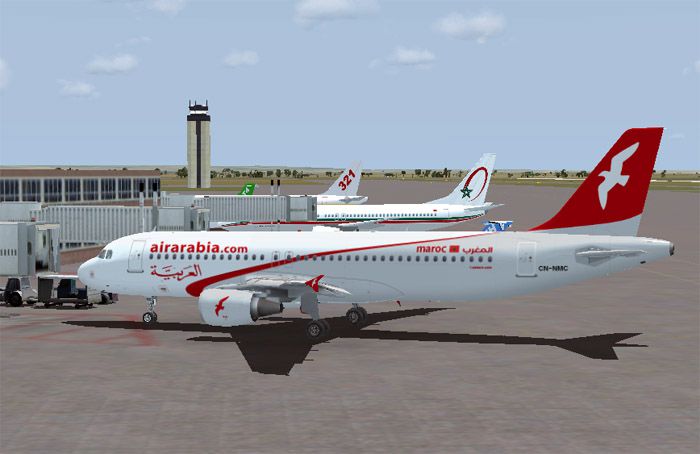
This free add-on package includes a high-fidelity rendition of the Air Arabia Maroc A320-214, painted meticulously by Mohammed Al-Khalifa. It showcases the airline’s distinctive livery on a complete and standalone Project Airbus base model. Air Arabia Maroc, a low-cost carrier based in Morocco, frequently deploys the Airbus A320 for efficient short-to-medium-haul operations. This mod supplies 32-bit liveries and delivers a realistic representation of the actual aircraft, with every texture carefully detailed.
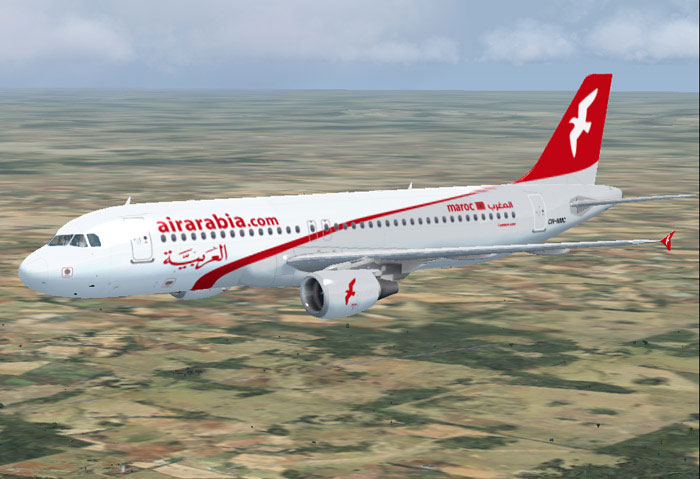
Air Arabia Maroc A320-214 cruising above scenery.
The team behind this model is Project Airbus, a group formed during the pinnacle of flight simulation innovation. In early 2002, two key collaborators—Thomas Ruth and Trevor Slack—brought the concept to life, aiming to reproduce Airbus aircraft with an unrivaled level of detail. Over time, the collective grew as more enthusiasts, such as Nicholas Wu and many others, contributed technical insights and additional painting expertise.
Initially, their A300 achieved substantial success, incorporating groundbreaking features that brought a novel level of authenticity. Project Airbus then turned its focus to the A320, releasing an early version that garnered wide acclaim for its accuracy and innovative features. After a brief intermission, the group revitalized its progress, culminating in the release of an enhanced A320 that continues to impress flight simulation aficionados worldwide.
This particular model was originally tested for Microsoft Flight Simulator 2004 (A Century of Flight). At the time of the group’s initial release, there were no announcements regarding official FSX compatibility. However, many simmers have chosen to fly it in FSX with success. Ensure that you have all relevant service packs and patches installed if you plan to try it under different variants of the simulator.
Beyond these advanced XML-controlled capabilities, additional highlights include opening passenger and cargo entrances, dynamic reflective surfaces, convincing wing views, and meticulously animated landing gear mechanisms.
Core members and contributors, past and present, include:
The group also thanks guest painters who assisted in expanding the texture options, as well as flight professionals—including Capt. Manny Osias, F/O Spike Acenas, and others—for aiding with real-world performance testing.

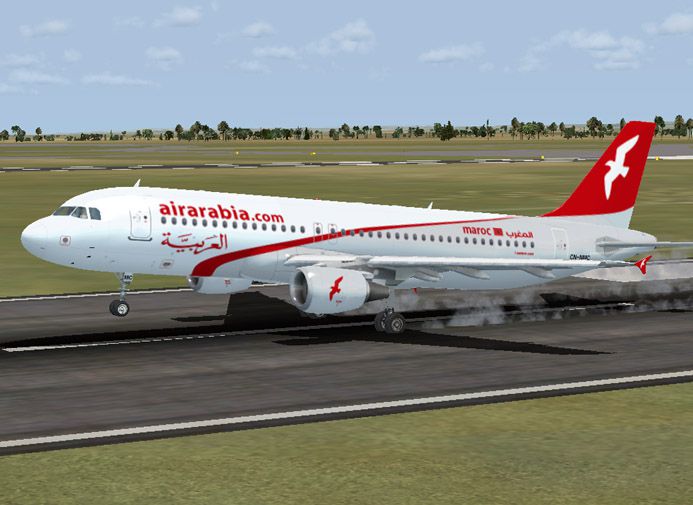
Captivating shot of the Air Arabia Maroc A320-214 exterior paint.
Repaint created by Mohammed Al-Khalifa, courtesy of Project Airbus. This package is freeware and remains a favorite among sim pilots looking to experience Air Arabia Maroc’s operational style on the classic Airbus A320 platform.
Free for all simmers · 8.8 MB · Scanned clean Oct 2026
Download speed: Free tier is capped at 0.5 Mbps (this file takes approximately 2 mins at the cap). PRO members download at full line speed.
SimObjects\Airplanes\, Addon Scenery\, Effects\, or Gauges\.readme.txt or README file. It tells you exactly where files go, what dependencies are needed, and any quirks specific to this add-on.The archive mak322.zip has 51 files and directories contained within it.
This list displays the first 500 files in the package. If the package has more, you will need to download it to view them.
| Filename/Directory | File Date | File Size |
|---|---|---|
| MAK322 | 05.13.10 | 0 B |
| File_id.diz | 05.14.10 | 392 B |
| NMC.jpg | 05.13.10 | 108.55 kB |
| NMC2.jpg | 05.13.10 | 103.14 kB |
| NMC3.jpg | 05.13.10 | 81.68 kB |
| Project Airbus A320 Air Arabia Maroc | 05.13.10 | 0 B |
| Aircraft.cfg | 05.13.10 | 11.32 kB |
| effects | 05.13.10 | 0 B |
| fx_beacon3202pa.fx | 07.24.02 | 3.03 kB |
| fx_beacon320pa.fx | 07.24.02 | 3.01 kB |
| fx_contrail_320.fx | 07.24.02 | 1.17 kB |
| fx_navgre320pa.fx | 07.24.02 | 4.56 kB |
| fx_navred320pa.fx | 07.24.02 | 4.56 kB |
| fx_navwhi320pa.fx | 07.24.02 | 3.03 kB |
| fx_strobe2320pa.fx | 07.24.02 | 2.44 kB |
| fx_strobe320pa.fx | 07.24.02 | 4.80 kB |
| fx_tchdwn320.fx | 07.24.02 | 4.54 kB |
| intelliscene.cfg | 06.24.07 | 142 B |
| model.200_CFM | 05.13.10 | 0 B |
| A320_200_CFM_NoVC.mdl | 05.02.10 | 2.04 MB |
| Model.cfg | 06.05.07 | 36 B |
| pa320-cfm56-2.air | 06.18.07 | 8.76 kB |
| panel | 05.13.10 | 0 B |
| panel.cfg | 06.24.07 | 37 B |
| Readme.pdf | 06.23.07 | 57.34 kB |
| Readme.txt | 06.23.07 | 6.26 kB |
| sound | 05.13.10 | 0 B |
| Sound.cfg | 06.24.07 | 35 B |
| texture.MAK | 05.14.10 | 0 B |
| A320_1_l.bmp | 06.24.07 | 1.00 MB |
| A320_1_t.bmp | 05.12.10 | 5.33 MB |
| A320_2_l.bmp | 06.24.07 | 256.07 kB |
| A320_2_t.bmp | 05.13.10 | 5.33 MB |
| A320_fuse_1_l.bmp | 07.08.07 | 1.00 MB |
| A320_fuse_1_t.bmp | 05.11.10 | 5.33 MB |
| A320_fuse_2_l.bmp | 07.08.07 | 1.00 MB |
| A320_fuse_2_t.bmp | 05.14.10 | 5.33 MB |
| A320_fuse_3_l.bmp | 07.08.07 | 1.00 MB |
| A320_fuse_3_t.bmp | 05.13.10 | 5.33 MB |
| A320_misc_1.bmp | 05.04.10 | 1.33 MB |
| A320_misc_2.bmp | 07.08.07 | 4.00 MB |
| A320_wing_1_l.bmp | 03.31.06 | 1.00 MB |
| A320_wing_1_t.bmp | 05.13.10 | 5.33 MB |
| A320_wing_2_l.bmp | 03.31.06 | 1.00 MB |
| A320_wing_2_t.bmp | 05.13.10 | 5.33 MB |
| thumbnail.jpg | 05.13.10 | 108.55 kB |
| Thumbs.db | 05.14.10 | 80.50 kB |
| readme.txt | 05.14.10 | 721 B |
| Thumbs.db | 05.13.10 | 12.50 kB |
| flyawaysimulation.txt | 10.29.13 | 959 B |
| Go to Fly Away Simulation.url | 01.22.16 | 52 B |
Only PRO members can place votes.
More FSX & P3D add-ons hand-picked based on this download.
FSX Civil Aircraft
This freeware repaint adds a distinctive Royal Air Maroc theme to the default…
 FSX Civil Aircraft
Discover a highly detailed Boeing 787-8 rendition adorned in Royal Air Maroc’…
 FSX Civil Aircraft
Complete package of the Project Open Sky B747-400 version 4 in Royal Air Maro…
 FSX Civil Aircraft
This high-fidelity repaint is intended for simmers looking to incorporate Roy…
 FSX Civil Aircraft
Air Jamaica Airbus A320-214. The Project Airbus A320 in Air Jamaica livery, c…
 FSX Civil Aircraft
Shaheen Air recently added two Airbus A320's to its fleet. Presenting in this…
 FSX Civil Aircraft
Repaint for the payware Aerosoft Airbus X extended edition. By Thouraine Dami…
 FSX Civil Aircraft
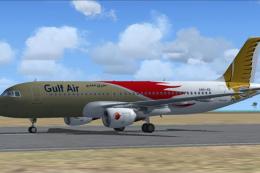
Gulf Air Airbus A320-214. A repaint of Project Airbus A320-200 model in the s…
Read what other simmers think, or add your own.

It is cool to see an Arabian plane but it has no interior which is sad because I wanted to do a full flight from Jordan to Sharjah int that's the most used flight for Air Arabia.