

 FSX Civil Aircraft
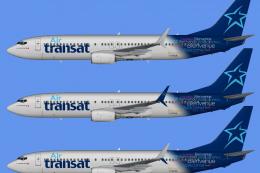
Air Transat Boeing 737-800 Fleet Pack
Includes repaints for all nine of Air Transats B737-800's in the 2015 winter …
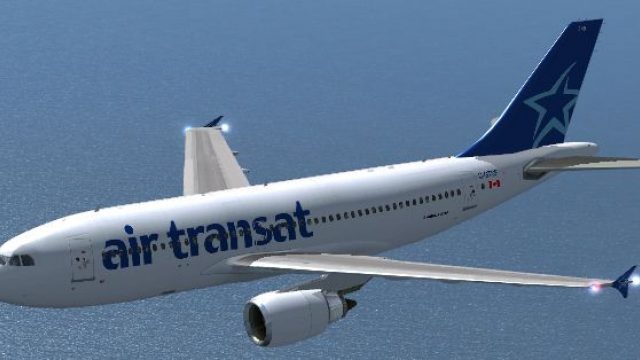
Air Transat’s Airbus A310-300 livery brings registration C-GTSF to life with crisp DXT5 textures tailored for the Thomas Ruth A310-300 model, matching the carrier best known for operating the type. Built for FSX, it requires the Thomas Ruth base pack and slots seamlessly into the fleet for authentic charter-style routes.
 Rate
Rate
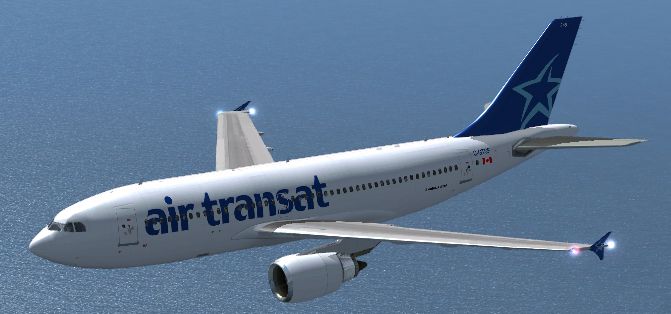
Air Transat Airbus A310-300. The Thomas Ruth A310-300 in Air Transat colors. Thomas Ruth's base pack TOMA310.ZIP is required. Air Transat is the largest passenger operator of the A310 with 13 aircraft. By Ryan Gabuyo.
Air Transat Airbus A310-300.
Thank you for downloading my third repaint release, this time it is the Thomas Ruth A310-300 painted in Air Transat colors, aircraft registration C-GTSF.
-I have a couple Thomas Ruth A340-300 repaints that have been finished for weeks although being Finnair and Air France (old) colors. At this time I may not release the Finnair A343 as I have not been given the copyrights from the original painter (the person who painted the Finnair A330-300 and A340-300 in OneWorld colors), but you just might be able to expect it in the future. The Air France paint was adapted from the included Air France A330-200 paint, originally by Thomas Ruth.
-These textures are formatted in a special DXT5 format, if you have trouble opening these textures, I recommend downloading the DXTBMP DDS Texture manipulator.
YOU MUST HAVE THOMAS RUTH's A310 PACKAGE INSTALLED ON YOUR SYSTEM TO USE THESE TEXTURES.
Background info:
Air Transat is one of nine commerical carriers in the world to operate a fleet consisting of only wide-bodied jets, they are a charter airline that takes passengers to vacation spots, for example to the south to Florida during summer and east to European countries during winter.
Upon the release of Thomas Ruth's A310, I was excited with another high-quality freeware Airbus heavy airliner to add to my collection of his other Airbus heavies as well as the (fsx-upgraded) Airbus A320 series by Project Airbus. Since Air Transat is the largest passenger operator of this jet, with 13 operating (to be replaced by A330s to have an all-A330 fleet), I just had to go paint it out, as it was not included in the original A310 package.
I also noticed upon completion of my first draft that some textures looked missing, I had to extract some from the main "texture.white" folder and rename them to be read (for example the sim tried to read "main_bump.dds" for my repaint but in the texture.white folder the file was named "main_bump_ge.dds")
This repaint wouldn't have been possible without the included blank textures included in the A310 package, and as I am somewhat experienced in repainting the Thomas Ruth Airbuses, it was easy to leap right into. After a few bits of trial and error with alignment (a long fuselage kit I did not find) I got the initial fuselage paint right, including a registration and landing gear door number.
It took a few pictures from airliners.net to realize that the tail was not supposed to be mirrored on the other side, nor did I align the livery correctly on one of the sides. I learned that the alignment of the "air transat" text near the front of the plane varies from aircraft to aircraft, so I advise in the future when using pictures from different angles, make sure they are all the same plane (so in turn I had to look up the registration C-GTSF for the specific plane on airliners.net).
It also took me a while to find where the winglet paint was supposed to go, I had extensively searched the wing and main fuselage textures, but then I found it was part of the "glass" texture, and with a few trials and errors I got these to work fine.
Upon testing of this aircraft on a flight from Montreal-Pierre Elliott Trudeau Airport to Fort Lauderdale-Hollywood Airport I noticed there was a glitch in AI traffic flow causing bottlenecks, so I had actually downloaded an AFACD file from Flightsim just for this flight called "cyul_ka-1.zip". The aircraft had operated as expected, although from past tests I knew it was a tad overpowered, and my plane was relatively light on weight, so I didn't use full power on takeoff.
After around four hours of flying we safely and smoothly landed in Fort Lauderdale, this jet is remarkably easy to fly especially for beginners, although from experience, Thomas Ruth's A330 (and A330s generally in real-life) gives the smoothest landings. Once we parked at the gate and moved the jetway I noticed the contact point's height was not set correctly, and should be moved up a few feet.
Installation:
1. Unzip this file to any directory, or for those who can open ZIP files like any other folder, open this ZIP file and copy the "texture.airtransat" folder into your "Tom_A310-300" folder in your FSX/Simobjects/Airplanes directory.
2. Copy the following information into your "aircraft.cfg" file, replacing the X with the next available number (for example if the last entry was "[fltsim.3]" you would change the x to "[fltsim.4]"
[fltsim.x]

title=Air Transat A310

sim=TomA310

model=GE

panel=310GE

sound=GE

texture=airtransat

kb_checklists=

kb_reference=

atc_parking_types=GATE

atc_parking_codes=TSC

atc_id=C-GTSF

atc_airline=Air Transat

atc_flight_number=961

atc_heavy=1

ui_manufacturer=Airbus

ui_typerole=Commercial Airliner

ui_createdby=Thomas Ruth

ui_type=A310-300

ui_variation=Air Transat
3. That's all you need to do, enjoy flying the stubbiest of the Airbus heavies!
Trivia: Air Transat 961 was a flight from Cuba to Quebec City, mid-flight, the rudder had separated due to a stress fracture, and the plane landed safely back at Varadero airport. The aircraft had previously flown for Emirates, the registration was "C-GPAT" and still flies with Air Transat today. This incident provided insight on rudder problems and Air Transat had again looked over its maintenance procedures, as the rudder was faulty for several days before the accident. Air Transat had previously had an incident on maintenance issues and incorrect parts after Flight 236 had had a fuel leak in the middle of the Atlantic ocean, before landing safely on the Azores islands of Portugal. The incident became related to an American Airlines incident some four years earlier with an A300 with rudder sensitivity problems.
Free for all simmers · 1.59 MB · Scanned clean Oct 2026
Download speed: Free tier is capped at 0.5 Mbps. PRO members download at full line speed.
This file is a repaint — the package below is the base model it paints onto. Install it first, or the textures will have nothing to load onto.
texture.{airline}) inside FSX\SimObjects\Airplanes\{base-aircraft}\.aircraft.cfg in Notepad. Add a new [fltsim.X] section per the readme.readme.txt or README file. It tells you exactly where files go, what dependencies are needed, and any quirks specific to this add-on.The archive a313at.zip has 16 files and directories contained within it.
This list displays the first 500 files in the package. If the package has more, you will need to download it to view them.
| Filename/Directory | File Date | File Size |
|---|---|---|
| A313AT | 06.12.10 | 0 B |
| readme.txt | 06.13.10 | 6.60 kB |
| texture.airtransat | 06.12.10 | 0 B |
| glass.dds | 06.11.10 | 64.12 kB |
| glass_spec.dds | 05.16.10 | 4.12 kB |
| main.dds | 06.12.10 | 4.00 MB |
| main_bump.dds | 05.16.10 | 4.00 MB |
| main_light.dds | 05.16.10 | 1.00 MB |
| main_spec.dds | 05.16.10 | 256.12 kB |
| texture.cfg | 05.16.10 | 143 B |
| thumbnail.jpg | 06.12.10 | 170.11 kB |
| wing_l.dds | 06.12.10 | 1.00 MB |
| wing_r.dds | 06.11.10 | 1.00 MB |
| thumbnail.jpg | 06.12.10 | 170.11 kB |
| flyawaysimulation.txt | 10.29.13 | 959 B |
| Go to Fly Away Simulation.url | 01.22.16 | 52 B |
Only PRO members can place votes.
More FSX & P3D add-ons hand-picked based on this download.
FSX Civil Aircraft
Includes repaints for all nine of Air Transats B737-800's in the 2015 winter …
 FSX Civil Aircraft
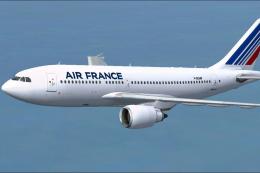
Air France Airbus A310-300. Repaint of Thomas Ruth's Airbus A310-300 Textures…
 FSX Civil Aircraft
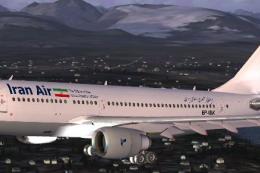
Model by Thomas Ruth. Repaint by Ali Heravi. Screenshot of Iran Air Airbus A3…
 FSX Civil Aircraft
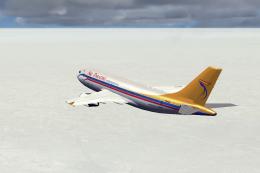
Air Paradise Airbus A310-300, registration PK-KDN. Repaint of the Thomas Ruth…
 FSX Civil Aircraft
Registration EP-IBK. Model by Thomas Ruth. Repaint by Ali Heravi. Screenshot …
 FSX Civil Aircraft
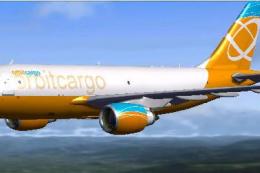
Orbit Cargo Airbus A310-300 based on the MS Orbit airlines colors. This is a …
 FSX Civil Aircraft
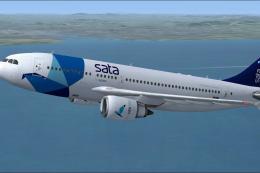
This freeware add-on for Microsoft Flight Simulator X offers a detailed repai…
 FSX Civil Aircraft
Tarom Airbus A310-300. This repaint is for the Thomas Ruth A310-300 model (TO…
Read what other simmers think, or add your own.
