

 FSX Civil Aircraft
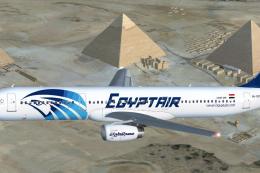
EgyptAir Airbus A321-231 Star Alliance
EgyptAir Airbus A321-231. EgyptAir is the flag carrier airline of Egypt and a…
TAM’s Airbus A320 in Star Alliance colors brings Project Airbus modeling to life with crisp textures, opening passenger and cargo doors, wing views, realistic gear and flight-surface animations, and custom lighting effects. Built for Microsoft Flight Simulator X, it also includes XML-driven details like ground spoilers, pressurization behavior, and dynamic jetwash.
 Rate
Rate
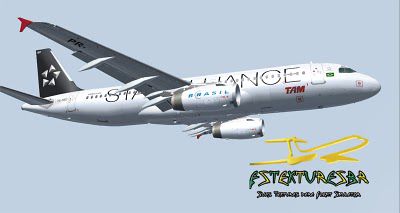
This freeware package offers a meticulously rendered TAM Airbus A320 in a Star Alliance scheme, created by the dedicated Project Airbus contributors—individuals who have refined the airframe, avionics, and textures to enhance your virtual flight deck encounters. This release brings the developer’s collective expertise together into a complete model that can be enjoyed directly in Microsoft Flight Simulator without additional downloads or payware elements. Although it was originally outlined for older simulator platforms, many enthusiasts continue to adapt or test it in later simulators.
The aircraft represented here carries TAM’s Star Alliance livery—an emblem once displayed by Brazil’s renowned airline before its transition to a different alliance structure. TAM (previously known as a major domestic and international carrier) has utilized Airbus A320 variants extensively in its fleet, and this repaint reflects a specific phase of brand cooperation.
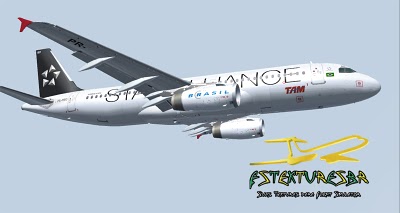
TAM Airbus A320.
Project Airbus was established during a crucial period in flight simulation’s progression toward sophisticated fidelity. Its foundations trace back to early 2002, when Thomas Ruth’s A300 project garnered close attention from Trevor Slack. Their collaboration quickly evolved into a formal venture, with inputs from Nicholas Wu and others, culminating in a groundbreaking A300 release. The team then embarked on another major milestone—the A320—which saw high acclaim for its advanced modeling and immersive attributes, paving the way for this refined variant.
Despite a challenging interval in 2003 and 2004, Project Airbus reorganized with a surge of renewed talent. Over time, this resulted in an updated A320, exemplifying the group’s focus on delivering true-to-life detail. Names like Andy Warden (responsible for external design), Thomas Ruth (handling vital cockpit design, XML logic, and textures), and multiple feedback providers shaped the final work. This Star Alliance-liveried TAM repaint by Lucas Nonato stands as another testament to the project’s vision.
The Project Airbus team placed extensive effort on replicating every important system and surface. You will discover various XML-based features that bring the simulation one step closer to reality:
Additionally, you will notice these enhanced elements:
Project Airbus has integrated a simple door-management system:
To integrate this freeware mod into your simulator, extract the ZIP contents directly to your “Flight Simulator 9/Aircraft” directory. Next, locate any files within the included “Effects” folder and move them into your root “Flight Simulator 9/Effects” folder. This structure ensures that essential lighting and visual components function as intended.
The original testing phase confirmed compatibility with Microsoft Flight Simulator – A Century of Flight. There is no official support for Microsoft Flight Simulator X, though members of the community have tried various approaches to adapt it. Queries or additional insights can be found on developer forums, where user feedback helps shape ongoing enhancements.
Every detail in this package results from the combined efforts of numerous creators and testers. Specifically, Andy Warden led external modeling, Thomas Ruth steered cockpit structures and XML logic, Peter Binamira managed flight characteristics and audio, while Demetris Themistocleous, Alessandro Savarese, John Tavendale, Derek Mayer, and others contributed base textures and liveries.
Matthew Murray played a pivotal role in corporate design, Gianmarco Bettiol provided imagery and feedback, and additional support from Nick Wu, Trevor Slack, Alexander Kvitta, and David Bromwich ensured quality improvements. Guest painters such as Ben Jones, Dickson Chan, and Jaco du Preez offered further leaps in visual fidelity. Flight dynamics refinements owe thanks to Capt. Manny Osias, F/O Spike Acenas, Mark Bolatete, and Kester Masias.
Through these collaborative efforts, the TAM Airbus A320 in Star Alliance paint is ready for your next departure, delivering a detailed rendition of a storied jetliner once flown under Brazil’s premier airline banner. By installing this freeware aircraft, you can immerse yourself in Project Airbus’s approach to realism, discover how each system cohesively links together, and appreciate the dedication of all who contributed to this mod.
Free for all simmers · 13.45 MB · Scanned clean Oct 2026
Download speed: Free tier is capped at 0.5 Mbps (this file takes approximately 4 mins at the cap). PRO members download at full line speed.
FSX\SimObjects\Airplanes\. The folder must contain an aircraft.cfg file. Effects go into FSX\Effects\; gauges go into FSX\Gauges\.readme.txt or README file. It tells you exactly where files go, what dependencies are needed, and any quirks specific to this add-on.The archive a320tamstar.zip has 98 files and directories contained within it.
This list displays the first 500 files in the package. If the package has more, you will need to download it to view them.
| Filename/Directory | File Date | File Size |
|---|---|---|
| PA_A320_Tam_Star_Alliance_PRMBO | 05.16.10 | 0 B |
| Aircraft.cfg | 05.16.10 | 11.30 kB |
| effects.zip | 06.21.07 | 6.25 kB |
| model.200_IAE | 04.23.10 | 0 B |
| A320_200_IAE_NoVC.mdl | 06.23.07 | 3.19 MB |
| Model.cfg | 06.05.07 | 36 B |
| pa320-v2527.air | 06.13.07 | 8.80 kB |
| panel | 04.23.10 | 0 B |
| panel.cfg | 06.18.07 | 34 B |
| Readme.pdf | 06.22.07 | 57.34 kB |
| Readme.txt | 06.22.07 | 6.26 kB |
| readme1.txt | 05.16.10 | 273 B |
| sound | 04.23.10 | 0 B |
| baapdis.wav | 04.17.01 | 13.69 kB |
| baglide.wav | 04.17.01 | 7.19 kB |
| ban11.wav | 04.17.01 | 55.23 kB |
| ban12.wav | 04.17.01 | 72.23 kB |
| ban13.wav | 04.17.01 | 63.23 kB |
| ban14.wav | 04.17.01 | 66.19 kB |
| ban1shut.wav | 04.17.01 | 206.75 kB |
| ban1strt.wav | 08.21.01 | 389.31 kB |
| ban21.wav | 04.17.01 | 54.19 kB |
| ban22.wav | 04.17.01 | 56.69 kB |
| ban23.wav | 04.17.01 | 67.19 kB |
| ban24.wav | 04.17.01 | 56.69 kB |
| ban2shut.wav | 04.17.01 | 259.75 kB |
| ban2strt.wav | 04.17.01 | 62.25 kB |
| ban2t.wav | 04.17.01 | 114.81 kB |
| baover.wav | 02.20.03 | 22.23 kB |
| bbn11.wav | 04.17.01 | 47.23 kB |
| bbn12.wav | 04.17.01 | 53.73 kB |
| bbn13.wav | 04.17.01 | 45.23 kB |
| bbn14.wav | 04.17.01 | 59.69 kB |
| bbn1shut.wav | 04.17.01 | 212.25 kB |
| bbn1strt.wav | 08.21.01 | 342.81 kB |
| bbn21.wav | 04.17.01 | 62.19 kB |
| bbn22.wav | 04.17.01 | 70.19 kB |
| bbn23.wav | 04.17.01 | 63.19 kB |
| bbn24.wav | 04.17.01 | 69.69 kB |
| bbn2shut.wav | 04.17.01 | 254.25 kB |
| bbn2strt.wav | 04.17.01 | 50.25 kB |
| bbn2t.wav | 04.17.01 | 119.31 kB |
| bmflaps.wav | 04.17.01 | 73.81 kB |
| bmgeardn.wav | 04.17.01 | 119.19 kB |
| bmgearup.wav | 04.17.01 | 122.19 kB |
| bmgwarn.wav | 04.17.01 | 14.73 kB |
| door_large_close.wav | 04.09.03 | 131.81 kB |
| door_large_open.wav | 04.09.03 | 116.30 kB |
| sound.cfg | 04.09.03 | 12.64 kB |
| xban11.wav | 04.17.01 | 52.23 kB |
| xban12.wav | 04.17.01 | 72.23 kB |
| xban13.wav | 04.17.01 | 50.73 kB |
| xban14.wav | 04.17.01 | 63.69 kB |
| xban1shut.wav | 04.17.01 | 212.25 kB |
| xban1strt.wav | 08.21.01 | 496.81 kB |
| xban21.wav | 04.17.01 | 54.19 kB |
| xban22.wav | 04.17.01 | 46.69 kB |
| xban23.wav | 04.17.01 | 47.19 kB |
| xban24.wav | 04.17.01 | 49.69 kB |
| xban2shut.wav | 04.17.01 | 227.75 kB |
| xban2strt.wav | 04.17.01 | 60.75 kB |
| xban2t.wav | 04.17.01 | 108.81 kB |
| xbbn11.wav | 04.17.01 | 46.73 kB |
| xbbn12.wav | 04.17.01 | 72.73 kB |
| xbbn13.wav | 04.17.01 | 50.73 kB |
| xbbn14.wav | 04.17.01 | 67.69 kB |
| xbbn1shut.wav | 04.17.01 | 220.25 kB |
| xbbn1strt.wav | 08.21.01 | 460.81 kB |
| xbbn21.wav | 04.17.01 | 51.19 kB |
| xbbn22.wav | 04.17.01 | 47.19 kB |
| xbbn23.wav | 04.17.01 | 70.19 kB |
| xbbn24.wav | 04.17.01 | 67.69 kB |
| xbbn2shut.wav | 04.17.01 | 217.75 kB |
| xbbn2strt.wav | 04.17.01 | 58.25 kB |
| xbbn2t.wav | 04.17.01 | 119.31 kB |
| texture.Tam_Star_Alliance | 05.16.10 | 0 B |
| A320_1_IAE_l.bmp | 06.10.07 | 1.00 MB |
| A320_1_IAE_t.bmp | 05.15.10 | 4.00 MB |
| A320_2_IAE_l.bmp | 06.24.07 | 256.07 kB |
| A320_2_IAE_t.bmp | 05.15.10 | 4.00 MB |
| A320_fuse_1_l.bmp | 06.24.07 | 1.00 MB |
| A320_fuse_1_t.bmp | 05.15.10 | 4.00 MB |
| A320_fuse_2_l.bmp | 06.24.07 | 1.00 MB |
| A320_fuse_2_t.bmp | 05.15.10 | 4.00 MB |
| A320_fuse_3_l.bmp | 06.24.07 | 1.00 MB |
| A320_fuse_3_t.bmp | 05.15.10 | 4.00 MB |
| A320_misc_1.bmp | 07.16.07 | 1.00 MB |
| A320_misc_2.bmp | 06.09.07 | 4.00 MB |
| A320_wing_1_l.bmp | 06.24.07 | 256.07 kB |
| A320_wing_1_t.bmp | 05.15.10 | 4.00 MB |
| A320_wing_2_l.bmp | 06.24.07 | 256.07 kB |
| A320_wing_2_t.bmp | 05.15.10 | 4.00 MB |
| Thumbs.db | 05.15.10 | 43.00 kB |
| thumbnail.jpg | 06.11.10 | 16.19 kB |
| effects | 04.23.10 | 0 B |
| thumbnail.jpg | 06.11.10 | 16.19 kB |
| flyawaysimulation.txt | 10.29.13 | 959 B |
| Go to Fly Away Simulation.url | 01.22.16 | 52 B |
Only PRO members can place votes.
More FSX & P3D add-ons hand-picked based on this download.
FSX Civil Aircraft
EgyptAir Airbus A321-231. EgyptAir is the flag carrier airline of Egypt and a…
 FSX Civil Aircraft
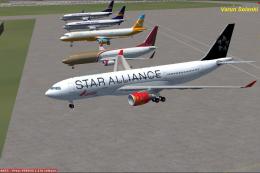
A TACA Airbus A330-243 RR in Star Alliance livery, registration N279AV. Textu…
 FSX Civil Aircraft
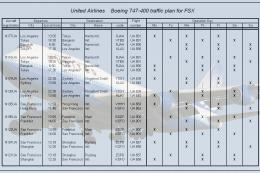
An Air India Airbus A330-200 with Pratt and Whitney engines in Star Alliance …
 FSX Civil Aircraft
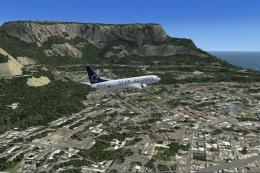
United Airlines Boeing 747-400. Repaints and traffic for the default B747-400…
 FSX Civil Aircraft
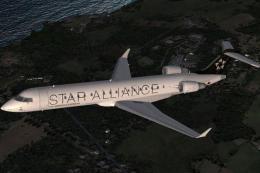
SAA (Star Alliance) Boeing 737-800. This is a repaint of the default B737-800…
 FSX Civil Aircraft
This freeware package provides a specialized Star Alliance repaint for the de…
 FSX Civil Aircraft
Star Alliance Boeing 767-300. Star Alliance Austrian Airlines, Lufthansa, Air…
 FSX Civil Aircraft
This repaint showcases the Star Alliance rendition of a LOT Polish Airlines E…
Be the first to leave a comment on this download.
Be the first to share your thoughts on this download.