

 FSX Civil Aircraft
Air France CRJ200
This freeware repaint offers the Air France livery for the Project Open Sky C…
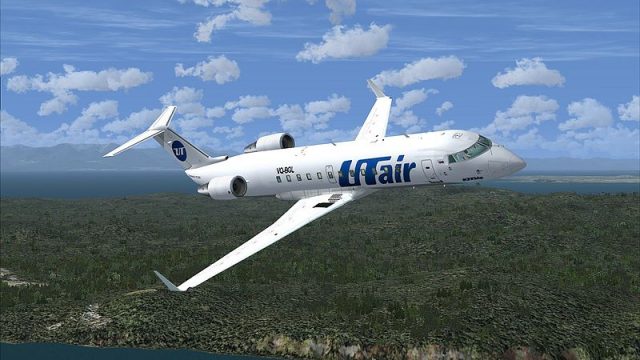
UTair’s distinctive color scheme comes to the Project Open Sky CRJ-200 with a clean, accurate exterior repaint that suits regional operations. Optimized 32-bit, no-mip textures keep markings crisp while staying lightweight for FSX, and the package requires the Project Open Sky CRJ-200 base model to display correctly.
 Rate
Rate
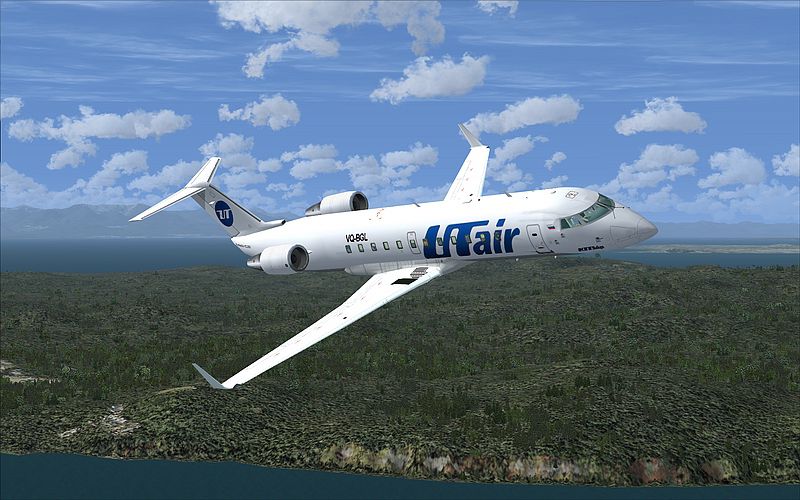
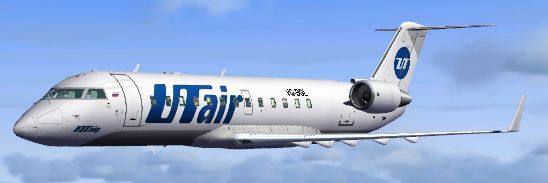
This add-on provides a comprehensive UTair repaint designed for the freeware Project Open Sky CRJ-200. Tailored for discerning enthusiasts, it includes 32-bit textures without Mip-Maps, delivering a balanced mix of detail and performance in FSX. Created by developer Sebastian Szucs, this package replicates the real-world UTair color scheme on Bombardier’s regional twin-engine jet. Users must separately obtain the base CRJ-200 model from Project Open Sky for correct functionality.
UTair is recognized for operating an array of short-to-medium range aircraft, and the CRJ-200 remains a popular regional choice for efficient service throughout various routes. Its compact design, paired with capable turbofan engines, enables smooth handling in FSX. By integrating the textures included here, sim pilots can visually emulate UTair’s distinct brand markings.
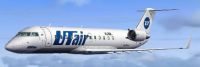
UT Air CRJ200 in flight.
Note that while the paint kit has been refined, certain artifacts might persist because it was originally created for older simulators. Despite these constraints, the finished livery remains visually representative and enhances immersion for dedicated virtual pilots.
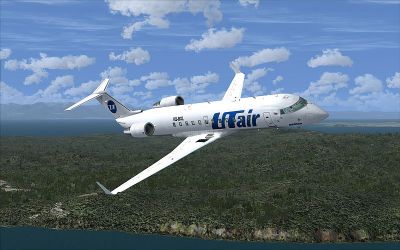
UT Air CRJ200 in flight.
This repaint is freeware. It does not contain the base aircraft, so you will need to have the Project Open Sky CRJ-200 available before installing these textures. Developed by Sebastian Szucs, it is intended to provide a reliable and visually appealing UTair experience for all regional jet operations within FSX.
Free for all simmers · 2.86 MB · Scanned clean Oct 2026
Download speed: Free tier is capped at 0.5 Mbps. PRO members download at full line speed.
texture.{airline}) inside FSX\SimObjects\Airplanes\{base-aircraft}\.aircraft.cfg in Notepad. Add a new [fltsim.X] section per the readme.readme.txt or README file. It tells you exactly where files go, what dependencies are needed, and any quirks specific to this add-on.The archive posky_crj200_utair.zip has 48 files and directories contained within it.
This list displays the first 500 files in the package. If the package has more, you will need to download it to view them.
| Filename/Directory | File Date | File Size |
|---|---|---|
| 800_0003.jpg | 03.20.11 | 312.20 kB |
| aircraft.cfg | 03.20.11 | 639 B |
| FILE_ID.diz | 03.20.11 | 94 B |
| README!.txt | 03.20.11 | 699 B |
| texture.utair | 03.20.11 | 0 B |
| panel1_l.bmp | 08.09.02 | 5.40 kB |
| panel2_l.bmp | 08.09.02 | 5.40 kB |
| panel3_l.bmp | 08.09.02 | 5.40 kB |
| panel4_l.bmp | 08.09.02 | 5.40 kB |
| posky_crj2_cabin.bmp | 05.13.02 | 257.05 kB |
| posky_crj2_cabin_l.bmp | 08.16.02 | 64.07 kB |
| posky_crj2_cabin2.bmp | 07.07.02 | 256.07 kB |
| posky_crj2_cabin2_l.bmp | 08.16.02 | 256.07 kB |
| posky_crj2_cabin2_t.bmp | 07.21.02 | 1.00 MB |
| posky_crj2_ckpt.bmp | 07.07.02 | 256.07 kB |
| posky_crj2_ckpt_l.bmp | 08.16.02 | 256.07 kB |
| posky_crj2_ckpt_t.bmp | 08.25.02 | 1.00 MB |
| posky_crj2_fan_t.bmp | 05.13.02 | 65.05 kB |
| posky_crj2_fanspin_t.bmp | 05.18.02 | 65.05 kB |
| posky_crj2_fr1_l.bmp | 07.21.02 | 1.00 MB |
| posky_crj2_fr1_t.bmp | 02.24.11 | 1.00 MB |
| posky_crj2_fr2_l.bmp | 07.21.02 | 1.00 MB |
| posky_crj2_fr2_t.bmp | 02.24.11 | 1.00 MB |
| posky_crj2_nlt_l.bmp | 08.31.02 | 410 B |
| posky_crj2_nlt_t.bmp | 08.31.02 | 410 B |
| posky_crj2_stab_l.bmp | 07.21.02 | 1.00 MB |
| posky_crj2_stab_t.bmp | 02.24.11 | 1.00 MB |
| posky_crj2_visor.bmp | 07.19.02 | 256.07 kB |
| posky_crj200_panel.bmp | 07.07.02 | 1.00 MB |
| posky_crj200_panel_l.bmp | 08.25.02 | 4.00 MB |
| posky_crj200_panel_t.bmp | 08.25.02 | 4.00 MB |
| posky_crj2bdy_l.bmp | 07.21.02 | 4.00 MB |
| posky_crj2bdy_t.bmp | 02.24.11 | 4.00 MB |
| posky_crj2eng_l.bmp | 07.21.02 | 1.00 MB |
| posky_crj2eng_t.bmp | 02.24.11 | 1.00 MB |
| posky_crj2wingL_l.bmp | 07.21.02 | 1.00 MB |
| posky_crj2wingL_t.bmp | 09.15.02 | 1.00 MB |
| posky_crj2wingR_l.bmp | 07.21.02 | 1.00 MB |
| posky_crj2wingR_t.bmp | 09.07.02 | 1.00 MB |
| posky747_P_uniform_l.bmp | 07.11.02 | 64.07 kB |
| posky747_P_uniform_t.bmp | 05.13.02 | 17.05 kB |
| thumbnail.JPG | 02.24.11 | 21.78 kB |
| your_face1_l.bmp | 07.21.02 | 64.07 kB |
| your_face1_t.bmp | 07.21.02 | 64.07 kB |
| your_face2_l.bmp | 07.21.02 | 64.07 kB |
| your_face2_t.bmp | 07.21.02 | 64.07 kB |
| flyawaysimulation.txt | 10.29.13 | 959 B |
| Go to Fly Away Simulation.url | 01.22.16 | 52 B |
Only PRO members can place votes.
More FSX & P3D add-ons hand-picked based on this download.
FSX Civil Aircraft
This freeware repaint offers the Air France livery for the Project Open Sky C…
 FSX Civil Aircraft
This freeware repaint features Air Uganda’s livery for the popular CRJ200 (or…
 FSX Civil Aircraft
This package offers a freeware repaint of the CRJ-200 in Air Volga's distinct…
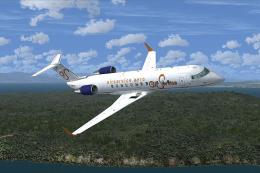 FSX Civil Aircraft
This repaint package provides a detailed Air Service Gabon livery for the fre…
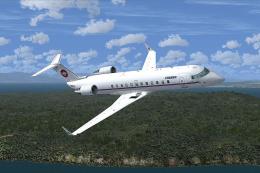 FSX Civil Aircraft
This comprehensive repaint showcases a distinctive livery for a regional jet,…
 FSX Civil Aircraft
Tropicair CRJ200 (fictional). Model by Project Open Sky. Tropicair CRJ200 in …
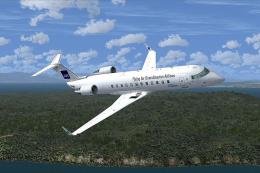 FSX Civil Aircraft
This comprehensive freeware repaint features the Scandinavian Airlines (SAS) …
 FSX Civil Aircraft
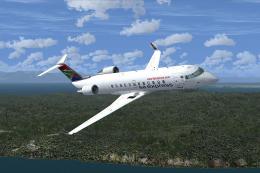
This repaint package offers a detailed SA Express Bombardier CRJ200 rendition…
Be the first to leave a comment on this download.
Be the first to share your thoughts on this download.