

 FSX Civil Aircraft
SAS Scandinavian Airlines Boeing 737-683
Complete package for FSX only of the Project Open Sky B737-600 model in SAS S…
Scandinavian Airlines’ Airbus A321-231, registered OY-KBE, brings a crisp SAS livery and a polished narrow-body experience to Microsoft Flight Simulator X. Built on the complete Project Airbus base model, it features IAE engine visuals, smooth reflections, an accessible virtual cockpit with dependable autopilot control, and fully animated flaps, slats, spoilers, and doors.
 Rate
Rate
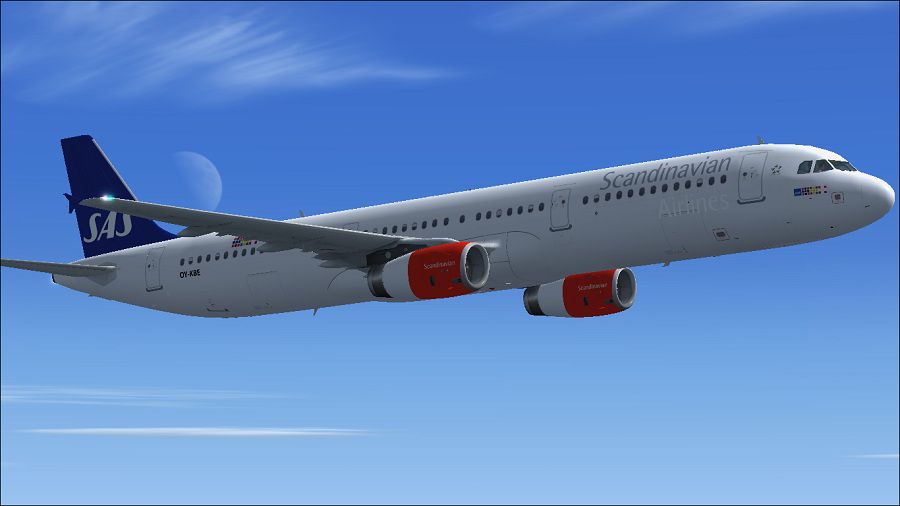

This freeware release brings a detailed Scandinavian Airlines (SAS) Airbus A321-231 into Microsoft Flight Simulator X with precise livery depiction, immersive visuals, and the complete Project Airbus base model. The package carries the registration OY-KBE (CN 1798) and features integrated IAE engine representations, offering a cohesive experience for those wanting to fly an SAS-branded aircraft across European routes.
The Airbus A321-231 in this package adopts the Project Airbus external model, capturing the airframe’s geometry with smooth texturing and enhanced reflections. Even though the real-world SAS aircraft is often an A321-232, the included IAE powerplants accurately represent the thrust and performance needed for medium-haul services. Within the virtual cockpit, sim pilots can expect finely tuned instrumentation and straightforward autopilot management. The fuselage textures have been carefully repainted by Paul Craig to replicate the Scandinavian Airlines color scheme, including precise logo placement on the vertical stabilizer and correct fuselage markings.

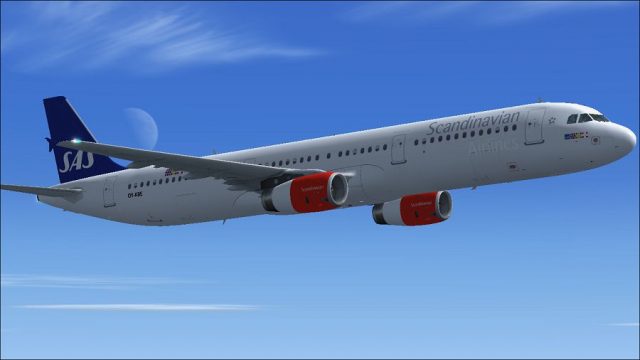
Scandinavian Airlines SAS Airbus A321-231 in flight.
SAS, a major flag carrier across Northern Europe, operates Airbus narrow-body jets for both domestic and international services. The airline is known for its distinct livery, typically incorporating a clean visual design with hints of Scandinavian heritage. In practice, the A321 is a backbone of their medium-range fleet, connecting various European capitals with efficient performance and comfortable cabin layouts.
Project Airbus has incorporated multiple operational surfaces, including:
These animations, combined with a subtle texturing approach by Paul Craig, help bring the aircraft to life, especially during ground operations and approach sequences.
To integrate this A321-231 freeware into your Microsoft Flight Simulator X setup, follow these instructions carefully:
Keep in mind that the official Project Airbus readme includes extra details on flight performance and operational checklists, ensuring you can take full advantage of this updated model in every phase of flight.

Scandinavian Airlines SAS Airbus A321-231 in flight.
Paul Craig
Free for all simmers · 7.08 MB · Scanned clean Oct 2026
Download speed: Free tier is capped at 0.5 Mbps (this file takes approximately 2 mins at the cap). PRO members download at full line speed.
FSX\SimObjects\Airplanes\. The folder must contain an aircraft.cfg file. Effects go into FSX\Effects\; gauges go into FSX\Gauges\.readme.txt or README file. It tells you exactly where files go, what dependencies are needed, and any quirks specific to this add-on.The archive saspa321-231fsx.zip has 38 files and directories contained within it.
This list displays the first 500 files in the package. If the package has more, you will need to download it to view them.
| Filename/Directory | File Date | File Size |
|---|---|---|
| FILE_ID.DIZ | 05.31.11 | 203 B |
| Installation Readme.txt | 05.31.11 | 992 B |
| Project Airbus A321-231 | 05.31.11 | 0 B |
| aircraft.cfg | 05.31.11 | 14.67 kB |
| model | 05.31.11 | 0 B |
| A321_200_IAE_WV.mdl | 02.03.11 | 1.90 MB |
| model.cfg | 12.20.10 | 65 B |
| pa321-v2533.air | 06.13.07 | 8.80 kB |
| panel | 05.31.11 | 0 B |
| panel.cfg | 12.20.10 | 33 B |
| sound | 05.31.11 | 0 B |
| sound.cfg | 12.20.10 | 33 B |
| texture.SAS | 05.31.11 | 0 B |
| A321_1_IAE_l.bmp | 06.29.10 | 1.07 kB |
| A321_1_IAE_t.bmp | 05.31.11 | 4.00 MB |
| A321_2_IAE_l.bmp | 06.29.10 | 1.07 kB |
| A321_2_IAE_t.bmp | 05.31.11 | 4.00 MB |
| A321_fuse_1_l.bmp | 05.27.11 | 4.00 MB |
| A321_fuse_1_t.bmp | 05.31.11 | 4.00 MB |
| A321_fuse_2_l.bmp | 05.27.11 | 4.00 MB |
| A321_fuse_2_t.bmp | 05.27.11 | 4.00 MB |
| A321_fuse_3_l.bmp | 05.27.11 | 4.00 MB |
| A321_fuse_3_t.bmp | 05.31.11 | 4.00 MB |
| A321_fuse_4_l.bmp | 05.27.11 | 2.00 MB |
| A321_fuse_4_t.bmp | 05.31.11 | 2.00 MB |
| A321_misc_1.bmp | 05.27.11 | 1.00 MB |
| A321_misc_2.bmp | 04.13.11 | 4.00 MB |
| A321_wing_1_l.bmp | 06.29.10 | 1.07 kB |
| A321_wing_1_t.bmp | 05.31.11 | 4.00 MB |
| A321_wing_2_l.bmp | 06.29.10 | 1.07 kB |
| A321_wing_2_t.bmp | 05.31.11 | 4.00 MB |
| thumbnail.jpg | 05.31.11 | 12.02 kB |
| Project Airbus readme.txt | 04.13.11 | 2.45 kB |
| SAS Airbus A321-231 Picture (1).jpg | 05.31.11 | 72.68 kB |
| SAS Airbus A321-231 Picture.jpg | 05.31.11 | 71.17 kB |
| thumbnail.jpg | 05.31.11 | 12.02 kB |
| flyawaysimulation.txt | 10.29.13 | 959 B |
| Go to Fly Away Simulation.url | 01.22.16 | 52 B |
Only PRO members can place votes.
More FSX & P3D add-ons hand-picked based on this download.
FSX Civil Aircraft
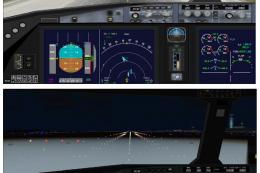
Complete package for FSX only of the Project Open Sky B737-600 model in SAS S…
 FSX Civil Aircraft
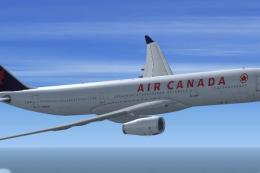
The latest CamSim release of the SAS Scandinavian Airbus A350-900, created by…
 FSX Civil Aircraft
Designed to be a competitor to the Boeing 777-200, Airbus Industries has out …
 FSX Civil Aircraft
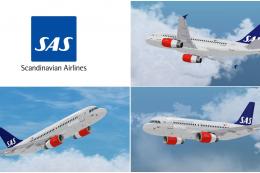
Blackbox Simulation Airbus X'treme (Prologue) A319 IAE in Scandinavian Airlin…
 FSX Civil Aircraft
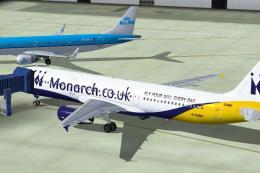
Repaint of the Project Airbus A321 IAE powered aircraft in Monarch Airlines n…
 FSX Civil Aircraft
Shanghai Airlines Airbus A321-231. The Project Airbus Airbus A321-231 as Shan…
 FSX Civil Aircraft
A repaint of the default A 321 in SAS colours, by G. Carlbaum.
 FSX Civil Aircraft
A repaint of the stock A321 in Scandinavian Airlines colors. By G. Carlbaum. …
Read what other simmers think, or add your own.
