

 FSX Civil Aircraft
Mexicana de Aviacion Boeing 737-800
This freeware repaint features a fictional Mexicana de Aviación Boeing 737-80…
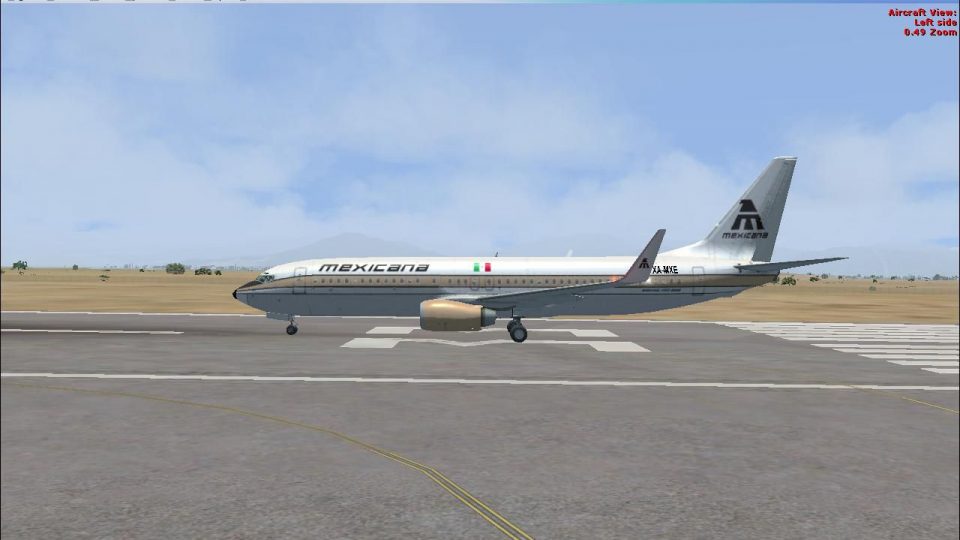
Mexicana de Aviacion’s retro “Golden Aztec” livery brings a 1970s-inspired look to the Boeing 737-800, blending classic heritage colors with modern lines for a distinctive fictional tribute. Built for Microsoft Flight Simulator X, it requires the default Boeing B737_800 model or a compatible freeware equivalent and includes textures only.
 Rate
Rate
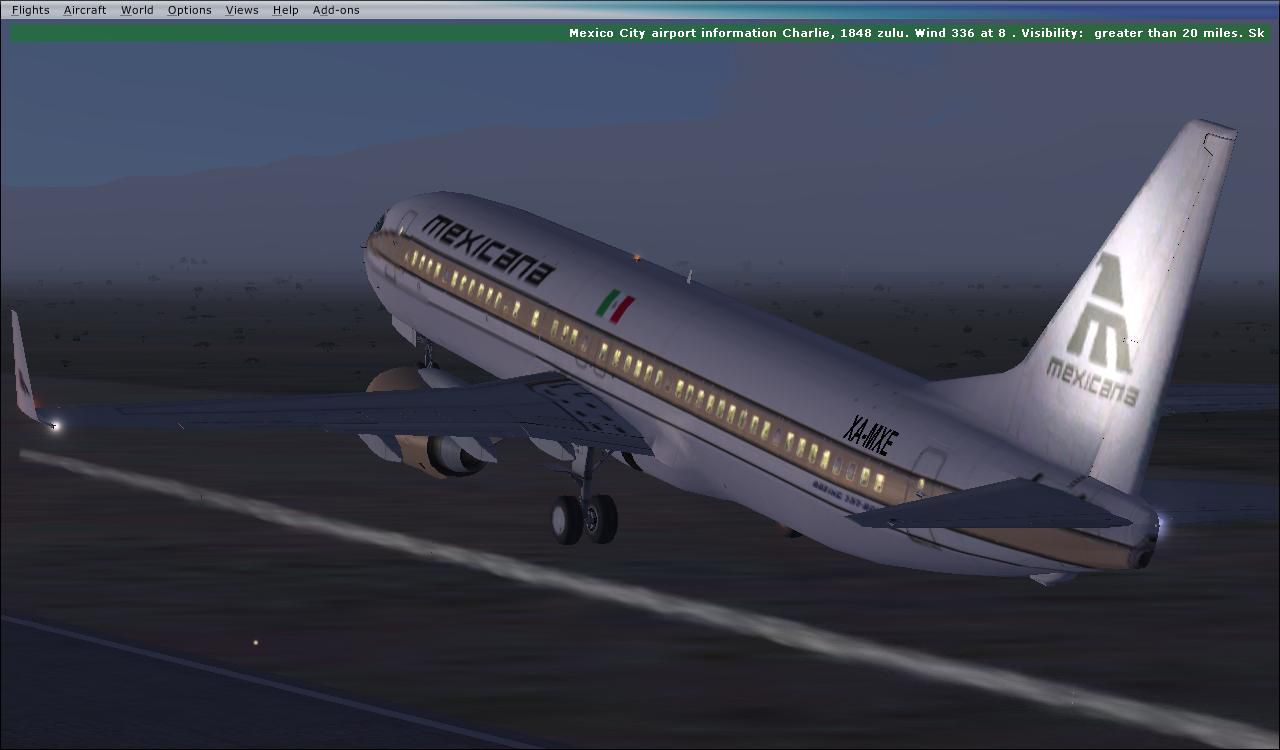
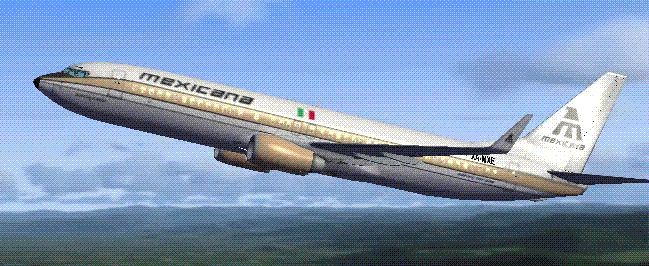
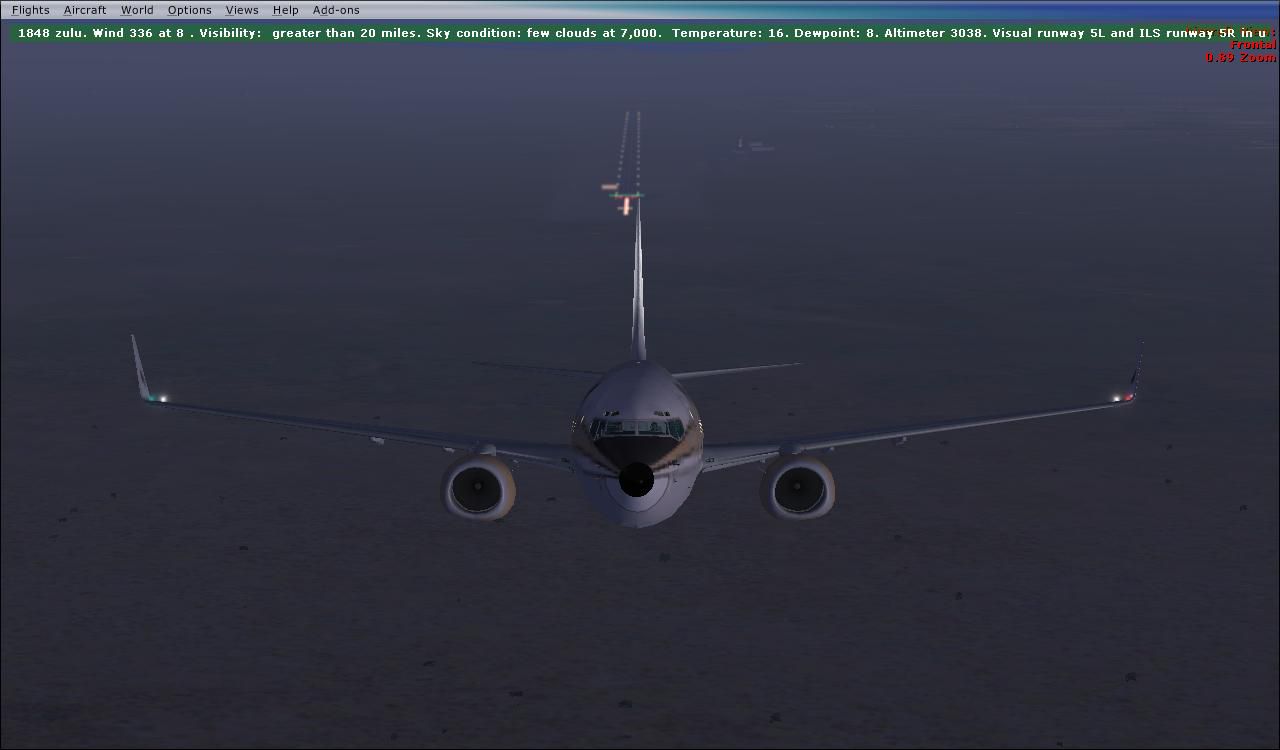
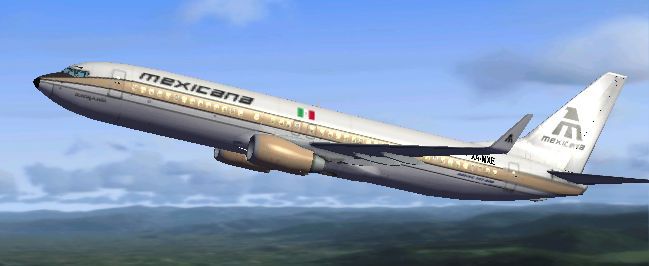
This repaint showcases a Mexicana de Aviacion Boeing 737-800 dressed in a retro “Golden Aztec” color scheme reminiscent of the airline’s style in the 1970s. Although this variant is purely fictional (since Mexicana never operated the 737), it pays homage to that era when Mexicana regularly flew Boeing 727, 757, and 767 aircraft. Created by Sigfrido Munguia, this modification is specifically designed for Microsoft Flight Simulator X. It provides an alternative vision of how the carrier might have looked had it continued to expand its Boeing fleet.
Established in Mexico, Mexicana de Aviacion was once among the oldest airlines in North America. The “Golden Aztec” design captures a heritage aesthetic that many enthusiasts appreciate for its classic style. Here, the livery blends historical coloration with modern Boeing 737-800 contours, combining the evocative 1970s feel with contemporary flight simulation technology.
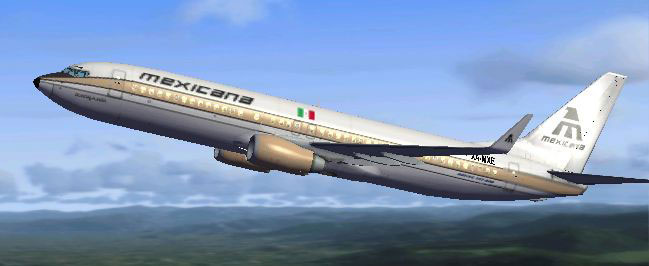
Mexicana de Aviacion Boeing 737-800 'Golden Aztec' in flight.
This add-on consists solely of the repaint files. To fully enjoy the aircraft in Microsoft Flight Simulator X, you will require the default Boeing B737_800 model provided by Microsoft, or the freeware equivalent available in the Fly Away Simulation mod library. Simply merge these textures with the appropriate model folder to incorporate them into your simulator.
[fltsim.x] entry; if it reads [fltsim.5], the next one should be [fltsim.6]. Adjust the “XX” value below accordingly.Example entry to insert:
[fltsim.XX]

title=MXA 737-800 70s livery

sim=Boeing737-800

model=

panel=

sound=

texture=70s

kb_checklists=Boeing737-800_check

kb_reference=Boeing737-800_ref

atc_id=XA-MXE

atc_airline=Mexicana

atc_flight_number=910

ui_manufacturer="Boeing"

ui_type="737-800"

ui_variation="Mexicana de Aviación 1970s Golden Aztec Livery"

ui_typerole="Commercial Airliner"

ui_createdby="Microsoft Corporation"

description=Texture by Sigfrido Munguía

"One should hardly be surprised that the world's most prolific

manufacturer of commercial aircraft is also the producer of the world's

most popular jetliner. The 737 became the best-selling commercial

jetliner worldwide when orders for it hit 1,831 in June 1987

(surpassing Boeing's own 727 as the previous champ). However, it wasn't

always that way\s in the first few years of production, there were so few

orders that Boeing considered canceling the program. They didn't, and the

airplane has more than proven itself in over three decades of service."
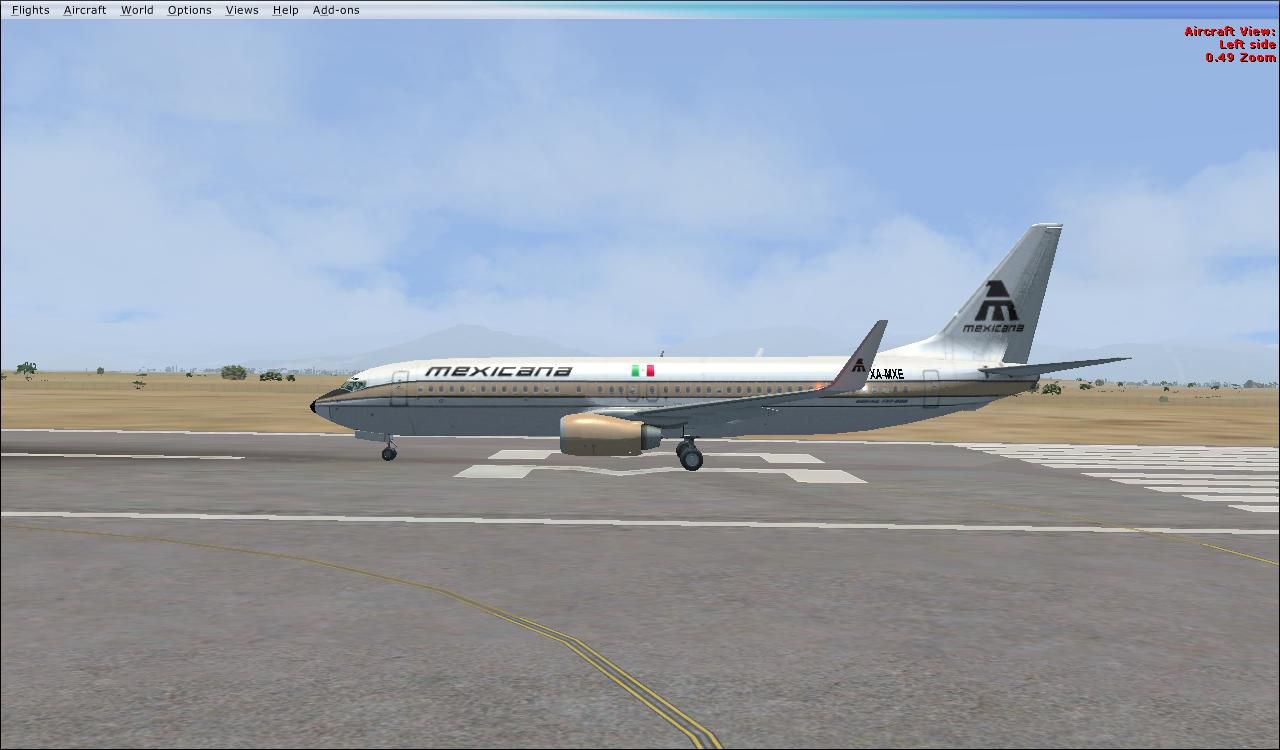
Save your modifications once you have updated the [fltsim.XX] line, and your newly painted Boeing 737-800 “Golden Aztec” from the 1970s will be ready to fly.
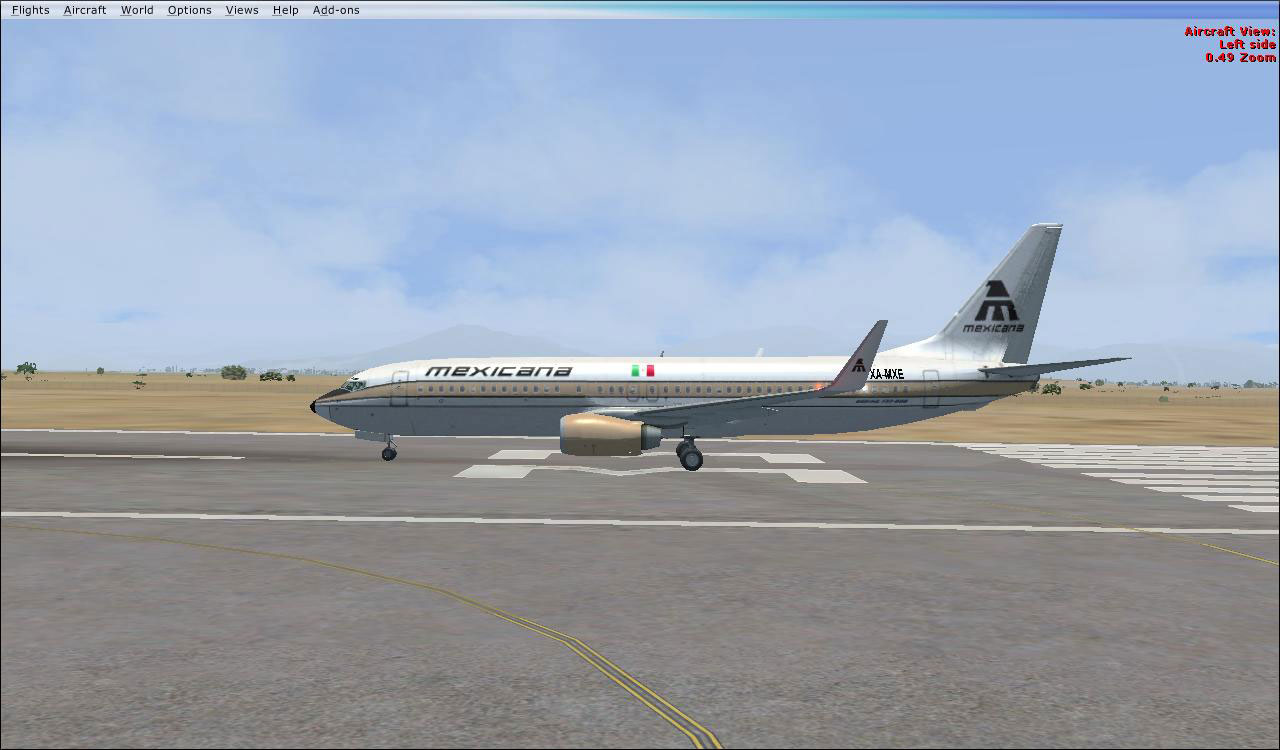
Mexicana de Aviacion Boeing 737-800 'Golden Aztec' on runway.
All thanks go to Sigfrido Munguia for providing this captivating tribute to Mexicana de Aviacion’s golden era. This repaint offers a thoughtful look at what might have been if the airline had extended its Boeing lineup beyond the 727, 757, and 767 families. Enjoy your flight and immerse yourself in a piece of imaginary history.
Free for all simmers · 6.47 MB · Scanned clean Oct 2026
Download speed: Free tier is capped at 0.5 Mbps (this file takes approximately 2 mins at the cap). PRO members download at full line speed.
texture.{airline}) inside FSX\SimObjects\Airplanes\{base-aircraft}\.aircraft.cfg in Notepad. Add a new [fltsim.X] section per the readme.readme.txt or README file. It tells you exactly where files go, what dependencies are needed, and any quirks specific to this add-on.The archive mexicana_b737_800_1970s_livery.zip has 33 files and directories contained within it.
This list displays the first 500 files in the package. If the package has more, you will need to download it to view them.
| Filename/Directory | File Date | File Size |
|---|---|---|
| 2011-6-5_2-47-13-7.jpg | 06.11.11 | 86.73 kB |
| 2011-6-5_2-52-5-197.jpg | 06.11.11 | 65.30 kB |
| 2011-6-5_2-52-52-613.jpg | 06.11.11 | 52.85 kB |
| FILE_ID.DIZ | 06.11.11 | 292 B |
| Mexicana B737_800 1970s Livery.gif | 06.11.11 | 39.19 kB |
| ReadMe.txt | 06.11.11 | 3.64 kB |
| texture.70s | 06.11.11 | 0 B |
| 737_Refection.dds | 07.11.09 | 128.12 kB |
| B737_800_1_C.dds | 07.11.09 | 512.12 kB |
| b737_800_1_LM.dds | 07.11.09 | 128.12 kB |
| B737_800_1_night_C.dds | 07.11.09 | 512.12 kB |
| b737_800_1_T.dds | 06.05.11 | 1.33 MB |
| b737_800_1_T_Bump.dds | 07.11.09 | 1.00 MB |
| b737_800_1_T_Specular.dds | 07.11.09 | 1.00 MB |
| B737_800_2_C.dds | 07.11.09 | 512.12 kB |
| B737_800_2_night_C.dds | 07.11.09 | 512.12 kB |
| b737_800_2_T.dds | 09.04.09 | 1.33 MB |
| b737_800_2_T_Bump.dds | 07.11.09 | 1.00 MB |
| b737_800_2_T_Specular.dds | 07.11.09 | 1.00 MB |
| B737_800_3_C.dds | 07.11.09 | 512.12 kB |
| B737_800_3_night_C.dds | 07.11.09 | 512.12 kB |
| B737_800_4_C.dds | 07.11.09 | 512.12 kB |
| B737_800_4_night_C.dds | 07.11.09 | 512.12 kB |
| B737_800_5_C.dds | 07.11.09 | 128.12 kB |
| B737_800_5_night_C.dds | 07.11.09 | 128.12 kB |
| B737_800_C.bmp | 07.11.09 | 512.07 kB |
| B737_800_Interior.dds | 07.11.09 | 128.12 kB |
| Fresnel_Ramp.dds | 09.04.06 | 640 B |
| Pilots_737.dds | 06.03.11 | 85.48 kB |
| texture.cfg | 08.14.06 | 137 B |
| thumbnail.jpg | 06.07.11 | 30.09 kB |
| flyawaysimulation.txt | 10.29.13 | 959 B |
| Go to Fly Away Simulation.url | 01.22.16 | 52 B |
Only PRO members can place votes.
More FSX & P3D add-ons hand-picked based on this download.
FSX Civil Aircraft
This freeware repaint features a fictional Mexicana de Aviación Boeing 737-80…
 FSX Civil Aircraft
This repaint showcases the classic aesthetic of Mexicana de Aviación wrapped …
 FSX Civil Aircraft
This repaint for Microsoft Flight Simulator X presents a fictional Mexicana d…
 FSX Civil Aircraft
This specialized repaint offers a fictional 1990s-themed Mexicana de Aviación…
 FSX Civil Aircraft
Textures only for the payware Captain Sim B727-100. Repaint by Rob Potter. Sc…
 FSX Civil Aircraft
Mexicana Boeing 737-800. Textures only for the default B737-800. Textures by …
 FSX Civil Aircraft
This aircraft, christened after the province Zamora and registered HC-BHY, wa…
 FSX Civil Aircraft
Mexicana airlines, for the payware PMDG B737-800ngx WL winglets. By Claudio H…
Be the first to leave a comment on this download.
Be the first to share your thoughts on this download.