

 FSX Missions
Mission--Madagascar Mission
Madagascar Mission. The Madagascarian Military pays you for a transport fligh…
Grenada Breakout drops you 20 miles offshore for a tense island infiltration and scientist rescue, built as a structured mission with scripted action cues, rewards, and Acceleration-era aircraft and objects. Designed for FSX, it requires the SimVar executable to drive custom mission commands and in-sim events.
 Rate
Rate
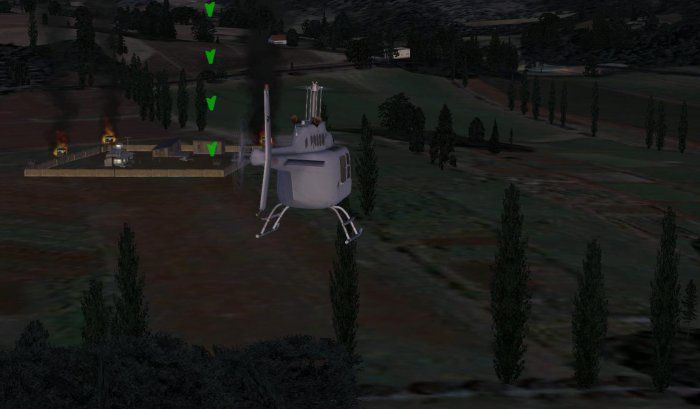
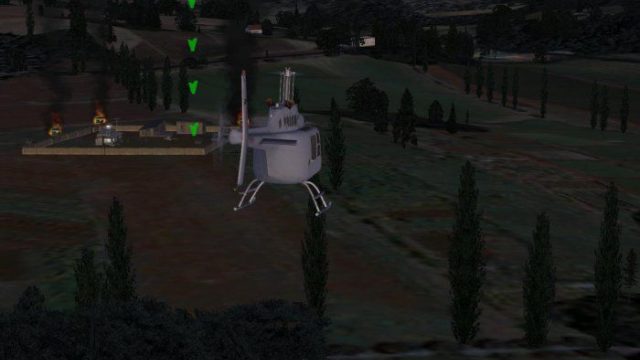
Grenada Breakout. Start twenty miles off the coast and infiltrate the island of Grenada and rescue some scientists. By Ed Olander.
Grenada Breakout Mission.
**To Install ->
#1 - Supplied is an Installation MSI File Created by Jim Keirs Mission Builder tool. This will install everything for you in the Directory of Choice.
#2 - After installaling, start FSX, you will be prompted with a Warning to use the SimVar executable if not installed already, These are used within the mission, these are supplied by Jim Keir as well, and are harmless, so when prompted just click on 'RUN' once or twice and 'Yes' once to install this, this will place the SimVar executable in the FSX Root\Extensions Directory.
#3 - All should be well, will be placed in the Missions Folder in Pilot for Hire, you should see the Grenada Prison Break Mission. the Rewards will be placed in you rewards file as well.
#4 - This is a First for me with the SimVar Tools and MSI Installer, I have tested many times, just take the defaults, IF the ExplosionFires do not attach to the AI then check that the SimVar was Installed in FSX Root\Extensions Directory. An FSX Restart will be required, just make sure to install while FSX is not Running.
*Important - To Uninstall Double Click the MSI Installer and Click on Remove this will remove the Mission, The Rewards will need to be removed Manually, they will be in the FSX root\Rewards Directory GR.RWD & GR2.RWD - Also if you would like to remove the SimVar Executable just Delete the SimVar in the FSX root\Extensions Directory.
#Note - My Missions are all Freeware and are created for pure fun, The Mission Builder and SimVar executable is by Jim Keir & FSADDON. All Airacraft and Objects used are either FSX Acceleration standard.
**Many Thanks Too -
Jim Keir and his great Mission Builder tool, and his Fantastic SimVar Executable for use with Custom Action Commands.
Microsoft FSX Gang, for an Awsome Flight Simulator, and tools to create fun stuff.
Cheers Have Fun -
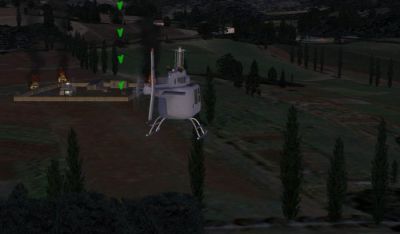
Grenada Breakout Mission.
Free for all simmers · 18.98 MB · Scanned clean Oct 2026
Download speed: Free tier is capped at 0.5 Mbps (this file takes approximately 5 mins at the cap). PRO members download at full line speed.
FSX\Missions\ as a sub-folder. The folder must contain an XML file describing the mission.readme.txt or README file. It tells you exactly where files go, what dependencies are needed, and any quirks specific to this add-on.The archive gpb.zip has 6 files and directories contained within it.
This list displays the first 500 files in the package. If the package has more, you will need to download it to view them.
| Filename/Directory | File Date | File Size |
|---|---|---|
| gbpic3.jpg | 03.24.08 | 35.17 kB |
| gbpic4.gif | 03.24.08 | 10.23 kB |
| Grenada Prison Break.msi | 03.28.08 | 19.14 MB |
| Install.txt | 03.24.08 | 1.93 kB |
| flyawaysimulation.txt | 10.29.13 | 959 B |
| Go to Fly Away Simulation.url | 01.22.16 | 52 B |
Only PRO members can place votes.
More FSX & P3D add-ons hand-picked based on this download.
FSX Missions
Madagascar Mission. The Madagascarian Military pays you for a transport fligh…
 FSX Missions
Experience a daring alpine approach with this immersive mission set amid the …
 FSX Missions
Discover a daring and immersive freeware add-on that challenges your landing …
 FSX Missions
The Most Dangerous Airports: Lukla. The next in The Most Dangerous Airport Mi…
 FSX Missions
Hurricane Landing. Your task is to fly an Airbus A320 from Munich to Hamburg …
 FSX Missions
Welcome, Sir. In this mission you try to get from Gatwick to Dublin. It's ver…
 FSX Missions
Fly your Brussels Airlines 737-800 from Brussels National airport to Rome Fiu…
 FSX Missions
The year is 1994 and you are a captain for America West airlines called Capta…
Be the first to leave a comment on this download.
Be the first to share your thoughts on this download.