

 FSX Missions
Dangerous Airports (Mission 1) Mission
Discover a daring and immersive freeware add-on that challenges your landing …
Dangerous Airports Mission 2 drops you into Courchevel for a tense alpine approach where steep terrain, gusty winds, and a short sloped runway demand disciplined speed control and short-field technique in Microsoft Flight Simulator X. The scenario uses on-screen captions for guidance and requires _ALPES_LOD11_Version2.zip and altiportsalpesxv2.zip for accurate Alpine mesh and altiport scenery.
 Rate
Rate
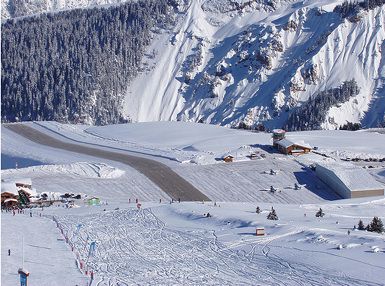

Experience a daring alpine approach with this immersive mission set amid the rugged terrain of Courchevel in the French Alps. Developed by Robbie Albers using the FSX Mission Editor, this add-on brings one of the world’s most challenging runways to Microsoft Flight Simulator X. Fly carefully along steep slopes, navigate unpredictable winds, and conquer the short airstrip that demands precise control.
Courchevel, positioned at notable elevations within the French Alps, features a runway with limited distance and a marked gradient (slope). These conditions oblige pilots to adapt their descent profiles, precisely manage thrust, and develop a strong sense of spatial awareness. The mission captures that complexity by incorporating realistic terrain data, so every landing attempt feels remarkably authentic. In this mission, you can expect abrupt changes in clearance height, which require sharp decision-making skills.
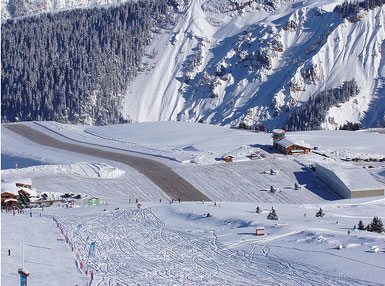
Dangerous Airports (Mission 2) by Robbie Albers.
To ensure accurate depictions of alpine geography, two scenery archives are recommended:
While developing this scenario, creator Robbie Albers paid particular attention to simulating the demanding environment of alpine flight. The gradient of Courchevel’s runway is well-known for testing the skill and composure of pilots. In addition, the condensed takeoff area challenges users to refine short-field techniques. Future plans might include more high-stakes airport missions involving supersonic aircraft such as the Concorde and other challenging locations worldwide. The mission remains freeware and was made to elevate your simulator experience.
Feedback is appreciated and can guide the creation of even more intense and authentic approaches. Robbie Albers looks forward to refining these missions for maximum realism.
Free for all simmers · 830.24 KB · Scanned clean Oct 2026
Download speed: Free tier is capped at 0.5 Mbps. PRO members download at full line speed.
FSX\Missions\ as a sub-folder. The folder must contain an XML file describing the mission.readme.txt or README file. It tells you exactly where files go, what dependencies are needed, and any quirks specific to this add-on.The archive thealps2.zip has 25 files and directories contained within it.
This list displays the first 500 files in the package. If the package has more, you will need to download it to view them.
| Filename/Directory | File Date | File Size |
|---|---|---|
| VFR Geneva to Aix-Les-Bains.PLN | 03.14.09 | 3.86 kB |
| Briefing_files | 03.21.09 | 0 B |
| filelist.xml | 03.21.09 | 166 B |
| image001.jpg | 03.18.09 | 71.78 kB |
| Images | 03.18.09 | 0 B |
| Overview.jpg | 03.04.09 | 7.46 kB |
| RewardDetail.jpg | 03.04.09 | 27.41 kB |
| RewardSmall.jpg | 03.04.09 | 14.55 kB |
| Thumbs.db | 03.18.09 | 7.00 kB |
| Sound | 03.14.09 | 0 B |
| Intro1.wav | 03.14.09 | 78 B |
| Briefing.htm | 03.21.09 | 14.35 kB |
| courchevel_airport.jpg | 03.18.09 | 71.78 kB |
| Geneva.xml | 03.21.09 | 49.21 kB |
| Geneva.xml.layout | 03.21.09 | 1.32 kB |
| img_complete.bmp | 03.18.09 | 322.92 kB |
| img_complete 1.bmp | 03.04.09 | 87.15 kB |
| img_incomplete.bmp | 03.18.09 | 322.92 kB |
| img_incomplete 1.bmp | 03.04.09 | 87.15 kB |
| Kneeboard.htm | 03.04.09 | 1.26 kB |
| Mission.FLT | 03.21.09 | 9.83 kB |
| Mission.WX | 03.04.09 | 165.55 kB |
| Readme.txt | 03.22.09 | 1010 B |
| flyawaysimulation.txt | 10.29.13 | 959 B |
| Go to Fly Away Simulation.url | 01.22.16 | 52 B |
Only PRO members can place votes.
More FSX & P3D add-ons hand-picked based on this download.
FSX Missions
Discover a daring and immersive freeware add-on that challenges your landing …
 FSX Missions
The Most Dangerous Airports: Lukla. The next in The Most Dangerous Airport Mi…
 FSX Missions
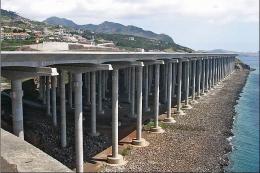
The Most Dangerous Airports: Madeira. The airport runway has a unique feature…
 FSX Missions
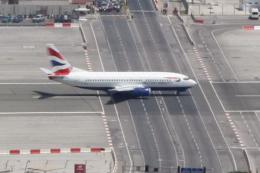
The Most Dangerous Airports: Gibraltar. Gibraltar is situated on a peninsula …
 FSX Missions
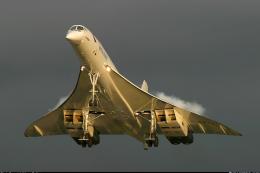
The Most Dangerous Airports: Kai Tak. The missions in this seres are of a his…
 FSX Missions
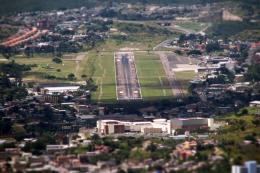
The Most Dangerous Airports: Toncontin. These missions are real and hectic, b…
 FSX Missions
Most Dangerous Airports: Ronald Reagan. The next in The Most Dangerous Airpor…
 FSX Missions
The Most Dangerous Airports: Lukla V2. Approach to Lukla v2 (totally new miss…
Be the first to leave a comment on this download.
Be the first to share your thoughts on this download.