

 FSX Historic & Vintage Aircraft
IAF Bristol Beaufighter
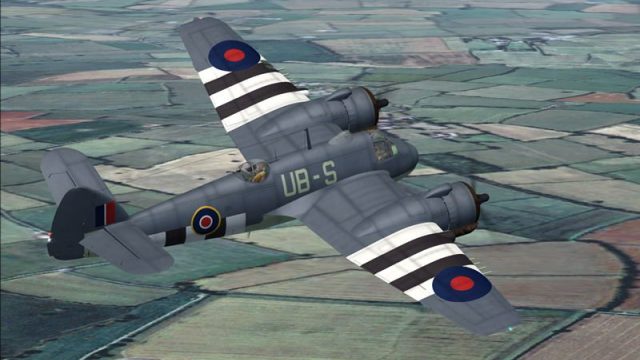
IAF Bristol Beaufighter. A repaint of Dave Garwood's Bristol Beaufighter util…
Bristol Beaufighter variants Mk VIc, VIf, and X bring a native SP2 warbird package to FSX with nine paint schemes, a virtual cockpit–only layout, and smooth 3D gauges. Bump and specular mapping, adjustable payload options, and droppable rocket or torpedo projectiles support mission-style flying and custom scenarios.
 Rate
Rate
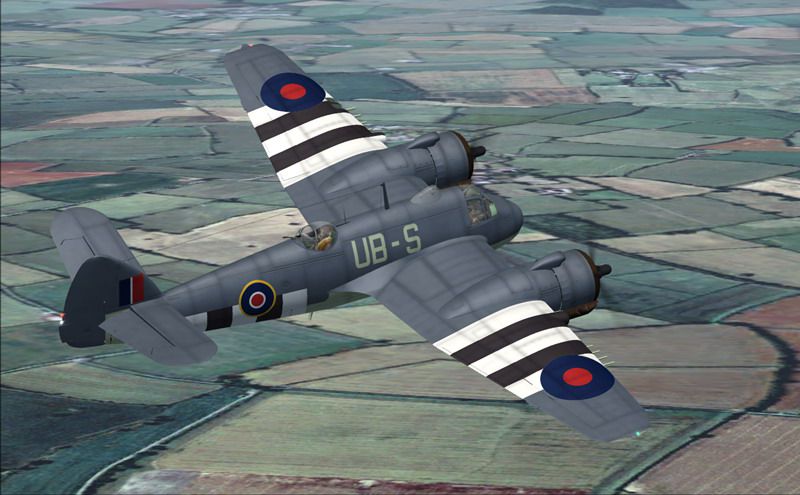
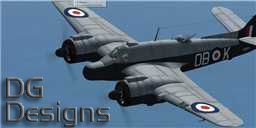
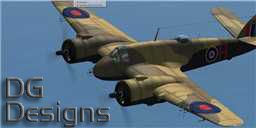
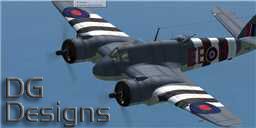
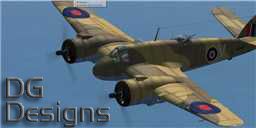
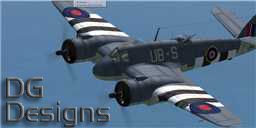
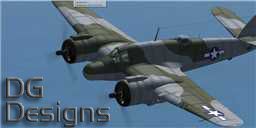
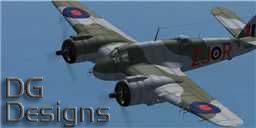
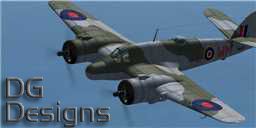
Bristol Beaufighter Package. Includes Bristol Beaufighter Mk. VIc, Mk. VIf and Mk. X. Native FSX SP2 aircraft. Nine paint schemes included. VC only. Smooth modeled gauges. Droppable torpedo and rocket projectiles included for mission or edited save flight use. By Dave Garwood, CBFSim.
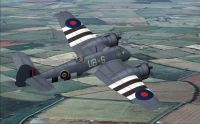
Screenshot of Bristol Beaufighter in flight.
Model and textures by: Dave Garwood
Beaufighter Sounds by Lawdog.
Installation:
Unzip to a temporary folder keeping the folder structure intact. In the folder you will find three other folders, Effects, SimObjects and Sound. Copy these into your main FSX folder (C:\Program Files\Microsoft Games\Microsoft Flight Simulator X on a default installation).
This model is for FSX ONLY, and will not work in earlier versions of Flight Simulator.
Features:
Full native FSX sp2 model with bump and specular mapping.
9 paint schemes included.
Fully modelled smooth 3D gauges.
Adjustable payload. (Mk.VI and X models only) Use the FSX payload editor to add weight for Torpedo and / or rocket projectiles.
Using the FSX payload editor, you will see 2 figures after the station name. The first weight will just display the rocket rails or torpedo crutches. The second weight will show the weapon itself.
Droppable weapons. The rockets or topedo can be made to drop in mission mode by editing a save flight file.
Save flights are usually found in C:\Documents and Settings\~username~\My Documents\Flight Simulator X Files and have a .FLT extension.
To use rocket projectiles add:
[DroppableObjects.0]

	ObjectSet.0=RP salvo, 1
and for torpedo add:
[DroppableObjects.0]

	ObjectSet.0=Torpedo, 1
You can only use one or the other, not both. The weapon will drop, but will not destroy anything. This is an FSX limitation.
Thanks to:
Rick Piper, for his pilot figures and beta testing.
Lawdog, for allowing me you use his excellent Beaufighter soundpack.
Ben Watson, for beta testing and hosting CBFSim.
All the CBFS beta team.
Thankyou.
This package may not be sold, modified, uploaded to any website or included on a CD without prior agreement. The use of this package is at your own risk, the author cannot be held responsible.
David Garwood
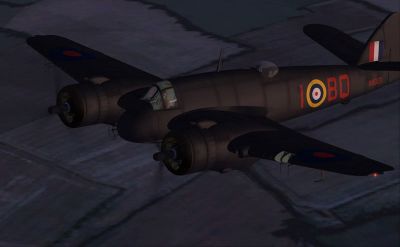
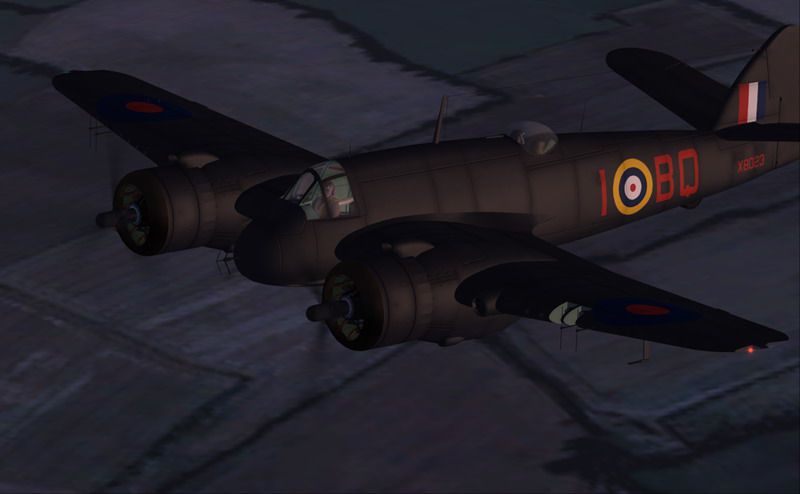
Screenshot of Bristol Beaufighter flying at night.
Free for all simmers · 55.53 MB · Scanned clean Oct 2026
Download speed: Free tier is capped at 0.5 Mbps (this file takes approximately 16 mins at the cap). PRO members download at full line speed.
SimObjects\Airplanes\, Addon Scenery\, Effects\, or Gauges\.readme.txt or README file. It tells you exactly where files go, what dependencies are needed, and any quirks specific to this add-on.The archive beaufsx.zip has 184 files and directories contained within it.
This list displays the first 500 files in the package. If the package has more, you will need to download it to view them.
| Filename/Directory | File Date | File Size |
|---|---|---|
| Effects | 06.10.08 | 0 B |
| fx_DG_redlight.fx | 01.23.07 | 4.56 kB |
| fx_dummy_DG.fx | 11.22.07 | 1.23 kB |
| fx_landing_DG1.fx | 11.22.07 | 3.57 kB |
| fx_navgre_DG.fx | 10.12.05 | 4.53 kB |
| fx_navred_DG.fx | 10.12.05 | 4.52 kB |
| fx_navwhi_DG.fx | 03.20.07 | 4.74 kB |
| fx_RP.fx | 03.15.08 | 2.52 kB |
| fx_smoke_RP.fx | 12.06.07 | 1.28 kB |
| fx_vclightDG.fx | 05.10.08 | 1.26 kB |
| fx_vcred_DG.fx | 05.10.08 | 1.25 kB |
| fx_wake_dg.fx | 05.11.08 | 1.24 kB |
| SimObjects | 06.10.08 | 0 B |
| Airplanes | 06.10.08 | 0 B |
| Beaufighter | 06.10.08 | 0 B |
| aircraft.cfg | 05.21.08 | 22.95 kB |
| Beaufighter Pilots Notes.pdf | 05.15.08 | 452.17 kB |
| Beaufighter_check.htm | 05.15.08 | 40.73 kB |
| Beaufighter_ref.htm | 05.15.08 | 43.71 kB |
| Beaufighter_VI.air | 05.21.08 | 12.32 kB |
| model.c | 06.10.08 | 0 B |
| Beaufighter_VIc.MDL | 05.16.08 | 14.75 MB |
| Beaufighter_VIc_interior.MDL | 05.16.08 | 8.74 MB |
| model.cfg | 04.28.08 | 69 B |
| model.f | 06.10.08 | 0 B |
| Beaufighter_VIf.MDL | 05.16.08 | 14.23 MB |
| Beaufighter_VIf_interior.MDL | 05.16.08 | 8.22 MB |
| model.cfg | 04.28.08 | 69 B |
| panel | 06.10.08 | 0 B |
| Beau.CAB | 05.16.08 | 678.08 kB |
| PANEL.CFG | 05.14.08 | 1.38 kB |
| sound | 06.10.08 | 0 B |
| APW.wav | 07.24.00 | 21.67 kB |
| Beau rpm1.wav | 11.07.05 | 78.33 kB |
| Beau rpm2.wav | 07.22.05 | 93.05 kB |
| Beau rpm3.wav | 11.10.05 | 80.81 kB |
| Beau rpm4.wav | 11.10.05 | 76.57 kB |
| Beau Shutdown.wav | 11.10.05 | 586.72 kB |
| Beau Starter.wav | 07.05.05 | 112.01 kB |
| Beau Startup.wav | 11.07.05 | 137.33 kB |
| Beau1c.wav | 10.07.00 | 128.35 kB |
| Beau2c.wav | 10.07.00 | 136.18 kB |
| Beau4b.wav | 07.05.05 | 306.93 kB |
| Beaup1a.wav | 12.14.99 | 29.39 kB |
| Beaup1b.wav | 12.14.99 | 29.39 kB |
| Beaup2a.wav | 12.01.99 | 28.99 kB |
| Beaup2b.wav | 12.01.99 | 32.12 kB |
| flaps.wav | 01.16.05 | 212.45 kB |
| geardn.WAV | 11.10.05 | 164.87 kB |
| gearup.wav | 11.10.05 | 164.62 kB |
| Read Me.txt | 11.27.05 | 1.40 kB |
| sound.cfg | 08.16.05 | 12.48 kB |
| TOUCC.WAV | 01.14.99 | 18.30 kB |
| TOUCL.wav | 08.11.01 | 24.12 kB |
| TOUCR.wav | 08.11.01 | 24.12 kB |
| xBeau rpm1.wav | 11.10.05 | 63.56 kB |
| xBeau rpm2.wav | 12.22.97 | 179.33 kB |
| xBeau rpm3.wav | 11.10.05 | 87.94 kB |
| xBeau rpm4.wav | 01.31.99 | 59.65 kB |
| xBeau Shutdown.wav | 11.10.05 | 841.24 kB |
| xBeau Starter.wav | 07.05.05 | 112.01 kB |
| xBeau Startup.wav | 11.07.05 | 137.33 kB |
| xBeau1c.WAV | 10.07.00 | 136.18 kB |
| xBeau2c.WAV | 10.07.00 | 136.18 kB |
| xBeau4b.wav | 07.05.05 | 306.93 kB |
| XBeauP1A.WAV | 11.25.99 | 49.64 kB |
| XBeauP1B.WAV | 11.25.99 | 49.62 kB |
| XBeauP2A.WAV | 10.07.00 | 29.12 kB |
| XBeauP2B.WAV | 10.07.00 | 44.18 kB |
| texture | 06.10.08 | 0 B |
| bf_fus_bump.dds | 05.06.08 | 4.00 MB |
| bf_fus_spec.dds | 05.05.08 | 4.00 MB |
| bf_wing_l_bump.dds | 04.01.08 | 4.00 MB |
| bf_wing_l_spec.dds | 05.05.08 | 4.00 MB |
| bf_wing_r_bump.dds | 05.05.08 | 4.00 MB |
| bf_wing_r_spec.dds | 05.05.08 | 4.00 MB |
| Fresnel_Ramp.bmp | 11.26.06 | 4.07 kB |
| gauge highlight.bmp | 11.29.06 | 32.07 kB |
| gauges1.dds | 05.15.08 | 1.00 MB |
| gauges2.dds | 05.17.08 | 1.00 MB |
| gauges2_spec.dds | 05.17.08 | 1.00 MB |
| gauges3.bmp | 02.25.08 | 128.07 kB |
| glass3.dds | 04.13.08 | 256.12 kB |
| lights.dds | 12.24.07 | 64.12 kB |
| prop.dds | 05.16.08 | 64.12 kB |
| skinned.dds | 04.27.08 | 16.12 kB |
| skinned_spec.dds | 05.07.08 | 16.12 kB |
| VC2.dds | 05.17.08 | 1.00 MB |
| VC2_spec.dds | 05.07.08 | 1.00 MB |
| VCpanel.dds | 04.13.08 | 4.00 MB |
| VCpanel_spec.dds | 05.07.08 | 4.00 MB |
| WW2RAFpilot.dds | 05.09.08 | 256.12 kB |
| WW2RAFpilot_bump.dds | 05.09.08 | 256.12 kB |
| WW2RAFpilot_spec.dds | 05.09.08 | 256.12 kB |
| texture.KW147 | 06.10.08 | 0 B |
| bf_fus.dds | 05.14.08 | 4.00 MB |
| bf_wing_l.dds | 05.14.08 | 4.00 MB |
| bf_wing_r.dds | 05.05.08 | 4.00 MB |
| Fresnel_Ramp.bmp | 11.26.06 | 4.07 kB |
| texture.cfg | 05.06.08 | 39 B |
| thumbnail.jpg | 05.05.08 | 28.77 kB |
| texture.LZ409 | 06.10.08 | 0 B |
| bf_fus.dds | 05.16.08 | 4.00 MB |
| bf_wing_l.dds | 05.14.08 | 4.00 MB |
| bf_wing_r.dds | 05.05.08 | 4.00 MB |
| Fresnel_Ramp.bmp | 11.26.06 | 4.07 kB |
| texture.cfg | 05.06.08 | 39 B |
| thumbnail.jpg | 05.05.08 | 29.56 kB |
| texture.MM850 | 06.10.08 | 0 B |
| bf_fus.dds | 05.14.08 | 4.00 MB |
| bf_wing_l.dds | 05.14.08 | 4.00 MB |
| bf_wing_r.dds | 05.05.08 | 4.00 MB |
| Fresnel_Ramp.bmp | 11.26.06 | 4.07 kB |
| texture.cfg | 05.06.08 | 37 B |
| thumbnail.jpg | 05.05.08 | 28.68 kB |
| texture.NE355 | 06.10.08 | 0 B |
| bf_fus.dds | 05.16.08 | 4.00 MB |
| bf_wing_l.dds | 05.14.08 | 4.00 MB |
| bf_wing_r.dds | 05.05.08 | 4.00 MB |
| Fresnel_Ramp.bmp | 11.26.06 | 4.07 kB |
| texture.cfg | 05.06.08 | 37 B |
| thumbnail.jpg | 05.05.08 | 29.86 kB |
| texture.RD824 | 06.10.08 | 0 B |
| bf_fus.dds | 05.14.08 | 4.00 MB |
| bf_wing_l.dds | 05.14.08 | 4.00 MB |
| bf_wing_r.dds | 05.05.08 | 4.00 MB |
| Fresnel_Ramp.bmp | 11.26.06 | 4.07 kB |
| texture.cfg | 05.06.08 | 35 B |
| thumbnail.jpg | 05.05.08 | 29.68 kB |
| texture.T9068 | 06.10.08 | 0 B |
| bf_fus.dds | 05.14.08 | 4.00 MB |
| bf_wing_l.dds | 05.15.08 | 4.00 MB |
| bf_wing_r.dds | 05.05.08 | 4.00 MB |
| Fresnel_Ramp.bmp | 11.26.06 | 4.07 kB |
| texture.cfg | 05.06.08 | 35 B |
| thumbnail.jpg | 05.05.08 | 30.05 kB |
| texture.V8052 | 06.10.08 | 0 B |
| bf_fus.dds | 05.14.08 | 4.00 MB |
| bf_wing_l.dds | 05.15.08 | 4.00 MB |
| bf_wing_r.dds | 05.05.08 | 4.00 MB |
| Fresnel_Ramp.bmp | 11.26.06 | 4.07 kB |
| texture.cfg | 05.06.08 | 35 B |
| thumbnail.jpg | 05.05.08 | 30.62 kB |
| texture.V8748 | 06.10.08 | 0 B |
| bf_fus.dds | 05.14.08 | 4.00 MB |
| bf_wing_l.dds | 05.14.08 | 4.00 MB |
| bf_wing_r.dds | 05.05.08 | 4.00 MB |
| Fresnel_Ramp.bmp | 11.26.06 | 4.07 kB |
| texture.cfg | 05.06.08 | 35 B |
| thumbnail.jpg | 05.05.08 | 28.74 kB |
| texture.X8023 | 06.10.08 | 0 B |
| bf_fus.dds | 05.14.08 | 4.00 MB |
| bf_wing_l.dds | 05.14.08 | 4.00 MB |
| bf_wing_r.dds | 05.05.08 | 4.00 MB |
| Fresnel_Ramp.bmp | 11.26.06 | 4.07 kB |
| texture.cfg | 05.06.08 | 35 B |
| thumbnail.jpg | 05.05.08 | 28.29 kB |
| Misc | 06.10.08 | 0 B |
| RP salvo | 06.10.08 | 0 B |
| model | 06.10.08 | 0 B |
| model.cfg | 03.12.08 | 23 B |
| rp.MDL | 05.11.08 | 105.63 kB |
| RP.air | 09.26.07 | 7.40 kB |
| sim.cfg | 03.12.08 | 607 B |
| texture | 06.10.08 | 0 B |
| weapons.dds | 05.11.08 | 64.12 kB |
| weapons_spec.dds | 05.11.08 | 64.12 kB |
| Torpedo | 06.10.08 | 0 B |
| model | 06.10.08 | 0 B |
| model.cfg | 05.05.08 | 26 B |
| Torpedo.MDL | 05.11.08 | 37.34 kB |
| sim.cfg | 05.16.08 | 602 B |
| texture | 06.10.08 | 0 B |
| weapons.dds | 05.11.08 | 64.12 kB |
| weapons_spec.dds | 05.11.08 | 64.12 kB |
| Sound | 06.10.08 | 0 B |
| RP.wav | 06.26.02 | 101.12 kB |
| Microsoft Flight Simulator X | 06.10.08 | 0 B |
| readme.txt | 05.16.08 | 2.31 kB |
| beaufsx.gif | 06.10.08 | 15.00 kB |
| beaufsx1.jpg | 05.16.08 | 108.39 kB |
| beaufsx2.jpg | 05.16.08 | 46.93 kB |
| flyawaysimulation.txt | 10.29.13 | 959 B |
| Go to Fly Away Simulation.url | 01.22.16 | 52 B |
Only PRO members can place votes.
More FSX & P3D add-ons hand-picked based on this download.
FSX Historic & Vintage Aircraft
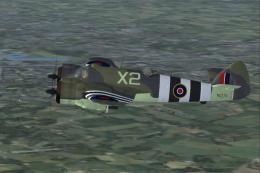
IAF Bristol Beaufighter. A repaint of Dave Garwood's Bristol Beaufighter util…
 FSX Historic & Vintage Aircraft
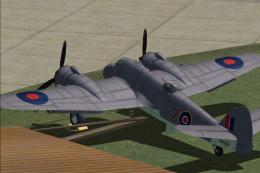
RAAF Bristol Beaufighter. This is a repaint of Dave Garwood's Bristol Beaufig…
 FSX Historic & Vintage Aircraft
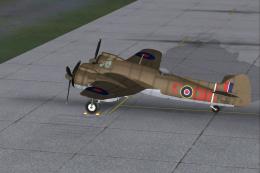
This add-on provides a distinctive South African Air Force repaint for Dave G…
 FSX Historic & Vintage Aircraft
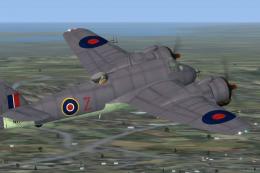
A Bristol Beaufighter Mk.X of the coast guard. A repaint of Dave Garwood's Br…
 FSX Historic & Vintage Aircraft
This repaint adds authentic South African Air Force markings to the Bristol B…
 FSX Historic & Vintage Aircraft
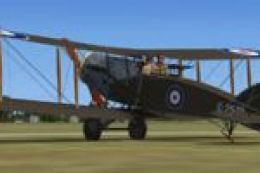
Bristol Fighter F.2B Mk.1. Screenshot of Bristol Fighter F.2B Mk.1 (E2529). I…
 FSX Historic & Vintage Aircraft
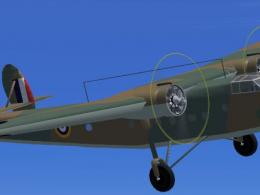
The Bristol Bombay was designed to serve both as a bomber and a troop transpo…
 FSX Historic & Vintage Aircraft
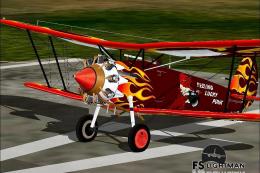
Bristol Bulldog IIA. First flown in 1928, the Bulldog II beat all the competi…
Read what other simmers think, or add your own.

It’s a beautifully made plane. Looks amazing. It has a radio stack in it which I can tune to NDBs, but no radio compass on the panel, so I can’t actually see which way I am supposed to be heading.
All in all, it’s a pity, and I suppose this download is far too old now (2018) for the question to be resolved. I am writing this in 2025.
It’s a beautifully made plane—looks amazing. It has a radio stack that I can tune to NDBs, but there is no radio compass.


I downloaded and installed this aircraft. It all works properly, accept in 2D cockpit, there is no main panel; the main panel in 2D cockpit is missing. What can/should be done about this?