


 FSX Civil Aircraft
Delta Airlines Boeing 767-300 New Livery
Elevate your virtual cockpit in Microsoft Flight Simulator X with a freeware …
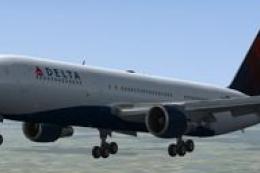
Delta Airlines’ Boeing 767-300 “newold” livery delivers a modernized retro scheme with crisp logos, accurate striping, and tuned sheen for realistic lighting on the wide-body airliner in Microsoft Flight Simulator X. The repaint requires the Captain Sim 767-300 base pack and enhances immersion with cohesive mapping across fuselage, engines, wings, and tail.
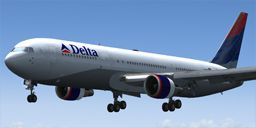
This free repaint showcases a fictional “newold” Delta Airlines Boeing 767-300 scheme developed specifically for Microsoft Flight Simulator X. It requires the Captain Sim B767-300 payware package, which is not included. Created by James Littler, this texture set offers an updated yet nostalgic twist on a classic Delta look.
The Boeing 767-300 is known among virtual pilots for its wide-body configuration and reliable twin-engine layout. When Delta introduced the real-world version into its fleet, it benefited long-haul routes with generous payload capabilities and enhanced fuel efficiency. In this “newold” livery, the aircraft’s fuselage design integrates retro-inspired elements reminiscent of older Delta color schemes, yet it maintains a modern flow throughout the cabin windows and tail section. Many sim flyers appreciate how this blend of old and new references Delta’s heritage without compromising a timeless aesthetic.
With precise attention to lines, logos, and striping, this texture set balances the distinctive Delta brand with subtle design accents. The repaint showcases correct window placements, refined lettering, and shading effects that accurately depict the structural dimensions of the Boeing 767’s fuselage. The wing surfaces, engine nacelles, and tail colors have been carefully mapped to ensure cohesive transitions between the lighter and darker tones. Additionally, reflection and sheen are calibrated for a realistic appearance under varying lighting conditions.
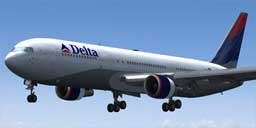
Delta Airlines Boeing 767-300 'Newold' Livery on final approach.
This repaint applies to the Captain Sim B767-300 platform. That base product must be purchased from a reliable source such as a reputable store before installation. Ensure that you have the correct variant of the 767-300 from Captain Sim installed in your simulator environment prior to adding these textures.
Below is the required snippet that must be added to the aircraft configuration file. Replace each “X” with your next available entry number within the [fltsim] sections. Make certain the titles, texture names, and other items match your existing aircraft folder structure:
[fltsim.X]
title=CS 767-300 Captain PaintX
sim=B767-300GE
model=ge5
panel=
sound=GE
texture=deltaNOC
kb_checklists=
kb_reference=
atc_id=N764A
atc_airline=
atc_flight_number=
atc_heavy=0
atc_parking_types=
ui_manufacturer="Boeing"
ui_typerole="Commercial Airliner"
ui_createdby="Captain Sim"
ui_type="767-300 GE"
ui_variation="Delta Airlines NOC"
description="767-300 Base Pack v1.0
This repaint was meticulously crafted by James Littler. Special recognition also goes to the Captain Sim team for their outstanding payware model that accurately captures the Boeing 767-300’s flight dynamics and visual fidelity.
Feel free to explore other liveries in the series for additional looks. This texture package gives flight simulation enthusiasts a distinctive and historically influenced rendition of Delta’s Boeing 767, making routine missions or transcontinental flights that much more immersive.
Free for all simmers · 1.8 MB · Scanned clean
Download speed: Free tier is capped at 0.5 Mbps. PRO members download at full line speed.
texture.{airline}) inside FSX\SimObjects\Airplanes\{base-aircraft}\.aircraft.cfg in Notepad. Add a new [fltsim.X] section per the readme.readme.txt or README file. It tells you exactly where files go, what dependencies are needed, and any quirks specific to this add-on.The archive deltacs767noc.zip has 14 files and directories contained within it.
This list displays the first 500 files in the package. If the package has more, you will need to download it to view them.
| Filename/Directory | File Date | File Size |
|---|---|---|
| cs763_1_T.dds | 07.26.09 | 1.00 MB |
| cs763_2_T.dds | 07.26.09 | 1.00 MB |
| cs763_3_T.dds | 07.26.09 | 1.00 MB |
| cs763_4_T.dds | 07.26.09 | 1.00 MB |
| cs763_5_T.dds | 07.26.09 | 1.00 MB |
| cs767_6_T.dds | 03.03.09 | 32.12 kB |
| cs767_7_T.dds | 07.26.09 | 1.00 MB |
| cs767_8_T.dds | 07.26.09 | 1.00 MB |
| texture.cfg | 03.06.09 | 118 B |
| thumbnail.jpg | 07.26.09 | 34.07 kB |
| texture.deltaNOC | 07.26.09 | 0 B |
| readme.txt | 07.26.09 | 848 B |
| flyawaysimulation.txt | 10.29.13 | 959 B |
| Go to Fly Away Simulation.url | 01.22.16 | 52 B |
More FSX & P3D add-ons hand-picked based on this download.
FSX Civil Aircraft
Elevate your virtual cockpit in Microsoft Flight Simulator X with a freeware …
 FSX Civil Aircraft
FSX Delta Airlines Boeing 767-300 GE in "Habitat For Humanity" livery, regist…
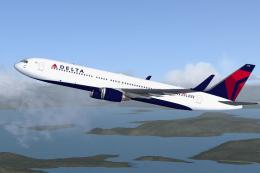 FSX Civil Aircraft
Delta Airlines Boeing 767-31K ER, registration N172DN. Repaint of iFDG / CamS…
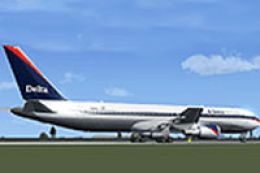 FSX Civil Aircraft
This repaint offers a detailed representation of Delta Airlines’ Boeing 767-3…
 FSX Civil Aircraft
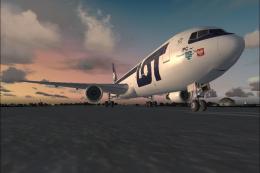
LOT Polish Airlines Boeing 767 Livery Pack. Includes all LOT Polish Airlines …
 FSX Civil Aircraft
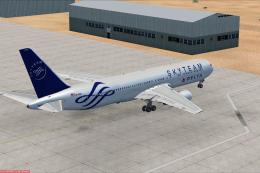
A repaint for the payware CLS B767-300 ER in Delta Airlines and Alitalia Skyt…
 FSX Civil Aircraft
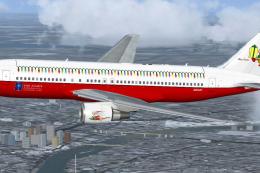
SkySpirit2010 B767-200ER repaint textures for a Star Alliance Christmas liver…
 FSX Civil Aircraft
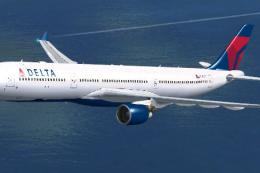
Delta Airlines Airbus A330-300. Textures only for Thomas Ruth's A330-300, reg…
Be the first to leave a comment on this download.
Be the first to share your thoughts on this download.