


 United Kingdom
  FSX Scenery
UK St. Kilda
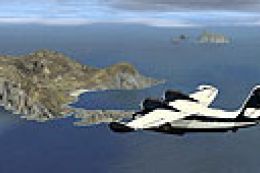
St. Kilda, Outer Hebrides, Scotland, UK. File contains most of the archipelig…
St. Kilda’s remote Atlantic archipelago appears in Microsoft Flight Simulator X with restored island landclass and an included EGSZ airstrip layout for easier navigation. Scenic placements add shelters and maritime detail using standard library assets and requires select third-party object libraries for animated and wilderness features, enhancing visits for coastal flying and birdwatching.
St. Kilda. St. Kilda is in a small group of tiny islands to the west of the Outer Hebrides which are off the west coast of Scotland. It was missing from the default scenery. By John Nightingale.
In FSX it has become lost in the Atlantic. So with the help of Luis Sa's new Sbuilder for FSX I have uncovered the group.
To enable it to be found I have included an Afcad, EGSZ which I have arbitrarily designated it.
St Kilda was uninhabited for 50 years I believe after anthrax tests were carried out there in World War2, but that has now changed, and intrepid bird watchers visit. I have provided them with a few home comforts, thanks to some standard FSX library objects which I have placed with Jon Masterton's LOM/Scenery Maker. In addition there are one or two extra objects from Len Hickman's animated objects and wilderness objects, Ron Jeffers maritime objects and Sidney Schwartz' ez terminals - all obtainable from AVSIM. If you haven't already got them, they will need to be downloaded. Although they are FS9 objects they work just as well in FSX.
Installation:
1. Unzip to an empty folder. The CVX file comprises the islands and a bit of space for the airport.
2. The Afcad can stay in the St. Kilda file or be placed in Add-on Scenery/scenery. Ditch it if you don't want it.
3. The rest is the file for the extra objects and this readme.
4. Drag the St. Kilda file into Addon Scenery. Then declare it in the library of FSX.
NB. There is no need for a texture sub-folder
John Nightingale
Free for all simmers · 6.57 KB · Scanned clean
Download speed: Free tier is capped at 0.5 Mbps. PRO members download at full line speed.
FSX\Addon Scenery\ containing scenery and texture sub-folders.readme.txt or README file. It tells you exactly where files go, what dependencies are needed, and any quirks specific to this add-on.Use these coordinates to fly directly to this location once the mod is installed.
57.82000000,-8.58000000
Launch FSX or Prepar3D and use Flights → Load to open the downloaded .pln file. Your aircraft will be positioned at this location.
The archive st_kilda.zip has 9 files and directories contained within it.
This list displays the first 500 files in the package. If the package has more, you will need to download it to view them.
| Filename/Directory | File Date | File Size |
|---|---|---|
| AF2_EGSZ.bgl | 04.09.07 | 2.23 kB |
| readme.txt | 04.12.07 | 1.49 kB |
| scenery | 04.12.07 | 0 B |
| CVX_St_Kilda.BGL | 04.11.07 | 9.99 kB |
| simple_objects.bgl | 04.10.07 | 988 B |
| St Kilda | 04.12.07 | 0 B |
| FILE_ID.DIZ | 04.18.07 | 215 B |
| flyawaysimulation.txt | 10.29.13 | 959 B |
| Go to Fly Away Simulation.url | 01.22.16 | 52 B |
More FSX & P3D add-ons hand-picked based on this download.
FSX Scenery
St. Kilda, Outer Hebrides, Scotland, UK. File contains most of the archipelig…
 FSX Scenery
Princess Juliana International Airport (TNCM), Philipsburg, Sint Maarten, Net…
 FSX Scenery
This is a freeware file and has taken a lot of time and effort to make To ins…
 FSX Scenery
St Louis PhotoReal Scenery. This is high resolution, 1 meter/pixel, terrain s…
 FSX Scenery
St Barthelemy island (TFFJ) is situated in the Caribbean Sea. It's small slop…
FSX Scenery
St. Barth Scenery. A scenery upgrade for the default FSX Aerodrom de Saint Je…
 FSX Scenery
Scenery Reunion/St. Denis Airport. The scenery is made using ADE9x for Reunio…
 FSX Scenery
Scenery Of St Vincent The Grenadines and The Grenada. Requires the Meshs Cara…
Be the first to leave a comment on this download.
Be the first to share your thoughts on this download.