

 FSX AFCAD Files
AFCAD File For LPPT
Elevate Microsoft Flight Simulator X with a refined rendition of Lisbon Inter…
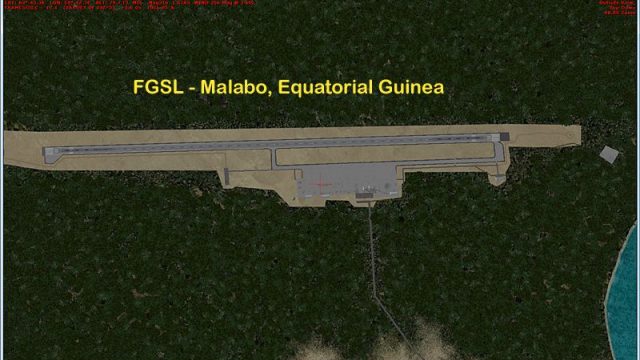
Malabo International Airport (FGSL) receives a refined AFCAD that improves AI traffic behavior and parking for World of AI schedules in Microsoft Flight Simulator X. It updates runway, taxiway, and apron geometry, tightens the airport background, and adds road, perimeter fencing, fuel trucks, vehicle paths, and extended tree exclusions for cleaner approaches.
 Rate
Rate
 Equatorial Guinea
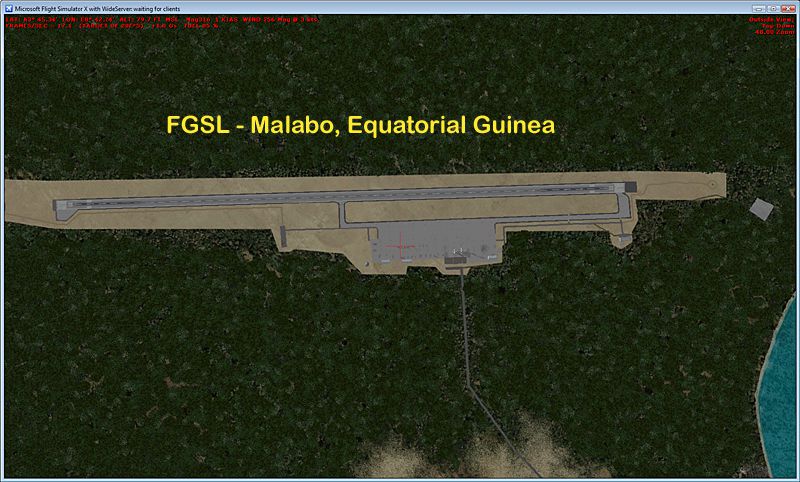
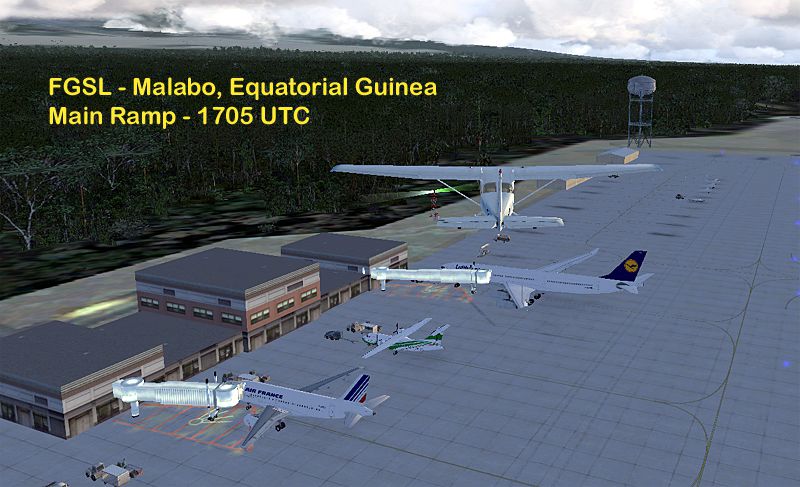
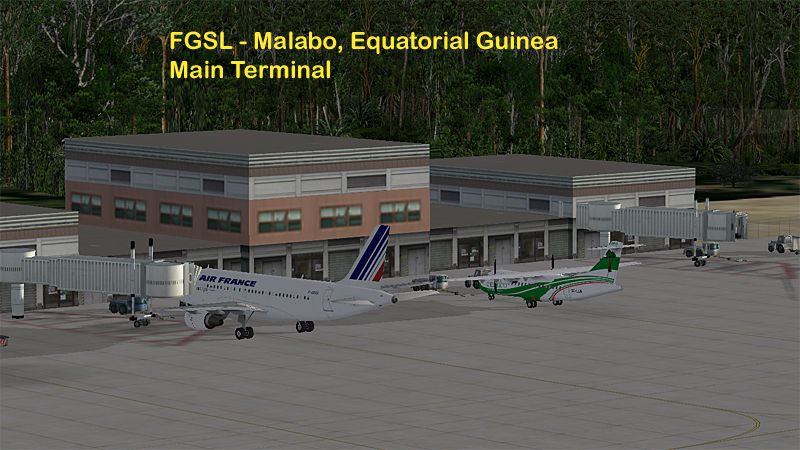
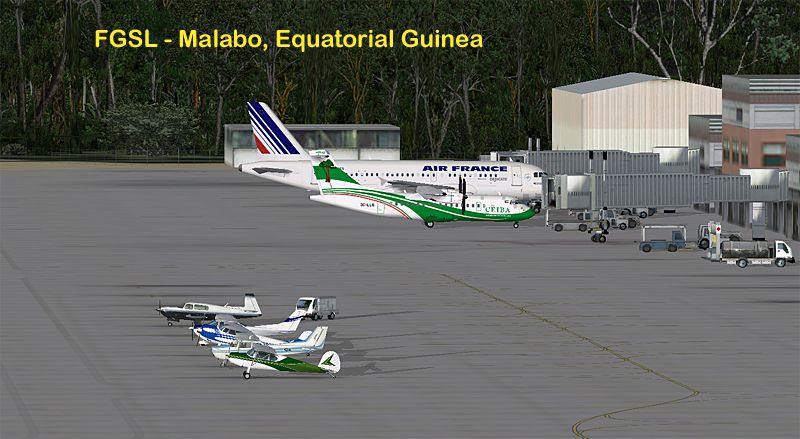
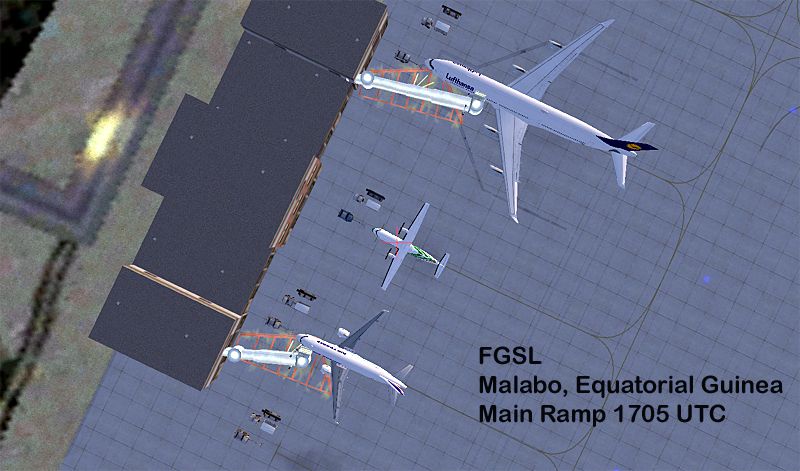
Malabo Int'l Airport, Malabo, Equatorial Guinea. Updates the airport serving the capital of the nation for AI traffic - specifically the World of AI packages. Airport update by Reggie Fields.
View of Malabo International Airport.
Overview - This updates Malabo Intl the airport serving the capital of the nation of Equatorial Guinea for AI traffic - specifically the World of AI packages.
Location - FGSL is located a few miles west of the city of Malabo. The city and airport are located on Biko Island - a 70km x 32km island in the Gulf of Biafra - approx 130 nm northwest from the mainland portion of the nation. The airport is located on the northwest corner of the island.
The nation has become an important source of oil in recent years, increasing private and commercial air traffic.
FSX - Biko Island is the home to approx 124,000 people - however FSX land class has only the capital city of Malabo on the north end of the island. The rest of the island is forest and various other non-populated land class. Depending upon your mesh - the island will have a near 9,000 ft volcanic peak. The FSGenesis World Terrain Mesh has a very nice volcano crater on the south end of the island.
Airport changes - Google Earth imagery is April 2004 - about 1 year older than the FSX default data. The aerial images show the runway and main aprons to be concrete, however there is much older stained concrete ramp areas and taxiways on the airport, which cannot be duplicated with default FSX scenery textures.
Recently a photo showing extensive new construction at the airport was posted on airliners.net. I did not attempt to create the south taxiway extension to full length of the runway. The new terminal and ramps on the south east end of the airport. The new ramp (govt? military? cargo? oil company?) on the south west side of the runway nor the cross runway taxiway.
I have not attempted to replicate the various damaged and scrapped aircraft on different parts of the airport.
Parking Codes:
No parking codes are used for the main terminal. The two CEL ATR aircraft will park near the terminal. One between the jetways in Gate 5 and one just north of the terminal in Gate 3 - both of which are 14.1M in size.
All visiting jets will park at the terminal in Gate 4 and then Gate 6 with jetways. Gate 4 is set for 18.1M and will capture the B722, B734, A319 and A320-200 aircraft. Gate 6 is set for 31.1M and will capture the IBE A333 or a second other smaller passenger jet should Gate 4 be filled when it arrives.
Gate 1 and Gate 2 to the north are overflow parking set to 36.1M and 15.1M respectively.
There are 7 GA Small (7.3M), 7 GA Medium (9.3M) and 6 GA Large (12.3M) parking spots on the main apron. There are also two very large GA spots - RAMP_GA 15.3M in size. On the southeast corner of the ramp is one 18.3M RAMP_GA spot coded BBJ0 for the government BBJ to park.
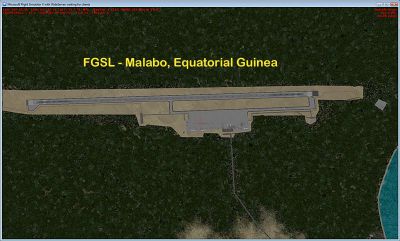
Aerial view of Malabo Int'l Airport, Malabo, Equatorial Guinea.
Free for all simmers · 2.02 MB · Scanned clean Oct 2026
Download speed: Free tier is capped at 0.5 Mbps. PRO members download at full line speed.
AF2_*.bgl or AFX_*.bgl) go into FSX\Addon Scenery\Scenery\ or a dedicated AFCAD folder you create.readme.txt or README file. It tells you exactly where files go, what dependencies are needed, and any quirks specific to this add-on.Use these coordinates to fly directly to this location once the mod is installed.
3.75500000,8.70900000
Launch FSX or Prepar3D and use Flights → Load to open the downloaded .pln file. Your aircraft will be positioned at this location.
The archive fgsl_ade_rjf_v1.zip has 13 files and directories contained within it.
This list displays the first 500 files in the package. If the package has more, you will need to download it to view them.
| Filename/Directory | File Date | File Size |
|---|---|---|
| FGSL-1.jpg | 11.13.09 | 331.80 kB |
| FGSL-2.jpg | 11.13.09 | 494.54 kB |
| FGSL-3.jpg | 11.13.09 | 365.71 kB |
| FGSL-4.jpg | 11.13.09 | 439.33 kB |
| FGSL-5.jpg | 11.13.09 | 425.47 kB |
| FGSL_ADEX_RJF_V1.BGL | 11.12.09 | 21.03 kB |
| FGSL_ADEX_RJF_V1_CVX.bgl | 11.12.09 | 631 B |
| FGSL_ADE_RJF_v1.gif | 11.13.09 | 13.67 kB |
| file_id.diz | 11.13.09 | 272 B |
| ReadMe.txt | 11.13.09 | 6.39 kB |
| FGSL_ADE_RJF_v1 | 11.13.09 | 0 B |
| flyawaysimulation.txt | 10.29.13 | 959 B |
| Go to Fly Away Simulation.url | 01.22.16 | 52 B |
Only PRO members can place votes.
More FSX & P3D add-ons hand-picked based on this download.
FSX AFCAD Files
Elevate Microsoft Flight Simulator X with a refined rendition of Lisbon Inter…
 FSX AFCAD Files
John F. Kennedy International Airport, New York, NY, USA, v2. This airport up…
 FSX AFCAD Files
Dubai International Airport, United Arab Emirates (UAE). This airport update …
 FSX AFCAD Files
Los Angeles International Airport (LAX), California (CA), USA. This airport u…
 FSX AFCAD Files
This freeware package modernizes Zurich International Airport (LSZH) in Micro…
 FSX AFCAD Files
Lic Benito Juarez International Airport, Mexico City, Mexico. This airport up…
 FSX AFCAD Files
Enhance Kastrup Airport (EKCH) in Copenhagen, Denmark with this freeware upgr…
 FSX AFCAD Files
This enhanced update for Schiphol (EHAM) in Amsterdam focuses on reconstructi…
Be the first to leave a comment on this download.
Be the first to share your thoughts on this download.