

 FS2004 Civil Jet Aircraft
McDonnell Douglas MD-81/MD-82 Fix
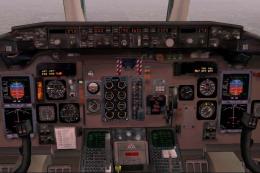
Final fix for the panel replacement virtual cockpit textures and gauges (AAMD…
Acvila Air’s McDonnell Douglas MD-82 AI repaint brings Romanian passenger operations to FS2004 with accurate registration 3D-ABV, based on the reworked FSP model, and includes a ready flight plan linking Bucharest and Constanta to major European and Mediterranean airports. It requires the FSP MD-82 base model for full traffic integration.
 Rate
Rate
Acvila Air-Romanian Carrier (RRM/Air Romania), registration 3D-ABV, for AI. Includes a flight plan for the aircraft operating from Bucharest and Constanta. By Billy Rutherford.
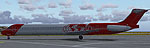
Screenshot of Acvila Air McDonnell Douglas MD-82 on the ground.
I made this repaint from the excellent reworked FSP model by Antti Salo.
This airliner, originally operated by PSA then USAir was re-registered 3D-ABV in Swaziland then went on to serve Kyrgyz Air (Kyrgyzstan) in 2003 before being ferried to the U.S where she operated briefly for the U.S Marshall Service as N822US. The aircraft went into service briefly with KTHY in N. Cyprus and finally is operating out of Romania with Acvila Air, but for how long? This Romanian Airline appear to be branching out from cargo to pax flights.
DESTINATIONS, FLIGHT TIMES AND NUMBERS ARE FICTIONAL, BUT TAKEN FROM AVIATION SIGHTINGS.
DEPARTURE POINTS AND DESTINATIONS USED:
Free for all simmers · 228.87 KB · Scanned clean Oct 2026
Download speed: Free tier is capped at 0.5 Mbps. PRO members download at full line speed.
FS9\Aircraft\, FS9\Addon Scenery\, FS9\Gauges\, or FS9\Effects\.readme.txt or README file. It tells you exactly where files go, what dependencies are needed, and any quirks specific to this add-on.The archive acvila.zip has 6 files and directories contained within it.
This list displays the first 500 files in the package. If the package has more, you will need to download it to view them.
| Filename/Directory | File Date | File Size |
|---|---|---|
| Acvila_FP_readme.txt | 05.26.04 | 2.94 kB |
| fsp_md81_l.bmp | 02.06.04 | 256.07 kB |
| fsp_md81_t.bmp | 05.26.04 | 1.00 MB |
| texture.Acvila | 05.26.04 | 0 B |
| flyawaysimulation.txt | 10.29.13 | 959 B |
| Go to Fly Away Simulation.url | 01.22.16 | 52 B |
Only PRO members can place votes.
More FS2004 add-ons hand-picked based on this download.
FS2004 Civil Jet Aircraft
Final fix for the panel replacement virtual cockpit textures and gauges (AAMD…
 FS2004 Civil Jet Aircraft
Feature full animation, lighting effects and reflective textures. Also includ…
 FS2004 Civil Jet Aircraft
This freeware repaint for Microsoft Flight Simulator 2004 offers a detailed r…
 FS2004 Civil Jet Aircraft
Meridiana McDonnell Douglas MD-82, registration EI-CRW. Textures only for the…
 FS2004 Civil Jet Aircraft
This repaint package for Microsoft Flight Simulator 2004 presents an Alitalia…
 FS2004 Civil Jet Aircraft
This complete freeware package for Microsoft Flight Simulator 2004 recreates …
 FS2004 Civil Jet Aircraft
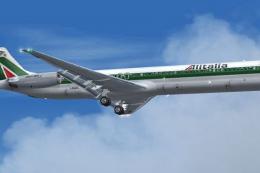
This repaint package provides Alitalia textures for the freeware SGA McDonnel…
 FS2004 Civil Jet Aircraft
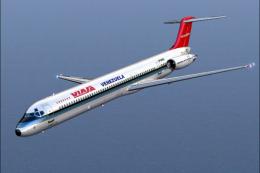
Viasa used these planes in routes to the Caribbean and Florida from Caracas-M…
Be the first to leave a comment on this download.
Be the first to share your thoughts on this download.