

 United States of America
  FSX Scenery
Saratoga County Airport V2
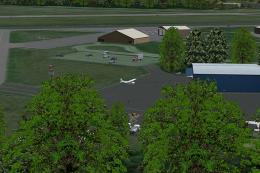
Saratoga County Airport, New York (5B2) v2.0 for FSX Acceleration. Located in…
Saratoga County Airport (5B2) in New York gets a v2.0 ADE scenery fix for FSX, rebuilding parking-spot links so AI traffic can taxi cleanly to and from stands without pathing errors. The updated airport layout improves ground flow and compatibility with existing scenery and requires 5B2_X_V2.ZIP by Ed Cox.
Saratoga County Airport, New York (NY) v2.0 ADE fix. Reworked ADE file to fix bad parking spot links. AI traffic navigates to and from parking spots correctly with this release. Requires 5B2_X_V2.ZIP by Ed Cox.
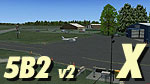
Screenshot of Saratoga County Airport.
Installation:
Free for all simmers · 6.67 KB · Scanned clean Oct 2026
Download speed: Free tier is capped at 0.5 Mbps. PRO members download at full line speed.
This add-on may require the following files to function properly. If this is a repaint, the dependency below is likely the base aircraft package.
FSX\Addon Scenery\ containing scenery and texture sub-folders.readme.txt or README file. It tells you exactly where files go, what dependencies are needed, and any quirks specific to this add-on.Use these coordinates to fly directly to this location once the mod is installed.
43.05120000,-73.86440000
Launch FSX or Prepar3D and use Flights → Load to open the downloaded .pln file. Your aircraft will be positioned at this location.
The archive 5b2_x_fix.zip has 9 files and directories contained within it.
This list displays the first 500 files in the package. If the package has more, you will need to download it to view them.
| Filename/Directory | File Date | File Size |
|---|---|---|
| 5B2_X_Fix | 05.07.12 | 0 B |
| Addon Scenery | 05.07.12 | 0 B |
| 5B2_X_Obj | 05.07.12 | 0 B |
| Scenery | 05.07.12 | 0 B |
| 5B2_ADEX_ERC.BGL | 05.07.12 | 12.00 kB |
| file.diz | 05.07.12 | 248 B |
| ReadMe.txt | 05.07.12 | 1.77 kB |
| flyawaysimulation.txt | 10.29.13 | 959 B |
| Go to Fly Away Simulation.url | 01.22.16 | 52 B |
Only PRO members can place votes.
More FSX & P3D add-ons hand-picked based on this download.
FSX Scenery
Saratoga County Airport, New York (5B2) v2.0 for FSX Acceleration. Located in…
 FSX Scenery
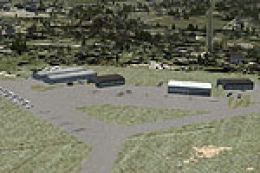
Saratoga County Airport (5B2), Saratoga Springs, New York (NY). Features corr…
 FSX Scenery
USS Saratoga CV-3. This is a true FSX scenery object compiled with Xtomdl. It…
 FSX Scenery
USS Saratoga. This is a tweak of Paul Clawson's Saratoga static scenery add-o…
 FSX Scenery
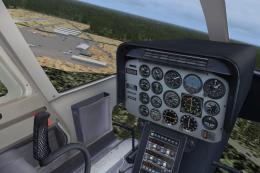
Scenery Thomaston-Upson County Airport (KOPN), Thomaston, Georgia (GA), fix, …
 FSX Scenery
Aspen-Pitkin County Airport Scenery (KASE), Colorado (CO). This scenery adds …
 FSX Scenery
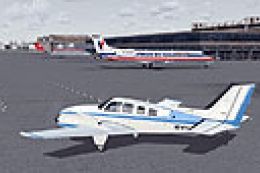
Westchester County Airport (KPHN), White Plains, New York (NY). An improved v…
 FSX Scenery
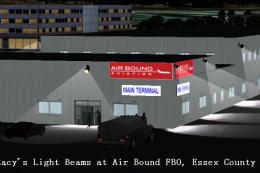
Essex County Airport NJ (IATA: CDW, ICAO: KCDW, FAA LID: CDW) is a public air…
Be the first to leave a comment on this download.
Be the first to share your thoughts on this download.