

 FS2004 Propeller Aircraft
Lockheed L-1049H Super Constellation
The L1049H was a convertible passenger/cargo version of the Super Constellati…
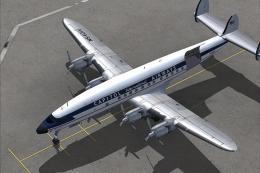
Qantas VH-EAB “Southern Horizon” brings classic mid-century airline markings to Mike Stone’s Lockheed 1049G Super Constellation, with crisp, historically aligned textures detailing the nose, wings, and engine cowls. Built for Microsoft Flight Simulator 2004, it requires the freeware 1049G base model and includes all necessary livery files.
 Rate
Rate
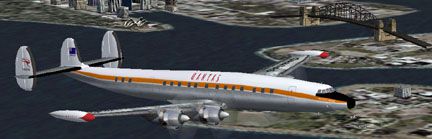
This package offers a detailed repaint of Qantas VH-EAB, known as "Southern Horizon," designed for use with Mike Stone’s freeware Lockheed 1049G Super Constellation base model. It preserves authentic airline markings and includes all relevant texture files created by Geoff Chambers. This add-on is freeware and compatible with Microsoft Flight Simulator 2004, but the supporting aircraft model must be obtained separately from the Fly Away Simulation mod library.
The Lockheed 1049H belongs to the highly regarded Constellation series, recognized for its triple-tail rudders and sleek fuselage contours. Real-world versions of this propliner incorporated four Wright R-3350 radial engines, which provided extended range and dependable performance during its commercial service era. Qantas, an airline with a rich heritage, operated these long-haul piston aircraft on international routes, including the well-known example VH-EAB named "Southern Horizon."
Screenshot of Qantas Lockheed 1049H in flight.
The paint scheme reflects classic Qantas branding from the mid-20th century, featuring the original color palette and distinct tail markings. It ensures historical accuracy by adhering to the real aircraft registration and fuselage logo placements. The textures by Geoff Chambers incorporate subtle details around the nose, wings, and engine cowls, offering a realistic depiction of this iconic airliner.
Before applying this repaint, install SCONNIE.ZIP (Mike Stone’s base Lockheed 1049G Super Constellation). Once acquired, follow these steps:
Insert this block at the end of the aircraft.cfg file:
[fltsim.x]

title=Lockheed Super Constellation QANTAS

sim=connie

model=

panel=

sound=

texture=QFA

kb_checklists=

kb_reference=

atc_id=VHEAB

ui_manufacturer=Lockheed

ui_type=Super Constellation

ui_variation=QANTAS

description=Lockheed Super Constellation QANTAS VH-EAB "Southern Horizon"

atc_heavy=0

atc_airline=QANTAS

atc_flight_number=049

atc_parking_types=GATE,RAMP
Full appreciation goes to Mike Stone for developing the freeware base model and to Geoff Chambers for producing the meticulously crafted textures that bring this Qantas Lockheed 1049H to life. Users will find the base aircraft available in the Fly Away Simulation library, ready to accommodate these updated textures without any complexity.
Free for all simmers · 871.84 KB · Scanned clean Oct 2026
Download speed: Free tier is capped at 0.5 Mbps. PRO members download at full line speed.
FS9\Aircraft\, FS9\Addon Scenery\, FS9\Gauges\, or FS9\Effects\.readme.txt or README file. It tells you exactly where files go, what dependencies are needed, and any quirks specific to this add-on.The archive 1049qfa.zip has 27 files and directories contained within it.
This list displays the first 500 files in the package. If the package has more, you will need to download it to view them.
| Filename/Directory | File Date | File Size |
|---|---|---|
| 1049_QFA.gif | 09.25.03 | 7.74 kB |
| FILE_ID.DIZ | 05.16.04 | 217 B |
| Readme first.txt | 05.16.04 | 970 B |
| cowl_l.bmp | 04.19.03 | 257.05 kB |
| cowl_t.bmp | 07.25.03 | 341.43 kB |
| flaps_l.bmp | 04.19.03 | 257.05 kB |
| flaps_t.bmp | 07.25.03 | 257.05 kB |
| fuslg_l.bmp | 04.26.03 | 1.00 MB |
| fuslg_t.bmp | 10.02.03 | 1.00 MB |
| lwing_l.bmp | 04.19.03 | 1.00 MB |
| lwing_t.bmp | 09.25.03 | 1.00 MB |
| ndoor_l.bmp | 04.19.03 | 65.05 kB |
| ndoor_t.bmp | 09.25.03 | 65.07 kB |
| propdisk_t.bmp | 03.30.03 | 65.05 kB |
| rwing_l.bmp | 04.19.03 | 1.00 MB |
| rwing_t.bmp | 09.25.03 | 1.00 MB |
| spin_l.bmp | 04.19.03 | 5.05 kB |
| spin_t.bmp | 09.23.03 | 12.05 kB |
| stab_l.bmp | 04.19.03 | 257.05 kB |
| stab_t.bmp | 09.23.03 | 257.07 kB |
| tail_l.bmp | 04.19.03 | 257.05 kB |
| tail_t.bmp | 09.25.03 | 257.07 kB |
| tank_l.bmp | 04.19.03 | 257.05 kB |
| tank_t.bmp | 09.25.03 | 257.07 kB |
| VH-EAB.jpg | 09.25.03 | 22.39 kB |
| flyawaysimulation.txt | 10.29.13 | 959 B |
| Go to Fly Away Simulation.url | 01.22.16 | 52 B |
Only PRO members can place votes.
More FS2004 add-ons hand-picked based on this download.
FS2004 Propeller Aircraft
The L1049H was a convertible passenger/cargo version of the Super Constellati…
 FS2004 Propeller Aircraft
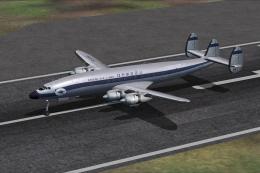
This is repaint of Korean Air Lines L-1049H "HL4002". During the 1960s Korean…
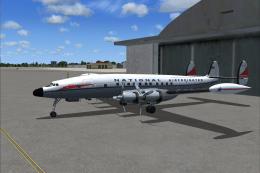 FS2004 Propeller Aircraft
These textures depict N7134C about 1961. Lockheed L1049H model by Manfred Jah…
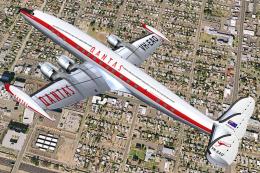 FS2004 Propeller Aircraft
Lockheed L-1049G-82-153 (c/n 4679), registration VH-EAO, belonging to Qantas.…
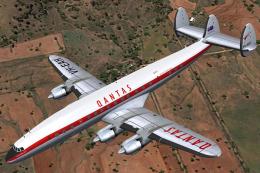 FS2004 Propeller Aircraft
Lockheed L-1049C-55-81 (c/n 4545), VH-EAH, was delivered to Qantas in April 1…
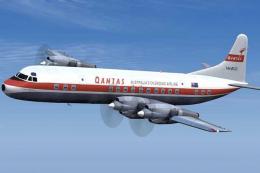 FS2004 Propeller Aircraft
Experience a richly detailed Qantas Lockheed Electra repaint designed specifi…
 FS2004 Propeller Aircraft
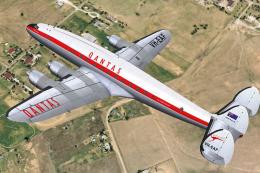
Lockheed L-749A (c/n 2504) "VH-EAF" belonging to Qantas. It was sold by Air I…
 FS2004 Propeller Aircraft
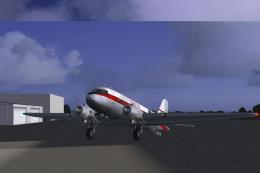
A repaint of the default DC3. Qantas VH-EDC was used in regional and domestic…
Be the first to leave a comment on this download.
Be the first to share your thoughts on this download.