

 FS2004 Propeller Aircraft
Lockheed L188 Electra
FS2004 Lockheed L188 Electra The elegant Electra was plagued by mechanical pr…
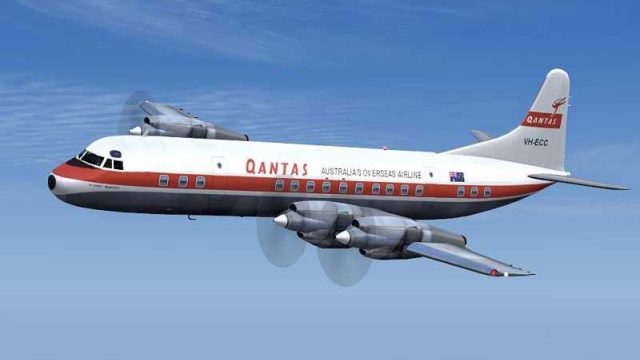
Qantas Lockheed Electra repaint brings a historically faithful mid-century look with crisp 32-bit fuselage artwork, refreshed wings, tires, windows, and smoother propeller visuals for more convincing turboprop operations in Microsoft Flight Simulator 2004. Requires J.R. Lucariny’s freeware Electra base package (ELEIIVG.ZIP) for full compatibility.
 Rate
Rate
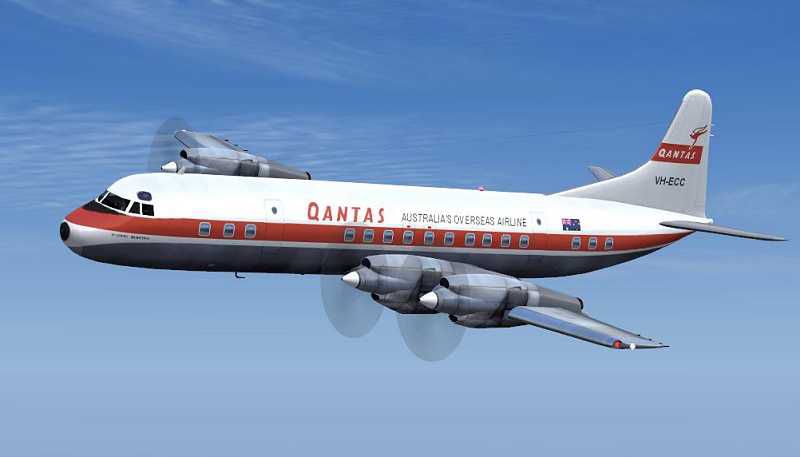
Experience a richly detailed Qantas Lockheed Electra repaint designed specifically for Microsoft Flight Simulator 2004. These textures refresh the wing surfaces, tires, windows, and propeller animations while preserving a historically faithful livery. The fuselage artwork employs 32-bit resolution, ensuring finer details and superior visual clarity where it matters most. Enthusiasts seeking an authentic tribute to this iconic turboprop will appreciate the precision and devotion poured into every pixel by developer Jim Campisi.
Every key exterior element benefits from a thorough rework. The wings feature refined texturing that highlights subtle panel lines, the tires sport realistic treads to match ground handling immersion, and the window layouts display adjusted transparency for genuine cabin ambiance. Meanwhile, the propeller textures incorporate smooth transitions for the spinning effect, which enhances visual immersion during engine operation. These refinements elevate the overall look for those who value authenticity in their Lockheed Electra flying sessions.
The Lockheed Electra played a functioning role in Qantas's mid-century aircraft lineup, bridging shorter routes with dependable turboprop performance. This repaint emphasizes traditional Qantas markings, Tail livery, and carefully placed identification identifiers. Combining 32-bit resolution on the fuselage with historically inspired artwork, it ensures the design stays true to the airline’s heritage while delivering modern graphics standards in the sim.
These files only include replacement textures for J.R. Lucariny’s Electra freeware package. Interested users must download and install the required base package (ELEIIVG.ZIP) from the Fly Away Simulation library prior to adding these new textures. Once the original model is in place, drop the included texture files into the appropriate folder to enable the advanced livery enhancements. The process takes only a few moments, and you’ll be up and running with an updated Qantas finish in no time.
Screenshot showcasing the Qantas Lockheed Electra airborne.
This repaint is generously provided by Jim Campisi, who meticulously balanced historical accuracy with modern texturing approaches. The underlying Electra model originates from J.R. Lucariny, offering a freeware platform treasured by vintage-aircraft enthusiasts. This custom Qantas repaint pays homage to their combined dedication, enabling sim pilots to relive a piece of aviation history on their virtual travels.
Free for all simmers · 1.17 MB · Scanned clean Oct 2026
Download speed: Free tier is capped at 0.5 Mbps. PRO members download at full line speed.
FS9\Aircraft\, FS9\Addon Scenery\, FS9\Gauges\, or FS9\Effects\.readme.txt or README file. It tells you exactly where files go, what dependencies are needed, and any quirks specific to this add-on.The archive qan.zip has 25 files and directories contained within it.
This list displays the first 500 files in the package. If the package has more, you will need to download it to view them.
| Filename/Directory | File Date | File Size |
|---|---|---|
| readme.txt | 06.25.06 | 438 B |
| Bays.bmp | 04.13.06 | 64.07 kB |
| Bays_L.bmp | 04.14.06 | 341.43 kB |
| Civil Pilot.bmp | 04.13.06 | 85.43 kB |
| Civil Pilot_L.bmp | 04.03.06 | 85.43 kB |
| ElectraAsa.bmp | 04.13.06 | 1.00 MB |
| ElectraAsa_L.bmp | 04.14.06 | 1.33 MB |
| ElectraInterior.bmp | 04.25.06 | 1.00 MB |
| ElectraInterior_L.bmp | 04.13.06 | 1.33 MB |
| ElectraMap.bmp | 04.21.06 | 4.00 MB |
| ElectraMap_L.bmp | 04.21.06 | 5.33 MB |
| ElectraVidro.bmp | 03.30.06 | 42.75 kB |
| EleHelice.bmp | 04.14.06 | 64.07 kB |
| EleTire.bmp | 04.13.06 | 85.43 kB |
| EleTireBu.bmp | 04.13.06 | 85.43 kB |
| EleTurb.bmp | 04.20.06 | 1.00 MB |
| EleTurb_L.bmp | 04.03.06 | 341.43 kB |
| HeliceDisco.bmp | 07.02.03 | 64.07 kB |
| Tire.bmp | 04.13.06 | 85.43 kB |
| Trem.bmp | 06.25.03 | 256.53 kB |
| texture.QA | 06.25.06 | 0 B |
| qantas.JPG | 06.25.06 | 20.05 kB |
| qantas.gif | 06.25.06 | 8.43 kB |
| flyawaysimulation.txt | 10.29.13 | 959 B |
| Go to Fly Away Simulation.url | 01.22.16 | 52 B |
Only PRO members can place votes.
More FS2004 add-ons hand-picked based on this download.
FS2004 Propeller Aircraft
FS2004 Lockheed L188 Electra The elegant Electra was plagued by mechanical pr…
 FS2004 Propeller Aircraft
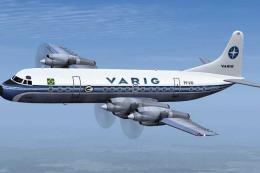
This meticulously refined repaint depicts Varig’s iconic Lockheed L-188 Elect…
 FS2004 Propeller Aircraft
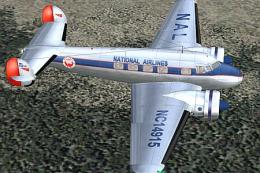
70th anniversary of the Electra L10. A complete new FSDS2 model that features…
 FS2004 Propeller Aircraft
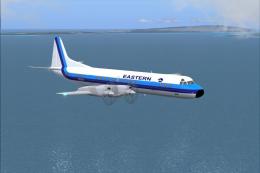
An update of the Lockheed L 188 Electra by Mike Stone (SL188.ZIP), with all t…
 FS2004 Propeller Aircraft
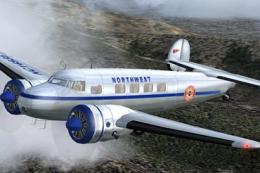
70th Anniversary Of The Electra L-10. It first went into service with Northwe…
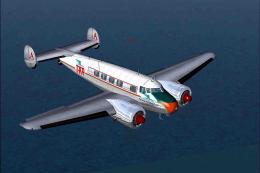 FS2004 Propeller Aircraft
When we refer to vintage TAP (Transportes Aereos Portugueses), the national a…
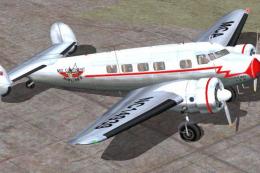 FS2004 Propeller Aircraft
These textures are to be used with FSDesign Berlin's L10A Electra (i.e. l104N…
 FS2004 Propeller Aircraft
Rough 'n ready photorealistic repaint for Dee Waldron's Lockheed Electra for …
Be the first to leave a comment on this download.
Be the first to share your thoughts on this download.