

 FS2004 Propeller Aircraft
Hawkair Bristol 170 Freighter Mk31
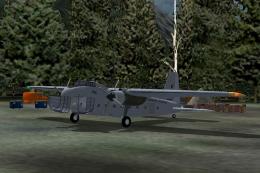
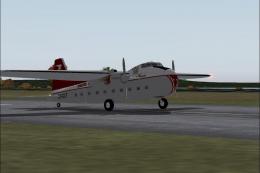
These textures depict C-GYQS (c/n 1360) used by Hawkair Aviation from 1994 un…
Safe Air’s Bristol B170 Freighter Mk31 livery recreates Straits Air Freight Express operations in New Zealand, from Cook Strait car-ferry work to later Chatham Islands passenger runs, bringing period markings and a believable utilitarian finish to FS2004. Textures only, requires SB170.ZIP for Mike Stone’s base aircraft and a matching virtual cockpit.
 Rate
Rate
Straits Air Freight Express of New Zealand commenced Bristol Freighter operations across Cook Strait in 1951. At its peak the operation had up to seventeen B170's and expanded into passenger transport to the Chatham Islands. The last four were retired 1987. Textures only; requires SB170.ZIP. Aircraft by Mike Stone. Textures by Paul Deans.
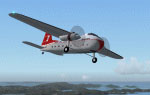
Screenshot of B170 Freighter Mk31 in flight.
Edit the aircraft .cfg file and add the following:
[fltsim.1]

	title=Bristol 170 Freighter

	sim=b170

	model=

	panel=

	sound=

	texture=safe

	kb_checklists=

	kb_reference=

	atc_id=ZK-CPT

	ui_manufacturer=Bristol

	ui_type=170 Freighter

	ui_variation=Safe Air

	description=

	atc_heavy=0

	atc_airline=New Zealand

	atc_flight_number=
Free for all simmers · 113.31 KB · Scanned clean Oct 2026
Download speed: Free tier is capped at 0.5 Mbps. PRO members download at full line speed.
This file is a repaint — the package below is the base model it paints onto. Install it first, or the textures will have nothing to load onto.
FS9\Aircraft\, FS9\Addon Scenery\, FS9\Gauges\, or FS9\Effects\.readme.txt or README file. It tells you exactly where files go, what dependencies are needed, and any quirks specific to this add-on.The archive safev4.zip has 24 files and directories contained within it.
This list displays the first 500 files in the package. If the package has more, you will need to download it to view them.
| Filename/Directory | File Date | File Size |
|---|---|---|
| cowl_l.bmp | 11.27.04 | 257.05 kB |
| cowl_t.bmp | 01.20.05 | 256.07 kB |
| fuslg_l.bmp | 11.27.04 | 1.00 MB |
| fuslg_t.bmp | 01.21.05 | 1.33 MB |
| interior_l.bmp | 11.27.04 | 1.00 MB |
| interior_t.bmp | 11.26.04 | 1.00 MB |
| lwing_l.bmp | 11.27.04 | 1.00 MB |
| lwing_t.bmp | 01.21.05 | 1.00 MB |
| prop_l.bmp | 11.27.04 | 65.05 kB |
| prop_t.bmp | 01.22.05 | 64.07 kB |
| propdisk_t.bmp | 01.22.05 | 64.07 kB |
| rwing_l.bmp | 11.27.04 | 1.00 MB |
| rwing_t.bmp | 01.21.05 | 1.00 MB |
| spinner_l.bmp | 11.27.04 | 17.05 kB |
| spinner_t.bmp | 11.26.04 | 21.43 kB |
| stab_l.bmp | 11.27.04 | 257.05 kB |
| stab_t.bmp | 01.21.05 | 256.07 kB |
| Thumbs.db | 12.09.04 | 19.00 kB |
| texture.safe | 01.22.05 | 0 B |
| readme.txt | 01.22.05 | 816 B |
| FILE_ID.DIZ | 01.21.05 | 388 B |
| safeb170.gif | 01.22.05 | 8.28 kB |
| flyawaysimulation.txt | 10.29.13 | 959 B |
| Go to Fly Away Simulation.url | 01.22.16 | 52 B |
Only PRO members can place votes.
More FS2004 add-ons hand-picked based on this download.
FS2004 Propeller Aircraft
These textures depict C-GYQS (c/n 1360) used by Hawkair Aviation from 1994 un…
 FS2004 Propeller Aircraft
Three texture set. Textures only. Rrequires SB170.ZIP. Aircraft by Mike Stone…
 FS2004 Propeller Aircraft
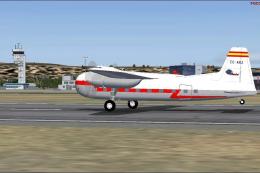
Iberia (1954) Bristol 170 MK31-E, registration EC-AHJ. Texture only; requires…
 FS2004 Propeller Aircraft
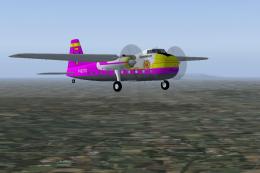
Textures only for Mike Stone's Bristol 170 (SB170.ZIP). Repaint by Rory Thoms…
 FS2004 Propeller Aircraft
Textures only for Mike Stone's Bristol 170 freighter in New Zealand's Safe Ai…
 FS2004 Propeller Aircraft
Ugly, but functional, the 170 was designed to be simple, rugged and reliable.…
 FS2004 Propeller Aircraft
Model by Mike Stone. Textures by Mark Dring. Please paste Douglas DC3.CAB as …
 FS2004 Propeller Aircraft
A repaint for the Bristol 170 freighter aircraft by Mike Stone. Textures only…
Be the first to leave a comment on this download.
Be the first to share your thoughts on this download.