

 FS2004 Propeller Aircraft
Sabena Bristol 170 Freighter
Textures only; requires SB170.ZIP. An aircraft used by the Belgian airline in…
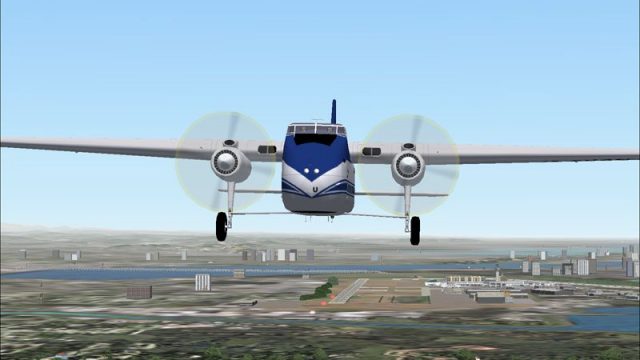
Sabena-liveried Bristol 170 Freighter textures recreate G-APAU with period-accurate markings for authentic cargo and ferry operations in FS2004. Designed for Mike Stone’s Bristol 170 model, it sharpens the exterior finish while keeping performance-friendly visuals, and requires SB170.ZIP to supply the base aircraft files.
 Rate
Rate

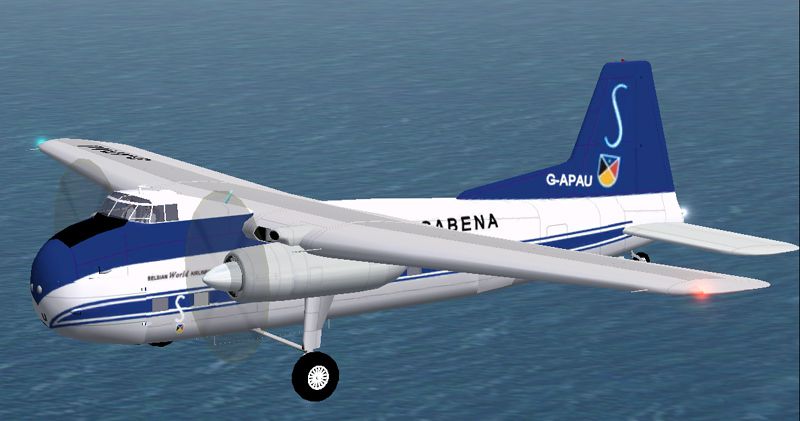

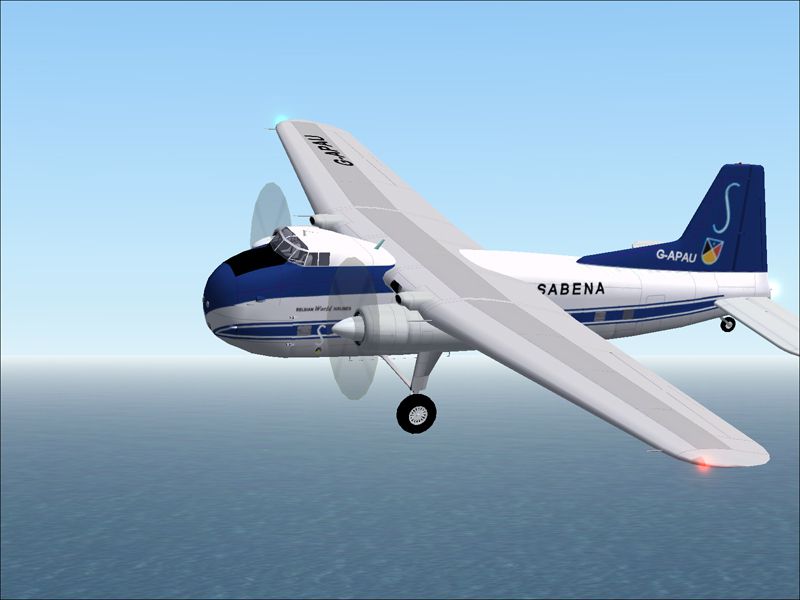
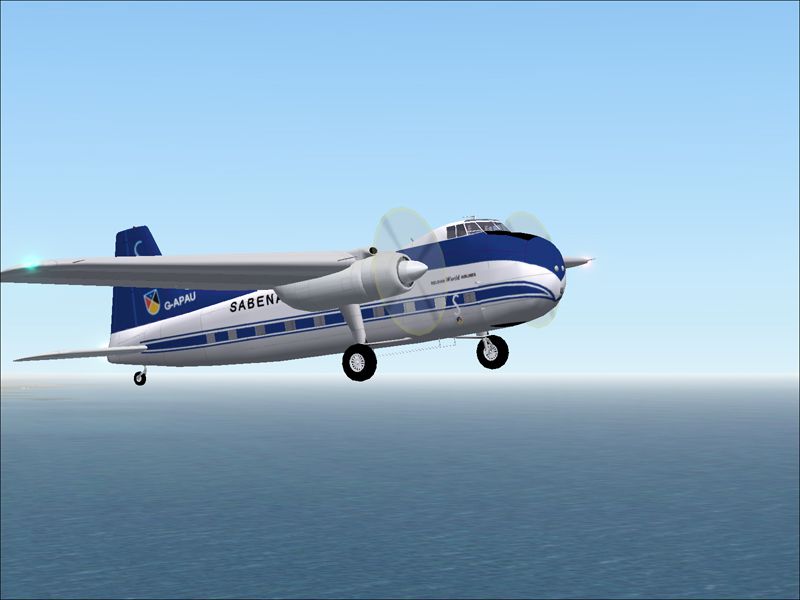
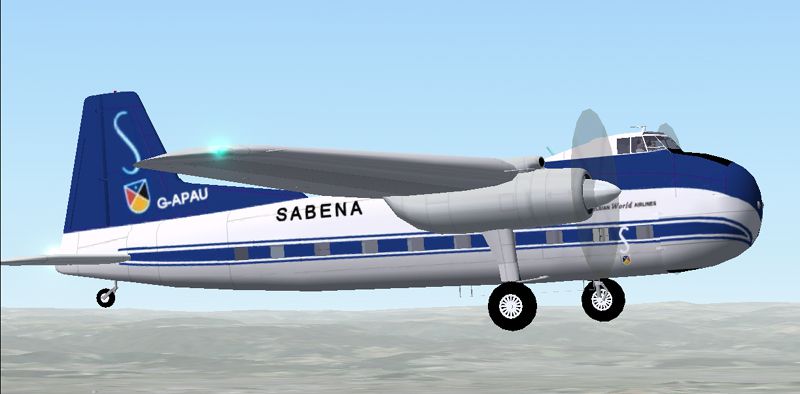
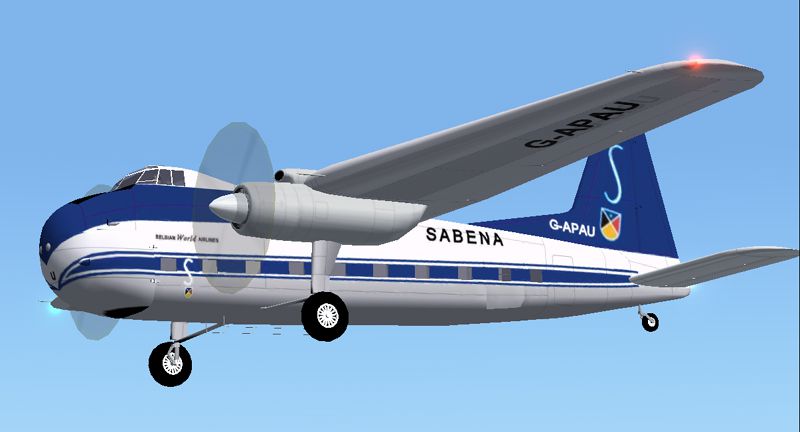
A repaint for the Bristol 170 freighter aircraft by Mike Stone. Textures only; requires SB170.ZIP. Repaint by Juan Velilla Morton.
Screenshot of Sabena Bristol 170 Freighter.
Installation in FS2004:
[fltsim.X]

	title=Sabena Bristol 170 Freighter

	sim=b170

	model=

	panel=

	sound=

	texture=sabb170

	kb_checklists=

	kb_reference=

	atc_id=

	ui_manufacturer=Bristol

	ui_type=170 Freighter

	ui_variation=Sabena

	description=

	atc_heavy=0

	atc_airline=sabena

	atc_flight_number=pau
Please make sure: if you have already installed other texture versions of the DC-6b, the numbering of [fltsim.X] must be adapted in sequence; For example: [fltsim.1], [fltsim.2] ...
Free for all simmers · 1.25 MB · Scanned clean Oct 2026
Download speed: Free tier is capped at 0.5 Mbps. PRO members download at full line speed.
This file is a repaint — the package below is the base model it paints onto. Install it first, or the textures will have nothing to load onto.
FS9\Aircraft\, FS9\Addon Scenery\, FS9\Gauges\, or FS9\Effects\.readme.txt or README file. It tells you exactly where files go, what dependencies are needed, and any quirks specific to this add-on.The archive sabb170.zip has 29 files and directories contained within it.
This list displays the first 500 files in the package. If the package has more, you will need to download it to view them.
| Filename/Directory | File Date | File Size |
|---|---|---|
| FILE_ID.DIZ | 05.14.05 | 206 B |
| ReadFirst.txt | 05.14.05 | 1.06 kB |
| sabb170.gif | 05.14.05 | 6.55 kB |
| sabb170.jpg | 05.14.05 | 178.99 kB |
| sabb1701.jpg | 05.14.05 | 181.70 kB |
| sabb1702.jpg | 05.14.05 | 174.98 kB |
| sabb1703.jpg | 05.14.05 | 171.64 kB |
| sabb1704.jpg | 05.14.05 | 186.42 kB |
| sabb1705.jpg | 05.14.05 | 170.70 kB |
| sabb1706.jpg | 05.14.05 | 160.05 kB |
| cowl_l.bmp | 11.27.04 | 257.05 kB |
| cowl_t.bmp | 11.26.04 | 341.43 kB |
| fuslg_l.bmp | 11.27.04 | 1.00 MB |
| fuslg_t.bmp | 05.13.05 | 1.00 MB |
| interior_l.bmp | 11.27.04 | 1.00 MB |
| interior_t.bmp | 11.26.04 | 1.00 MB |
| lwing_l.bmp | 11.27.04 | 1.00 MB |
| lwing_t.bmp | 05.14.05 | 1.00 MB |
| prop_l.bmp | 11.27.04 | 65.05 kB |
| prop_t.bmp | 11.21.04 | 65.05 kB |
| propdisk_t.bmp | 11.27.04 | 65.05 kB |
| rwing_l.bmp | 11.27.04 | 1.00 MB |
| rwing_t.bmp | 05.14.05 | 1.00 MB |
| spinner_l.bmp | 11.27.04 | 17.05 kB |
| spinner_t.bmp | 11.26.04 | 21.43 kB |
| stab_l.bmp | 11.27.04 | 257.05 kB |
| stab_t.bmp | 11.26.04 | 341.43 kB |
| flyawaysimulation.txt | 10.29.13 | 959 B |
| Go to Fly Away Simulation.url | 01.22.16 | 52 B |
Only PRO members can place votes.
More FS2004 add-ons hand-picked based on this download.
FS2004 Propeller Aircraft
Textures only; requires SB170.ZIP. An aircraft used by the Belgian airline in…
 FS2004 Propeller Aircraft
Ugly, but functional, the 170 was designed to be simple, rugged and reliable.…
 FS2004 Propeller Aircraft
These textures depict C-GYQS (c/n 1360) used by Hawkair Aviation from 1994 un…
 FS2004 Propeller Aircraft
Model by Mike Stone. Textures by Mark Dring. Please paste Douglas DC3.CAB as …
 FS2004 Propeller Aircraft
Straits Air Freight Express of New Zealand commenced Bristol Freighter operat…
 FS2004 Propeller Aircraft
Bristol 170 photoreal. This package includes the full freeware aircraft model…
 FS2004 Propeller Aircraft
Iberia Bristol 170 Mk. 21 freighter using Mike Stone's model. Textures only; …
 FS2004 Propeller Aircraft
Textures only; requires SB170.ZIP. Model by Mike Stone. Repaint by Jim Cartne…
Be the first to leave a comment on this download.
Be the first to share your thoughts on this download.