

 FS2004 Propeller Aircraft
Air France Breguet 763 Deux Ponts F-BASQ
An updated set of textures for the Breguet Deux Ponts. Photorealistic texture…
Air France’s Breguet 763 “Deux Ponts” Provence brings a classic double-deck airliner to life in FS2004 with a detailed 3D model, authentic textures, a tuned flight model, and a period-style 2D panel. For best immersion, it requires a compatible Lockheed L-1049 Super Constellation or Douglas DC-6 panel and sounds.
 Rate
Rate
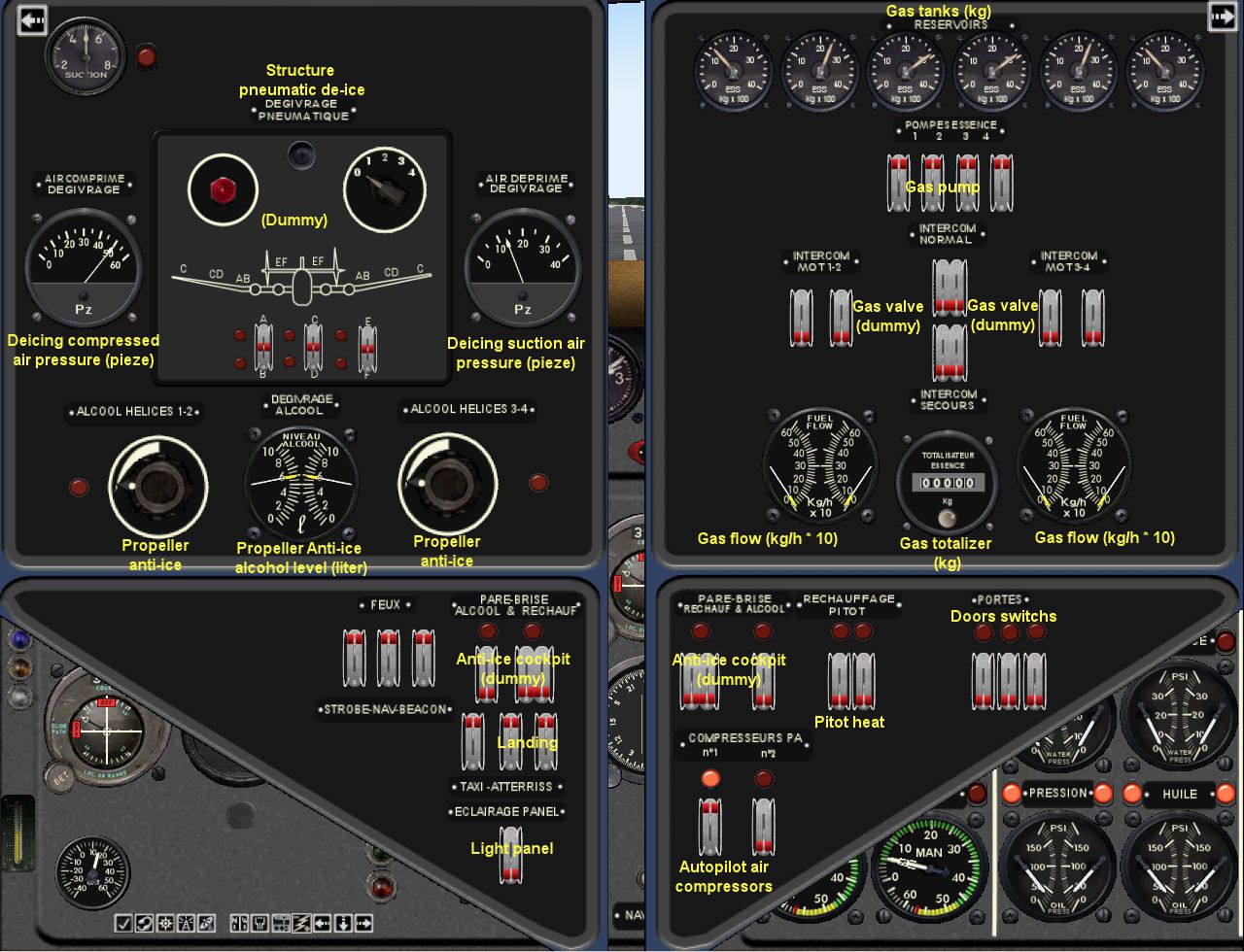
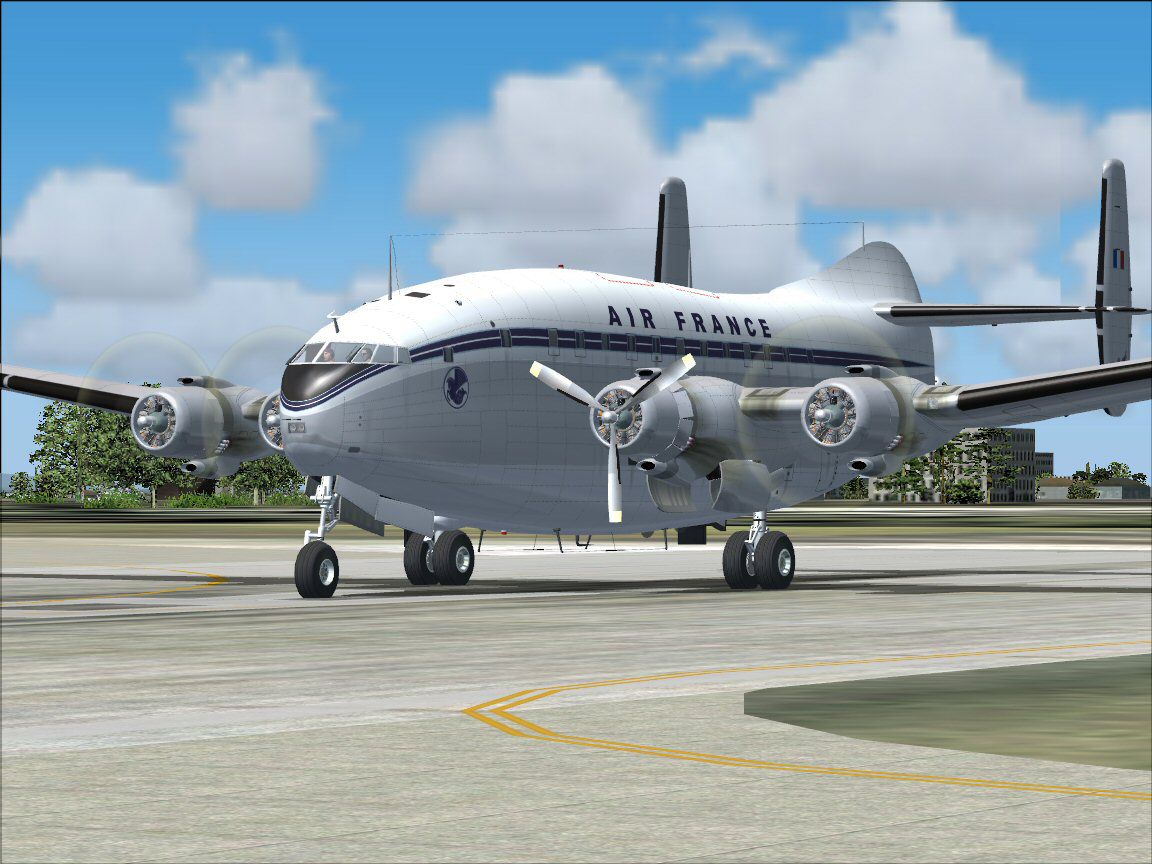

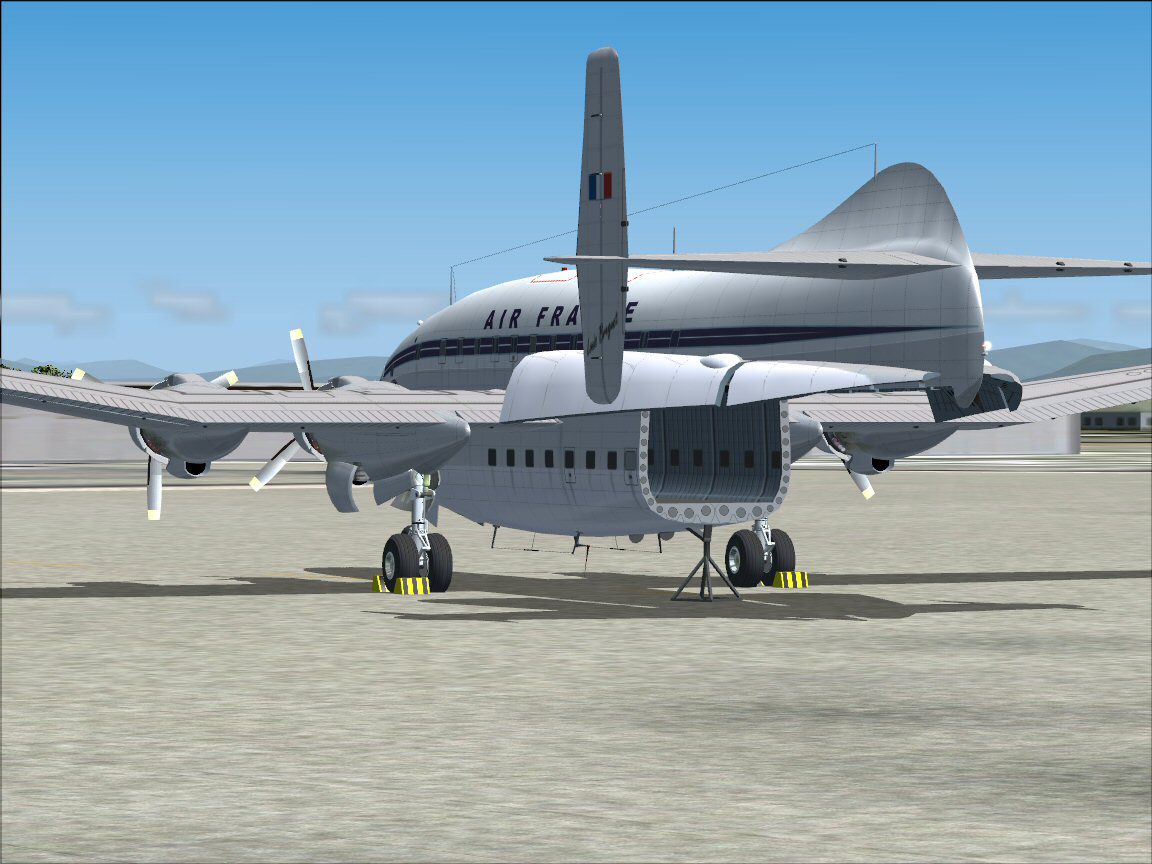
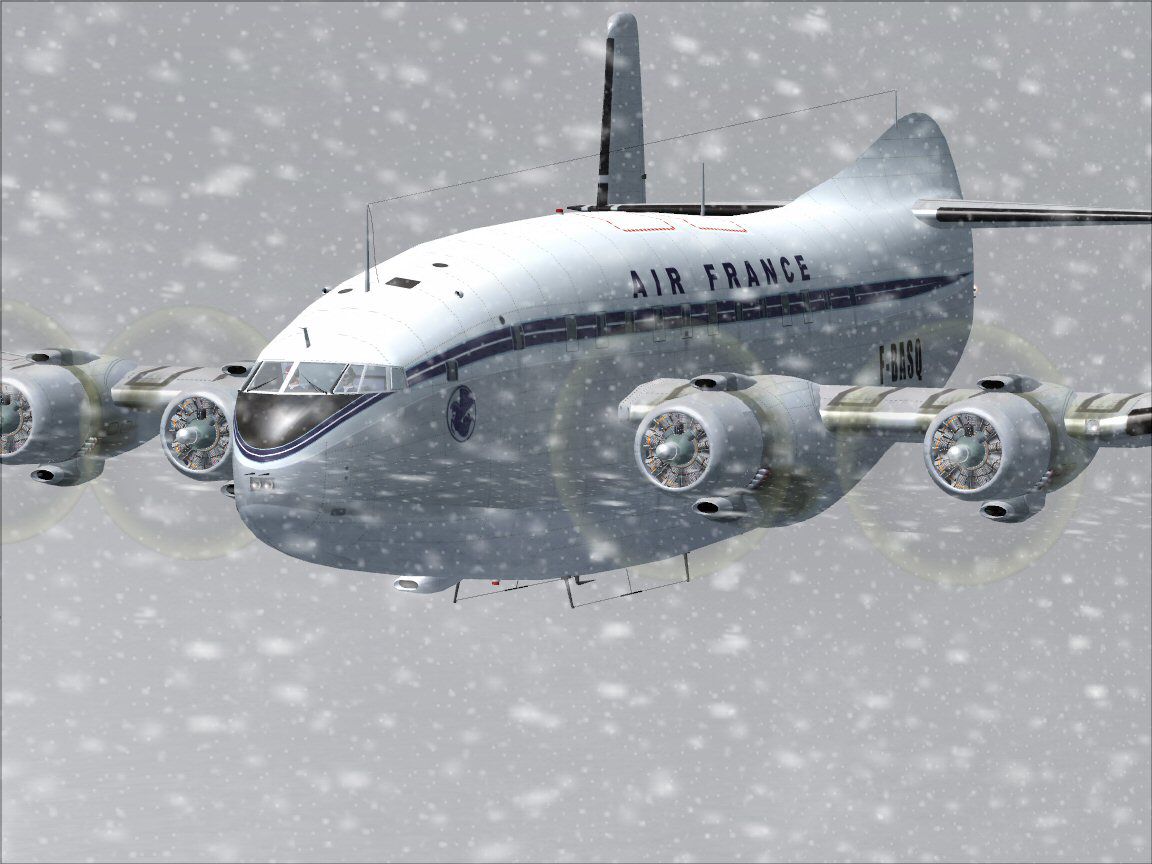
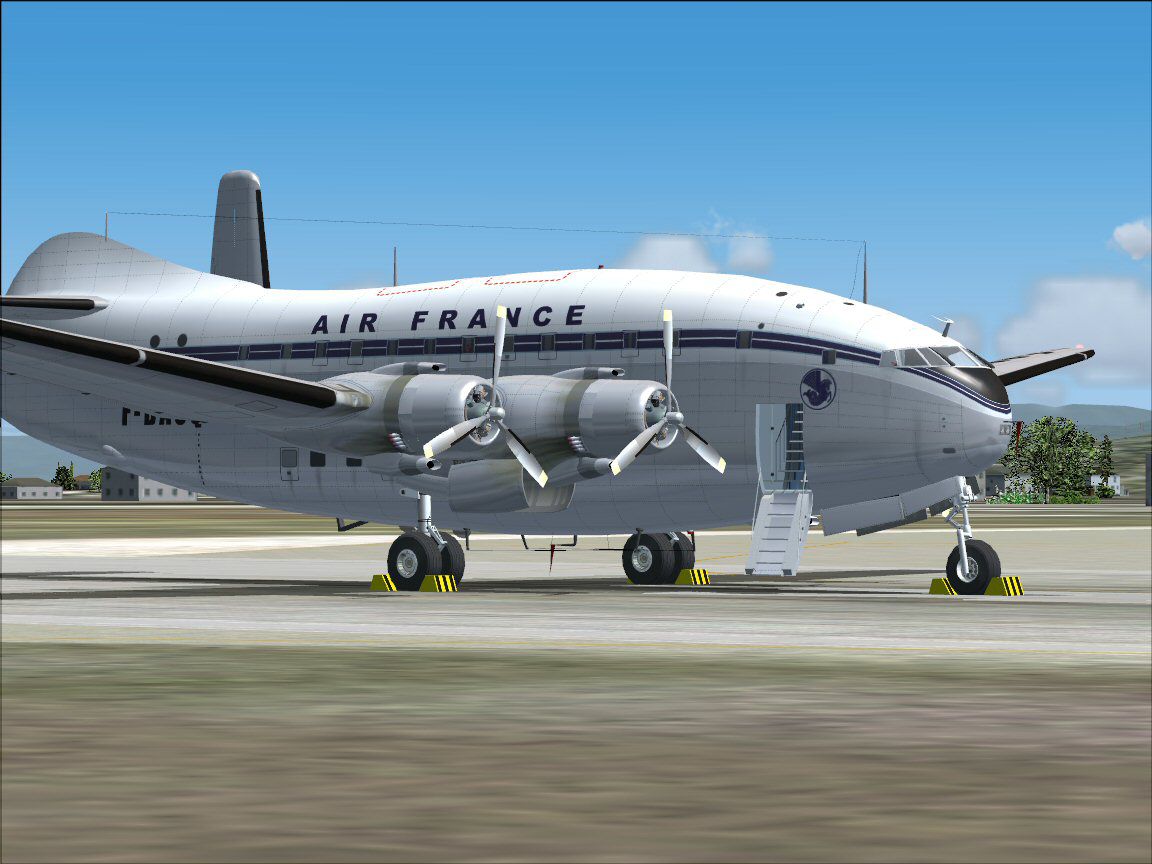
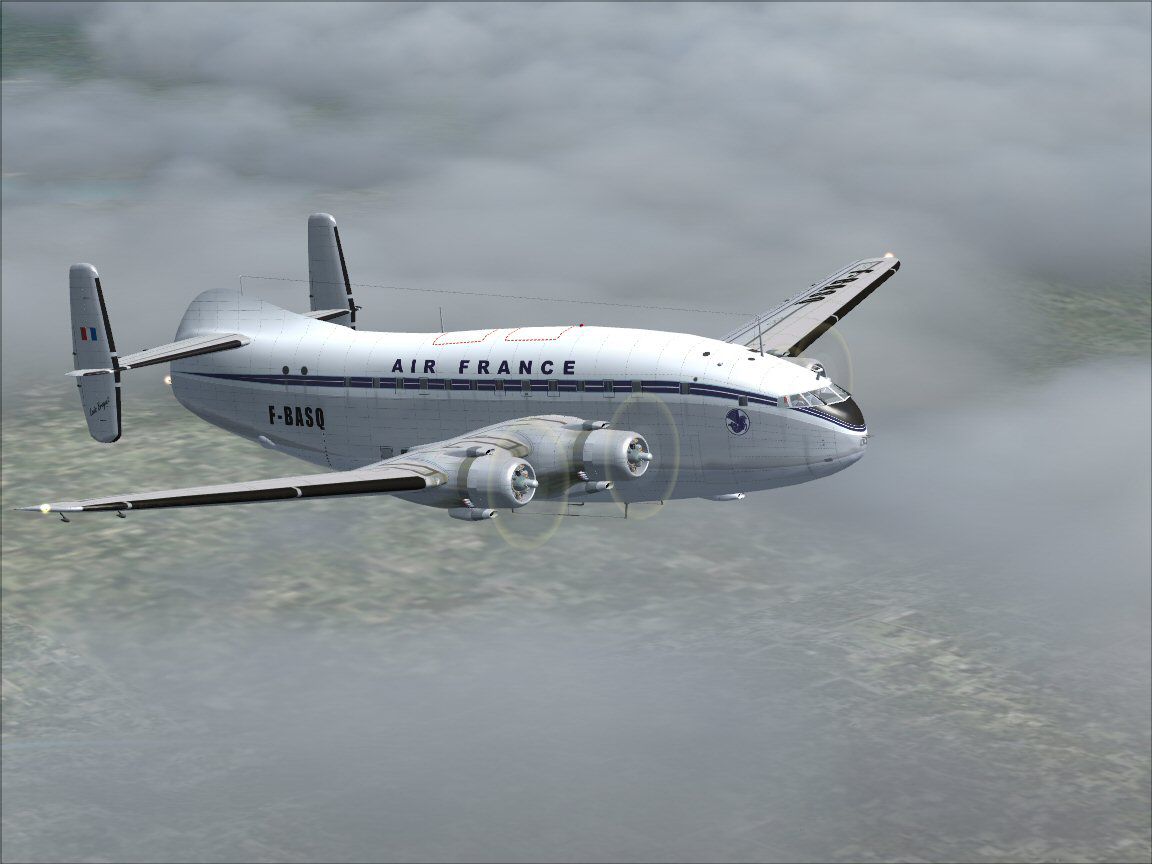
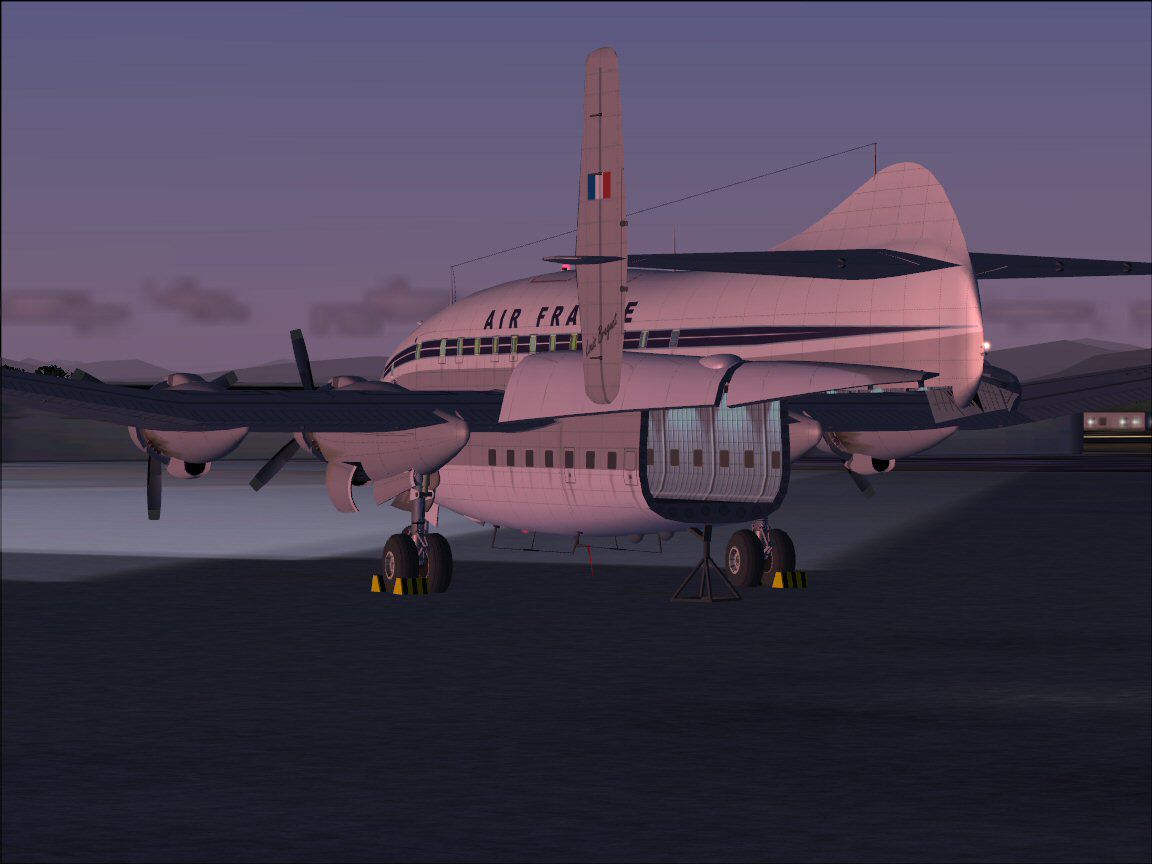

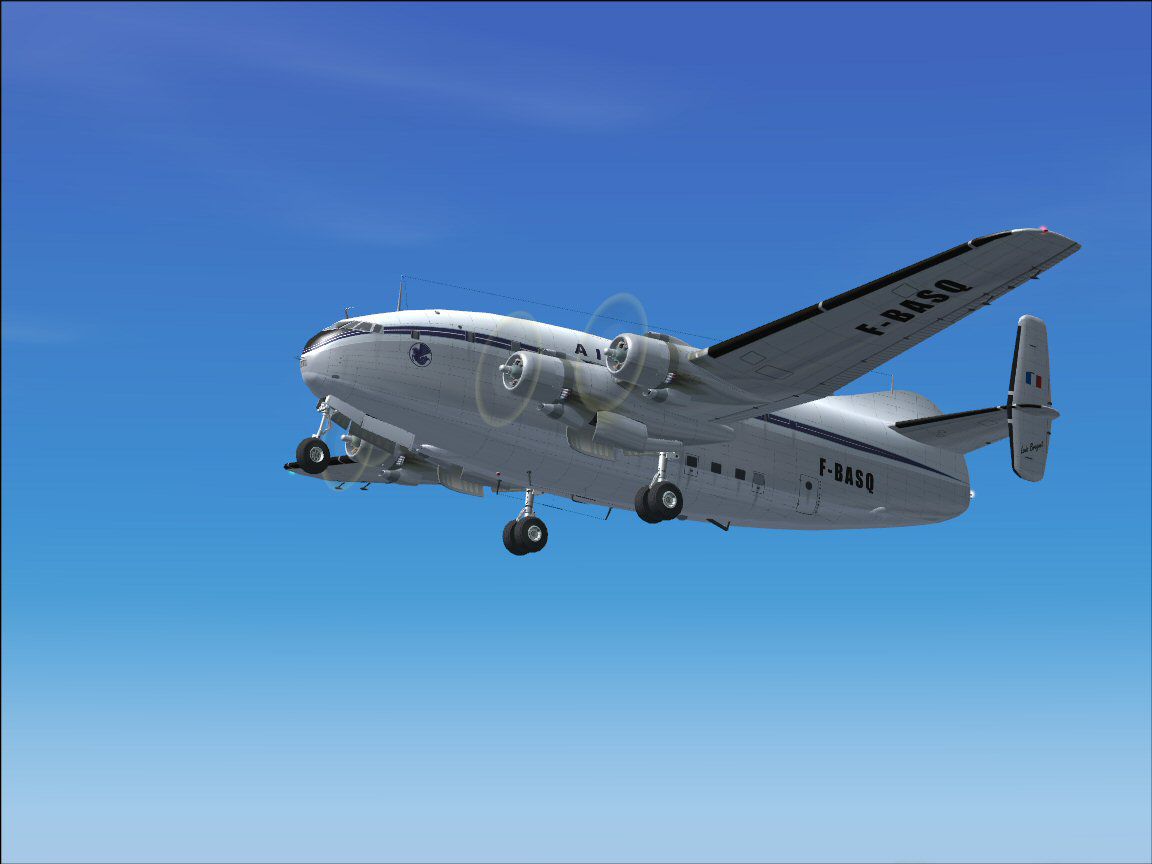

"Deux Ponts" Provence. Flight model and 2D panel by Christian Daboudet. 3D model and textures by Barney Bigard.
Screenshot of Air France Breguet 763 on runway.
For a long time already I wanted to create a model of this plane I flew in while I was a kid, but I had been facing the lack of documentation. It's very often the case when you try your hand at that kind of old type of plane, even more when you're talking about the Breguet 763 Provence (also called "Deux Ponts" - Double Decker). Following strong encouragement from Cazal22, Teddy and other NGT from the Libertysim forum, and their tremendous help in researching documentation, I threw myself into the task. Christian Daboudet expertly took on the flight parameters.
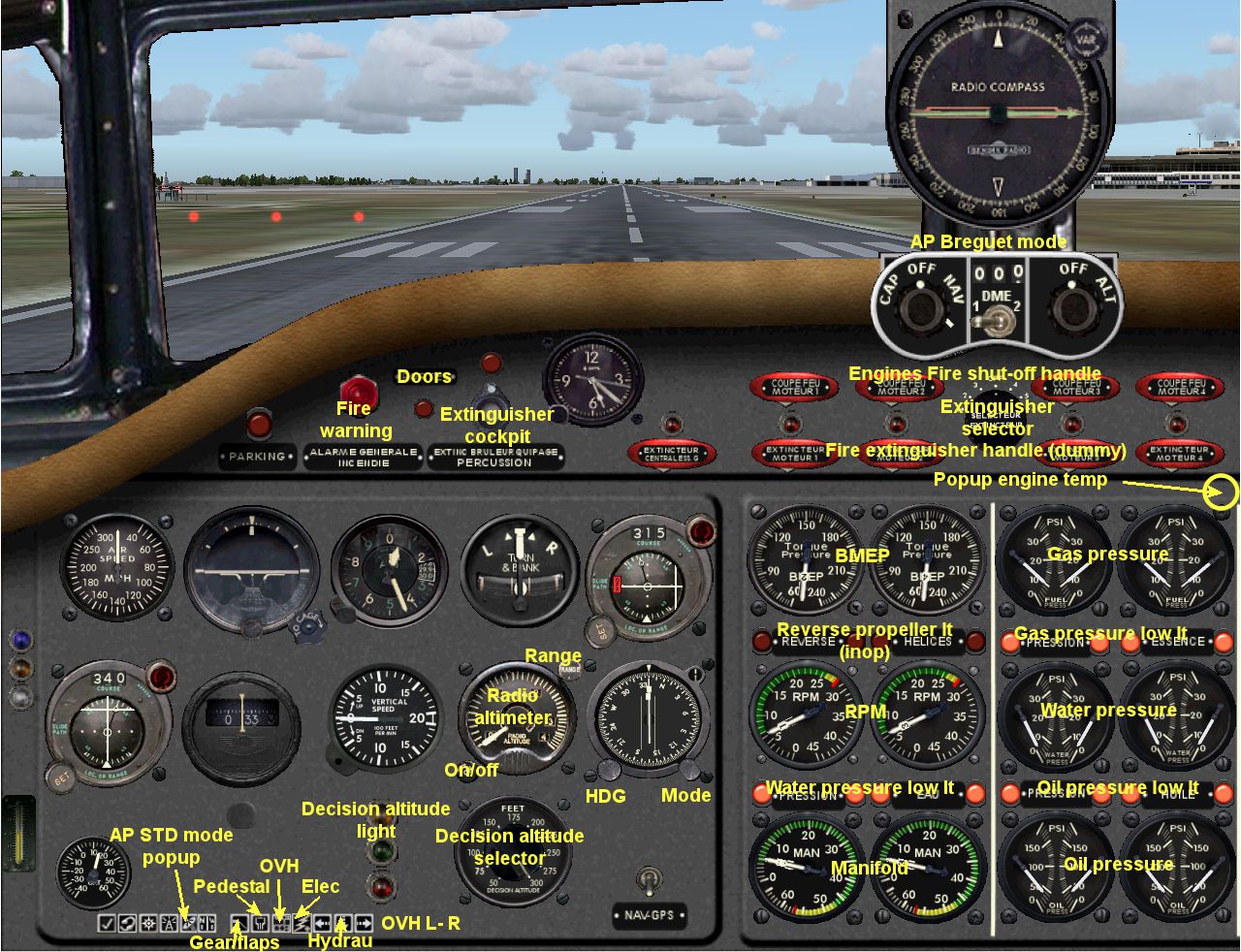
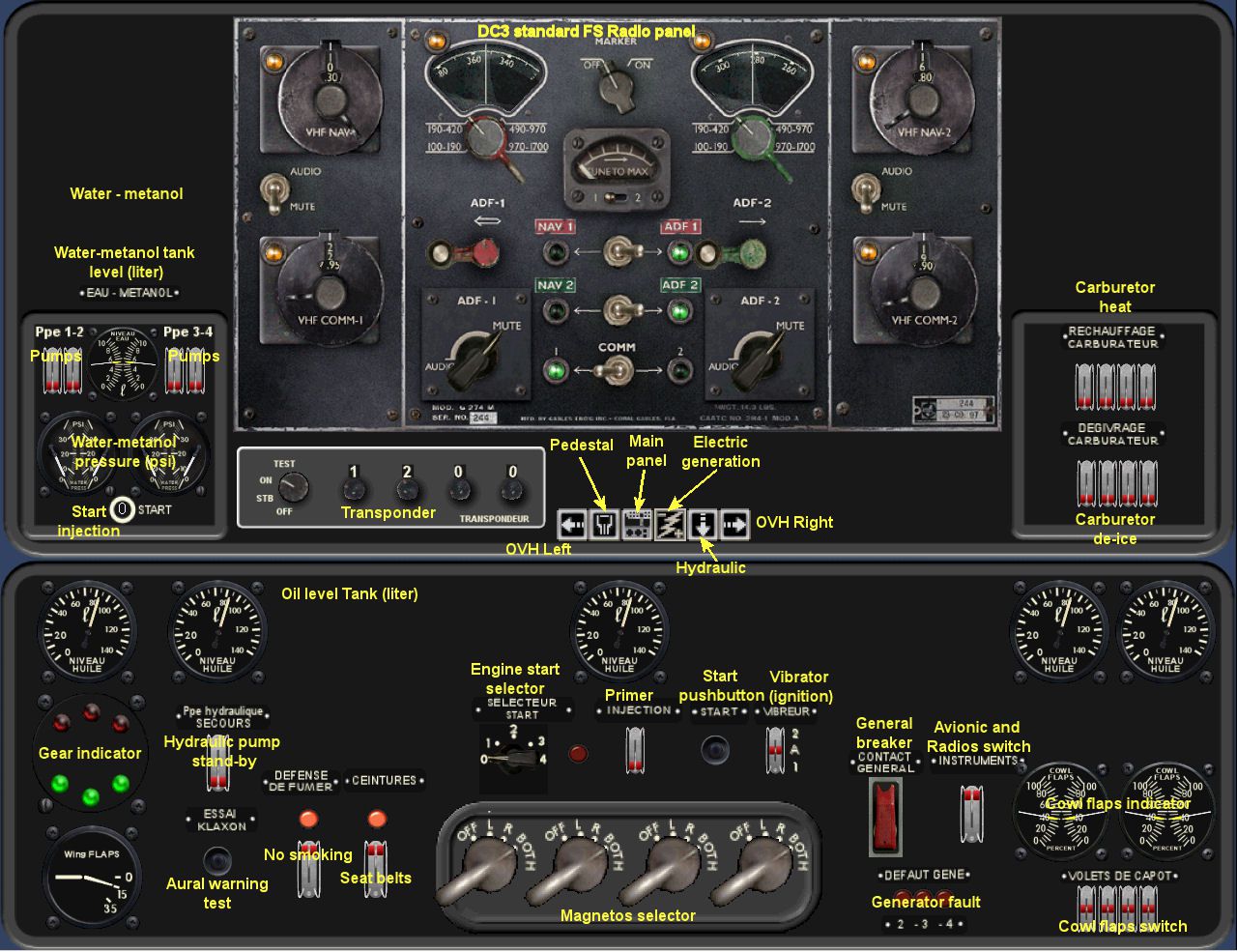
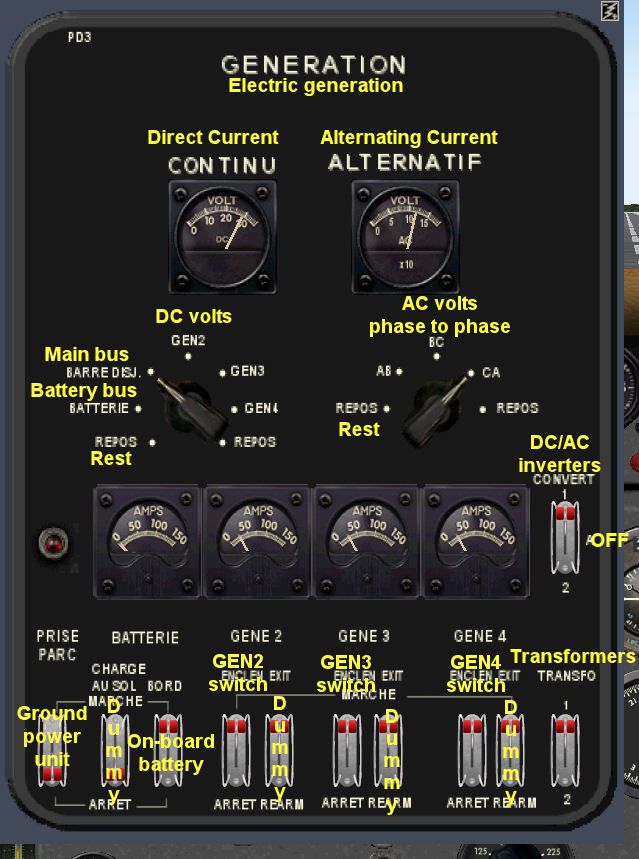
Regarding the panel, the lack of documentation is such that we temporarily renounced to create a specific Breguet 763 panel. So, we suggest you use instead a Lockheed L-1049 Super Constellation or a Douglas DC-6 panel (and sounds, too).
Free for all simmers · 6.92 MB · Scanned clean Aug 2026
Download speed: Free tier is capped at 0.5 Mbps (this file takes approximately 2 mins at the cap). PRO members download at full line speed.
FS9\Aircraft\, FS9\Addon Scenery\, FS9\Gauges\, or FS9\Effects\.readme.txt or README file. It tells you exactly where files go, what dependencies are needed, and any quirks specific to this add-on.The archive br763_provence.zip has 152 files and directories contained within it.
This list displays the first 500 files in the package. If the package has more, you will need to download it to view them.
| Filename/Directory | File Date | File Size |
|---|---|---|
| Aircraft.cfg | 11.20.05 | 13.44 kB |
| B2ponts.air | 11.03.05 | 7.49 kB |
| b2p_1.jpg | 11.17.05 | 164.42 kB |
| b2p_2.jpg | 11.17.05 | 68.77 kB |
| b2p_3.jpg | 11.17.05 | 93.32 kB |
| b2p_4.jpg | 11.17.05 | 133.57 kB |
| b2p_5.jpg | 11.18.05 | 149.32 kB |
| b2p_6.jpg | 11.18.05 | 86.15 kB |
| b2p_7.jpg | 11.17.05 | 134.81 kB |
| fx_engstrt_b2p.fx | 08.16.05 | 11.98 kB |
| B2ponts_check.htm | 06.27.05 | 2.62 kB |
| B2ponts_checkApAtterr.htm | 06.27.05 | 5.88 kB |
| B2ponts_checkApMR.htm | 06.27.05 | 9.57 kB |
| B2ponts_checkAppr.htm | 06.27.05 | 9.31 kB |
| B2ponts_checkAR.htm | 06.27.05 | 8.92 kB |
| B2ponts_checkAvAtter.htm | 06.27.05 | 7.93 kB |
| B2ponts_checkAvDec.htm | 06.27.05 | 13.23 kB |
| B2ponts_checkAvMR.htm | 06.26.05 | 14.82 kB |
| B2ponts_checkCR.htm | 06.27.05 | 4.82 kB |
| B2ponts_checkMONT.htm | 06.27.05 | 8.67 kB |
| B2ponts_checkMR.htm | 06.28.05 | 13.42 kB |
| B2ponts_checkR.htm | 06.27.05 | 5.31 kB |
| B2ponts_ref.htm | 06.28.05 | 52.36 kB |
| Lisezmoi_Readme.txt | 11.30.05 | 8.52 kB |
| b2p.mdl | 11.19.05 | 2.55 MB |
| model.cfg | 04.25.05 | 20 B |
| panel.cfg | 11.19.05 | 35 B |
| sound.cfg | 11.19.05 | 35 B |
| aile_L.bmp | 09.27.05 | 128.07 kB |
| aile_T.bmp | 11.10.05 | 1.00 MB |
| caillebotis.bmp | 09.18.05 | 32.07 kB |
| cargo2_L.bmp | 10.16.05 | 32.07 kB |
| cargo2_T.bmp | 10.16.05 | 32.07 kB |
| cargo_L.bmp | 10.16.05 | 32.07 kB |
| cargo_T.bmp | 10.16.05 | 32.07 kB |
| detail_L.bmp | 11.17.05 | 128.07 kB |
| detail_t.bmp | 09.19.05 | 1.00 MB |
| fuselage_D_L.bmp | 11.17.05 | 128.07 kB |
| fuselage_D_T.bmp | 11.16.05 | 1.00 MB |
| fuselage_G_L.bmp | 11.17.05 | 128.07 kB |
| fuselage_G_t.bmp | 11.16.05 | 1.00 MB |
| moteur_fond.bmp | 05.25.05 | 42.75 kB |
| moteur_L.bmp | 11.17.05 | 32.07 kB |
| moteur_t.bmp | 11.20.05 | 1.00 MB |
| piston_L.bmp | 11.17.05 | 32.07 kB |
| piston_t.bmp | 05.01.05 | 21.43 kB |
| plancher.bmp | 09.26.05 | 32.07 kB |
| prop.bmp | 06.16.05 | 341.40 kB |
| queue_L.bmp | 11.13.05 | 128.07 kB |
| queue_t.bmp | 11.13.05 | 1.00 MB |
| Thumbs.db | 10.16.05 | 109.00 kB |
| trappe.bmp | 09.18.05 | 32.07 kB |
| B2ponts_check.htm | 06.27.05 | 2.62 kB |
| B2ponts_checkApAtterr.htm | 06.27.05 | 5.88 kB |
| B2ponts_checkApMR.htm | 06.27.05 | 9.57 kB |
| B2ponts_checkAppr.htm | 06.27.05 | 9.31 kB |
| B2ponts_checkAR.htm | 06.27.05 | 8.92 kB |
| B2ponts_checkAvAtter.htm | 06.27.05 | 7.93 kB |
| B2ponts_checkAvDec.htm | 06.27.05 | 13.23 kB |
| B2ponts_checkAvMR.htm | 06.26.05 | 14.82 kB |
| B2ponts_checkCR.htm | 06.27.05 | 4.82 kB |
| B2ponts_checkMONT.htm | 06.27.05 | 8.67 kB |
| B2ponts_checkMR.htm | 06.28.05 | 13.42 kB |
| B2ponts_checkR.htm | 06.27.05 | 5.31 kB |
| B2ponts_ref.htm | 06.28.05 | 52.36 kB |
| A LIRE -Panel-particularites.txt | 04.17.06 | 2.27 kB |
| B2p.bmp | 04.08.06 | 2.25 MB |
| Flaps-PopUp.bmp | 02.25.06 | 50.05 kB |
| Gauges credit.txt | 04.18.06 | 1.75 kB |
| Generation-PD3.bmp | 03.09.06 | 585.99 kB |
| IMPORTANT - Panel specificities.txt | 04.15.06 | 2.11 kB |
| Moteurs temperatures.bmp | 01.17.06 | 180.15 kB |
| OVH_C.bmp | 02.22.06 | 2.25 MB |
| OVH_L.bmp | 03.16.06 | 2.25 MB |
| OVH_R.bmp | 03.16.06 | 2.25 MB |
| panel.cfg | 04.18.06 | 17.60 kB |
| pb4.bmp | 03.16.06 | 237.24 kB |
| Pedestal.bmp | 03.12.06 | 1.20 MB |
| Thumbs.db | 12.22.09 | 5.50 kB |
| Trottle.bmp | 12.24.05 | 192.05 kB |
| use this panel with the breguet 763 Provence | 12.22.09 | 0 B |
| Aircraft.cfg | 04.18.06 | 14.31 kB |
| B2P-Main.jpg | 04.18.06 | 343.25 kB |
| B2ponts.air | 03.26.06 | 7.50 kB |
| B2ponts_check.htm | 03.13.06 | 2.59 kB |
| B2ponts_checkApAtterr.htm | 03.16.06 | 7.66 kB |
| B2ponts_checkApMR.htm | 03.16.06 | 14.10 kB |
| B2ponts_checkAppr.htm | 03.16.06 | 13.96 kB |
| B2ponts_checkAR.htm | 03.16.06 | 12.63 kB |
| B2ponts_checkAvAtter.htm | 03.16.06 | 10.01 kB |
| B2ponts_checkAvDec.htm | 03.16.06 | 17.31 kB |
| B2ponts_checkAvMR.htm | 03.16.06 | 19.79 kB |
| B2ponts_checkCR.htm | 03.16.06 | 7.63 kB |
| B2ponts_checkMONT.htm | 03.16.06 | 12.49 kB |
| B2ponts_checkMR.htm | 03.16.06 | 15.15 kB |
| B2ponts_checkR.htm | 03.16.06 | 6.58 kB |
| B2ponts_ref.htm | 04.13.06 | 50.39 kB |
| Elec.jpg | 03.19.06 | 113.93 kB |
| electrical_panel_icon.bmp | 06.12.03 | 1.17 kB |
| engine temp.jpg | 03.16.06 | 66.70 kB |
| Hydraulic.jpg | 03.15.06 | 93.52 kB |
| Icon_ECU.bmp | 06.12.03 | 1.44 kB |
| Icon_Electrical.bmp | 06.12.03 | 1.17 kB |
| Icon_Engines.bmp | 06.12.03 | 1.17 kB |
| Icon_Overhead.bmp | 06.12.03 | 888 B |
| Icon_Pedestal.bmp | 11.07.02 | 1.42 kB |
| Icon_Radio.bmp | 06.12.03 | 1.44 kB |
| Icon-Arrow_B.bmp | 02.20.06 | 1.42 kB |
| Icon-Arrow_Left.bmp | 02.19.06 | 1.42 kB |
| Icon-Arrow_Right.bmp | 02.19.06 | 1.17 kB |
| IMPORTANT - Panel specificities.txt | 04.15.06 | 2.11 kB |
| Install-panel-CheckList-to-BR763.txt | 03.18.06 | 534 B |
| OVH-center.jpg | 03.15.06 | 267.89 kB |
| OVH-Left-Right.jpg | 04.18.06 | 262.17 kB |
| Pedestal.jpg | 03.16.06 | 167.05 kB |
| Thumbs.db | 12.22.09 | 8.00 kB |
| utiliser ce panel avec le breguet 763 Provence | 12.22.09 | 0 B |
| Aircraft.cfg | 04.18.06 | 14.31 kB |
| B2ponts.air | 03.26.06 | 7.50 kB |
| B2ponts_check.htm | 03.13.06 | 2.68 kB |
| B2ponts_checkApAtterr.htm | 03.15.06 | 7.27 kB |
| B2ponts_checkApMR.htm | 03.14.06 | 14.08 kB |
| B2ponts_checkAppr.htm | 03.15.06 | 13.95 kB |
| B2ponts_checkAR.htm | 03.15.06 | 12.20 kB |
| B2ponts_checkAvAtter.htm | 03.15.06 | 10.40 kB |
| B2ponts_checkAvDec.htm | 03.14.06 | 17.94 kB |
| B2ponts_checkAvMR.htm | 03.15.06 | 19.11 kB |
| B2ponts_checkCR.htm | 03.15.06 | 7.19 kB |
| B2ponts_checkMONT.htm | 03.15.06 | 10.87 kB |
| B2ponts_checkMR.htm | 03.15.06 | 16.33 kB |
| B2ponts_checkR.htm | 03.15.06 | 6.90 kB |
| B2ponts_ref.htm | 04.13.06 | 52.36 kB |
| electrical_panel_icon.bmp | 06.12.03 | 1.17 kB |
| Icon_ECU.bmp | 06.12.03 | 1.44 kB |
| Icon_Electrical.bmp | 06.12.03 | 1.17 kB |
| Icon_Engines.bmp | 06.12.03 | 1.17 kB |
| Icon_Overhead.bmp | 06.12.03 | 888 B |
| Icon_Pedestal.bmp | 11.07.02 | 1.42 kB |
| Icon_Radio.bmp | 06.12.03 | 1.44 kB |
| Icon-Arrow_B.bmp | 02.20.06 | 1.42 kB |
| Icon-Arrow_Left.bmp | 02.19.06 | 1.42 kB |
| Icon-Arrow_Right.bmp | 02.19.06 | 1.17 kB |
| Install-panel-CheckList-sur-BR763.txt | 03.18.06 | 630 B |
| Thumbs.db | 12.22.09 | 8.50 kB |
| BR763.cab | 04.18.06 | 972.20 kB |
| BR763_1.CAB | 04.18.06 | 525.65 kB |
| BR763_2.CAB | 03.12.06 | 323.72 kB |
| BR763_sound.ini | 03.01.06 | 2.00 kB |
| dsd_xml_sound3.gau | 01.16.05 | 76.00 kB |
| XML_WarEmerPower.gau | 07.16.05 | 60.00 kB |
| flyawaysimulation.txt | 10.29.13 | 959 B |
| Go to Fly Away Simulation.url | 01.22.16 | 52 B |
Only PRO members can place votes.
More FS2004 add-ons hand-picked based on this download.
FS2004 Propeller Aircraft
An updated set of textures for the Breguet Deux Ponts. Photorealistic texture…
 FS2004 Propeller Aircraft
We know Air France never used the Electra, but in the legendary movie Casabla…
 FS2004 Propeller Aircraft
Model by Mike Stone. Textures by Julien Scavini. View from above of Air Franc…
 FS2004 Propeller Aircraft
A repaint (textures only) of the MAAM-SIM R4D/DC-3 in Air France colors. Repa…
 FS2004 Propeller Aircraft
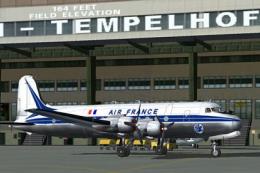
Textures only. From 1946 to 1973 Air France used together 16 DC-4 / C-54. F-B…
 FS2004 Propeller Aircraft
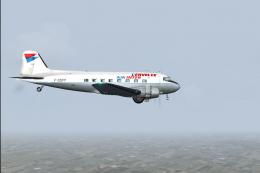
L'Envolee Air Inter Douglas DC-3 (C-47A-DL), registration F-GDPP, C/N 9172, e…
 FS2004 Propeller Aircraft
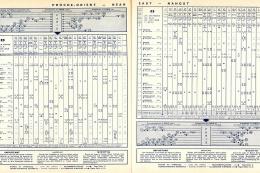
This repaint, titled "La Motte Cadillac," brings an authentic Air France live…
 FS2004 Propeller Aircraft
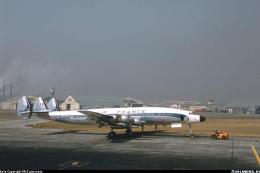
This add-on brings an authentic Air France livery from 1963, featuring regist…
Be the first to leave a comment on this download.
Be the first to share your thoughts on this download.