

 FSX Propliners
DC-3 Airways Douglas DC-2 Bare Metal Livery
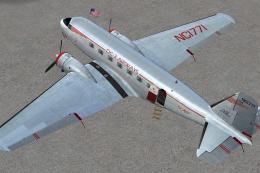
This carefully crafted repaint showcases a gleaming bare metal finish on a Do…
Hiland Duster “James” brings James Aviation’s ZK-AZL Douglas DC-3 to life with authentic New Zealand heavy topdressing markings and an agricultural look that highlights the type’s working heritage. Built for Microsoft Flight Simulator X, it requires the AWESOME 4 DC 3 base model, which adds upgraded textures, multiple variants, and condition-based exterior details.
 Rate
Rate
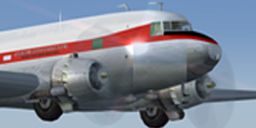
This repaint showcases the first Heavy Agricultural Douglas DC-3 ever operated in New Zealand, famously known as “Hiland Duster” or simply “James,” belonging to James Aviation with the registration ZK-AZL. Enthusiasts will appreciate its unique topdressing configuration and historical significance. This package is developed for Microsoft Flight Simulator X and is entirely freeware, though it depends on an existing base model that must be installed beforehand.
Originally designed for passenger and freight services, the Douglas DC-3 gained a noteworthy role in agricultural operations, particularly in the Southern Hemisphere. This specific airframe, operated by James Aviation, was adapted for topdressing tasks, meaning it dispersed fertilizer or seeds over farmland from the air. The resulting modifications, often including hopper installations, turned the DC-3 into a heavy-duty tool for large-scale rural projects. This repaint reflects the authentic markings and liveries used by the operator.
Before proceeding with this repaint, ensure that the AWESOME 4 DC 3 package by James Eden and Jon Murchison (as4sumje.zip) is already in place in your simulator’s directory. That base file enhances the default Microsoft Flight Simulator X DC-3 with:
It also includes additional artworks, such as NAC, SPANZ, Fieldair, and United Airlines schemes, among others.
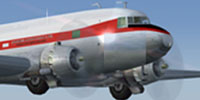
Screenshot of Hiland Duster Douglas DC-3 in the air.
texture.JAMES ZK_AZL folder into the “SimObjects/Airplanes/Douglas DC3” directory of your Flight Simulator X installation.aircraft.cfg file in the Douglas DC3 folder. Locate the most recent [fltsim.X] entry and copy the sample lines below, updating the [fltsim.X] to the next sequential number.[fltsim.X]
title=Douglas DC-3 James ZK-AZL
sim=Douglas_DC3
model=cargo
panel=
sound=
texture=James ZK-AZL
kb_checklists=Douglas_DC3_check
kb_reference=Douglas_DC3_ref
atc_id=
ui_manufacturer="Awesome 4 Some"
ui_type="DC-3"
ui_variation="James ZK-AZL"
ui_typerole="Twin Engine Prop"
ui_createdby="Microsoft Corporation, modified by James Eden"
description="In agricultural service, this DC-3 was adapted for heavy topdressing duties. It retains the classic airframe structure and integrates specialized hopper components to execute rural applications. Paint by Ian Warren."
This repaint is brought to you by Ian Warren and is based upon modifications originally crafted by James Eden and Jon Murchison. It respects the legacy of the Douglas DC-3—an aircraft that revolutionized both passenger transport and specialized operations like aerial application. The original design overcame early airline challenges, and today, a select few DC-3 airframes continue flying important missions well beyond their initial production orders.
Free for all simmers · 1.8 MB · Scanned clean Oct 2026
Download speed: Free tier is capped at 0.5 Mbps. PRO members download at full line speed.
This file is a repaint — the package below is the base model it paints onto. Install it first, or the textures will have nothing to load onto.
texture.{airline}) inside FSX\SimObjects\Airplanes\{base-aircraft}\.aircraft.cfg in Notepad. Add a new [fltsim.X] section per the readme.readme.txt or README file. It tells you exactly where files go, what dependencies are needed, and any quirks specific to this add-on.The archive james.zip has 16 files and directories contained within it.
This list displays the first 500 files in the package. If the package has more, you will need to download it to view them.
| Filename/Directory | File Date | File Size |
|---|---|---|
| Aircraft cfg..txt | 07.16.07 | 1.59 kB |
| file id.diz | 07.16.07 | 654 B |
| texture.JAMES ZK-AZL | 07.15.07 | 0 B |
| Douglas_DC3_1_T.dds | 07.14.07 | 1.00 MB |
| Douglas_DC3_1_t_spec.dds | 07.14.07 | 1.00 MB |
| Douglas_DC3_2_C.dds | 09.04.06 | 170.79 kB |
| Douglas_DC3_2_T.dds | 07.14.07 | 256.12 kB |
| Douglas_DC3_FuseF_T.dds | 07.15.07 | 1.00 MB |
| Douglas_DC3_FuseTC_T.dds | 07.15.07 | 1.00 MB |
| Fresnel_Ramp.dds | 07.14.07 | 1.12 kB |
| Prop_DC3.dds | 07.13.07 | 65.05 kB |
| texture.cfg | 08.14.06 | 137 B |
| thumbnail.jpg | 07.14.07 | 33.28 kB |
| ZK-AZL.BMP | 07.16.07 | 140.68 kB |
| flyawaysimulation.txt | 10.29.13 | 959 B |
| Go to Fly Away Simulation.url | 01.22.16 | 52 B |
Only PRO members can place votes.
More FSX & P3D add-ons hand-picked based on this download.
FSX Propliners
This carefully crafted repaint showcases a gleaming bare metal finish on a Do…
 FSX Propliners
This freeware package offers a custom livery repaint for the payware Douglas …
 FSX Propliners
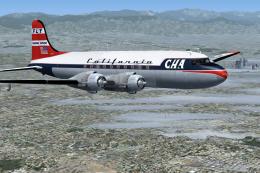
This is a mega pack containing a highly detailed Douglas DC-4 & C-54 model fo…
 FSX Propliners
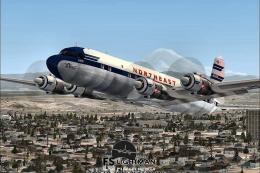
The flight model was created by Classic Airliners. All other updates were add…
 FSX Propliners
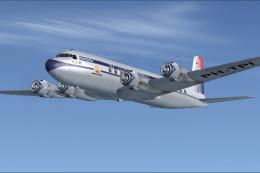
This package includes the DC6 in its earliest form with short nose (no weathe…
 FSX Propliners
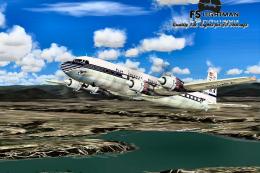
Pan Am Douglas DC-7 in Pan American 1990's livery. DC7 model by Classic Airli…
 FSX Propliners
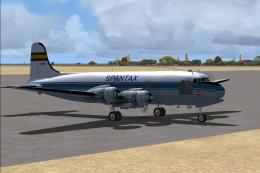
Complete aircraft of classic DC4 54 from Spantax Airline with virtual cockpit…
 FSX Propliners
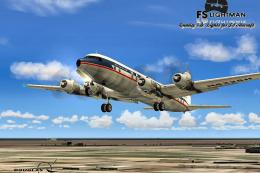
National Douglas DC-6B. Model by Tom Gibson. Repaint by David Grindele. Scree…
Be the first to leave a comment on this download.
Be the first to share your thoughts on this download.