

 FS2004 AFCAD Files
EDDF, AFCAD2 File
Frankfurt/Main Airport, Germany, for use with AMEDDF11.ZIP. Should solve most…
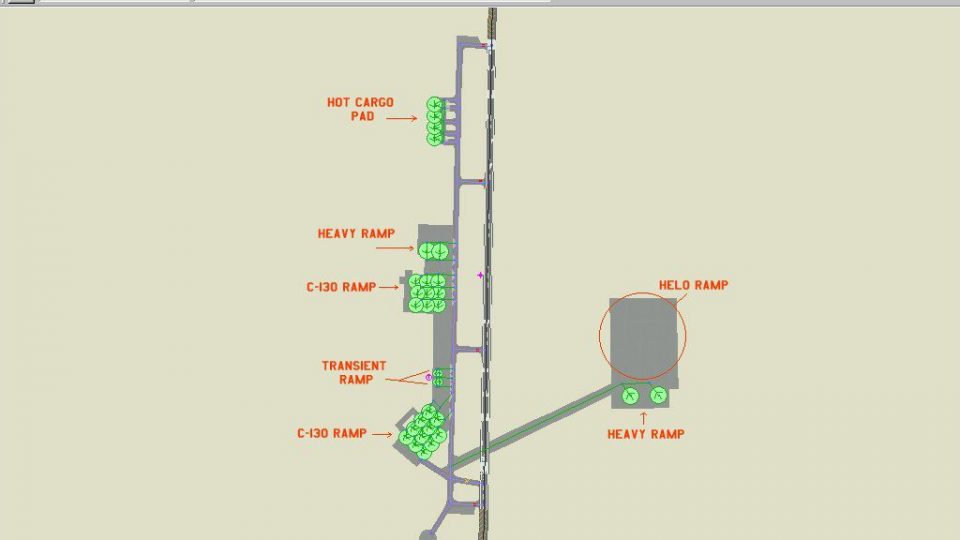
KHRT Hurlburt Field, Florida receives a detailed AFCAD2 layout for FS2004, reflecting USAF Special Operations ramps with carefully placed parking to support smooth AI taxi flow. Dedicated codes guide C-130s, heavy cargo, and transient fighters into realistic stands, enhancing military traffic and day-to-day operations.
 Rate
Rate
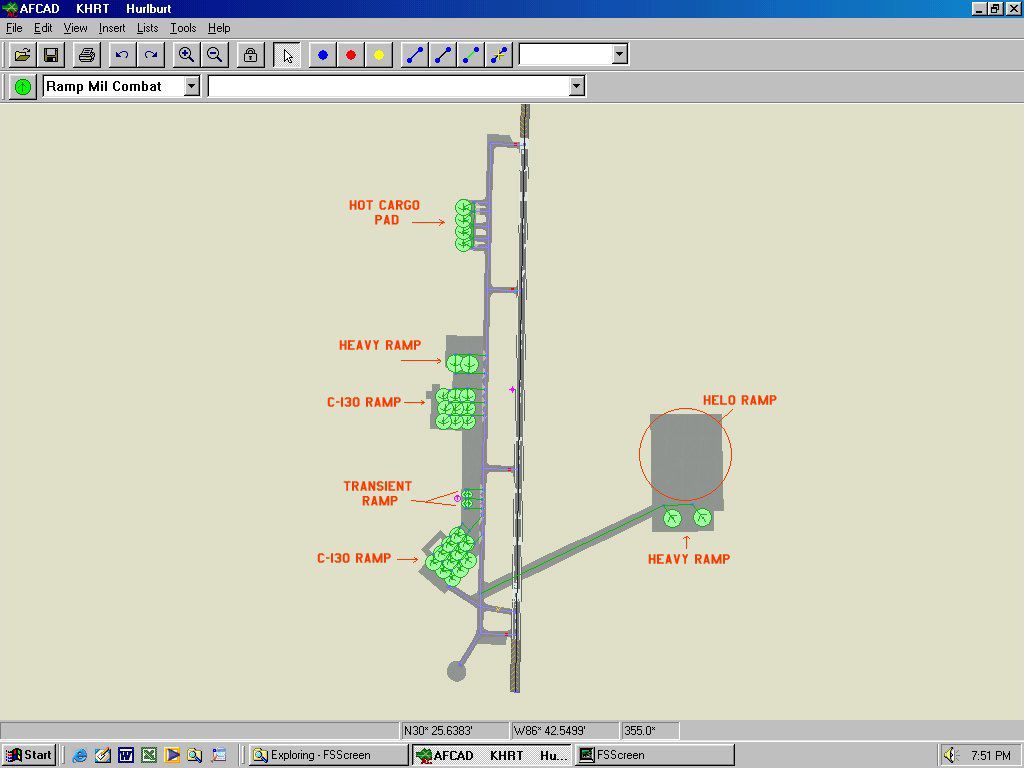
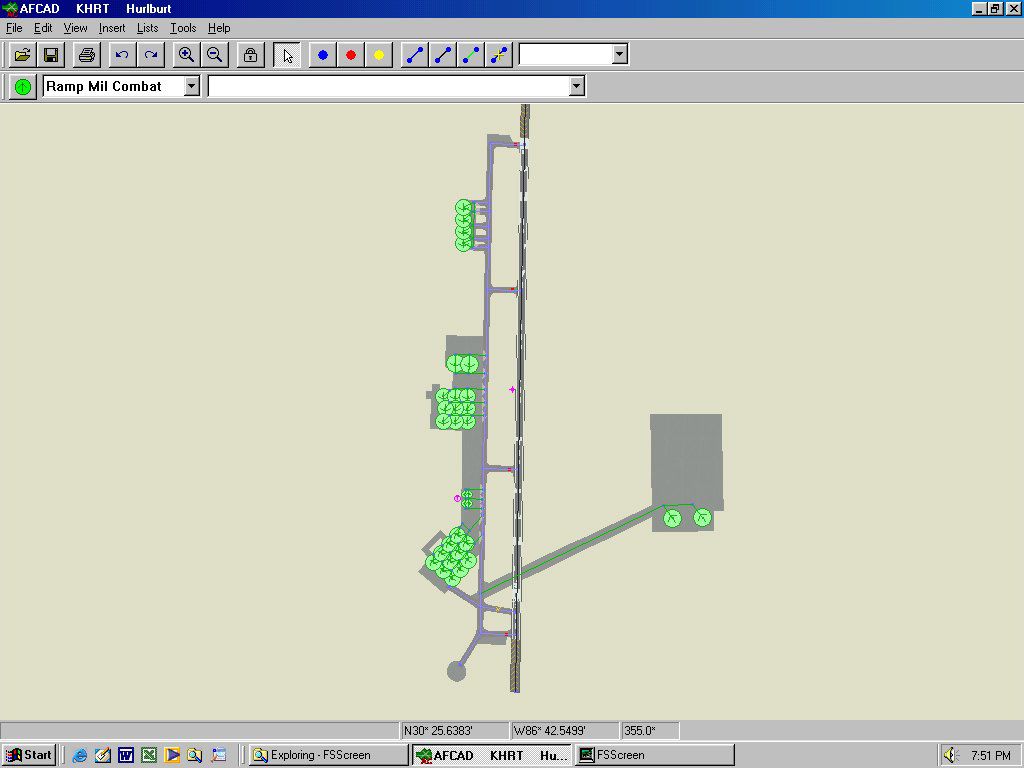
KHRT, Hurlburt Field, Florida (FL). Hurlburt Field is the the USAF's home for Special Operations. They fly many versions of Spec Ops aircraft, to include the AC-130, MC-130 and MH-53 Pavelow. By Jeff Stoermer.
Overview of Hurlburt Field, Florida.
This is my representation of Hurlburt Field, Fl. I've tried to replicate as best as I can all of the parking spots on the various ramps. Some I've intentionally left off to allow the AI to taxi freely and reduce the FPS hit if maxed out with aircraft.
The way I laid this out was to give my C-130s the Mil_Cargo code, so they will only park in those designated spots. Any heavy C-X type aircraft (C-5, C-141, KC-135, etc) received the Cargo code so they will only park in their designated spots and not in the Herk's areas. Fighters received Mil_Combat and they have 4 spots available, for any transients.
Just extract the AF2_KHRT.bgl file into your Addon Scenery/scenery folder.
Please add the following to your airports.txt (in traffic tools folder):
KHRT,N30* 25.73',W86* 41.32',38
Also, you may consider downloading the following aircraft to use at Ramstein:
Also, there are some former Soviet aircraft that are operated by the 6th SOS. They have an An-32 Curl, An-2 Colt, and a Mil-17 Hip. You could add them to enhance the feel.
Hope you enjoy flying from the home of USAF Special Operations.
Free for all simmers · 106.49 KB · Scanned clean Oct 2026
Download speed: Free tier is capped at 0.5 Mbps. PRO members download at full line speed.
This add-on may require the following files to function properly. If this is a repaint, the dependency below is likely the base aircraft package.
FS9\Aircraft\, FS9\Addon Scenery\, FS9\Gauges\, or FS9\Effects\.readme.txt or README file. It tells you exactly where files go, what dependencies are needed, and any quirks specific to this add-on.The archive af2_khrt.zip has 6 files and directories contained within it.
This list displays the first 500 files in the package. If the package has more, you will need to download it to view them.
| Filename/Directory | File Date | File Size |
|---|---|---|
| AF2_KHRT.bgl | 11.08.03 | 8.92 kB |
| KHRT.jpg | 11.08.03 | 57.38 kB |
| KHRT_2.jpg | 11.08.03 | 65.36 kB |
| Readme.txt | 11.08.03 | 1.33 kB |
| flyawaysimulation.txt | 10.29.13 | 959 B |
| Go to Fly Away Simulation.url | 01.22.16 | 52 B |
Only PRO members can place votes.
More FS2004 add-ons hand-picked based on this download.
FS2004 AFCAD Files
Frankfurt/Main Airport, Germany, for use with AMEDDF11.ZIP. Should solve most…
 FS2004 AFCAD Files
FS2004 AFCAD2 File For RCKH and RCSS, Taipei Sungshan Airport and Kaohsiung A…
 FS2004 AFCAD Files
Tokyo Narita Airport (RJAA), Japan (not for the default FS2004 airport; detai…
 FS2004 AFCAD Files
Updated gates and taxiways for Amsterdam Schiphol Int'l Airport, The Netherla…
 FS2004 AFCAD Files
WSSS for Samsoft's Singapore Changi scenery (not for the default FS2004 airpo…
 FS2004 AFCAD Files
An AFCAD2 file for Soekarno-Hatta Airport, Jakarta, Indonesia (WIII) for use …
 FS2004 AFCAD Files
An AFCAD2 file for Ngurah Rai Int'l Airport, Denpasar Bali, Indonesia (WRRR),…
FS2004 AFCAD Files
Dubai Int'l Airport, United Arab Emirates. Upgrades the stock airport to prov…
Be the first to leave a comment on this download.
Be the first to share your thoughts on this download.