

 FSX Civil Aircraft
Air New Zealand Boeing 767-319/ER
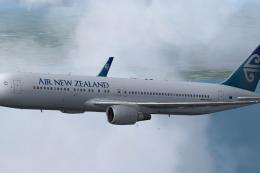
Complete package of the Skyspirit2010 B767-300 in Air New Zealand livery, reg…
LAN’s Boeing 767-316/ER in the latest colors brings crisp logos, accurate window layout, and subtle panel, rivet, and contour shading for convincing lighting from climb to dusk approach in Microsoft Flight Simulator X. The repaint targets the long-range twinjet’s real-world configuration and requires the payware Level-D 767-300.
 Rate
Rate
Fans of widebody airliners looking to enhance their Microsoft Flight Simulator X environment may enjoy this repaint package that accurately depicts LAN’s Boeing 767-316/ER in its latest livery. Developed with a keen eye for realism, this set of textures offers high-fidelity detailing for those who own the payware Level-D B767-300.
The Boeing 767-316/ER represents a versatile twin-engine aircraft frequently employed on international routes due to its extended range capabilities and efficient operating costs. The real-world design of this aircraft ensures a comfortable passenger experience. These particular textures align with technical nuances found on LAN’s actual fleet, including window arrangements and fuselage placements that reflect the genuine configuration seen throughout Latin America’s aviation market.
Every stripe and logo is placed to match the carrier’s updated branding approach, making this repaint a must-have for simmers seeking top-tier authenticity. The design emphasizes crisp digital lettering and accurate color definition. This thorough attention to detail results in a virtual recreation that transitions smoothly under a range of lighting conditions, from early morning climbs to dusk approaches.
It is important to note that these enhancements involve textures only and are not a standalone aircraft. A functional installation of the Level-D B767-300 payware model is required, which can be obtained from a store such as SimShack.
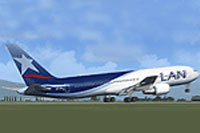
Screenshot of LAN Boeing 767-316/ER on the ground.
The repaint package, crafted by Johnny Lawrence, has been carefully tested. However, if minor discrepancies emerge, an update might be released as soon as possible to address them. Since this is a freeware add-on, installation instructions are typically straightforward but may reference guidelines provided by the Level-D B767-300 payware. For those who wish to incorporate this LAN repaint into their virtual airline rotation, it is recommended to confirm proper folder paths and file naming conventions during setup. Once installed, the textures should integrate seamlessly with the existing payware model, showcasing LAN’s distinctive modern aesthetic across your favorite transcontinental routes.
Free for all simmers · 1.82 MB · Scanned clean Oct 2026
Download speed: Free tier is capped at 0.5 Mbps. PRO members download at full line speed.
texture.{airline}) inside FSX\SimObjects\Airplanes\{base-aircraft}\.aircraft.cfg in Notepad. Add a new [fltsim.X] section per the readme.readme.txt or README file. It tells you exactly where files go, what dependencies are needed, and any quirks specific to this add-on.The archive rnruizrl.zip has 4 files and directories contained within it.
This list displays the first 500 files in the package. If the package has more, you will need to download it to view them.
| Filename/Directory | File Date | File Size |
|---|---|---|
| README.txt | 03.26.08 | 5.28 kB |
| LDS767_Repaint_LAN_Chile.ldx | 03.26.08 | 1.96 MB |
| flyawaysimulation.txt | 10.29.13 | 959 B |
| Go to Fly Away Simulation.url | 01.22.16 | 52 B |
Only PRO members can place votes.
More FSX & P3D add-ons hand-picked based on this download.
FSX Civil Aircraft
Complete package of the Skyspirit2010 B767-300 in Air New Zealand livery, reg…
 FSX Civil Aircraft
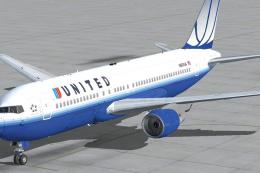
This 767 has aircraft views and also a window view panel. The aircraft is in …
 FSX Civil Aircraft
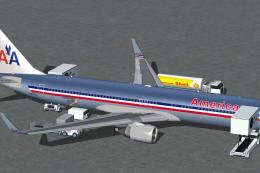
FSX American Airlines Boeing 767-300 ER with blended winglets and Animated Gr…
 FSX Civil Aircraft
Complete package for FSX only of the Skyspirit2010 B767-300F in FedEx livery.…
 FSX Civil Aircraft
Complete package for FSX only of the Skyspirit2010 Boeing 767-300F in UPS liv…
 FSX Civil Aircraft
Complete package of the Skyspirit2010 B767-300 in KLM Royal Dutch Airlines li…
 FSX Civil Aircraft
Complete package for FSX only of the Skyspirit2010 B767-300 in Thomson Airway…
 FSX Civil Aircraft
Immerse yourself in a meticulously recreated Boeing 767-304/ER in a distincti…
Be the first to leave a comment on this download.
Be the first to share your thoughts on this download.