

 FSX Civil Aircraft
United Airlines Airbus A320 (New Colors)
This aircraft has new views. It has the rising blue livery. Model by Project …
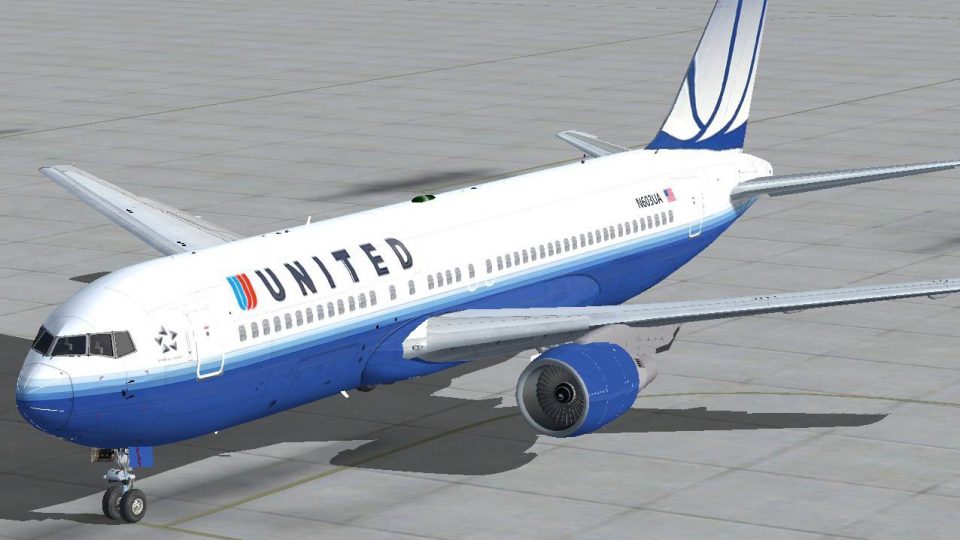
United Airlines’ Boeing 767-200 appears in the rising blue “new colors” livery with modeled aircraft views and a dedicated window-view panel for immersive flying in FSX. Based on the Project Open Sky 767-200ER airframe, it depicts N603UA and brings period-correct details to the virtual cockpit and external presentation.
 Rate
Rate
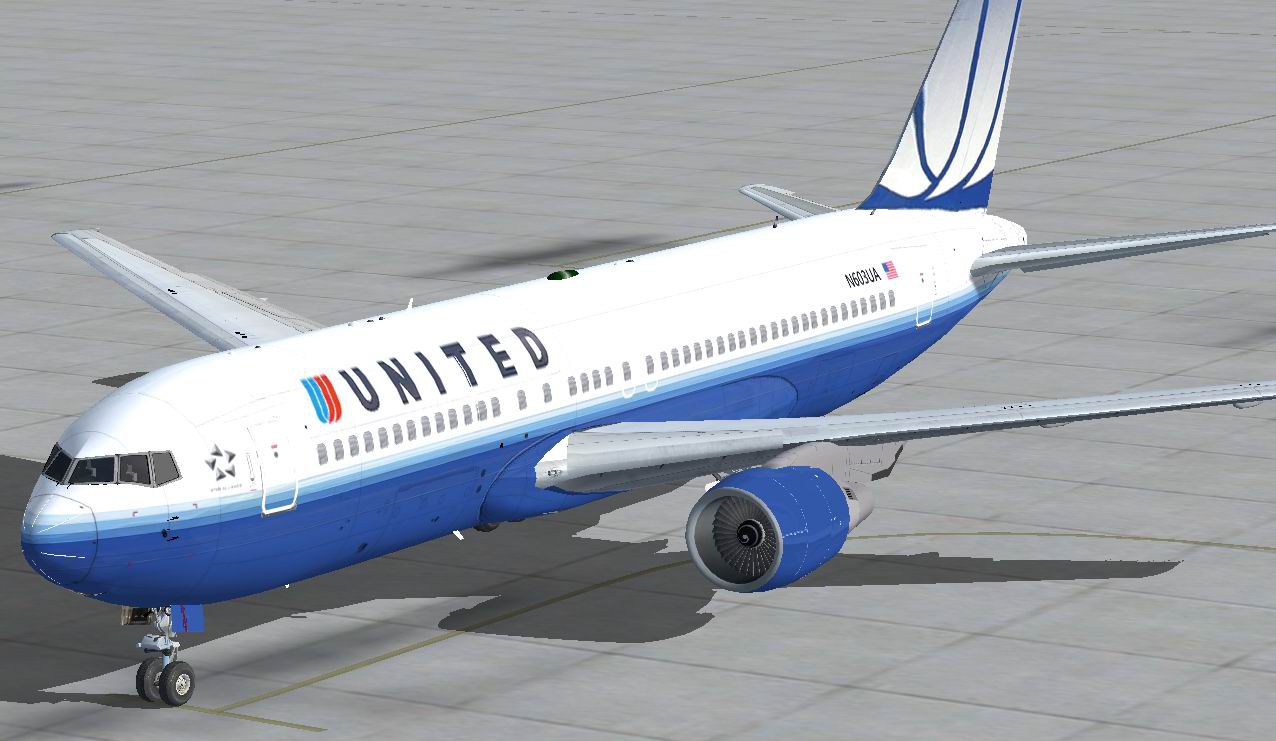

This 767 has aircraft views and also a window view panel. The aircraft is in the rising blue livery. Model by Project Open Sky. By Travis Smith.
-fsx-1.jpg)
Screenshot of United Airbus Boeing 767-200 in flight.
[fltsim.0]

title=767-222/ER United Airlines NC N603UA

sim=767-200ER-PW-JT9D-7A

model=WV

panel=

sound=

texture=

checklists=

atc_airline=United

atc_flight_number=732

atc_heavy=1

atc_parking_types=GATE

atc_parking_code=UAL

atc_id=N603UA

ui_manufacturer=Boeing

ui_type=767-200

ui_variation=United Airlines NC

visual_damage=1

description=N603UA was the last Boeing 767-200 owned by United Airlines when they replaced them with the younger and better Boeing 767-300 in 2005. The 767-200s never were kept long enough in this scheme, so I decided to show people what it would be like if United still had the Boeing 767-200.
Free for all simmers · 8.47 MB · Scanned clean Oct 2026
Download speed: Free tier is capped at 0.5 Mbps (this file takes approximately 2 mins at the cap). PRO members download at full line speed.
FSX\SimObjects\Airplanes\. The folder must contain an aircraft.cfg file. Effects go into FSX\Effects\; gauges go into FSX\Gauges\.readme.txt or README file. It tells you exactly where files go, what dependencies are needed, and any quirks specific to this add-on.The archive united767-200nc.zip has 51 files and directories contained within it.
This list displays the first 500 files in the package. If the package has more, you will need to download it to view them.
| Filename/Directory | File Date | File Size |
|---|---|---|
| 767-200ER-PW-JT9D-7A.air | 06.17.12 | 8.76 kB |
| Aircraft.cfg | 01.31.13 | 28.96 kB |
| aircraft.owl | 08.06.12 | 24.63 kB |
| Effects | 08.13.12 | 0 B |
| Opensky_beacon.fx | 06.17.12 | 3.04 kB |
| Opensky_Boeing_vclight.fx | 06.17.12 | 1.31 kB |
| Opensky_conden.fx | 06.17.12 | 3.15 kB |
| Opensky_nacelle_refl.fx | 06.17.12 | 1.29 kB |
| Opensky_nav_yellow.fx | 06.17.12 | 3.07 kB |
| Opensky_sparks.fx | 06.17.12 | 7.05 kB |
| Opensky_vortex.fx | 06.17.12 | 1.23 kB |
| Opensky_wing_light.fx | 06.17.12 | 1.31 kB |
| model.NOWV | 08.13.12 | 0 B |
| Model.cfg | 06.17.12 | 39 B |
| OS762v4_PW_large.mdl | 06.17.12 | 2.42 MB |
| model.WV | 08.13.12 | 0 B |
| Model.cfg | 06.17.12 | 39 B |
| OS762v4_PW_large.mdl | 06.17.12 | 2.42 MB |
| Painter's Readme.txt | 06.17.12 | 1.26 kB |
| panel | 01.28.13 | 0 B |
| panel.cfg | 01.27.13 | 5.84 kB |
| Window.bmp | 01.26.13 | 769.05 kB |
| sound | 08.13.12 | 0 B |
| Sound.cfg | 06.17.12 | 32 B |
| texture | 08.13.12 | 0 B |
| 767_ge.BMP | 06.17.12 | 4.00 MB |
| antenna.bmp | 06.17.12 | 1.00 MB |
| enginetrans.bmp | 06.17.12 | 3.00 MB |
| Os_PTC1_l.BMP | 06.17.12 | 1.00 MB |
| Os_PTC1_t.bmp | 06.17.12 | 4.00 MB |
| os767v4fuse1_L.BMP | 06.17.12 | 4.00 MB |
| os767v4fuse1_t.bmp | 06.17.12 | 4.00 MB |
| os767v4fuse2_L.BMP | 06.17.12 | 4.00 MB |
| os767v4fuse2_t.bmp | 06.17.12 | 4.00 MB |
| os767v4gear_l.bmp | 06.17.12 | 64.07 kB |
| os767v4gear_t.bmp | 06.17.12 | 4.00 MB |
| os767v4interior_l.bmp | 06.17.12 | 64.07 kB |
| os767v4interior_t.bmp | 06.17.12 | 4.00 MB |
| os767v4lwing_l.bmp | 06.17.12 | 64.07 kB |
| os767v4lwing_t.bmp | 06.17.12 | 4.00 MB |
| os767v4pw_l.bmp | 06.17.12 | 64.07 kB |
| os767v4pw_t.BMP | 06.17.12 | 1.00 MB |
| os767v4rwing_l.bmp | 06.17.12 | 64.07 kB |
| os767v4rwing_t.bmp | 06.17.12 | 4.00 MB |
| thumbnail.jpg | 06.17.12 | 35.66 kB |
| Thumbs.db | 06.17.12 | 97.00 kB |
| thumbnail.png | 06.17.12 | 32.27 kB |
| ual767-1.jpg | 06.17.12 | 74.96 kB |
| ual767-2.jpg | 06.17.12 | 105.82 kB |
| flyawaysimulation.txt | 10.29.13 | 959 B |
| Go to Fly Away Simulation.url | 01.22.16 | 52 B |
Only PRO members can place votes.
More FSX & P3D add-ons hand-picked based on this download.
FSX Civil Aircraft
This aircraft has new views. It has the rising blue livery. Model by Project …
 FSX Civil Aircraft
This freeware package offers an upgraded exterior paint scheme, bringing the …
 FSX Civil Aircraft
Fans of widebody airliners looking to enhance their Microsoft Flight Simulato…
 FSX Civil Aircraft
Model by Project Airbus. Repaint by Daniel Alamilla. Screenshot of Iberia Exp…
 FSX Civil Aircraft
A repaint is for the payware Black Box Simulation Airbus A330-200. By Joseph …
 FSX Civil Aircraft
A repaint is for the payware Black Box Simulation Airbus A330-300. By Joseph …
 FSX Civil Aircraft
Enhance your flight deck experience in Microsoft Flight Simulator X with a fr…
 FSX Civil Aircraft
Photorealistic repaint of American Airlines B777-200ER GE N781AN for the payw…
Read what other simmers think, or add your own.

Downloaded and added a decent 767 panel. Loved it. Tried a free flight at Friday Harbor just to get acquainted.
All went well but noticed some bumping when landing at Vancouver. From there it went to heck. Cannot taxi without this aircraft crashing. Tried changing contact points, static pitch, CG etc etc.. no go... had to delete it.
Such a shame. Loved the wing views and texture on this one.