

 FSX Civil Aircraft
Lusitaniair Airbus A343
Lusitaniair Airlines Airbus A340-300 CFM CS-TVJ paint for LST World Connect f…
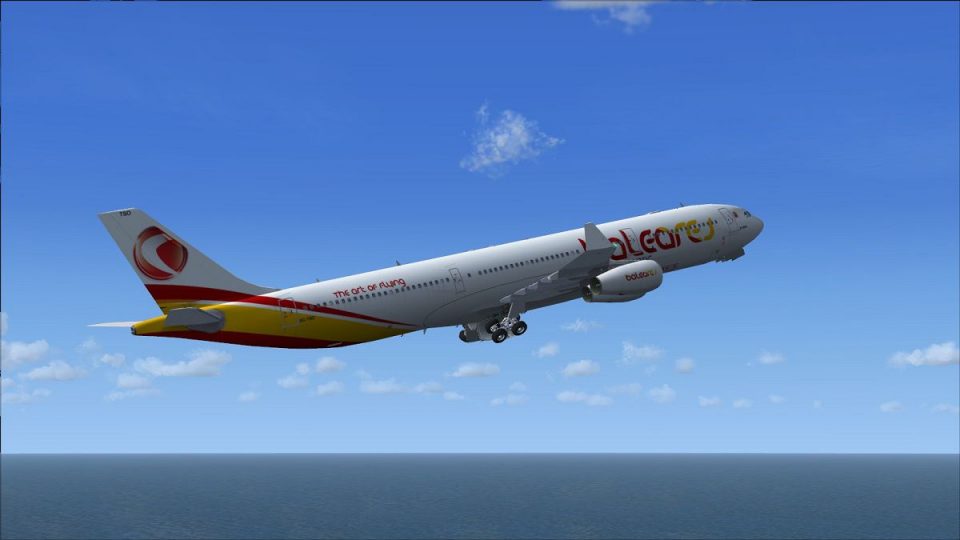
Lusitaniair’s EC-TSO “Baleares” Airbus A340-300 livery brings crisp airline branding, aligned registration markings, and subtle reflective textures to long-haul four-engine flying in Microsoft Flight Simulator X. The repaint targets visual realism while keeping performance-friendly surfaces, and requires the SMS Overland A340-300 base model.
 Rate
Rate
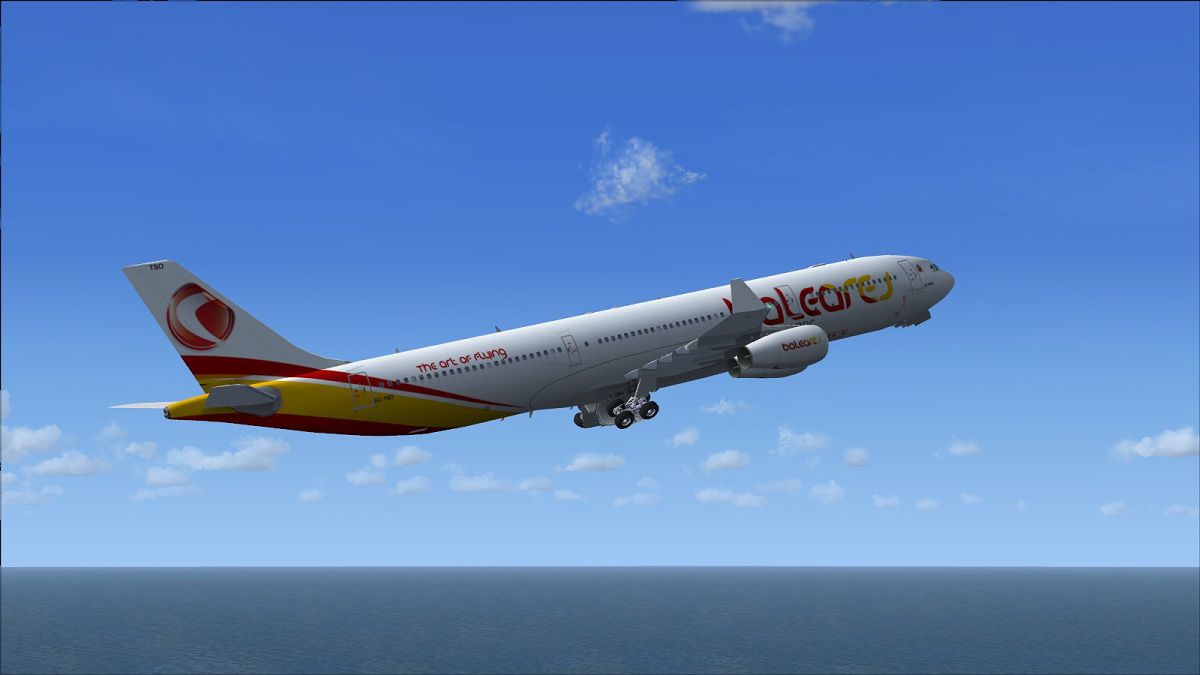
This lusitaniair-themed Airbus A340-300 repaint offers a carefully adapted texture set for Microsoft Flight Simulator X. Created by Joao Paulino, it showcases the LST Baleares fleet’s EC-TSO variant and requires the SMS Overland base module. This freeware release is an excellent choice for simmers seeking a realistic rendition of a four-engine long-haul operation without compromising performance or visual fidelity.
The real Airbus A340-300 boasts four CFM56 engines for extended-range travel, and this repaint follows that same technical configuration for an immersive experience. By incorporating Lusitaniair Airlines’ authentic livery, developers Joao Paulino and the team have captured the finer design elements, including reflective textures and carefully placed airline branding, preserving each detail for thorough realism. The specifications align with the actual aircraft’s high-capacity layout, appealing to pilots pursuing long-haul journeys within their virtual skies.
Under the Lusitaniair brand, this specific A343 carries the “Baleares” name, reflecting the airline’s focus on routes linking key destinations across continents. The updated artwork ensures that the tail markings, fuselage lines, and registration number (EC-TSO) appear in seamless alignment. The developers worked to retain the aircraft’s aerodynamic design in tune with real-world references. This approach makes the repaint both visually captivating and operationally fitting for cross-continental adventures.
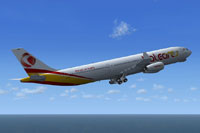
Screenshot of Lusitaniair Airbus A343 in flight.
Because this texture set is designed exclusively for the SMS Overland Airbus A340-300 model, confirm that you have downloaded and installed the freeware base package from the Fly Away Simulation library. Then, follow these concise steps to integrate the new livery:
[fltsim.xx]

title=A340-300 LST Baleares EC-TSO

sim=FeelThere_A340-300

model=2

panel=

sound=

texture=EC-TSO

atc_id=EC-TSO

atc_airline=Airbus

atc_flight_number=2141

atc_heavy=1

ui_manufacturer=Frota Lusitaniair

ui_type=Airbus A343 - SMS + Wilco

ui_variation=Baleares EC-TSO

description=Overland Co.,Ltd. Products --- Airbus A340-300\n\nL1 Cabin Door [Shift+E] then [1]\nCargo Door Operate with Door Display Gauge\nL2 Cabin Door Operate with Door Display Gauge
This repaint enhances authenticity for those fascinated by the Airbus A340’s unique long-range capabilities. It provides a detailed finish while maintaining optimal performance, thanks to Joao Paulino’s design approach. Remember to install the model dependency, ensure correct “aircraft.cfg” entries, and enjoy simulated flights that reproduce the feel of a true widebody aircraft cruising at altitude.
Free for all simmers · 6.47 MB · Scanned clean Oct 2026
Download speed: Free tier is capped at 0.5 Mbps (this file takes approximately 2 mins at the cap). PRO members download at full line speed.
texture.{airline}) inside FSX\SimObjects\Airplanes\{base-aircraft}\.aircraft.cfg in Notepad. Add a new [fltsim.X] section per the readme.readme.txt or README file. It tells you exactly where files go, what dependencies are needed, and any quirks specific to this add-on.The archive ec-tso_a343_baleares_fsx_sms.zip has 38 files and directories contained within it.
This list displays the first 500 files in the package. If the package has more, you will need to download it to view them.
| Filename/Directory | File Date | File Size |
|---|---|---|
| ec-tso_a343_baleares_fsx_sms | 11.19.12 | 0 B |
| EC-TSO.jpg | 11.19.12 | 113.53 kB |
| Readme.txt | 11.19.12 | 1006 B |
| texture.EC-TSO | 11.19.12 | 0 B |
| a3334antenna.bmp | 04.22.07 | 32.07 kB |
| a3334forehead.bmp | 04.04.06 | 32.07 kB |
| a340vc1_l.bmp | 04.22.07 | 1.00 MB |
| a340vc1_t.bmp | 04.22.07 | 1.00 MB |
| a340vc2_l.bmp | 04.22.07 | 1.00 MB |
| a340vc2_t.bmp | 04.22.07 | 1.00 MB |
| a340vc3_l.bmp | 04.22.07 | 1.00 MB |
| a340vc3_t.bmp | 04.22.07 | 1.00 MB |
| a340vc4_l.bmp | 04.22.07 | 1.00 MB |
| a340vc4_t.bmp | 04.22.07 | 1.00 MB |
| a340vc5_l.bmp | 04.22.07 | 256.07 kB |
| a340vc5_t.bmp | 04.22.07 | 256.07 kB |
| a340_cfm14_l.bmp | 04.22.07 | 1.00 MB |
| a340_cfm14_t.bmp | 05.30.11 | 4.00 MB |
| a340_cfm23_l.bmp | 04.22.07 | 1.00 MB |
| a340_cfm23_t.bmp | 11.16.12 | 5.33 MB |
| a343fuse_btm_l.bmp | 07.17.08 | 512.07 kB |
| a343fuse_btm_t.bmp | 05.25.11 | 512.07 kB |
| a343fuse_left_l.bmp | 04.04.06 | 1.00 MB |
| a343fuse_left_t.bmp | 11.16.12 | 5.33 MB |
| a343fuse_right_l.bmp | 04.04.06 | 1.00 MB |
| a343fuse_right_t.bmp | 11.16.12 | 5.33 MB |
| a343wing_l.bmp | 04.22.07 | 1.00 MB |
| a343wing_t.bmp | 05.25.11 | 1.00 MB |
| a3xx_antenna.bmp | 04.22.07 | 8.07 kB |
| ABmain_l.bmp | 04.22.07 | 16.07 kB |
| anticollision_t.bmp | 04.22.07 | 16.07 kB |
| fspap_pilot.bmp | 04.22.07 | 32.07 kB |
| fspap_pilot_l.bmp | 04.22.07 | 32.07 kB |
| g1_l.bmp | 04.22.07 | 256.07 kB |
| thumbnail.jpg | 11.19.12 | 34.02 kB |
| Thumbs.db | 06.04.07 | 33.50 kB |
| flyawaysimulation.txt | 10.29.13 | 959 B |
| Go to Fly Away Simulation.url | 01.22.16 | 52 B |
Only PRO members can place votes.
More FSX & P3D add-ons hand-picked based on this download.
FSX Civil Aircraft
Lusitaniair Airlines Airbus A340-300 CFM CS-TVJ paint for LST World Connect f…
 FSX Civil Aircraft
Explore a distinctive livery for an Airbus A340-300 operated by Lusitaniair A…
 FSX Civil Aircraft
This package introduces a meticulously crafted paint set focusing on Lusitani…
 FSX Civil Aircraft
Lusitaniair Airlines Airbus A330-300 GE EC-TSM paint for LST Baleares fleet. …
 FSX Civil Aircraft
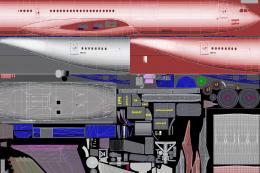
FSX Paint Kit For Tom's Airbus A333/A343. Contains white livery jpeg files fo…
 FSX Civil Aircraft
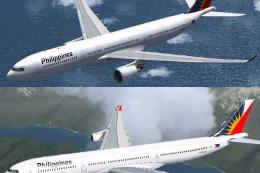
Airbus A333/A343 Philippines Repaint Pack. Textures for the Thomas Ruth A330-…
 FSX Civil Aircraft
Philippines Airbus A333/A343 v2. Textures for the Thomas Ruth A330-300 and A3…
 FSX Civil Aircraft
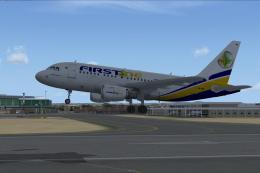
This freeware release adds a meticulously crafted Lusitaniair-inspired Airbus…
Be the first to leave a comment on this download.
Be the first to share your thoughts on this download.