

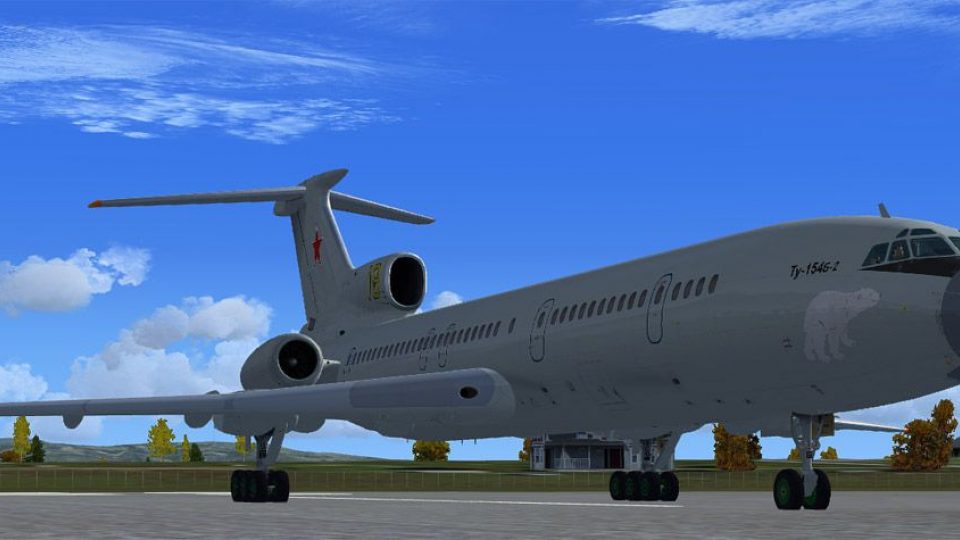
FSX AV-MF Tupolev Tu-154B2
Aviatsiya Voyenno-Morskogo Flota AV-MF “Yellow 18” repaint brings a fictional Northern Fleet naval aviation look to the Project Tupolev Tu-154B-2, with period-appropriate Soviet-style markings that suit classic airline operations. Designed for FSX, it requires the Project Tupolev Tu-154B-2 base aircraft.
 Rate
Rate
Images & Screenshots
4 total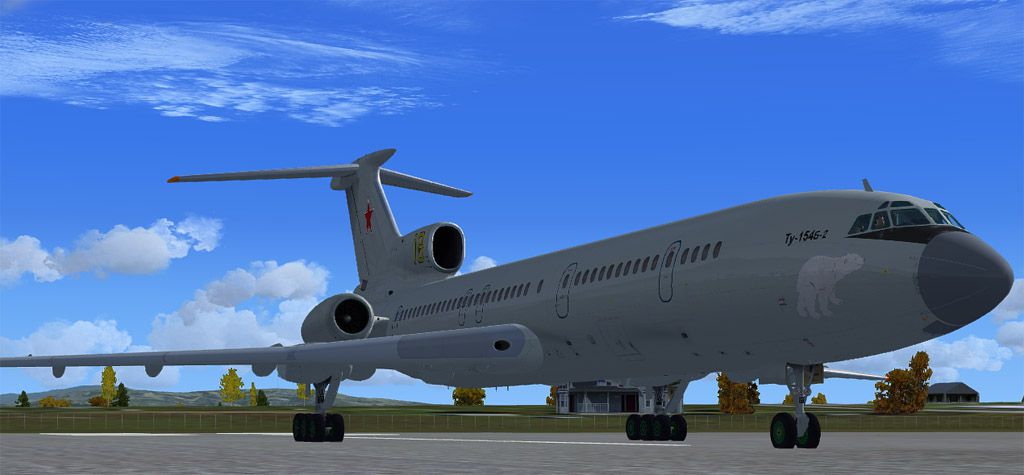
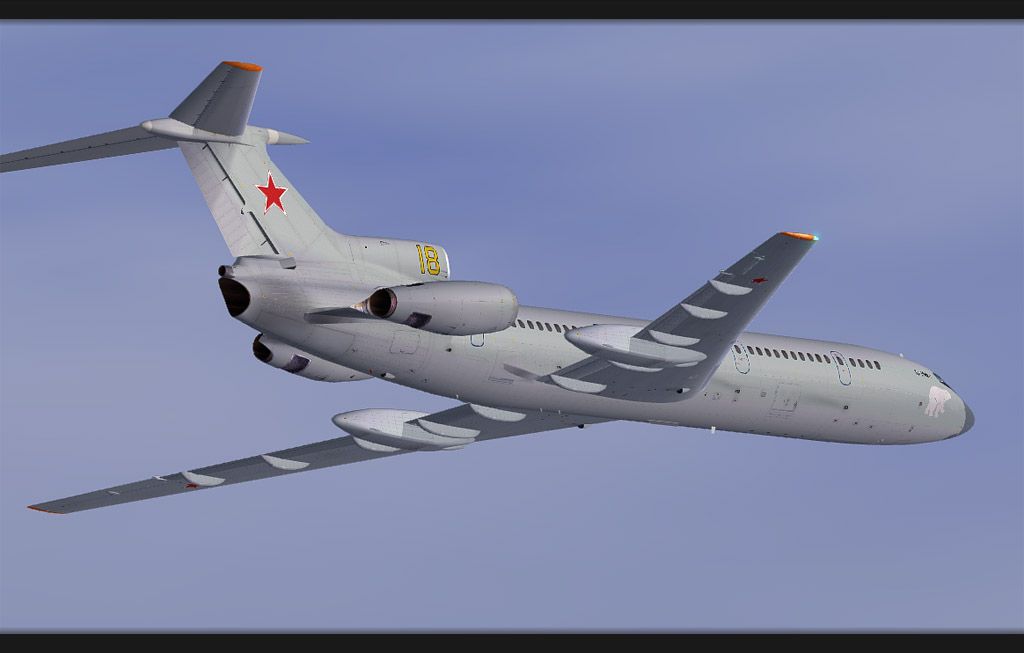
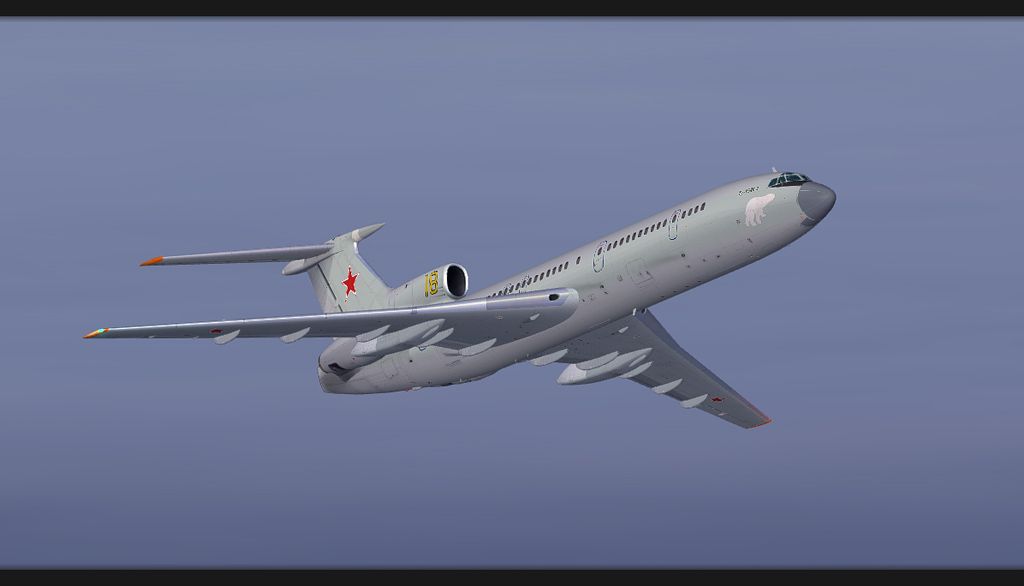
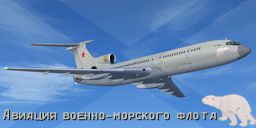
Repaint for the Project Tupolev Tu-154 B2. Fictional scheme of Aviatsiya Voyenno-Morskoyo Flota AV-MF, assigned to Northern Fleet. By Joaquin Munoz.
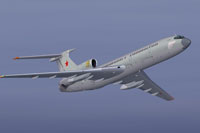
Screenshot of AV-MF Tupolev Tu-154B2 in flight.
Installation:
- Copy the 'texture.AVMF18' folder in the Tu-154B-2 folder.
- Copy the following text in the aircraft.cfg.
[fltsim.XX]

title=Tu154B-2 AVMF

sim=154b_v3_08X

model=70

panel=70

sound=

texture=AVMF18

kb_checklists=

kb_reference=

atc_id=Yellow 18

atc_airline=Naval

atc_flight_number=18

editable=0

ui_manufacturer=ANTK Tupolev

ui_type=PTu-154B-2

ui_variation=AV-MF yellow18 Green 70's Panel

visual_damage=1

ui_createdby=Project Tupolev

description=Project Tupolev Tu154-B2 X v1.1 in fictional scheme of the Naval aviation of the Russian Navy, Northern Fleet.

atc_heavy=0
- Change XX for the correct number.
Enjoy!
Ready to download AV-MF Tupolev Tu-154B2?
Free for all simmers · 23.94 MB · Scanned clean Sep 2026
File information
Download speed: Free tier is capped at 0.5 Mbps (this file takes approximately 7 mins at the cap). PRO members download at full line speed.
How to install this mod
FSX / P3D
Repaint
How to install this mod
-
Extract the downloaded archive
Use 7-Zip (free) or WinRAR to extract the ZIP to a temporary folder. Don't install while still zipped — the simulator can't read inside ZIP files. -
Add livery to base aircraft folder
Place the texture folder (typicallytexture.{airline}) insideFSX\SimObjects\Airplanes\{base-aircraft}\. -
Update aircraft.cfg
Open the baseaircraft.cfgin Notepad. Add a new[fltsim.X]section per the readme. -
Always read the included readme
Every mod ships with areadme.txtorREADMEfile. It tells you exactly where files go, what dependencies are needed, and any quirks specific to this add-on.
What’s inside this archive
The archive pt154b2_avmf.zip has 20 files and directories contained within it.
File Contents
This list displays the first 500 files in the package. If the package has more, you will need to download it to view them.
| Filename/Directory | File Date | File Size |
|---|---|---|
| Pt154b2 AVMF | 10.26.12 | 0 B |
| 90s panel texture | 10.25.12 | 0 B |
| texture.cfg | 09.21.12 | 173 B |
| AVMF1.jpg | 10.26.12 | 82.37 kB |
| AVMF2.jpg | 10.26.12 | 119.77 kB |
| AVMF3.jpg | 10.25.12 | 107.93 kB |
| readme.txt | 10.26.12 | 2.28 kB |
| Texture.AVMF18 | 10.25.12 | 0 B |
| texture.cfg | 10.27.11 | 144 B |
| thumbnail.JPG | 10.24.12 | 45.58 kB |
| TU-154B_MainA_L.dds | 09.30.12 | 16.00 MB |
| TU-154B_MainA_T.dds | 10.02.12 | 16.00 MB |
| TU-154B_MainB_L.dds | 09.30.12 | 16.00 MB |
| TU-154B_MainB_T.dds | 10.25.12 | 16.00 MB |
| TU-154B_Various_T.dds | 10.14.12 | 16.00 MB |
| TU-154B_WingL_T.dds | 09.30.12 | 16.00 MB |
| TU-154B_WingR_T.dds | 09.30.12 | 16.00 MB |
| thumbnail.gif | 10.26.12 | 6.97 kB |
| flyawaysimulation.txt | 10.29.13 | 959 B |
| Go to Fly Away Simulation.url | 01.22.16 | 52 B |
Rate this add-on
PRO perkOnly PRO members can place votes.
0 comments
Be the first to leave a comment on this download.
No comments yet
Be the first to share your thoughts on this download.