

 FSX Historic & Vintage Aircraft
VF-17 Jolly Rogers Vought F4U-7 Corsair
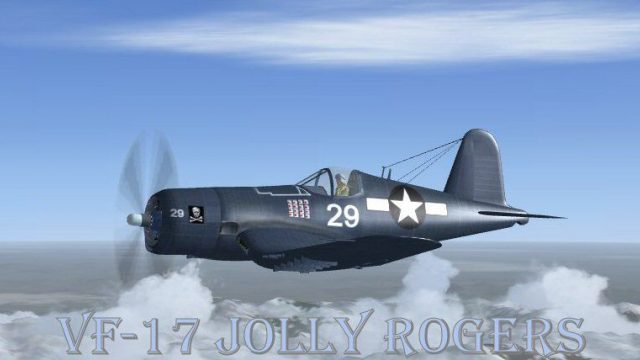
VF-17 Jolly Rogers Vought F4U-7 Corsair "First Mate". A repaint of Guy Hulin'…
Ira Kepford’s VF-17 “Jolly Rogers” F4U Corsair repaint recreates the #29 aircraft flown by the Navy ace during late-1942 operations, pairing crisp new textures with FSX-specific updates and both 2D and 3D virtual cockpit support. Requires the Guy Hulin Corsair model, and includes historical notes and reference images for added authenticity.
 Rate
Rate
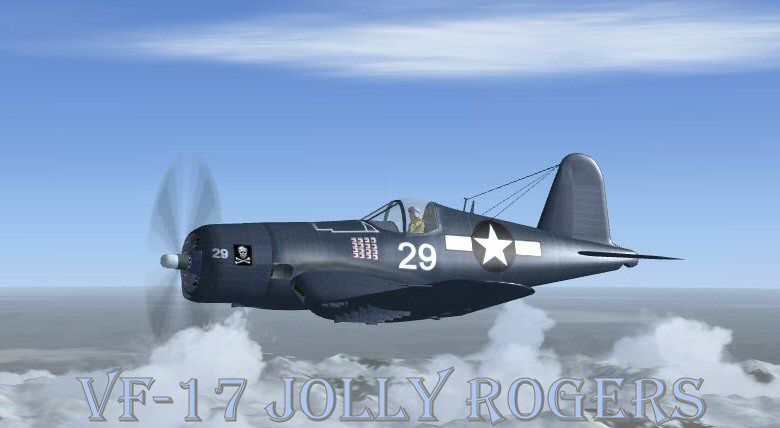
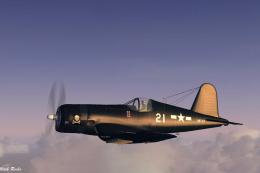
This is a Repaint of the Guy Hulin Corsair model updated for Flight Simulator X. This aircraft is the Corsair flown by ace Ira Cassius Kepford. November 1942. He was assigned to VF-17, the famous "Jolly Rogers". Alone with his aircraft bearing #29 Top Navy Corsair Ace Ira Kepford had 16 confirmed victories with the VF-17 Jolly Rogers. Ira Kepford earned two Navy Crosses, the Gold Star, the Silver Star, three Distinguished Flying Crosses, the Air Medal, Unit Commendation to VF-17, and the American Defense Service Medal. Kepford died on 1/19/1987. This aircraft has a 2D and 3D cockpit, new textures and FSX updates by Mark Rooks of RDG. Aircraft history and pictures included in this package.
Screenshot of Ira Kepford's VF-17 Corsair in flight.
To install this aircraft:
As always back up any original files.
1. Unzip downloaded folders to your desktop or temporary directory of your choice.
2. Copy the " VF-17 #29 Corsair Ace Ira Kepford " and paste it in the main aircraft folder. By default the main aircraft folder is located at: "C:Program FilesMicrosoft GamesFSXSIM Objects /Aircraft".
3. Be sure to completely unzip all files the aircraft file when complete will Cotain 6 files the Following 6 files goes in the aircraft folder CFG Airfile Model Sound Panel Textures.
4. Unzip the gauges folder and put the gauges in the FSX gauges folder located at "C:Program FilesMicrosoft GamesFSXGauges".
Made Simpler:
Make sure all files are unzipped the New Plane folder should contain 6 files unzipped they are CFG Airfile Sound Model Texture Panel the New Plane folder with the 6 files goes in the game aircraft folder found at C:Program FilesMicrosoft GamesMicrosoft Flight Simulator XSimObjectsAirplanes follow the path ie open the c drive then open program files then open Microsoft Games then open Microsoft Flight Simulator X then open SimObjects then open Airplanes folder the New Plane goes in that folder.
Textures and FSX updates created by Mark "Fire Ball" Rooks.
Enjoy your new repaint.
Thanks for downloading.
"Fire Ball"
Free for all simmers · 20.77 MB · Scanned clean Oct 2026
Download speed: Free tier is capped at 0.5 Mbps (this file takes approximately 6 mins at the cap). PRO members download at full line speed.
SimObjects\Airplanes\, Addon Scenery\, Effects\, or Gauges\.readme.txt or README file. It tells you exactly where files go, what dependencies are needed, and any quirks specific to this add-on.The archive vf-17_jolly_rogers_corsair.zip has 8 files and directories contained within it.
This list displays the first 500 files in the package. If the package has more, you will need to download it to view them.
| Filename/Directory | File Date | File Size |
|---|---|---|
| gauges.zip | 10.25.10 | 1.26 MB |
| Pictures and History.zip | 12.24.11 | 8.21 MB |
| Read Me First.txt | 12.24.11 | 3.09 kB |
| Screen VF-17.jpg | 12.24.11 | 41.65 kB |
| Text.txt | 12.24.11 | 690 B |
| VF-17 #29 Corsair Ace Ira Kepford.zip | 12.24.11 | 11.25 MB |
| flyawaysimulation.txt | 10.29.13 | 959 B |
| Go to Fly Away Simulation.url | 01.22.16 | 52 B |
Only PRO members can place votes.
More FSX & P3D add-ons hand-picked based on this download.
FSX Historic & Vintage Aircraft
VF-17 Jolly Rogers Vought F4U-7 Corsair "First Mate". A repaint of Guy Hulin'…
 FSX Historic & Vintage Aircraft
A repaint of Guy Hulin's Corsair updated for Flight Simulator X. This aircraf…
 FSX Historic & Vintage Aircraft
Repaint for FS-Cast Boeing B-17G, version 1.0, 2008.05.16, created by Francis…
 FSX Historic & Vintage Aircraft
Dornier Do 17 with accurate bombing from 12000 feet or 100 feet. Simulating t…
 FSX Historic & Vintage Aircraft
Repaint for FS-Cast Boeing B-17G for FSX, version 1.0, 2008.05.16 Created by …
 FSX Historic & Vintage Aircraft
The A-17 was developed from the very successful and high performance Northrop…
 FSX Historic & Vintage Aircraft
A fully-featured freeware Vought Corsair F4U-1a add-on for all versions of Mi…
 FSX Historic & Vintage Aircraft
This is a repaint of Guy Hulin's Corsair. This aircraft is the Corsair flown …
Read what other simmers think, or add your own.

Beautiful model! Great panels 2D and VC. Flies like a hotrod. Nice work! Great download.

I knew another ace that shot down 16 planes, for about 25 yrs. before he died he was 94. His name was Phil Kirkwood he also flew the Corsair he told me that they would drop one wing when you landed on the ship. Thank you, Dale.